
Web64 IDE User Manual
Version: 2026-09-29
Copyright (c) 2026 Mika Jussila, Siteledger Solutions Oy
License: Web64 IDE License v1.0
Contents
- What Web64 IDE is
- Web64 principles
- The IDE workspace
- Keyboard shortcuts
- Projects and persistence, including Optional local MCP access
- Project templates, including Authoring portable templates
- Web64 Cloud
- Settings tab
- The virtual filesystem
- Source editing and compilation
- Web64 C compiler and virtual headers
- Web64 fixed-point math
- Assembler reference
- Includes, imports, symbol files, and binary data
- Macros
- Building, loading, and running programs
- Build targets and multi-load projects
- KickAssembler Compatibility Mode
- Web64-native c64lib compatibility
- Disk mastering and project media, including REU and C64U launches
- The embedded Web64 runtime
- Debugger, including the Cycle / Raster Profiler
- Live patching
- Character editor
- Sprite editor
- Block editor
- Map editor
- SID tracker
- SID editor
- Generated include files
- Snapshots and state
- Keyboard, joystick, and gamepad input
- Recommended workflows
- Troubleshooting
- Reference tables
- Web64 C and Mixed C/Assembly Projects
- Changelog
Dedicated manuals: Web64 C Compiler User Manual, Web64 Game Runtime Libraries, Web64 IDE SID Tracker User Guide, KickAssembler Compatibility Mode
What Web64 IDE is
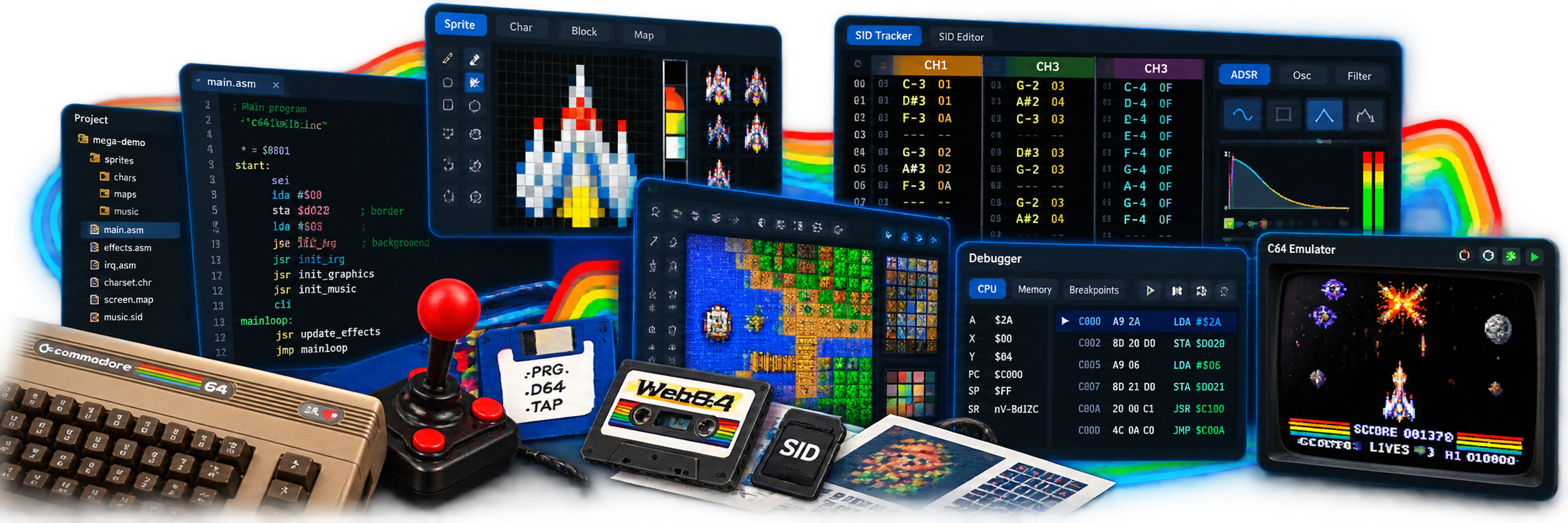
Web64 IDE is a browser-native Commodore 64 development environment built around the Web64 VICE port. It combines a compact assembly editor, a virtual project filesystem, a 6502 assembler, browser-local graphics asset editors, an embedded C64 runtime, live patching, and debugging tools into one web application.
The IDE is designed for short feedback loops. You can edit assembly source, create or modify character sets and sprite banks, build a PRG, load it into the embedded emulator, and run it without leaving the browser. When live patching is enabled, many code and asset changes can be written into the running emulator memory so the effect can be inspected without restarting the entire program.
Web64 IDE is separate from the root Web64 emulator page. The root emulator is intentionally lightweight and focused on running existing C64 media. The IDE is a development surface with editors, project state, diagnostics, and debug metadata. The IDE can use the same browser runtime, but the IDE should not be treated as part of the core emulator UI.
Web64 principles
Web64 IDE follows a few practical principles:
- Browser first: The IDE runs in the browser. It does not require Electron, Tauri, a native daemon, or direct host filesystem access.
- Local by default: Project files, graphics assets, source text, and generated PRG data live in browser memory until the user explicitly saves or downloads them.
- Virtual filesystem as source of truth: Imported files are represented inside the Web64 project tree. Assembly code should refer to project paths, not machine-specific host paths.
- Reproducible projects: A
.web64projfile should contain the source, virtual files, binary assets, symbols/includes, and IDE emulator settings needed to reopen the work later. - Emulator separation: The root Web64 emulator stays focused on running programs and media. IDE-only features belong under
/ide. - VICE compatibility where it matters: Runtime behavior comes from the VICE C64 core. The IDE adds browser-local tooling around that core.
- Fast edit-run loop: The main workflow is change source or assets, compile, load, start, inspect, and repeat.
- Asset-aware assembly: Character and sprite assets are ordinary virtual binary files. They are included with
.import binaryor.incbin, and optional generated include files expose useful labels. - No hidden host paths: A project should not depend on
C:\...,/home/..., or any local source tree outside the browser project. - Graceful degradation: Where a browser feature is unavailable, Web64 IDE should fall back to download-based saving or show diagnostics instead of losing project data.
The IDE workspace
The IDE is organized into a compact multi-pane layout:
- Top toolbar: Color-coded icon groups for project open/save, source open/save, PRG save/load/start, Web64 Cloud, About, Legal, and Help / Documentation.
- Left project sidebar: Project source, origin/start controls, entry point selection, and symbols.
- File tree: Virtual project files used by
.include,.import,.incbin, asset editors, and generated outputs. - Center workbench: Tabbed IDE views. The current first-class tabs are Code, Build Targets, Disk/Media, Debugger, Cloud, Settings, Char Editor, Sprite Editor, Block Editor, Map Editor, Trajectory Editor, SID Tracker, and SID Editor.
- Embedded emulator panel: The Web64 runtime surface used to load, run, pause, reset, inspect, and preview programs/assets.
- Inspector sidebar: Contextual assembly opcode and runtime-macro argument reference, compiler diagnostics, line map, byte output, media output state, targets, trace highlights, and breakpoint toggles.
- Global status bar: Current IDE activity, live drive 8/9 LEDs and track positions, plus PRG size and project-wide file, symbol, line, asset, error, and warning totals.
The Code tab is split between the editor and the embedded emulator. The split and sidebars are resizable. The emulator panel can be collapsed completely when the editor needs the full vertical work area; the reveal button remains in the source tab header.
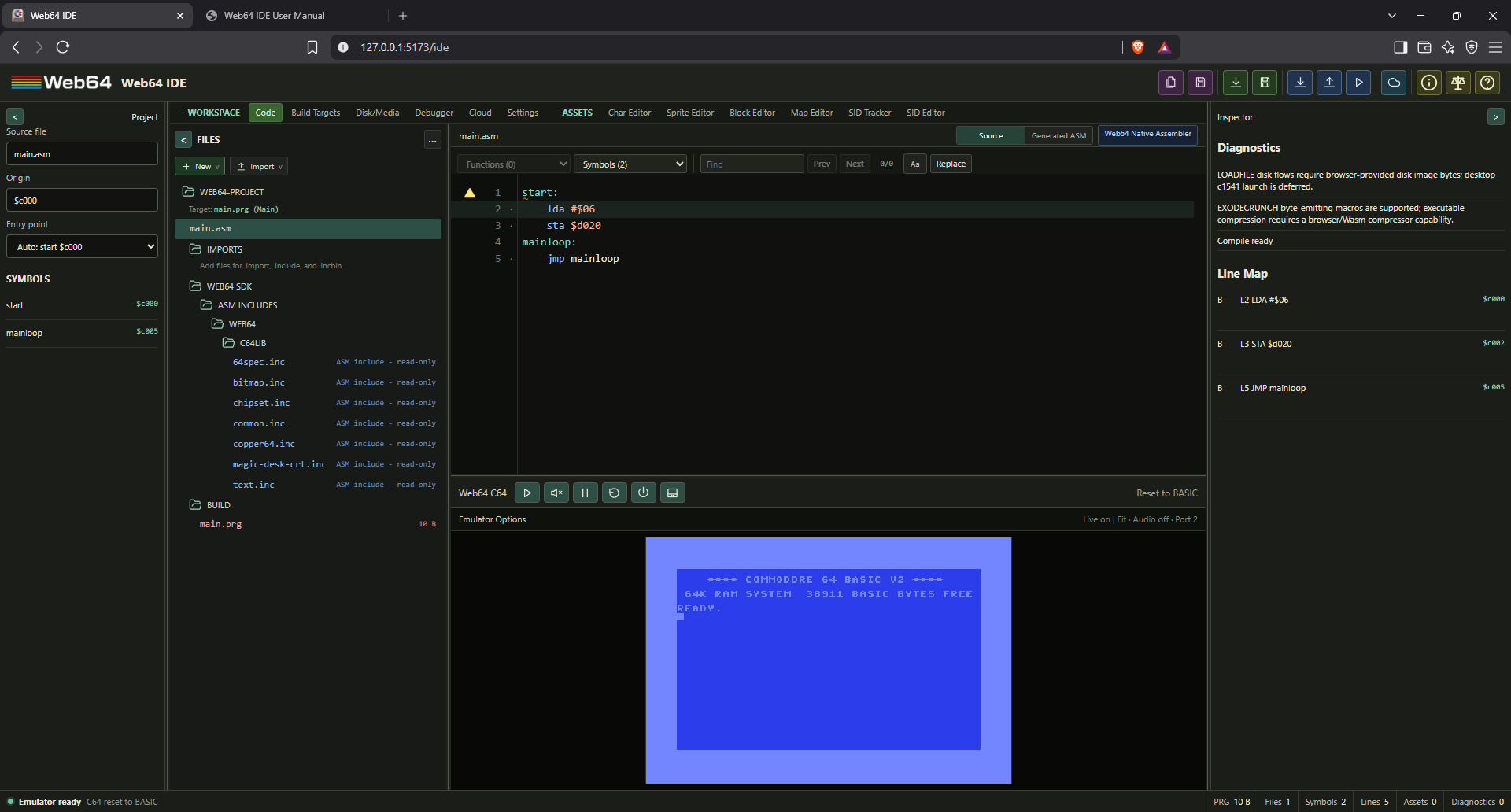
The title-bar groups reuse the asset-editor toolbar colors: purple for project files, green for source files, blue for PRG output/runtime actions, cyan for Web64 Cloud, and olive-yellow for About and documentation. Hover an icon for its command name. Save PRG uses the download icon and remains grouped with Load PRG and Start PRG. The cloud icon opens the lazy Cloud workspace, the information icon opens About, the scale icon opens the Web64 legal documents, and the question-mark icon opens the IDE manual.
The global status bar remains at the bottom of the IDE. Its activity indicator distinguishes idle, compiling, diagnostic checking, running, paused, SID preview, build-error, and emulator-ready states. Drive 8 and 9 each have a live LED and track readout (T-- when unknown); hover to see the mounted disk and full state. The LEDs follow VICE drive activity during real disk loads, so long loader phases remain visible even when the C64 display does not change. PRG size and compiler statistics describe the latest completed compiler snapshot; file, line, and asset totals describe the current project model. When Cloud has been opened, a separate sync indicator reports its local, pending, syncing, synced, offline, authentication, conflict, or error state; click it to open Cloud Storage. Hover a field to see its exact meaning and the unrounded PRG byte count.
The tab line is intentionally compact. The current tab groups are:
- Workspace: Code, Build Targets, Disk/Media, Debugger, Cloud, and Settings.
- Assets: Char Editor, Sprite Editor, Block Editor, Map Editor, Trajectory Editor, SID Tracker, and SID Editor.
The About button opens an in-IDE dialog with the running IDE version, build date, project/settings format versions, copyright, the 128x128 Web64 IDE logo, the Web64 IDE Facebook group, and direct links to the License, Terms of Service, and Privacy Policy. The Legal button opens docs/web64-ide-license.html in a new tab. Its compact tabs display the canonical docs/WEB64_IDE_LICENSE_v1.0.md, docs/WEB64_TERMS_OF_SERVICE.md, and docs/WEB64_PRIVACY_POLICY.md documents and provide a Markdown link for the selected document. Cloud account creation links directly to the Terms of Service and Privacy Policy. The Help / Documentation button opens docs/web64-ide-user-manual.html in a new tab. Dedicated HTML manuals for the C compiler and SID tracker are also available in public/docs, alongside the Markdown manuals and the IDE PDF.
Keyboard shortcuts
Keyboard shortcuts are shown in toolbar tooltips. Global commands work regardless of the focused IDE pane. Asset-editor commands apply only while their editor is active and do not replace ordinary typing in text fields. On macOS, Command can be used for shortcuts listed with Ctrl.
Global
| Shortcut | Command |
|---|---|
F5 | Run the current program. Running switches to the Code tab and expands the emulator panel. |
Ctrl+F5 | Run the selected disk set: build missing/modified targets, open Code and expand the emulator. |
Shift+F5 | Pause or resume the running emulator. |
Ctrl+Shift+E | Show or hide the emulator panel. |
Debugger
These work while the emulator or debugger has focus and no text field or dialog is active. The native runtime must be paused for an advancing command.
| Shortcut | Command |
|---|---|
F9 | Step one CPU instruction. |
Ctrl+F9 | Step to the next VIC frame, then the first safe CPU instruction boundary. |
F10 | Step over a call. |
Ctrl+F10 | Run to the selected complete instruction. |
Shift+F9 | Continue or pause. |
Source editor
| Shortcut | Command |
|---|---|
Ctrl+S | Save the current source file. |
Ctrl+Shift+S | Save the current source file with a file picker. |
Ctrl+Alt+S | Save the project. Add Shift to force a file picker. |
Ctrl+F | Focus Find. |
Ctrl+H | Focus Find and Replace. |
Ctrl+Space | Request autocomplete. |
F12 | Go to definition. |
Ctrl+F12 | Go to implementation. |
Alt+F12 | Show generated assembly when the feature is enabled. |
Alt+Left | Return to the previous source-editor location. |
Alt+Shift+F | Format the current document or selection. |
Character editor
| Shortcut | Tool or command |
|---|---|
Ctrl+Z, Ctrl+Shift+Z | Undo or redo the linked tile-family edit. |
Insert, Shift+Delete | Add or remove a character and remap linked blocks. |
Alt+Up, Alt+Down | Move the character and remap linked blocks. |
P, E, L, F | Pencil, erase, line, or fill. |
Ctrl+C, Ctrl+V, Ctrl+D | Copy, paste, or duplicate the current character. |
X, Y | Flip horizontally or vertically. |
Left, Right, Up, Down | Shift character pixels in that direction. |
Block editor
| Shortcut | Tool or command |
|---|---|
Ctrl+Z, Ctrl+Shift+Z | Undo or redo the linked tile-family edit. |
Insert | Add a block. |
Shift+Delete | Remove the selected block and remap linked maps. |
Alt+Up, Alt+Down | Move the block and remap linked maps. |
P, E, F | Place character, clear cell, or fill block. |
Ctrl+C, Ctrl+V, Ctrl+D | Copy, paste, or duplicate the current block. |
X, Y | Flip horizontally or vertically. |
Left, Right, Up, Down | Shift block cells in that direction. |
[, ] | Decrease or increase block zoom. |
Map editor
| Shortcut | Tool or command |
|---|---|
H, P, E, I | Pan, place block, erase, or pick block. |
F, R, O, L, D | Bucket, rectangle, ellipse, line, or random brush. |
V, M | Select a rectangular region or move the current selection. |
Ctrl+C, Ctrl+V, Ctrl+D, Delete | Copy, paste, duplicate, or delete the current selection using the enabled planes. |
Enter, Esc | Commit or cancel a floating move/paste. |
C, S | Capture a stamp or paint the captured stamp. |
Shift+F | Fill the complete map with the selected block. |
Shift+R | Replace every matching value in the active structure or typed plane. |
Shift+O | Open Color RAM analysis and optimization. |
Home | Fit the map to the viewport. |
Z | Zoom to the selected cell. |
[, ] | Decrease or increase map zoom. |
G | Toggle the map grid. |
Sprite editor
| Shortcut | Tool or command |
|---|---|
Ctrl+Z, Ctrl+Shift+Z | Undo or redo. |
Insert, Ctrl+D, Shift+Delete | Add, duplicate, or delete a frame. |
Ctrl+C, Ctrl+V | Copy the frame or selection; paste a Web64 sprite payload or image. |
Alt+Left, Alt+Right | Move the current frame in the bank. |
Alt+1, Alt+2, Alt+3, Alt+4 | Select multicolor, overlay, composite, or split pair mode. |
P, E, F, L | Pencil, eraser, flood fill, or line. |
R, O, S, M | Rectangle, ellipse, selection, or move selection. |
Shift+F | Fill selected frames. |
X, Y | Flip selected frames horizontally or vertically. |
Left, Right, Up, Down | Nudge selected frames. |
Shift+Left, Shift+Right, Shift+Up, Shift+Down | Wrap selected frames. |
I, W | Invert or swap pens 1 and 2. |
Alt+X, Alt+Y | Reflect the left or top half. |
Ctrl+Alt+X, Ctrl+Alt+Y | Tuck horizontally or vertically. |
[, ] | Decrease or increase canvas zoom. |
G, N | Toggle the grid or onion-skin frames. |
SID tracker
Tracker toolbar shortcuts use modifiers so they remain distinct from keyboard note entry. Selection transpose and current-voice commands work while a pattern cell is focused.
| Shortcut | Tool or command |
|---|---|
Ctrl+P, Ctrl+Shift+P | Play the selected subtune or stop preview. |
Ctrl+Z, Ctrl+Shift+Z | Undo or redo. |
Alt+E | Switch between reSID realtime and FastSID preview. |
Alt+Page Up, Alt+Page Down | Select the previous or next subtune. |
Alt+A, Alt+M | Toggle preview audio or mute. |
Ctrl+Alt+Down, Ctrl+Alt+Up | Decrease or increase preview volume. |
Ctrl+Page Up, Ctrl+Page Down | Select the previous or next pattern. |
F2 | Focus pattern rename. |
Alt+P | Play the selected pattern. |
Ctrl+N, Ctrl+D | Create or duplicate a pattern. |
Alt+Insert, Alt+Delete | Add or remove the final pattern row. |
Alt+Down, Alt+Up | Decrease or increase note-entry octave. |
Alt+F, Alt+L | Toggle playback follow or pattern looping. |
Ctrl+[, Ctrl+] | Transpose the note or selection down or up one semitone. |
Ctrl+Alt+M, Ctrl+Alt+S | Mute or solo the current voice. |
SID editor
| Shortcut | Tool or command |
|---|---|
P, Shift+P | Play or stop SID preview. |
E | Switch between reSID realtime and FastSID preview. |
A, M | Toggle audio or mute. |
[, ] | Decrease or increase preview volume. |
Ctrl+E | Export the selected SID file. |
Projects and persistence
Web64 IDE projects are saved as .web64proj files. A project file is JSON with enough information to recreate the browser-local project state.
The current in-memory virtual filesystem is always the source for compilation, Build and Run. Unsaved (dirty) changes are normal and never require a project save before building. Saving a .web64proj is a separate persistence action.
When you close, reload or navigate away with unsaved source, asset, build-target or disk-layout changes, the IDE requests the browser's standard leave-page confirmation. Pending editor input is included. A successful project save clears the warning for the snapshot saved; edits made while that save is in progress remain protected. Saving only a source file does not save the complete project. The dialog text is controlled by the browser, and browsers may suppress it without prior user interaction or during forced shutdown. It is not a substitute for saving your project. A download fallback offers a project copy but cannot verify that the browser actually wrote it to disk.
Current project format version 4 stores the versioned build target manifest and media version 2 logical-file/disk/disk-set manifest in addition to source, assets, settings, and workspace state. Older projects remain loadable and are normalized in memory; saving writes the current format. Target PRGs, generated D64 bytes, ZIP archives, and runtime disk clones are deliberately not embedded in the project file.
A project stores:
- Main source text.
- Source file name.
- Assembly origin.
- Selected entry label.
- Virtual project files.
- Binary assets, stored as base64.
- Generated include files.
- Graphics asset metadata such as mode, dimensions, color slots, include paths, overlay-pair descriptors, and counts.
- Tile asset metadata for
.blk,.blocks,.map, and.w64mapblock/map assets. - SID asset metadata for imported/generated
.sidfiles and source-truth.w64sidtracker JSON. - Generated SID tracker derivatives (
.sidand.inc) when.w64sidvalidation/export succeeds. - IDE emulator settings such as display scale, paced speed (1x–16x), audio, drive sounds, SID quality, scanlines, drive 9, gamepad, joystick port, swap ports, warp, and live patch setting.
- Project-owned IDE settings for live compilation, diagnostics, emulator defaults, C compiler settings, and optimizer settings.
- Workspace state containing the selected project-tree file, the active text document's caret/selection/scroll, and whether the emulator panel is collapsed.
The project file does not store:
- Native host filesystem handles as required state.
- Browser runtime memory.
- Unsaved emulator snapshot state, unless exported separately as a
.vsf. - Local editor display and autocomplete preferences, which are stored in browser-local preferences.
- External source tree paths outside the virtual project.
Opening a project
Use the project open button in the top toolbar. If the browser supports the File System Access API, Web64 IDE can open a file handle directly. Otherwise, use the standard file input fallback.
Opening a project replaces the current source, virtual file tree, selected entry label, workspace selection, emulator-panel collapse state, and persisted emulator settings. Current runtime state is cleared from the IDE model. Version 3 projects reopen the stored project-tree file and restore the stored source selection and scroll position after validating that the referenced files still exist. Older projects and projects with stale workspace paths remain supported and use the normal default-source selection with the emulator panel expanded. The complete project state is also promoted immediately to the full-build snapshot, so the byte count, C/ASM symbols, line maps, entry list, autocomplete build symbols, and runtime metadata all belong to the project that was opened rather than the previous project.
Saving a project
Use the project save button. Web64 IDE writes a .web64proj file through the browser file picker when available. If direct file saving is unavailable, it downloads the project file.
Before saving, the IDE flushes pending character and sprite draft edits into the virtual filesystem. Block sets, maps, and .w64sid tracker files also expose explicit save commands because they maintain draft state and derived output records. This is important: the saved project should contain the current bytes or source records visible in the asset editors, not stale data from a previous commit.
Saving source and PRG files
The source save action saves only the currently edited source text. The PRG save action compiles the current source and virtual files, then saves the generated PRG bytes.
Optional local MCP access
The separately installed web64-mcp-bridge v0.1.0 connects an MCP client to one explicitly approved browser workspace. The compiler, native importers, project VFS and disk mastering still run in Web64 in your browser, not in the bridge or on a remote build server. No Web64 source checkout or local compiler is required. Ordinary IDE visits have no MCP controls, local-bridge discovery or permission prompts; install and configure the optional bridge only if you want this access.
The bridge's README covers Node.js 22+ installation and MCP client setup. Default stdio mode is spawned by the client. Optional Streamable HTTP mode is a loopback-only server requiring separate per-client credentials; it is not a public Web64 endpoint or legacy HTTP+SSE service.
Ask the client for a web64_connection invitation using begin_pairing, then open that single-use URL in the intended IDE tab. Click Connect local bridge, answer the browser's local-network prompt, and separately approve the requested project permissions. Check the browser's address-bar/top-left permission prompt if connection verification appears to wait. A timed-out invitation needs a fresh request; do not disable browser security. The frontend must support the requested capabilities; a Web64 version number alone does not establish compatibility.
Choose project:read for inspection, project:write for editing/local saving, build for read/build without editing, or project:write+build for both. Grants never silently upgrade. The client can inspect public SDK/docs/native schemas, edit/import through native project operations, build selected targets or disks, inspect Build Output and retrieve grant-private artifacts within those permissions. Public knowledge may be cached locally, but its release is validated per logical client session; private project content is not a public knowledge-cache entry.
Unsaved VFS edits remain current and buildable. A build does not save the project, mount a disk, start the emulator or live-patch a running program. Save persists the native .web64proj: MCP can export its native bytes, or save through an already-permitted browser file handle. It cannot open a file picker or claim an export is a completed disk save. Run/F5, Run Disk and all Cloud operations remain your normal IDE actions. The saved project is editable without MCP.
Disconnect revokes access and removes the temporary panel. Reloading or closing the tab requires a new invitation and approval. Invitations expire after five minutes; do not share them or store them in projects. Chrome has full native workflow verification, while Edge has HTTPS pairing verification. Other browsers and OAuth-only MCP clients are not certified by the initial bridge release.
Project templates
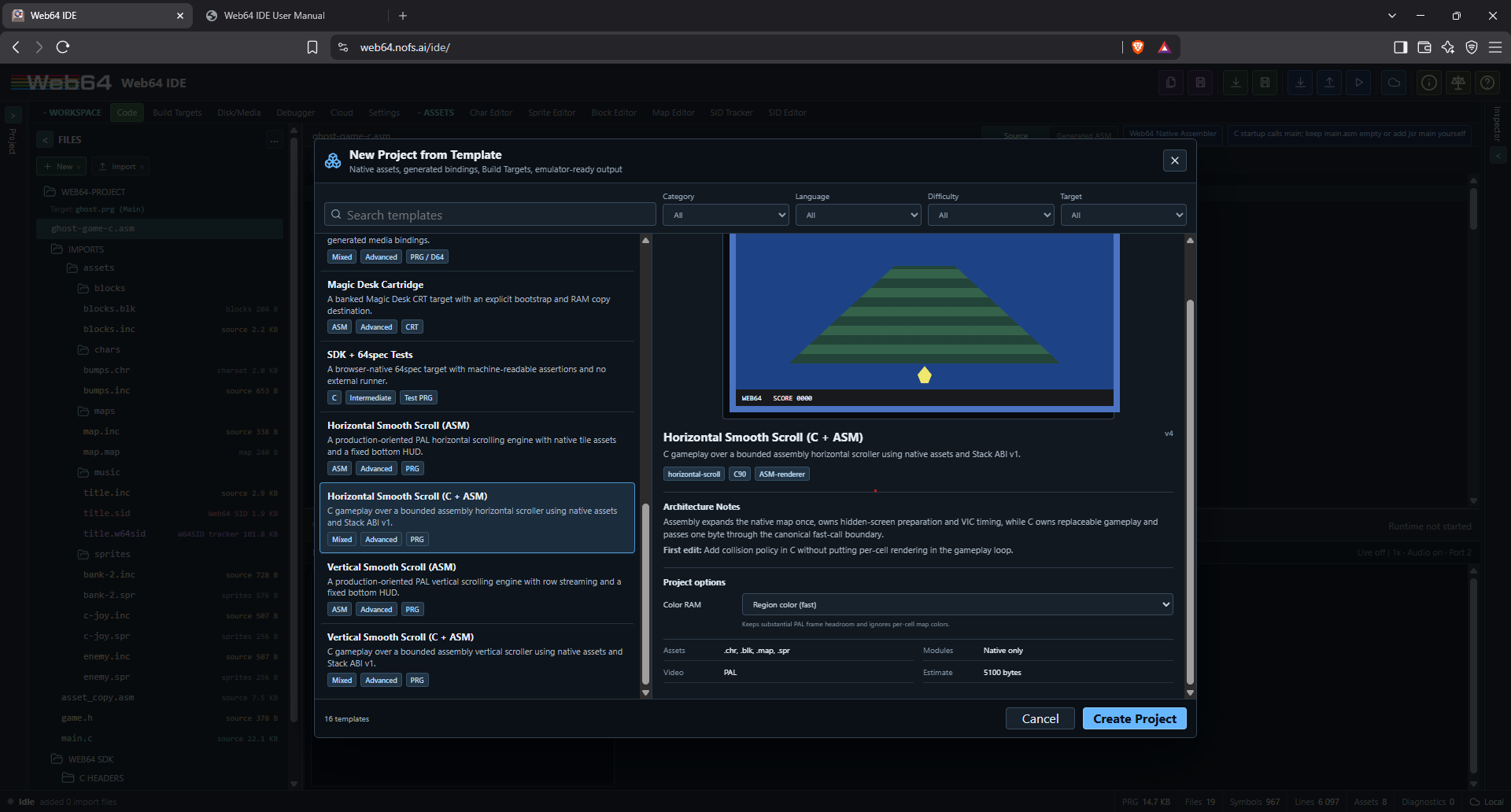
Open Project tree > New > New from template... to create a complete project from the bundled template catalog. This green-highlighted entry is a quick starting point: choose a PRG starter, create the project, press F5 to run, change something and press F5 again. Disk-based templates use Run Disk as described in their included guide. No separate emulator, assembler or build-tool installation is needed. Each template is a portable, versioned .web64template JSON artifact. The selected payload and optional preview are loaded on selection; other project payloads are not loaded. The normal ASM, C, and Mixed C/ASM commands in the same menu are shortcuts to the corresponding catalog templates, so all new-project paths use the same instantiation and native validation rules.
The dialog filters by category, language, difficulty, and target type. Search also matches feature tags. Selecting a template displays its architecture summary, first recommended edit, native assets, selected compatibility modules, video-standard applicability, approximate PRG footprint, optional next templates and an actual emulator preview when supplied. Ready to create templates need no answers; Configurable templates show their declared controls. Double-click a ready template or use Create Project. If the current project contains unsaved source or asset work, Web64 offers Save and Create, Create Anyway, or Cancel.
Stock templates are bundled with Web64 and need no account. My Templates belongs to your Web64 Cloud account: Import to My Templates validates a local .web64template and installs it into Cloud, not browser storage. Free accounts can install 5 templates; paid accounts 20, subject to existing storage quotas. The file is only the transport; Cloud is the installation authority. Imported templates cannot replace a stock entry with the same ID. Remove from My Templates removes the installation without changing projects created from it. Export Template downloads the complete selected artifact, including all configurations, native assets and images. Marketplace installation is reserved for future work. See Template Authoring for input definitions, native output projects and the published schema.
Template questions may use bounded text, numbers, checkboxes, choices or multiple selections. Defaults are provided, and invalid answers disable creation with an explanation. Web64 owns the controls and layout. Templates contain no host scripts, custom HTML/CSS or remote resource URLs. After creation, use the normal Save Project, build and run controls; the resulting .web64proj is fully standalone. Template creation never runs the project automatically.
Every template is a project generator, not a shared mutable dependency. Once created, the project owns all generated files. A later Web64 template update never modifies an existing project. The .web64proj stores compact provenance containing the template id, template version, catalog version, and deterministic semantic content hash; provenance does not make the project dependent on the catalog.
Bundled catalog
Official Examples
In Project tree > New > New from template..., choose Collection > Examples to browse complete reference projects from the official Web64 examples repository. Stock and My Templates are recipes that create projects; Examples opens an already-complete native project. Examples need no account, do not use template quota, and never install anything in My Templates.
Select an example to read its authoritative repository README without opening it. Search and the usual filters narrow the collection. Watch Tutorial appears when a video is provided (including Aurora), View on GitHub opens the source project, and optional related documentation appears where available. README HTML/scripts are not executed. If discovery or documentation cannot be reached, use Refresh; Stock templates remain available.
Open Example downloads and validates the .web64proj before changing your workspace. Invalid or missing projects leave the current project untouched. Some older entries carry a validation notice; opening still checks the latest download and never bypasses native validation. Existing unsaved work can be saved first or explicitly replaced.
The opened example is an unsaved working copy, even before you edit anything. Sources, native asset editors, Build Targets, compiler settings and Disk/Media work normally. Use Run / F5 for PRG examples or the normal Run Disk workflow for disk projects. The existing status bar identifies the example until you save your own copy.
Choose Save Project for a local .web64proj, or Cloud > Projects > Convert Current to save it as your own Cloud project. Opening an example alone does neither. Closing/reloading without saving discards that temporary workspace (with the usual unsaved-project warning). A saved copy is independent: later upstream changes or removal cannot modify your project.
Stock template catalog
Catalog revision 11 contains 36 stock templates and 215 advertised option selections. All stock artifacts use portable template format v3. The original Native Cartridge Starter remains the unchanged reference artifact. Catalog revision 6 contained 26 templates; existing projects created from that catalog remain independent of this update.
| Category | Templates |
|---|---|
| Beginner | Structured ASM Starter; Scripted Template Starter; Web64-C Stack ABI Starter; Joystick Sprite Controller; Text Application Starter |
| C / Mixed | Mixed C/ASM Starter |
| Game / Graphics | Tile/Map Game Foundation; Tile2 Map Scrolling; Sprite Multiplexer Overlay; Fixed-Step Game Foundation; Bitmap Graphics Starter; Trajectory Motion Starter; Actor Batch Arena; Animated Sprite Overlay; Double-buffered XOR 3D |
| Scrolling | Horizontal Smooth Scroll ASM; Horizontal Smooth Scroll C + ASM; Vertical Smooth Scroll ASM; Vertical Smooth Scroll C + ASM |
| Game Runtime: World | World Static Map; World Horizontal Scroller; World Subpixel Motion Scroller; World Vertical Scroller; World Bidirectional Scroller; World Multicolor Platformer; World + Motion and Sprites |
| Demo | Copper Raster Split; Raster Text Demo |
| Audio | W64SID Music + SFX |
| Disk / Cartridge | Hardware Loader + Disk Mastering; Native Cartridge Starter; Native Magic Desk + Disk; Managed Cartridge Resources; Persistent Game Data |
| Testing / SDK | SDK + 64spec Tests; Debugger & Profiler Lab |
The reauthored scrollers and game foundations use editable moonlit courtyard character, block, map and animated sprite assets in place of the old stick-figure and mathematical demo art. Select only options relevant to a template: a source-level control changes emitted C/ASM, while a structural choice selects a complete saved project with the corresponding compiler, asset, target or media settings. Equivalent output bytes for two selections are possible; both selections still resolve and build independently. The generated project is self-contained and its TEMPLATE.md explains the actual first edit and runtime limits.
The new bitmap, trajectory, actor, text, persistent-data, raster-text and debugger/profiler starters cover common native Web64 workflows without requiring an external generator. The Persistent Game Data project uses Run Disk and an ordinary writable D64; its save/load record is versioned and checked. Disk and cartridge examples retain separate Build Targets and media files. Test targets report a result-block address in Build Targets; run their PRG and inspect that block in Debugger Memory for pass/fail status.
Animated Sprite Overlay is a focused ASM starter: four-frame multicolor hull and four-frame hires cockpit/lighting layers share position but can use independent clocks. Native Sprite Editor assets and their pair descriptor remain editable. A v3-generated sine table moves the pair. Two fixed VIC slots are used; choose the multiplexer starter when you need many logical actors.
Double-buffered XOR 3D defaults to native bitmap runtime lines through web64/bitmap.inc. The optional Direct ASM choice exposes a compact XOR line routine for comparison. Both versions transform cube vertices on the 6510 using 64 signed 8.8 rotation matrices produced by the v3 native matrix generator. Each back bitmap erases its own previous edges, draws the new object, then flips VIC bank at the next lower border. Late rendering repeats the visible frame safely. This is bounded orthographic wireframe drawing, without perspective or hidden-edge removal. The guide records buffer ownership, code memory and the immediate-argument macro/public-window convention for moving endpoints.
Multicolor World selections use multicolor player frames and matching VIC sprite mode. Players advance through four editable poses every eight display ticks. Tile/Map and Tile2 foundations include the sprite bank as a starting asset; their terrain-only demos do not display a player.
Project tree Manage (…) > Download project copy saves a complete native snapshot through the browser download path. Import project copy… reopens a native file using the browser file input. These alternatives complement the toolbar’s handle-based Open/Save workflow and preserve the same project codec and draft collection.
Hardware Loader + Disk Mastering is the starting point for a complete native multi-load disk. It creates an ASM resident program, an uncompressed bank and a Packed data bank, their Build Targets, and a ready-to-master disk set. Open Disk/Media > Build Dependencies > Run Disk. Joystick port 2 selects banks; an IRQ-driven spinner continues during reads and Fire reinstalls the drive loader after a failed attempt. The included DISK-GUIDE.md explains editing/adding banks, memory reservations, Raw versus Runnable disk entries and the explicit SAVE lifecycle. All files and target/media settings are created through the normal project generator and remain editable in the IDE; no external tool or source checkout is required.
Native Cartridge Starter uses the version-3 scriptable template format. Choose ASM or C + ASM hybrid, PAL or NTSC, and Standard 8K, Standard 16K, Magic Desk or EasyFlash. These choices create real language-specific sources, frame pacing, Build Targets and profile-correct ROM layouts. The hybrid keeps the application loop in C and hardware initialization/rendering in ASM. Video selection configures the application's pacing (five PAL or six NTSC frames per update); it does not change the emulator's global video preference.
The starter separates a RAM application at $2000 from its ROM boot target. Standard/Magic Desk use a CBM80 entry; EasyFlash uses an Ultimax reset entry and changes mapping from a RAM trampoline. All profiles copy a maximum 7,936-byte application payload from bank-0 ROML $8100..$9fff into $2000..$3eff. The boot temporarily owns $0200..$02ff and $fb..$fe; IRQs remain masked until the application installs its own policy. Larger cartridge profiles provide additional ROM capacity, but do not automatically enlarge this starter's RAM-copy contract. Run using Run Cartridge, not F5, and read the generated TEMPLATE.md before extending its memory layout.
Native Magic Desk + Disk replaces the promoted c64lib-dependent cartridge starter: an independent RAM-resident cartridge boot reads two ROM banks, while the original multi-load D64 target and loader remain usable. Both cartridge starters are bundled Stock templates, not Examples; the Examples collection continues to open complete projects from the separate web64-examples repository. Neither requires a Cloud account or MCP bridge.
Managed Cartridge Resources is a separate compact v3 example. Its one self-contained project contains a resident C Build Target, an editable palette file and four saved cartridge layouts. Select a layout and Run Cartridge to see the same application fetch its palette through the logical resource API. Cartridge autostart precedes KERNAL screen initialization, so the example explicitly enables VIC text mode, selects screen/charset memory and initializes Color RAM before showing WEB64. The original Native Cartridge Starter is unchanged; this example demonstrates the managed data service described below.
The W64SID Music + SFX template builds its program at $C000 while the generated SID player runs at its declared $1000 load address. Its compact assembly installer embeds and copies exactly the PSID C64 payload. The editable .w64sid contains looping music and a one-shot voice-3 Fire chirp SFX subtune; the driver overlays that voice when the selected joystick port's Fire button is pressed. The default is port 2; port 1 changes the actual CIA read in the generated assembly. The running screen identifies the tracker project and counts Fire-triggered effects, while emulator audio is enabled and unmuted. Editing and saving the tracker asset regenerates the SID payload and include.
The Copper Raster Split template clears the inherited BASIC screen before installing Copper64. COPPER64 ACTIVE identifies the running project and a frame-paced digit beneath it proves that foreground code is still executing independently of the raster IRQ display list. If the digit stops or the display returns to a flashing BASIC cursor, pause and inspect the now-synchronized debugger PC rather than inferring execution state from the raster colors alone.
Templates use current Web64 project architecture. Applicable projects contain editable .chr, .blk, .map, .spr, .w64chr, .w64blk, .w64map, .w64spr, and .w64sid assets plus their generated assembly includes and C asset declarations. Build Targets own artifact policy, Disk/Media owns disk and cartridge layout, and compatibility modules are target scoped. Templates do not require Gradle, Java, native GoatTracker, native Exomizer, or external C64 build tools.
The Game Runtime World-module templates are the recommended starting point for new native Web64 map work. They use first-class .w64* asset wrappers and expose mono/multicolor character mode and camera bounds at creation time. Static projects call the independently linked <web64/world.h> renderer and reproduce the native per-cell Color RAM plane exactly. Moving projects generate a map-specialized src/world-scroll.asm: the VIC displays an immutable screen page while complete neighboring pages are prepared offscreen. Their Map colors (16 rows, PAL) option reads the editable native map color plane and publishes 640 Color RAM cells with the new screen at a character boundary. The reduced playfield starts at map row five so the supplied platformer's ground stays visible; blank lower rows provide publication time. Region color (22 rows) stays the full-height default. Intermediate fine-scroll and idle frames leave the active screen and Color RAM untouched. The bidirectional example maps joystick chords to all eight directions and advances both fine-scroll axes in one step. World remains a module family within Game Runtime, independently linkable like Motion, Collision, Animation, Sprites, and Actors.
The low-level web64_world_shift_* functions are retained for compatibility and explicit offscreen preparation only. Never pass the screen page currently selected by VIC-II. web64_world_scroll_x and web64_world_scroll_y update camera math only; they do not render or synchronize a frame. The application continues to own input, tick order, IRQ policy, and rendering cadence.
Each project contains TEMPLATE.md with its implementation, first useful edit, build/run workflow and relevant memory or runtime limits. The catalog's Next recommended templates links form an optional learning path; they do not restrict what a user may create.
Smooth scrolling foundations
Horizontal and vertical scrolling are separate templates, each with ASM and C + ASM variants. The mixed variants use Web64 Stack ABI v1 and keep gameplay/camera policy in C while assembly owns raster-sensitive scrolling. The projects use native charset, blockset, map, Color RAM/material planes, and player-sprite assets. src/scroll-config.inc exposes the stable configuration boundary.
The default layout reserves a fixed three-row bottom HUD. Character 63 is generated as a reserved blank HUD glyph, and the initialization loop reloads it for every cell so Color RAM writes cannot leak a visible character into the fixed rows. Set WEB64_SCROLL_HUD_ROWS to 0 when a game needs a full-screen scrolling region. Continuous camera movement is capped at two pixels per frame. The renderer expands the canonical block map once, prepares seven rows of the hidden screen per frame, and flips the complete matrix at character boundaries.
The Template dialog exposes a Color RAM option for every horizontal and vertical ASM or C + ASM scroller. Region color (fast) is the default 6,000-cycle PAL path and leaves substantial frame time for gameplay, collision, audio, AI, and sprite work. Per-cell map colors consumes the native map Color RAM plane and has a verified 19,000-cycle boundary-frame ceiling. The selected value is written to src/scroll-config.inc using the named WEB64_SCROLL_COLOR_REGION and WEB64_SCROLL_COLOR_PER_CELL constants, so it remains easy to change and profile after project creation.
The supplied player is deliberately minimal. It demonstrates input, camera requests, sprite-ready asset placement, and extension hooks without imposing gravity, weapons, enemies, inventory, or another genre-specific system. Replace gameplay policy without moving full-map redraws into the C loop.
Authoring portable templates
Advanced users can author .web64template files in a plain-text or JSON editor. There is no template editor or authoring wizard in this release. The template browser imports, previews and instantiates files; it does not edit their recipes. A template is declarative UTF-8 JSON, not a plugin or host script. Web64 owns its form controls, validation and presentation; a file cannot execute host code, fetch dependencies or supply custom HTML/CSS.
Use the complete template-format reference and downloadable v1 JSON Schema bundle, v2 bundle, or v3 bundle alongside this section. The schema bundle includes a complete example object; save that object alone as a .web64template to inspect a minimal valid file. Alternatively, Export Template supplies a complete working catalog example, including all of its configurations. The fragments below explain individual sections and are not standalone importable templates.
For a complete v2 recipe, download the Scripted Template Starter. It contains a saved native project, its virtual include files, source anchors, input definitions, and if, switch and for examples. Export it from the template browser and compare its script blocks with main.asm and TEMPLATE.md.
Start with an IDE-authored project
- Develop the intended starting project in Web64. Include its native assets,
compiler/memory settings, Build Targets and Disk/Media layout when applicable. Add TEMPLATE.md explaining the architecture, first useful edit, controls and build/run procedure. Build and run, then Save Project as .web64proj.
- Open Project tree > New > New from template..., select a suitable Stock template
and use Export Template. Keep an untouched copy while editing your recipe.
- Give the exported file your own manifest ID, name and description. Replace
its output project with the complete JSON object from your saved .web64proj. Do not invent native project/asset internals, copy only loose source files, or link to a project on your computer.
- Begin with no questions and one variant whose
whenis{}. Add bounded
parameters, additional saved-project variants or text substitutions only when the template needs them. Keep metadata and TEMPLATE.md accurate for every supported result. Remove inherited screenshots or performance claims that no longer describe your project.
- Validate the JSON and schema, save with the
.web64templateextension, then
sign into Cloud and choose Import to My Templates. Select the imported entry and create a project to exercise the native validation path.
- Check every discrete variant and relevant input boundaries; save/reopen,
edit, build and run the created .web64proj. Check native asset editors and Run Disk if applicable. A schema-valid file is not proof of a working C64 program.
No Web64 source checkout, Node installation or external build system is needed for this workflow. JSON tooling is optional; the IDE remains the authority for project creation, building, native assets and disk mastering.
File structure and version fields
The top-level JSON object uses these fields. Unknown fields reject; comments and trailing commas are not JSON. Empty optional lists can be omitted.
| Field | Required | Meaning |
|---|---|---|
kind | Yes | Exactly "web64.ide.template" |
version | Yes | Template file-format version 1, 2 or 3 |
manifest | Yes | Identity, catalog metadata and compatibility information |
parameters | No | Input definitions; omitted or [] means no questions |
variants | Yes | One or more { "when": ..., "project": ... } records |
substitutions | No | Explicit literal replacements in authored text files |
images | No | Embedded logo and/or screenshot PNG records |
script | V2/V3 | Versioned, bounded text-rendering blocks; v3 adds native table/matrix generation |
The following is a minimal manifest fragment for a simple ASM template:
{
  "manifest": {
    "version": 1,
    "id": "my-demo-starter",
    "displayName": "My Demo Starter",
    "description": "A small starting project for a new demonstration.",
    "category": "Demo",
    "language": "ASM",
    "difficulty": "Beginner",
    "architectureSummary": "Assembly owns startup and the frame loop.",
    "projectFormatVersion": 4,
    "templateVersion": 1,
    "files": ["main.asm", "TEMPLATE.md"]
  }
}
All fields shown in this manifest are required. The ID uses 2–64 lowercase letters, digits or hyphens and starts with a letter or digit. Choose a stable ID for your template. files is descriptive: it does not create files, and must include TEMPLATE.md. Actual contents belong to the embedded projects.
Do not confuse the version fields: top-level version: 1, 2 or 3 describes the template format; manifest.version: 1 describes the manifest format; manifest.projectFormatVersion: 4 declares the native project format; and manifest.templateVersion is your positive integer recipe revision. Increase the latter when distributing a revised recipe, not the format versions. Cloud asset/version identity is separate and is never assigned by this JSON.
Category is one of Beginner, Game, Demo, Graphics, Audio, C / Mixed, Disk / Cartridge or Testing / SDK. Language is ASM, C or Mixed; difficulty is Beginner, Intermediate or Advanced. These values are case-sensitive. Optional fields include firstEdit, tags, targetTypes, compilerAbi, sdkModules, compatibilityModules, nativeAssets, palNtsc, memoryAssumptions, estimatedPrgBytes, documentation, recommendedNextTemplates, sourceProvenance and performance; consult the schema for their exact shapes. Record measurements only when verified.
Define the questions
Each parameter requires a unique id, a type, a label and a valid defaultValue. description and required are optional. IDs start with a letter, use only letters/digits and are at most 64 characters; reserved object keys such as constructor and prototype are not allowed. Missing answers use defaults. These definitions are the only input-form authority; do not add a separate creationOptions field to the portable manifest.
| Type | Required type-specific fields | Answer |
|---|---|---|
text | maxLength from 1 to 256 | Single-line string; required: true rejects blank text |
number | Finite min and max within ±1 billion | JSON number in range, not a quoted number; fractions are permitted unless v2 integer: true is set |
boolean | None | true or false, not 1, 0 or a string |
select | choices with string value and label | Exactly one declared value |
multiselect | Same choices definition | Array of distinct declared values; required: true rejects [] |
Choices can also have a description. In v1, use a select containing allowed integer strings when generated code needs a small discrete set. In v2, integer: true enforces whole-number answers and enables bounded count loops when min >= 0 and max <= 32. A Boolean's required flag does not require it to be true. For example:
{
  "parameters": [
    {"id":"title","type":"text","label":"Title","defaultValue":"My Demo","maxLength":32,"required":true},
    {"id":"speed","type":"number","label":"Speed","defaultValue":2,"min":1,"max":8},
    {"id":"music","type":"boolean","label":"Include music","defaultValue":true},
    {"id":"video","type":"select","label":"Video standard","defaultValue":"pal","choices":[{"value":"pal","label":"PAL"},{"value":"ntsc","label":"NTSC"}]},
    {"id":"credits","type":"multiselect","label":"Credit sections","defaultValue":[],"choices":[{"value":"code","label":"Code"},{"value":"art","label":"Artwork"}]}
  ]
}
Multiselect answers are normalized into the order in which choices are declared, not the order clicked. Use that same order in variant conditions. Controls do not automatically change code, include a runtime, create assets or add a target; you must describe the effect through variants or substitutions.
Define the output with variants
Each variants[].project holds a complete native .web64proj object, not a filename, URL, stringified JSON or a patch. Preserve the saved project's main, files, native asset records, settings, build and media configuration together. Referenced charsets, blocksets, maps, sprites, music and their native generated bindings must remain a coherent editable project. manifest.files is not a replacement for that VFS. Never depend on publisher-local paths or credentials.
when maps parameter IDs to exact answer values. All listed entries must match; unlisted parameters do not affect that variant. Exactly one variant must match. when: {} matches every answer set; it is not a lower-priority fallback. There is no first-match ordering, implicit merge or executable output function.
For the music and video questions above, author and save four real projects:
Variant when | Embedded output project |
|---|---|
{"music":true,"video":"pal"} | PAL project with music |
{"music":false,"video":"pal"} | PAL project without music |
{"music":true,"video":"ntsc"} | NTSC project with music |
{"music":false,"video":"ntsc"} | NTSC project without music |
The author supplies the actual PAL/NTSC and music differences in those projects; the labels do not implement them. For a fixed template use one saved project with when: {}. Avoid branching on unbounded text/numeric answers; substitutions are usually the right tool when only text changes.
Apply literal text substitutions
Place tokens such as {{title}} in the embedded project's authored source or documentation. Declare each parameter's destination files explicitly:
{
  "substitutions": [
    {"parameter":"title","files":["main.asm","TEMPLATE.md"]},
    {"parameter":"speed","files":["main.asm"]},
    {"parameter":"credits","files":["TEMPLATE.md"],"separator":", "}
  ]
}
For instance, ; {{title}} in assembly and # {{title}} in TEMPLATE.md become the chosen title. A parameter alone does nothing to the project. The corresponding token must exist in a declared destination. Replacements are single-pass: answer text containing another token is not expanded again. Numbers become decimal text, Booleans true/false, and multiselect values join with the specified separator (a comma by default).
Destinations must exist in every variant and be authored .asm, .s, .inc, .c, .h, .txt or .md text, not a generated include, binary or native asset record. Paths are exact virtual-project paths with forward slashes; no absolute paths or ... Tokens do not rename files, rewrite project settings, modify pixels or add dependencies. Use different complete variants for such changes.
Substitution does not escape C/ASM string literals or evaluate expressions. Use free text in safe comment/documentation positions, or constrained choices for code constants; consider the destination language's comment delimiters too. Do not assume Boolean strings are numeric C64 assembler constants.
Add v2 conditional and repeated source
Use top-level "version": 2 when source needs a checkbox branch, select case or bounded repetition. Add "script": {"version": 1, "blocks": [...]}. Each block names an authored virtual file, an exact full-line comment anchor and an ordered body array of nodes. For assembly, place a line such as ; @web64template setup in the saved project's main.asm, then name that anchor in the block. C headers use /* @web64template setup */; Markdown uses <!-- @web64template setup -->; plain text uses @web64template setup. The anchor must occur exactly once in every variant. Rendering replaces that line; the surrounding source remains normal editable project code.
The operations are text for literal output; if with a typed equals or multiselect contains test and then/optional else bodies; switch on a select or boolean parameter with distinct cases and an optional default; for over an integer count or selected multiselect choices; and emit for a loop variable. A switch must cover all choices unless it has a default. Count loops require a v2 number input with integer: true, min >= 0, max <= 32; indices begin at zero. Multiselect loops use declared choice order. Loops and branches may nest, but there is no expression evaluator or host-code access.
For example, a checkbox can change initialization with this block fragment:
{
  "file": "main.asm",
  "anchor": "; @web64template setup",
  "body": [
    {"op":"if","test":{"parameter":"blueBackground","equals":true},
     "then":[{"op":"text","value":"    lda #$06\n"}],
     "else":[{"op":"text","value":"    lda #$00\n"}]}
  ]
}
The full starter artifact demonstrates switch, counted for, multiselect for.each, if.contains and emit alongside this pattern. It also embeds both PAL and NTSC .inc files in variants[0].project.files. No external file dependency is permitted. Every literal include/import in the selected source must resolve to a virtual file in that project or a bundled Web64 SDK header. A script only renders authored text: use complete native variants when changing virtual file inventories, native assets, settings or build targets. Web64 selects one variant, renders the script, applies literal substitutions, then validates the final native project.
The interpreter caps scripts at 64 blocks, 256 nodes, nesting depth 8, 32 iterations per loop, 4096 executed node visits and 2 MiB of emitted UTF-8. Unknown operations, invalid comparisons, incomplete switch coverage, unbound loop variables, duplicate/missing anchors and missing virtual dependencies reject. Test every meaningful branch and loop boundary through normal create/save/reopen/build/run controls. The v2 reference gives the complete node grammar and a larger JSON fragment.
Generate tables and matrices from answers (format v3)
Templates can use the existing Web64 table/matrix generator during creation. For example, ask for wave amplitude and sample count to produce a sine include, or ask for rotation steps to produce fixed-point matrices. No MCP connection is needed: the IDE uses the same native generator as its insertion dialog.
Set the template envelope to version: 3 and keep script.version: 1. Inside a declared source block, use a node such as:
{
  "op": "generate", "kind": "table",
  "options": {
    "preset": "sine", "name": "wave",
    "count": { "parameter": "sampleCount" },
    "amplitude": { "parameter": "waveAmplitude" },
    "center": 128, "numericType": "uint8", "overflow": "error"
  }
}
Declare sampleCount as a bounded integer number question and waveAmplitude as a bounded number question. The containing block chooses the output file and full-line anchor: .asm/.inc emits ASM, .c/.h emits C. Put C data at file scope. kind: "matrix" uses the native matrix presets. Options accept constants or typed parameter references, never arbitrary formulas or executable scripts.
Generated data becomes ordinary editable project source. Creation checks native numeric rules and the 16 KiB per-generation data limit, then validates the whole project before replacing the workspace. Source emission also counts towards the existing script budget. Save/reopen preserves the table; later edits do not silently regenerate it. V1/V2 templates remain supported unchanged.
See the complete v3 authoring example and option reference and v3 JSON Schema bundle. Test boundary answers and build/run the resulting projects; generation alone does not prove that their tables fit the application's C64 memory layout.
Supply previews and respect the limits
images.logo and images.screenshot each use { "mimeType": "image/png", "data": "...", "alt": "Description" }. Replace ... with raw base64 PNG bytes, without a data: URL prefix. Only static embedded PNG is accepted: no SVG, animation, external URL or custom styling. Each image is limited to 512 KiB decoded PNG file bytes and 2048×2048 pixels. Prefer an actual emulator screenshot of the default configuration; omit an image rather than displaying an unrelated preview.
The current format validation allows up to 16 parameters, 32 choices per choice parameter, 64 variants and 64 substitution records, each naming up to 64 files. Each native project is subject to its 32 MiB validation limit. The local parser's 256 MiB envelope ceiling is an allocation guard, not the Cloud import limit: the normal Import to My Templates workflow currently accepts at most 8 MiB per file, and account storage quotas also apply. Large/gigabyte template packs are not supported by this release's import transport.
Use the JSON Schema correctly
The v1 schema download, v2 schema download, and v3 schema download are bundles, not templates or root schemas. Each contains:
schema: the Draft-07 template schema, identified by
https://web64.nofs.ai/schemas/web64template/1, /2 or /3.
referencedSchemas: the native project (web64proj/4), build (build/1) and
media (media/2) schemas required by its $ref references.
example: a complete minimal template object, not a schema definition.authoringGuideandvalidation: supporting documentation and validation
guidance.
In a Draft-07-capable JSON validator, register all referencedSchemas using their $id values, then validate your template object against schema. Do not validate against the entire bundle or import the entire bundle into Web64. A JSON editor can associate extracted schema files externally; do not insert $schema into the template envelope, which rejects unknown fields. Schema IDs identify definitions and are not guaranteed downloadable URLs; resolve them from the supplied bundle instead of fetching guessed endpoints.
Schema validation checks fields, types, required data, enums and structural limits. Web64 additionally checks native project/asset semantics, safe paths and references, parameter/default validity, exact variant selection, substitution destinations and PNG decoding. A JSON Schema pass does not replace importing, creating and testing each output through the IDE. The same schema is available to compatible MCP clients as schemas/web64template/1, /2 or /3; MCP is optional and is not needed to author or install a template.
Install, verify and distribute
External templates require a Cloud account, not a paid subscription. Free accounts can install 5 and paid accounts 20, independently of byte quotas. Local files are transport into My Templates, not browser-local installations. Stock remains account-free, and an imported template cannot overwrite its Stock namesake. Cloud ownership, marketplace listing, price and license-grant records are not fields to invent in the portable envelope. Marketplace installation is not implemented in this release.
Test default answers, every discrete variant and numeric/text boundaries. Check that invalid answers reject, generated bindings still agree with native assets, and saved output projects reopen, remain editable and build/run normally. Creation does not automatically save, build or run. A created project has no live dependency on the original template or its Cloud installation; removing or revising an installation does not rewrite existing projects.
Common authoring failures:
| Error | What to check |
|---|---|
unsupported format/version | The root must be a template, not .web64proj or the schema bundle; check kind and version |
invalid template schema | Required metadata, enum spelling, unsupported fields and correct native project object |
no project variant matches these answers | Missing condition combination or wrong value/type/order |
ambiguous project selection | Overlapping conditions, duplicate variants or an unintended unconditional {} |
substitution must target an authored text file | The path must exist in every variant and must not be binary/generated/native-asset data |
| Cloud upload or quota error | File size, remaining account storage and installed-template slots are separate limits |
Web64 Cloud
SID Tracker also has an optional Cloud tab for reusable private Instruments, Patterns and Subtunes. It uses explicit save/preview/import copies, not linked project dependencies; local music editing remains available offline. Free accounts can store 10 of each category, while current paid entitlements allow 200 instruments, 100 patterns and 50 subtunes, subject to total storage limits. See the SID Tracker guide for dependency remapping, payload limits and deletion/retention semantics.
Web64 Cloud is an optional persistence and private-asset service. The complete local IDE remains available without an account, subscription, or network connection. Cloud code and network access are loaded only after the Cloud workspace is opened; ordinary local startup and editing do not initialize Supabase or a cloud worker.
Open Cloud with the cyan cloud button in the main toolbar or select the Cloud workspace tab. A link such as /ide/?cloud=files can open a specific Cloud section. The workspace has six compact sections: Projects, Assets, Files, Storage, Activity, and Account.
Sign up and sign in
Web64 Cloud supports passwordless email and GitHub authentication. Enter an email address and select Continue with email, then follow the one-time link to return to Web64 IDE, or select Continue with GitHub and authorize the Web64 Cloud sign-in application. Either flow creates a new account or signs in an existing one. Supabase links identities automatically when GitHub supplies the same verified email address; a different provider email identifies a separate cloud account. Authentication remains owned by the main browser thread; provider secrets never enter Web64, and only short-lived access credentials are used for authenticated Cloud requests.
A newly created account receives Web64 Cloud Free with write access, 8 MiB of stored cloud data, 5 cloud projects, and 20 private-library items shared by Assets and Files. Existing non-subscribers receive the same entitlement automatically. Web64 Cloud Paid costs EUR 5.00 per month, tax inclusive, and raises the limits to 512 MiB, 100 projects, 500 library items, and 2 GiB of monthly transfer. Billing activation comes from the signed server webhook, not merely from returning from checkout. Local projects and portable exports do not require a subscription.
Public profiles
The Account section contains an optional public creator profile. A profile remains private until you claim a handle and enable Public profile. Handles use 3-32 lowercase letters, numbers, underscores, or hyphens. A claimed handle is permanent, case-insensitively unique, and becomes the stable profile URL https://web64.nofs.ai/u/<handle>. Choose it carefully.
Display name, bio, website, and location remain editable. Display name falls back to the handle when omitted. The avatar editor accepts PNG, JPEG, or WebP input, provides a square crop and zoom control, and publishes only a static 512x512 WebP result. Original image files and filenames are not uploaded. Profiles without an avatar use initials or the default user icon.
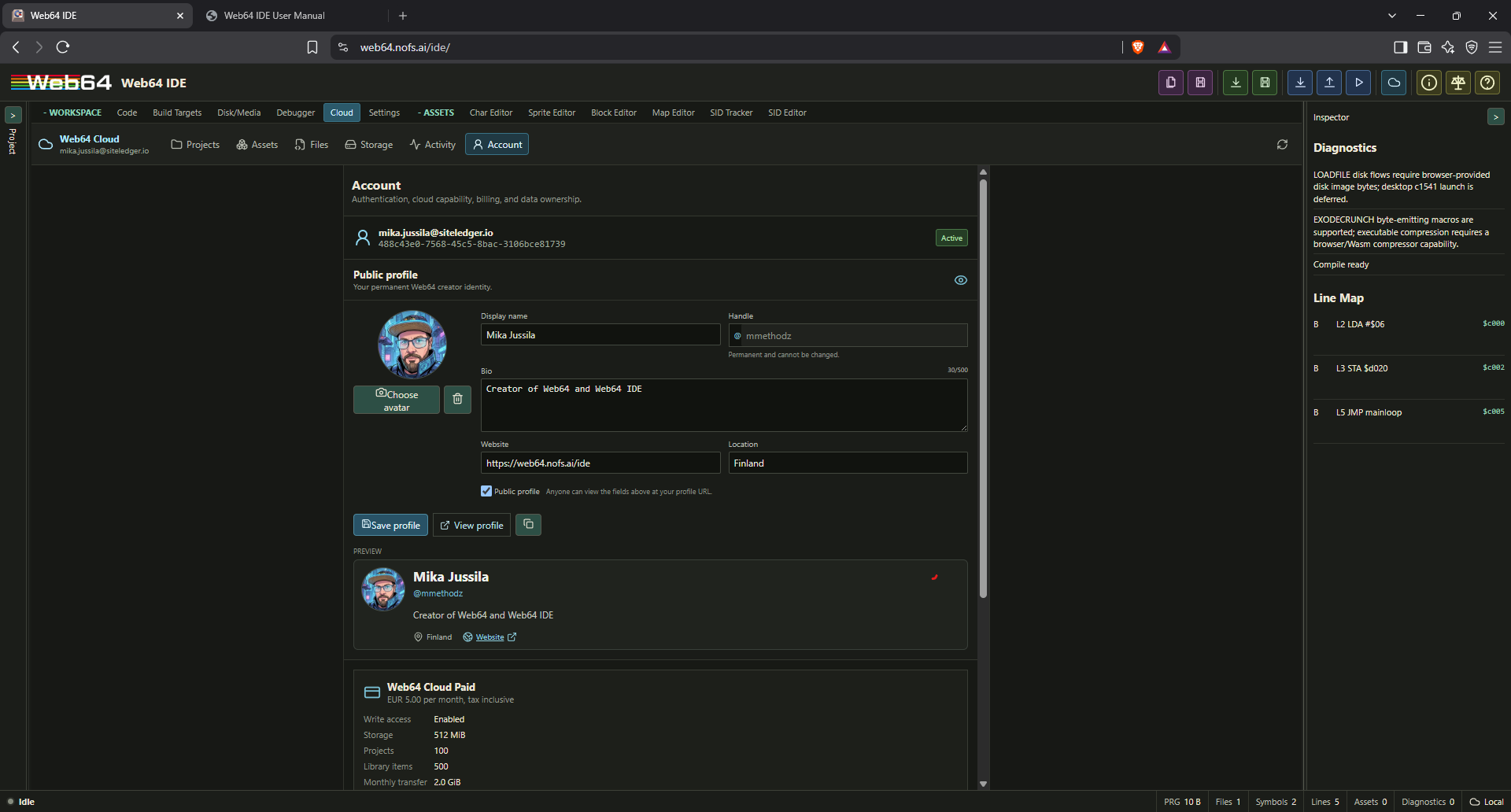
Only the handle and explicitly entered profile fields are exposed on a published page. Email addresses, account identifiers, subscription information, projects, and private-library contents are never part of the public profile response. Private, deleted, malformed, and unknown profile URLs all show the same unavailable state. Making a profile private removes its public avatar; republishing uses the fallback avatar until a new image is uploaded.
Handles from effectively deleted accounts remain reserved as handle-only tombstones to prevent impersonation through old profile and future marketplace links. The retained reservation does not expose the former account or email address.
Cloud projects
The Projects section uses a sortable, searchable table with project state, update time, file count, asset count, and storage use. Select a row to inspect its identifier, revision, schema, and timestamps. Double-click a project or use Open to download it. Opening replaces the current IDE project only after the normal unsaved-work safety check. The open project is marked Open in the project list.
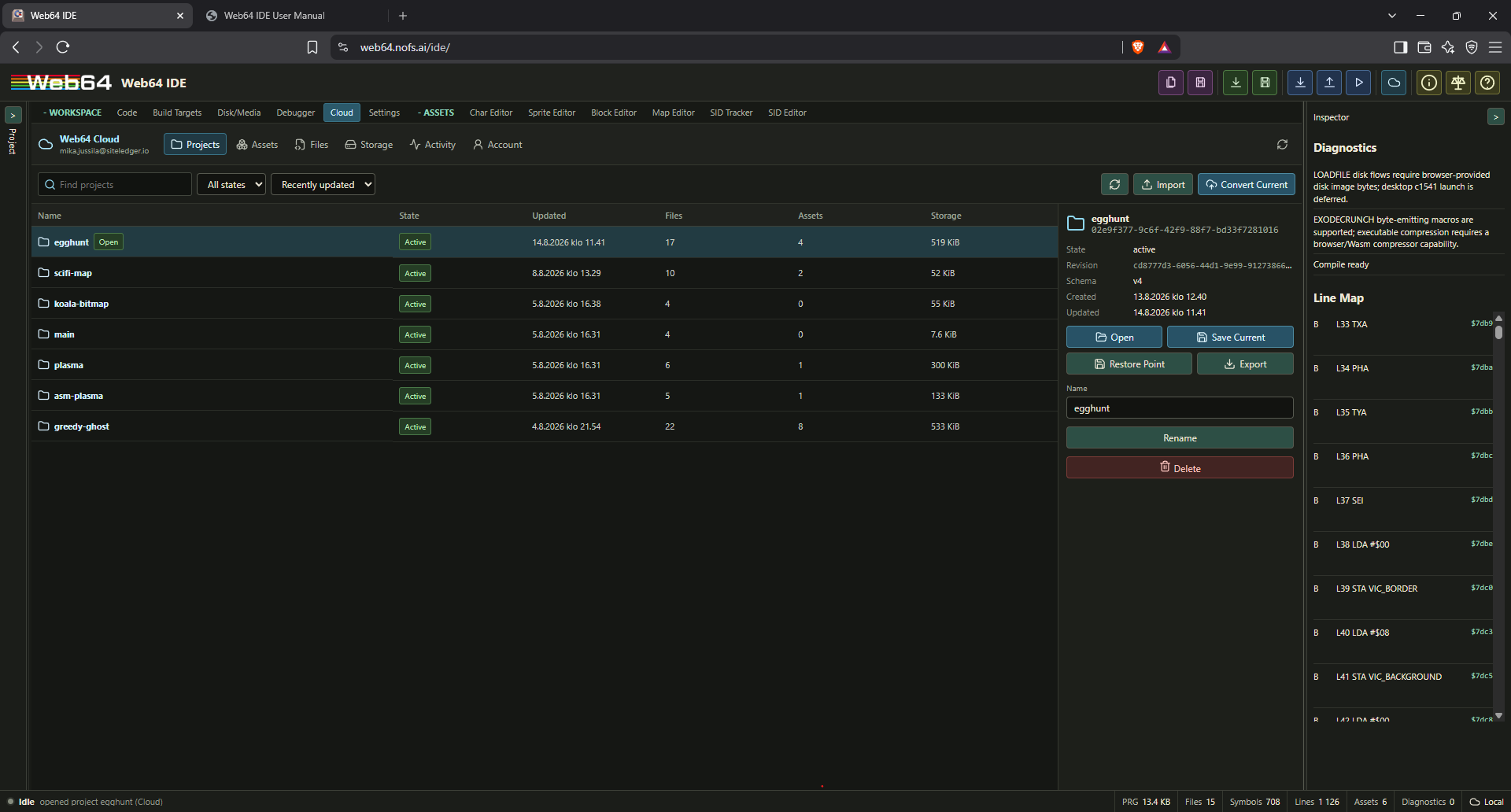
Use Convert Current to create a Cloud project from the current portable semantic snapshot. Conversion also makes the new Cloud project the active project. Existing local entry IDs are assigned once during conversion and are preserved by the server. Import converts a saved .web64proj into a Cloud project. A selected Cloud project can be renamed, exported as an ordinary .web64proj, given a manual restore point, or moved to recoverable deletion.
When a Cloud project is active, the main title-bar Save Project command and Ctrl+Alt+S save to Web64 Cloud by default. Each save uploads the current portable project snapshot and commits a new revision against the revision that was opened; a conflicting newer cloud revision is reported instead of being overwritten. The selected active project also exposes Save Current in Cloud Projects. Save Project as (Ctrl+Alt+Shift+S) still writes a portable local .web64proj copy and does not change the Cloud save target.
Cloud conversion does not change the local project format or make the Cloud copy the only usable representation. Exported .web64proj files remain portable authority for moving or archiving a project outside Web64 Cloud.
Private asset library
The Assets section presents private assets as a searchable thumbnail grid with an asset-type filter and a detail/version pane. Preview thumbnails are generated from the actual C64-indexed asset data and custom palette when available. Right-click a supported project-tree asset and select Save as Cloud Asset, or use Save Current Asset in Cloud Assets, to create an immutable private version. The toolbar accepts an optional description and comma-separated searchable tags. Asset-native tags, such as sprite-frame tags, are included automatically. A library item can be renamed without changing its immutable versions. Delete moves the item and its version history to recoverable deletion.
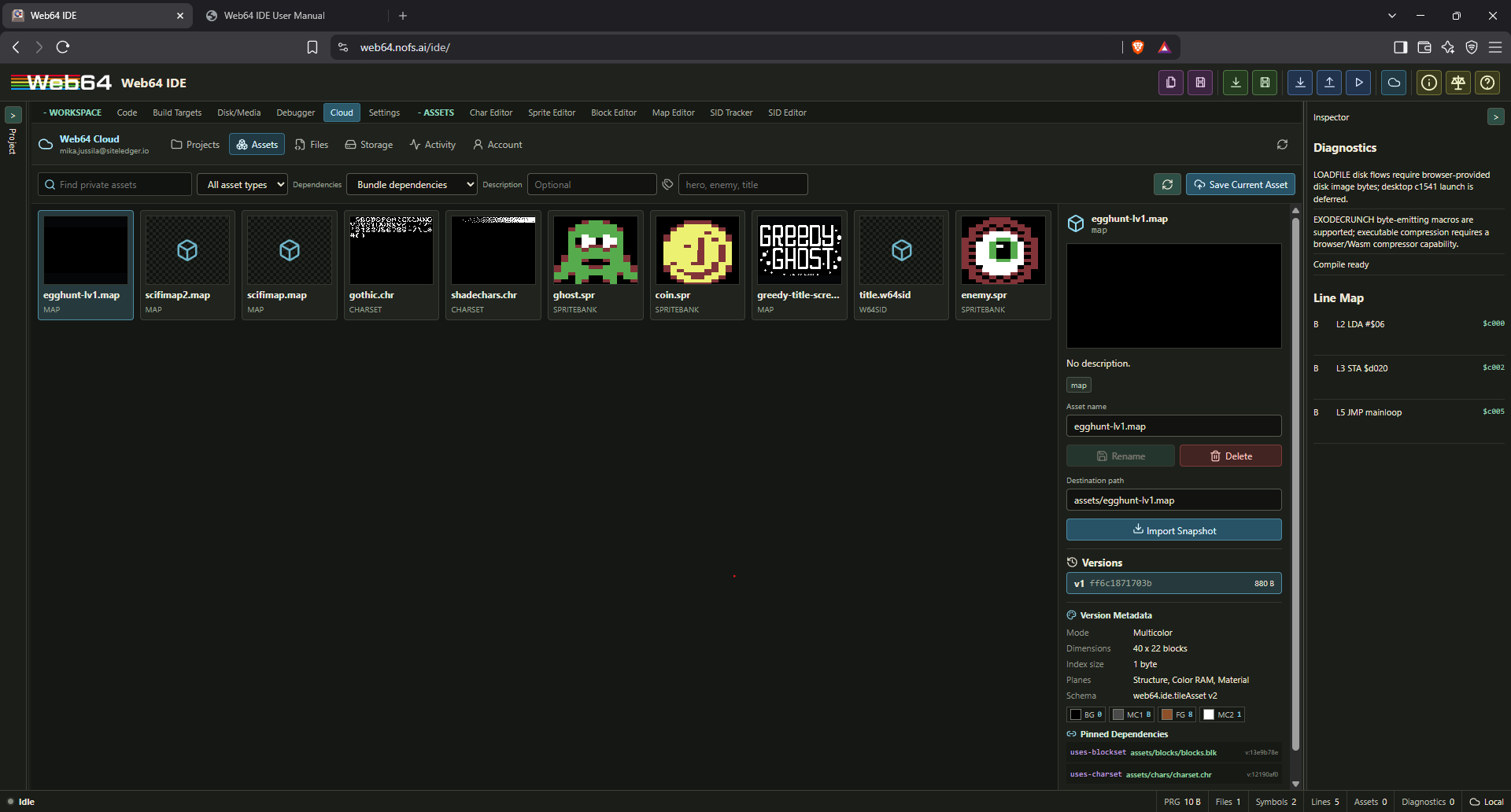
A Cloud Map Asset version is an atomic semantic snapshot. It carries the structure bytes, index width, dimensions, cell kind, Color RAM, video-matrix data, material mapping, map metadata, and pinned blockset/charset dependencies. Import recreates the native .map, generated plane binaries, and include binding from that same immutable version, so a map cannot combine one version's structure with another version's colors or gameplay materials.
When a different cloud asset already has the same name, the IDE asks how to proceed. Add New Version appends the snapshot to the existing logical asset. Save Renamed Copy creates a separate item under the entered name. Overwrite Library Item moves the old item to recovery and creates a new logical asset with the old name; it does not rewrite or silently destroy immutable history.
Each immutable version atomically stores its content hash, payload reference, preview, semantic metadata, compatibility data, and exact dependency pins. Sprite versions retain bytes, hires/multicolor mode, C64 multicolor registers and per-frame foreground colors, dimensions, frame names/order/tags, animation sequences, frame timing, expansion flags, overlay relationships, sprite-tile definitions, and custom palette identity. Sprite overlay-pair descriptors bind the exact multicolor and hires layer versions. Blocksets retain character dimensions, labels, mode, colors, custom palette, and referenced charset. Maps retain cells, dimensions, index width, mode, colors, custom palette, referenced blockset, and resolved charset. SID and Web64 SID Tracker assets retain concise title, author, machine, address, subtune, pattern, and instrument summaries. The Version Metadata area under Versions displays the selected immutable version, including C64 color swatches, frame/animation lists, payload size, and pinned dependency identities.
Map and blockset relationships use the same authoritative project fields as the asset editors: a map stores blocksetPath, and a blockset stores charsetPath. The default Bundle dependencies mode saves a self-contained package and pins the exact blockset and charset versions. Reference exact existing reuses matching private versions only when their content hashes and types match. Save only; require pins accepts dependencies only when the project records already identify exact owned cloud versions whose hashes still match. Content-addressed storage is reused behind the scenes, so the same charset used by several maps is stored once even though every map version remains reproducible.
Select an explicit version and destination path, then use Import Snapshot to import the asset and every exact pinned dependency as ordinary project files. Required dependency paths are preserved so a map opens with the intended blockset, charset, mode, colors, and palette. If an imported dependency would replace a different local file, the IDE lists the collisions and requires confirmation before applying the complete package. Cloud metadata cannot override payload bytes or the chosen primary destination path. Imports remain available whenever the signed-in account has read access, including while it is over quota.
Cloud asset imports are copies in the first release. They do not remain silently linked to a changing remote asset. Public marketplace publication, shared ownership, and live pinned asset links remain outside this release.
Cloud Files and project-tree actions
The Files section stores reusable source, header, assembly, include, macro, configuration, and binary files independently of a project. Its compact explorer has a folder tree, a searchable file list, and a detail/version pane. Folders such as include, asm, or libraries/audio can be created, renamed, and moved; moving a folder also moves its descendants and contained Cloud Files. Folder deletion is allowed only when the folder is empty.
The read-only preview below the center file list is enabled by default; use the eye button in the Cloud Files toolbar to show or hide it. The preview follows the selected immutable version and supports C source, headers, assembly, includes, macros, configuration files, and other recognized text formats before import. Drag the horizontal divider to resize the preview; when the divider has keyboard focus, Up and Down resize it in fixed steps. The open state and height are remembered locally. Preview content is fetched only while the panel is open, is bounded to 512 KiB, and binary files remain available for import without being rendered as text.
Use Save Current File to save the selected project file. When its name and folder, or its imported cloud identity, already exists, the IDE asks whether to Create New Version, Overwrite Cloud File, Save Renamed Copy, or Cancel. A new version appends the current local file content to immutable history. Overwrite moves the previous cloud item and its history to recovery before creating a fresh item; it does not mutate an immutable version. Renamed copies receive a suggested unique name within the same cloud folder.
The detail pane's New Version command copies the matching imported project file, its project destination, or the active project file into the next visible version of the selected cloud item. The new revision is selected after saving. Imported cloud provenance remains useful while the remote item exists, but deleting that cloud item does not poison the local copy: its next save creates a new cloud file. Rename or move a cloud item without altering stored versions. Import copies the selected version into the entered project destination as an editable ordinary project file, so paired user libraries such as an assembly implementation and C header can be organized and reused across projects.
Right-click the project root, a project folder, the main source file, or an imported project file to open the project-tree context menu. Files offer Save as Cloud File; recognized Web64 assets also offer Save as Cloud Asset. Folders offer Import Cloud File Here, which opens Cloud Files and uses that project folder as the destination context. The menu also provides Cloud Assets and Cloud Files browsers alongside normal open, rename, remove, and folder commands. Cloud write commands are disabled while signed out or when account access is administratively disabled. Reaching a quota pauses new remote writes until data is removed or the account is upgraded; existing cloud content remains available to browse, import, and export.
Storage and synchronization
The Storage section separates cloud quotas from browser-local durability. It reports cloud bytes, project count, total private-library item count (assets plus files), and monthly transfer against the active entitlement. Free accounts do not have a separate monthly-transfer meter; their 8 MiB stored-data ceiling remains enforced. The durable queue panel reports pending operation count, queued bytes, oldest pending work, and the last error, and provides Sync now and Export current project commands.
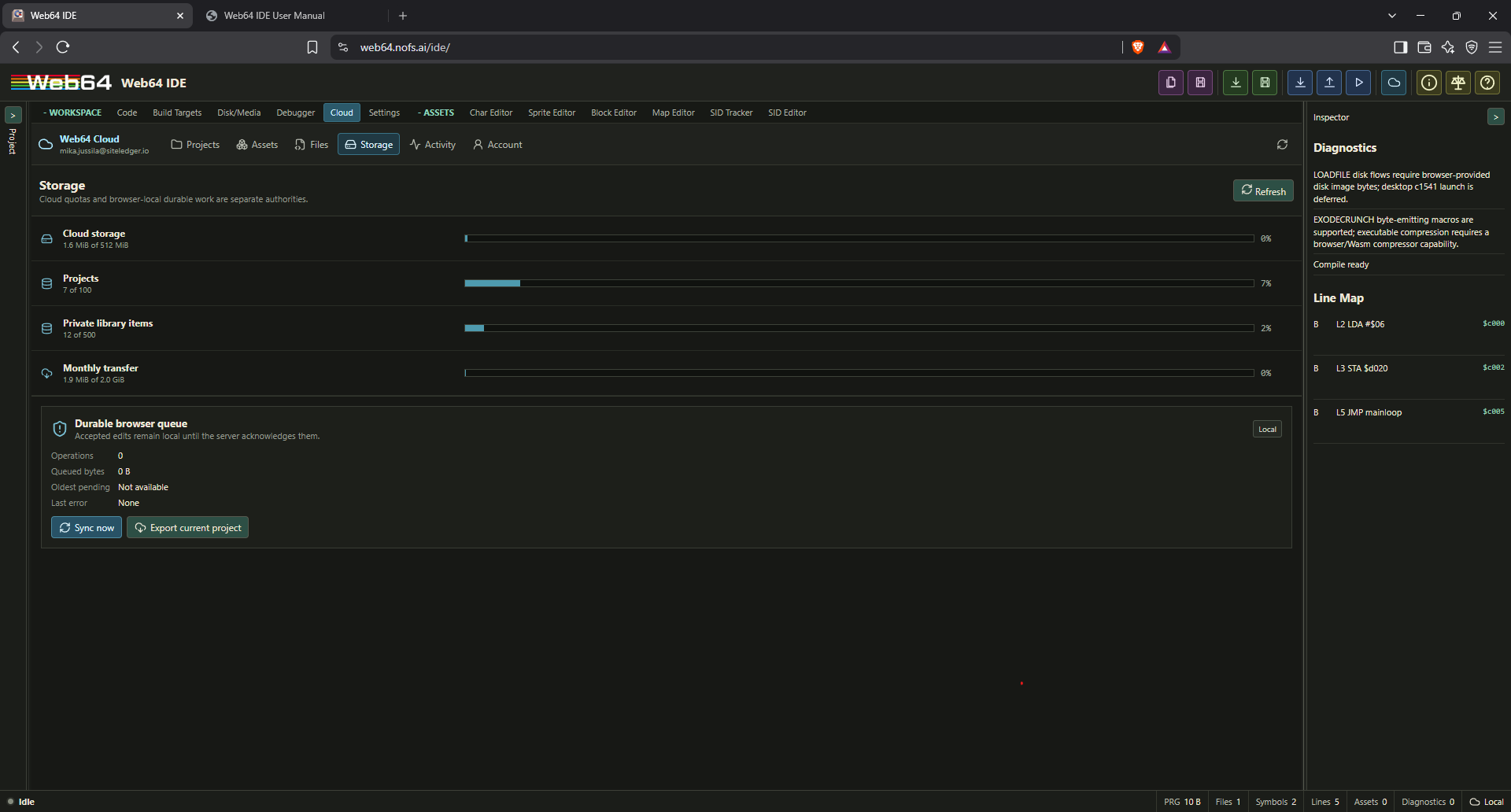
The status vocabulary is precise:
local: the project is local and no Cloud synchronization is active.pending: accepted work is durable locally but not acknowledged remotely.syncing: pending operations are being uploaded or committed.synced: the latest queued work has been acknowledged.offline: local work is retained while the network is unavailable.auth-required: synchronization is paused until authentication is renewed.durability-error: local durable queueing failed or a payload limit was exceeded.conflict: a remote project head changed and requires an explicit resolution.error: the last Cloud operation failed and needs attention.
Current accepted browser state is the editing authority. The durable local queue is the durability authority until acknowledgment. The latest confirmed server revision is the shared Cloud authority. A downloaded .web64proj is the portable authority. Local edits must never overwrite a newer server head merely because they are newer in the current browser session.
Activity, restore points, and account
Activity lists immutable project revisions, checkpoints, restores, and conflict boundaries and can be filtered by project. Restore points are explicit named or manual boundaries; creating one does not mutate the project payload. Deleted projects and account data use recoverable states rather than immediate silent removal.
Account displays the signed-in identity, optional public-profile editor, Free or Paid plan, exact quotas, subscription status, current period, and grace period. Upgrade opens Stripe-hosted checkout. Manage billing appears for accounts with subscription history and opens Stripe-hosted account management. When a paid period or failed-payment grace ends, the account falls back to Free rather than losing Cloud access; data above Free limits remains readable but new writes wait for cleanup or another paid period. Account data can be exported, the session can be signed out, and account deletion can be scheduled with a 30-day recovery period.
Support diagnostics are metadata-only by default. A project/source/asset-content support bundle requires explicit user consent, a reviewed manifest, case binding, restricted audited access, revocation, and 14-day expiry. Siteledger Solutions Oy claims no ownership of user projects or original assets merely because they are stored in Web64 Cloud.
Settings tab
The Settings tab is in the Workspace group. It centralizes IDE preferences without making the root Web64 emulator load IDE-only panels or project state.
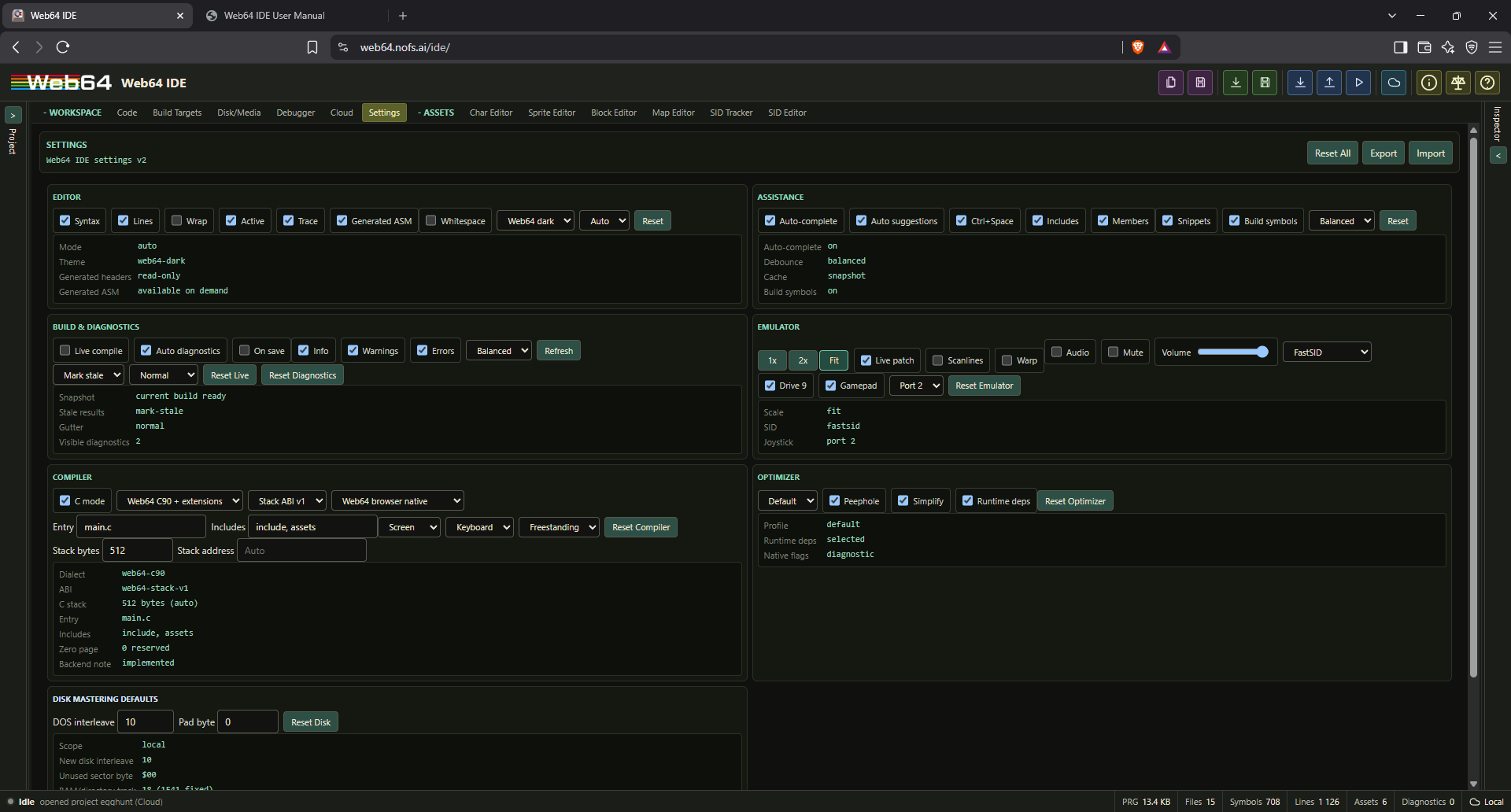
Every interactive setting and reset action has a descriptive tooltip. Hover the setting label, selector, slider, or button to see what it controls before changing it.
The v2 Settings surface uses one 28px outer height for every one-line toggle, selector, field, button, scale group, and volume wrapper. Wrapped rows keep an explicit gap, so controls never touch vertically even when the editor bay is narrowed. Ordinary Settings actions and selections use neutral-grey workstation chrome; color is reserved for the selected Settings tab and real warning, status, or domain semantics.
Settings are split by owner:
- Local browser preferences: editor display, syntax highlighting, wrapping, active/trace line display, autocomplete behavior, autocomplete debounce, disk-mastering defaults, and settings import/export defaults.
- Project-owned settings: live compilation, diagnostics policy, emulator defaults, C compiler configuration, and optimizer controls.
- Runtime session state: settings such as display scale, audio, drive sounds, SID quality, scanlines, warp, drive 9, gamepad, and joystick port are applied through the same embedded runtime handlers used by the emulator panel.
The Editor section can disable syntax highlighting while keeping the source text visible. Line numbers, wrapping, active-line highlighting, trace-line highlighting, source mode, theme, and the optional Generated Assembly workspace can be adjusted and reset. Markdown (.md) and plain-text (.txt) documents wrap automatically when opened. The source-editor toolbar wrapping icon and the editor context menu can override wrapping for the current document without changing the saved global preference. Enabling Generated Assembly only makes its Code-tab selector available; it does not materialize or format generated instructions until that selector is opened.
The Assistance section controls autocomplete. Disabling automatic suggestions still allows explicit Ctrl+Space invocation when explicit completion remains enabled. Include, member, snippet, and build-symbol suggestions can be toggled independently.
The Build & Diagnostics section controls background compilation, auto diagnostics, compile-on-save, debounce profile, severity filters, stale-result policy, and visible diagnostic density. Source/project imports always replace the structural build snapshot immediately. While editing, a tiny syntax worker checks only the current line after a short delay. A separate disposable semantic worker starts only after the configured idle interval, returns diagnostics only for that edited line, and is terminated immediately if typing resumes. Blurring the editor, saving, running, explicitly refreshing diagnostics, or making a structural project change flushes the current draft and requests a full build in the project compiler worker. If a newer project revision arrives while that worker is busy, the obsolete worker is terminated rather than allowed to queue in front of the current edit. Older project/settings files that contain the previous compileOnImport preference remain accepted. Manual compile/run/save-PRG actions remain available when live compilation is disabled or the background compile snapshot is stale.
The Compiler and Optimizer sections update the browser-native Web64 C configuration. Entry and include paths must be project-relative virtual paths. Native cc65/cl65 executable paths and host include paths are not supported settings.
The Disk Mastering Defaults section contains only project-independent preferences used when creating media: the default DOS sector interleave for new disks and the byte used to pad unused generated sectors. These values are stored in the browser rather than in .web64proj. Track 18 is shown as a fixed 1541 BAM/directory fact; it is not exposed as a configurable preference.
Use Reset All to restore defaults, Export to download a .web64settings JSON file, and Import to load a settings JSON file through the browser picker.
Use project save when you want to preserve the entire IDE state. Use source save or PRG save when you only want a single artifact.
The virtual filesystem
The virtual filesystem is the core of Web64 IDE project structure. It is a browser-local tree of files that the assembler can resolve by project path.
Virtual files can be:
- Source files such as
.asm,.s,.c,.h,.inc,.txt,.mac,.sym,.def, or.cfg. - Binary files such as
.bin,.raw,.dat,.sid,.prg,.seq,.scr,.koa, and other data files. - Character set assets such as
.chror.ch8. - Sprite bank assets such as
.spr, plus logical overlay-pair descriptors. - Block assets such as
.blkor.blocks. - Map assets such as
.mapor.w64map. - Trajectory authoring assets such as
.w64traj, with generated.trajand.incsiblings. - Web64 SID tracker source files such as
.w64sid. - Generated include files such as
assets/chars/logo.inc,assets/sprites/player.inc,assets/maps/level.inc, orassets/music/song.inc.
Paths use forward slashes. For example:
assets/chars/title.chr
assets/sprites/player.spr
assets/blocks/tiles.blk
assets/maps/level1.map
assets/trajectories/patrol.w64traj
assets/music/song.w64sid
includes/common.asm
symbols/kernal.sym
The virtual path is the path used by .include, .import, and .incbin. It is not required to match an absolute host filesystem location.
Adding files
The Files panel has actions for:
- New: Create a virtual file in the project tree.
- Add files: Import one or more browser-selected files into the virtual tree.
- Add folder: Import a browser-selected folder tree when the browser supports directory selection.
- Remove: Remove the selected virtual file.
- Clear: Remove all virtual import files.
When you add .chr, .ch8, .spr, .blk, .blocks, .map, .w64map, .w64traj, .sid, or .w64sid files, Web64 IDE converts them into the matching editable/inspectable asset records where possible and creates generated records for supported asset types. A valid .w64traj owns deterministic .traj and .inc siblings; stale generated trajectory data is rejected by the compiler. Text-like files become source records. Other files become binary records.
Project tree interaction
The Imports tree renders folders and files in depth-first parent-child order. Each folder shows its basename at the appropriate indentation level, and its direct files appear before the next sibling folder. Folders use larger monochrome closed/open icons; there are no redundant OPEN or CLOSED labels. Collapsing a folder hides only that folder's descendants.
A single click selects a file. Selection exposes the Rename and Remove actions without changing editors for editor-backed assets. Double-click .chr/.ch8, .spr, .blk/.blocks, .map/.w64map, .w64traj, .w64sid, or .sid files to open the matching Character, Sprite, Block, Map, Trajectory, SID Tracker, or SID Editor view. Source files retain their direct single-click code-editor behavior.
Drag a virtual file onto a project folder to move it into that folder, or onto the project root to move it back to the root. Web64 rejects moves that would overwrite an existing path and does not treat folders themselves as draggable files. A successful move updates project references to the moved path, including generated-from and linked-asset relationships, without moving sibling files. The target summary above the tree names the active runnable artifact rather than an internal asset category.
Creating virtual files
Use New in the file tree. The extension determines the initial type:
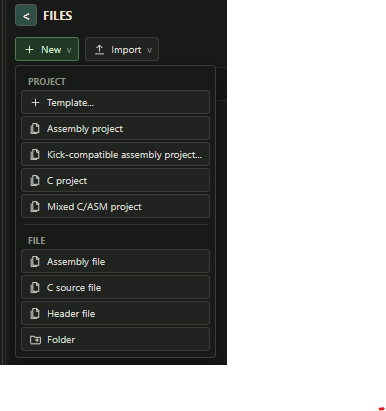
.chror.ch8: Creates a character set asset..spr: Creates a sprite bank asset..blkor.blocks: Creates a block-set asset..mapor.w64map: Creates a map asset..w64traj: Creates a reusable local trajectory asset and opens the independent Trajectory Editor..w64sid: Creates a Web64 SID tracker source file..sid: Creates/imports a SID binary record for the SID Editor..sym: Creates a symbols/source file.- Text-like extension: Creates an editable source file.
- Other extension: Creates an empty binary record.
Trajectory assets and Trajectory Editor
.w64traj is the optional rich source of truth for one reusable local path. It is a first-class asset with its own editor, not an extension of .w64map or the Map Editor. The authoritative point list begins at local (0,0); each following point stores a 1–255 PAL-frame duration. Runtime defaults may describe loop, ping-pong, reverse, and X/Y negation. The authoring record may also remember a spatial anchor, optional read-only map backdrop, optional Appearance Preview, grid, and useful viewport framing.
Saving the source deterministically generates name.traj and name.inc. .traj is always raw signed delta_x, signed delta_y, unsigned duration triplets—exactly three bytes per segment. It contains no map, sprite, animation, palette, anchor, world coordinate, viewport, or editor metadata. .inc declares placement-neutral assembly constants and a descriptor macro; it imports no runtime and chooses no address. C sees the generated segment array and Web64TrajectoryPattern descriptor through <assets/generated.h>. Assembly may use the generated .inc and .incbin the .traj, or ignore Web64 declarations and parse the triplets with completely custom code. Runtime starting coordinates always belong to the caller.
The editor's layered HTML5 Canvas viewport provides pan/zoom, grid and snapping, draggable/numeric keyframes, range and box selection, atomic group moves, insertion/deletion, duration editing, a proportional segment strip, scrubbing, diagnostics, and bounded undo/redo through the runtime maximum of 1024 segments. A compatible project map may be selected as an accurately rendered read-only backdrop. It is authoring context, not a level: it never creates runtime placement, camera behavior, or map ownership, and no map is required.
Static, fading-ghost, and realtime preview use an exact integer browser kernel differentially verified against assembled 6502 execution. Frame stepping, reverse, ping-pong, mirroring, and 1–8 phased instances therefore reproduce the runtime's centered Q12.4 DDA rather than floating-point interpolation. Preview speed changes wall-clock cadence only; Web64 is PAL and logical timing remains 50 Hz. Playhead, speed, ghost/phase counts, and temporary traversal variants are session-only. Appearance Preview can render a sprite frame or an existing authored animation, but remains authoring-only visualization and does not generate runtime animation binding.
The import icon accepts Tiled TMX/TMJ polyline objects, including nested layer offsets and object rotation. Fractional transformed geometry is shown in a Canvas preview and must be explicitly quantized. Geometry with a signed-byte segment overflow is diagnosed and never silently subdivided. Missing timing requires an explicit 1–255 default; geometric length is never used to invent timing. web64.durations, web64.loop, web64.pingPong, web64.reverse, web64.negateX, and web64.negateY are the portable custom properties. The export icons create deterministic standalone object-only sidecars and exclude project map/sprite references, asset IDs/paths, anchor, viewport, and editor/session state. See Tiled's TMX reference and TMJ reference.
The workspace follows the Web64 v2 neutral-grey workstation rules: compact icon-first controls with accessible names, shared surface/text/border tokens, and semantic blue/yellow/red accents only where they convey information, focus/warning, or danger. Legacy teal is not used as generic editor chrome.
Path resolution
When resolving an import path, Web64 IDE tries practical project-local candidates:
- The path relative to the current source file.
- The direct normalized path.
- The same path without leading parent segments.
- A matching suffix in the virtual tree.
- A matching base name when unambiguous.
If a file cannot be found, the compiler reports an import diagnostic. If the same base name is ambiguous, use a more specific virtual path.
Why a virtual filesystem is needed
Browsers cannot freely read arbitrary host paths. A line such as this should not depend on a real host file outside the project:
.include "C:/Users/Somebody/project/includes/defs.asm"Instead, add the file into the virtual tree and refer to it by project path:
.include "includes/defs.asm"This keeps .web64proj portable and makes the project usable on another machine.
Source editing and compilation
The Code tab contains the main source editor. It uses a CodeMirror 6 viewport editor with incremental C/C++ parsing and a lightweight 6502 assembly language mode. Only the visible source window and a small overscan region are represented by line elements, so opening or scrolling a large file does not create one DOM row per source line. Syntax highlighting, line numbers, folding, bracket matching, selection drawing, history, lint markers, and breakpoint gutters are native editor extensions rather than synchronized full-document overlay layers.
Each edit is applied to CodeMirror immediately and remains in an editor-local draft while the user is typing. It does not wait for React project serialization, autocomplete, diagnostics, or compilation. Blurring, saving, running, or another explicit project build action flushes the latest draft without moving the caret or losing a trailing empty line. Opening Generated ASM is inspection only; it does not flush or compile a draft. Pasted blocks, autocomplete choices, Find/Replace, formatting, context-menu edits, and generated Table/Matrix/Macro/File output use one minimal document transaction, making the operation responsive and atomic for Undo.
Wheel and scrollbar movement use the editor's native pixel scroll position without line snapping. Virtual line rendering reaches the real first and final document lines, including a trailing empty line. Editor measurement is recalculated after resize, wrapping, and browser zoom changes, so the caret and rendered text retain the same coordinate system.
The editor stores the complete editing session, including history, selection, caret, folding state, horizontal scroll, and vertical scroll, separately for every root source, virtual project source/header, bundled SDK header, and bundled assembly include. Moving to another source file, Generated ASM, or an asset editor and returning restores the previous file view and Undo history without reusing stale event subscriptions. Saving a project persists the selected tree file and the current text document's view state. Opening another project clears the previous project's in-memory positions before restoring the positions carried by the opened project, so files with the same name cannot inherit unrelated state.
Editor toolbar
The source toolbar is available for editable source/header files and read-only bundled SDK headers/includes:
- Functions lists C function definitions and declarations in source order. Selecting an entry selects its name and scrolls it into view.
- Symbols lists C macros and types, or assembly labels and constants, in source order.
- Find searches the current editor document while retaining keyboard focus during live query updates. Use Prev and Next, press
Enter/Shift+Enter, or useCtrl+Ffrom the editor. The match counter wraps at the beginning and end of the file. - Aa enables case-sensitive search.
- Replace reveals replacement text, Replace, and All controls.
Ctrl+Hopens Find with the replacement controls visible. Replacement is disabled for read-only bundled headers.
Toolbar navigation and find selections update the same per-file view state used by ordinary caret movement, so their locations survive a trip to another file or asset editor.
Editor context menu
Right-click the source editor to open commands for the captured caret or selection. The menu provides Back, Go to definition, Go to implementation, Show generated ASM, source and project save commands, insertion tools, clipboard commands, Select all, and Format selection/document. Generated ASM is disabled in the menu until the optional Generated Assembly setting is enabled. Read-only SDK headers disable editing commands but retain navigation, copy, selection, and Generated ASM inspection.
Navigation searches the current draft, project source/header files, and bundled SDK headers only when requested. Go to implementation prefers a C function body or assembly label over a declaration. Go to definition also resolves macros, types, constants, labels, global/local declarations, include lines, and compiler source mappings. A target in another project file or SDK header opens that document at the resolved line.
Every successful definition, implementation, include, and generated-source jump records the originating document, selection, and scroll position. Choose Back or press Alt+Left to restore it. The history is editor-local, bounded, and cleared when another project is opened; it does not mutate source or project undo history.
The menu displays the corresponding editor shortcuts:
| Command | Shortcut |
|---|---|
| Go to definition | F12 |
| Go to implementation | Ctrl+F12 |
| Show generated ASM | Alt+F12 |
| Back | Alt+Left |
| Save / Save as | Ctrl+S / Ctrl+Shift+S |
| Save Project / Save Project as | Ctrl+Alt+S / Ctrl+Alt+Shift+S |
| Cut / Copy / Paste / Select all | Ctrl+X / Ctrl+C / Ctrl+V / Ctrl+A |
| Format selection/document | Shift+Alt+F |
Insert > File reference selects a project path and can insert an automatic reference, quoted path, C #include, assembly .include, or assembly .incbin. Automatic mode chooses a source include for headers and an .incbin reference for binary assets in assembly.
Insert > Macro is language-aware. In C source it emits the object-like #define NAME replacement form supported by Web64-C. In assembly it opens a macro-definition editor with a name, comma-separated parameters, multiline body, and Custom, Poke byte, Set border, and Wait for raster templates. The result uses .macro NAME parameters and .endmacro; parameter references may use the recommended \name form and %%name creates an invocation-local label. If source is selected before opening the context menu, that selection becomes the initial custom macro body and is replaced by the completed definition when inserted.
Insert > Table opens the offline lookup-table generator. It generates sine, cosine, triangle, saw, square, ramp, easing, reciprocal, and multiplication tables. Waveforms expose amplitude, center, phase, cycle count, and the square-wave duty cycle where applicable. Ramp and easing tables expose start/end values and the easing curve. Reciprocal tables expose the input range and numerator. Multiplication tables use independent A and B ranges and dimensions and store their result in row-major order.
Cyclic waveforms sample index / count, excluding the repeated final endpoint. A 256-value full turn therefore maps exactly to web64_angle8 values 0..255; the next value would repeat the first and is not stored. Ramp, easing, reciprocal, multiplication, and other non-cyclic ranges include both configured endpoints. If any actual reciprocal input sample is zero, generation stops with an error that identifies the sample. A range may cross zero when its selected sample count does not land on zero.
Insert > Matrix generates practical 6502 transformation tables rather than an interactive linear-algebra document. Presets include 2D rotation and scale, 2D affine transforms, individual 3D X/Y/Z rotations, combined Euler rotations in all six application orders, perspective and orthographic projection, identity matrices, and custom 2x2 through 4x4 matrices. Generated matrices use row-major storage and column-vector mathematics. For example, the first 2D result is x' = m00*x + m01*y + tx. XYZ Euler order means apply X, then Y, then Z and therefore emits Rz * Ry * Rx. Affine generation applies scale, shear, rotation, then translation. Rotation ranges can be cyclic; non-cyclic ranges include their final angle. Right-handed coordinates are the default and 3D/projection presets offer left-handed output.
Both generators support uint8_t, int8_t, web64_fix8_8, and web64_ufix8_8. Web64 8.8 output uses the compiler's exact scale-256 representation and nearest rounding with half ties away from zero. The default overflow policy is Error. Clamp saturates at the selected type's limit and Wrap explicitly keeps the representable storage bits. For C, C array shape defaults to Multidimensional: multiplication tables emit [ROWS][COLUMNS], matrix sequences emit [STEPS][ROWS][COLUMNS], and identity/custom matrices emit [ROWS][COLUMNS]. Flat (legacy) retains the original one-dimensional declaration. Separate matrix layout emits one one-dimensional table per coefficient. Existing generator API callers that omit the shape option continue to receive flat output. Count/dimension macros, optional static storage, and automatic <stdint.h> or <web64/fixed.h> includes remain available. Assembly output remains linear and unchanged: byte output uses .byte; 8.8 output supports .word, interleaved little-endian .byte pairs, or separate low/high byte planes.
Generators may be opened only at C file scope because they emit declarations. Assembly insertion is unrestricted. Each insertion is limited to 16 KiB of encoded data. Structured and flat C forms contain the same row-major bytes. The Preview tab uses canvas plots, multiplication heatmaps, matrix values, transformed shapes, and a sample scrubber. Projection recalculation follows React's deferred update path, and complete source text is formatted only when the Output tab is selected or Insert is pressed. Field input therefore remains independent from preview and large-text generation. Insert applies one minimal CodeMirror transaction and can be reverted with one Undo. The inserted metadata comment records generator version, preset, number type, layout, C shape and dimensions, encoding, endpoint policy, and overflow policy. Generated output is ordinary editable source, not a project asset or hidden compilation stage.
Assembly quick reference
In an assembly document, place the caret on an official MOS 6502 instruction mnemonic to show its expanded name, affected flags, addressing modes, opcode bytes, instruction lengths, timings, and conditional timing notes in the Inspector. Mnemonic-like text inside operands, comments, strings, labels, and non-assembly documents is ignored.
The same Inspector provides argument help for macros declared by the bundled Web64 runtime .inc files. Place the caret on a macro invocation or inside its comma-separated argument list to see the owning include, complete invocation signature, ordered argument names, and the current argument position. Commas nested inside parentheses, brackets, or braces do not advance the current argument. The catalog is generated from the actual bundled .macro declarations, so it stays synchronized when runtime helpers are added or their parameter lists change. Macro definitions, comments, strings, operand references, and non-assembly documents do not activate the helper.
The compiler output updates the Inspector:
- Diagnostics:
[ERROR]in red,[WARN]in yellow and[INFO]in neutral gray, with source navigation when a valid location is available. - Line map: Source line, start address, emitted bytes, targets, branch offsets, and breakpoint toggles.
- Symbol count and output byte count in summary buttons.
Compilation is browser-local. No native assembler is started. Incremental highlighting stays inside the viewport editor; immediate syntax checks, idle semantic diagnostics, autocomplete, and full project compilation use separate workers so none of those tasks owns the input path. The syntax worker checks the edited line without compiling a project. After typing becomes idle, a disposable semantic worker may compile the draft but publishes only diagnostics whose path and source line match the edit; typing again terminates it. The project compiler produces complete build snapshots after editor blur, save, explicit refresh, and structural project changes. It implements latest-revision-wins cancellation, so obsolete full builds are terminated instead of queued.
Normal compiler responses contain executable bytes, symbols, diagnostics, build metadata, and a compact source/address map. Large imported/generated source strings and rich per-instruction debugger structures are not copied to the UI after every build. The PRG byte buffer is transferred rather than cloned. Rich instruction maps remain in the worker and are materialized only when Generated ASM is open. Opening a source/project, creating a preset, importing, adding, renaming, removing, or clearing a build file replaces the complete full-build snapshot. Load, Start, and Save PRG flush and compile the exact current draft for that action, so a lagging background result cannot block or replace the requested build. Assembly source and Web64 C source both compile through the browser-local build graph; generated C assembly is handed to the same Web64 assembler pipeline as handwritten assembly.
For a selected C source file, the Inspector projects generated labels back onto the original virtual C file. Source locations survive nested project and bundled-header includes, pragmas, comments, multiline declarations and escaped-newline splicing. Functions, parameters, locals, globals, inline assembly and C diagnostics retain their authored file and line rather than an expanded translation-unit offset. Selecting a C symbol or mapped line opens that original project file or read-only SDK header. Assembly line maps remain byte-exact and C mappings resolve through their generated symbol addresses.
Diagnostic labels are consistent across the Inspector, editor tooltips, Build Targets, Disk/Media and asset/import tools. A warning does not block a valid build, while an error prevents the affected operation. General project or memory-ownership diagnostics have no invented source position and do not place a marker on line 1. Browser capability information is not emitted as a warning in unrelated projects; native disk mastering and browser-side compression require no desktop helper process.
Selection timing and byte size
Highlight a contiguous block in an ASM Source document to show Selection timing above the opcode reference in the Inspector. In Generated ASM, click an instruction row, then Shift-click another to select a range. A fixed-cost selection shows, for example, 42 cycles · 28 bytes; conditional timing shows 42–47 cycles (+0…5). Expand Timing details for branch and indexed-read page-crossing penalties.
Source selections count whole touched lines; ending at the beginning of the next line excludes that line. Multiple/rectangular selections are not combined: select one contiguous range. Generated ASM ranges include intervening rows even when search filters hide them. C-source selections do not receive inferred cycle counts; use Generated ASM instead.
This is a static sum of emitted instructions, each counted once. It does not follow branches, multiply loop iterations or include subroutine bodies. Conditional ranges are conservative instruction-cost envelopes, not average times or guaranteed execution paths. VIC-II stalls, interrupts and self-modifying code are not included. Use the Profiler for observed execution rather than interpreting the sum as elapsed raster time.
Byte size counts assembled output, not source text or compressed/disk size. Mixed selections show code and data separately; only code contributes cycles. Data-only selections still show bytes. Attributed binary imports and emitted padding count; address gaps, PRG headers, virtual reservations, inactive source and macro definitions do not. Macro invocations include their emitted expansion; selecting an include directive does not include another file's contents. Unsupported instruction timing or ambiguous attribution is explicitly marked rather than silently counted as zero.
Results use the current target's existing successful assembly snapshot. Unsaved changes are fine once compiled. Pending, failed or stale assembly hides totals; selection itself never starts a build. With automatic compilation off, use the normal build workflow after editing. The lazy calculation runs in the existing compiler worker; it does not start an emulator, enable profiling or require a bridge.
Build Output
Choose Build Output beside Source and Generated ASM in Code. It is always available, even when the optional Generated ASM view is disabled. The view does not start a build or interrupt the emulator merely because it is opened.
- Latest target build shows the last explicit Build Target, Build All or disk dependency build. Up to eight reports are retained for the open project, including failures; ordinary live edits do not overwrite this history. Opening another project clears the reports.
- Live compilation shows the active target's current compiler result independently of full target builds. Pending or out-of-date results are marked; a successful older report is not proof that edited sources have been rebuilt.
- Target rows show the root file, output name, build outcome, byte count and load address. Use the target selector,
[ERROR]/[WARN]/[INFO]filter and search field to find a message, diagnostic code or file in a large build. - Click a diagnostic with a real source location to open that file and line. Project-level diagnostics remain visible without a misleading source link. Copy Log copies the full selected report as plain text with severity labels, not just the filtered rows.
- Build All builds the project's declared targets through the normal compiler worker. Reports are transient inspection data, not saved project assets; they retain no program bytes or generated assembly/debug maps.
Generated Assembly machine view
Generated Assembly is a read-only projection of built machine instructions. It is available by default; an explicitly saved off setting remains off and can be changed in Settings > Editor. Choose Generated ASM in the Source | Generated ASM | Build Output selector in Code. It is not a project asset, compilation stage, editable assembly document, or second source of truth. C or ASM source remains authoritative and the generated machine bytes remain the executable output.
During Run Disk, Built component selects an instruction bundle from the launched disk's file and dependency graph. Follow running component switches that selection when a paused PC resolves to another loaded component; deselect it to inspect a particular loader or game output. This built view remains pinned when another target is edited or a newer build is made. Opening it does not compile, alter the running machine, or silently substitute the editor's map. Source navigation uses the loaded source snapshot; if that file has since changed, Web64 shows a read-only excerpt rather than claiming the current editor text is running.
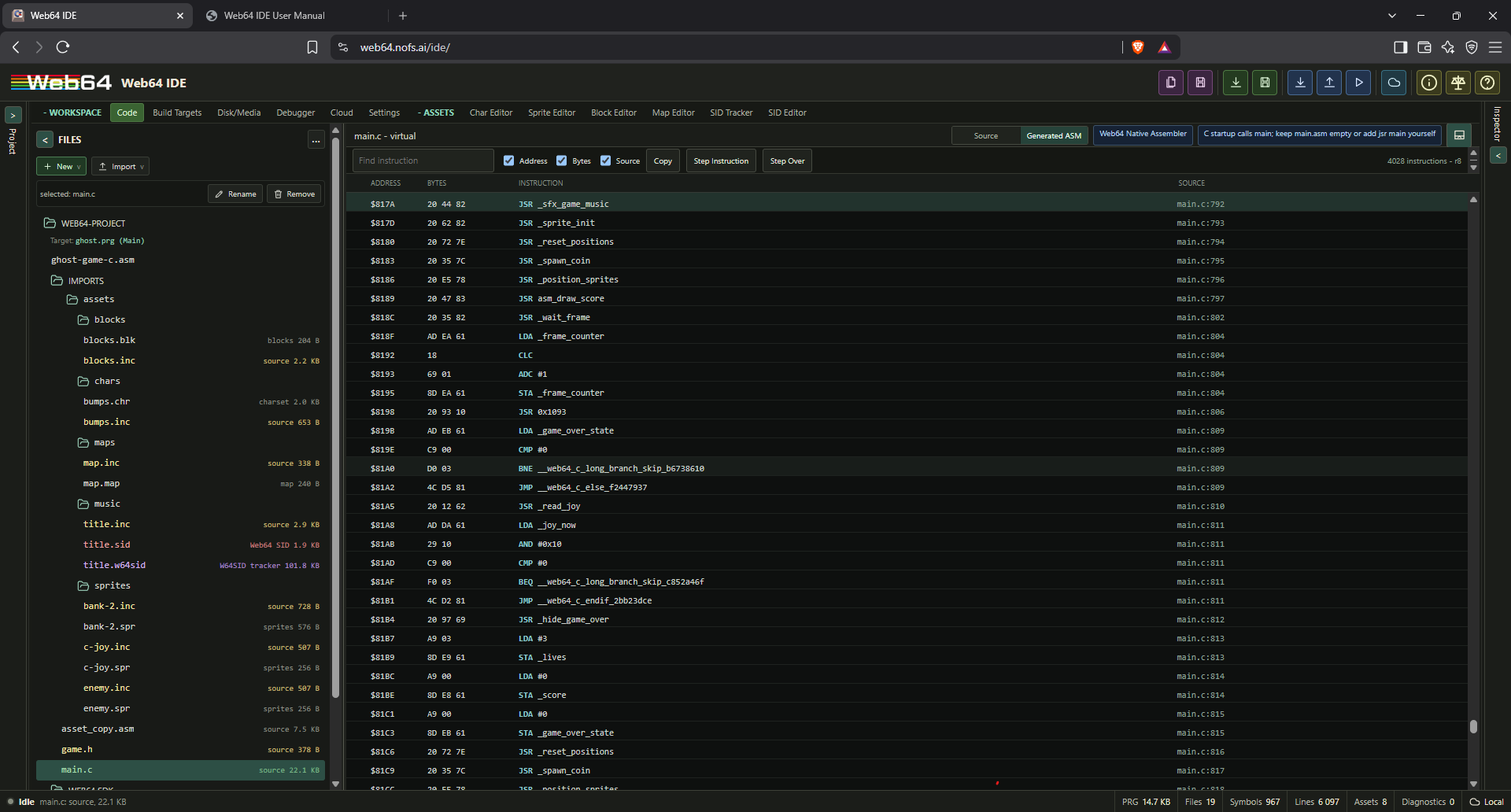
The feature has a demand-driven lifecycle:
- Setting off: the Generated ASM tab, viewer, worker, formatting and viewer indexes are absent; Source and Build Output remain available.
- Setting on without opening the selector: the selector is available, but no Generated Assembly projection or display work runs.
- Selector open: a dedicated worker materializes structured instruction records from the chosen editor or pinned built component, builds the viewer's address/source indexes, and returns revision-tagged data.
- Source changes while open: obsolete projection jobs are abandoned and only the newest compile revision is accepted.
- Selector closed: the worker and its subscriptions are removed. Normal editing retains only the compact source/address provenance already carried by the compiler result.
Rows are formatted only for the currently visible virtualized window. The view does not build or render a complete assembly text document. Address, encoded bytes, source location, and instruction columns can be toggled independently. Search runs in the viewer worker. Select rows to copy their formatted representation. Switching back to Source opens the mapped file at the selected generated row's originating line; double-clicking a mapped row or clicking its Source cell performs the same navigation immediately. Opening Generated ASM from a C line uses its exact generated row when available. Non-emitting control-flow continuation, brace, blank, or optimized-away lines resolve to the nearest preceding mapped instruction in the same source file instead of resetting the generated view.
When paused, opening or reactivating Generated ASM centers the current execution row where practical, preserving its highlight. Follow PC also centers subsequent execution changes. Manual wheel, touch or navigation-key scrolling disables follow so the view does not fight your inspection. Re-enable Follow PC to resume tracking; switching away and back while paused reveals the current PC again without forcing continuous follow.
For Web64 C, source provenance follows lowering through generated instructions and final machine addresses. For handwritten ASM, the same projection correlates source lines directly with assembled instructions. The toolbar revision identifies the compile snapshot represented by the rows; a pending newer compilation is marked stale until its replacement projection arrives.
Click an instruction gutter to toggle a source/provenance breakpoint when source mapping exists. That breakpoint is stored by provenance and remapped to the corresponding generated address after live recompilation. If its exact generated instruction no longer exists, it becomes unresolved instead of remaining attached to unrelated code. Shift-click creates an explicit machine breakpoint; it always means the selected 16-bit address and never moves after recompilation.
While execution is paused, the current PC is published through an isolated debugger subscription. The matching generated row is highlighted and revealed without placing per-step PC state or the instruction collection in broad IDE state. Step advances the paused runtime and updates only this execution projection. Source highlighting changes when the PC reaches an instruction with different source provenance.
Autocomplete
The source editor provides browser-local completions for Web64 C and adjacent assembly authoring. Press Ctrl+Space in the editor to open suggestions immediately, or type at least two non-whitespace identifier characters to refresh ordinary identifier suggestions. Struct member completion is requested from the editor transaction on the next paint frame after . or ->; it does not depend on keyboard-layout-specific keyup ordering, and the two-character identifier threshold does not apply after the receiver has already selected a struct.
Completions are built from the current project source, project and imported headers, bundled read-only virtual headers, generated assets/generated.h, C keywords, Web64 runtime helpers, local variables and parameters, struct members, assembly labels, and the latest successful build symbols. Generated and bundled header entries are read-only source truth; project and imported headers come only from the project virtual filesystem.
Member lookup follows declarations rather than a hardcoded hardware-name list. It indexes tagged and typedef structs, qualified typed values and pointers, pointer-cast object macros, and simple macro aliases across the active file and its bundled/project header indexes. For example, SID-> resolves the c64_sid_registers declaration and VIC-> follows the VIC alias to the typed VICII macro. Their menu entries include declarations such as voice1_freq_lo: volatile c64_reg8_t and border_color: volatile c64_reg8_t. Project struct values, qualified pointers, and typed global macros use the same path; pointer declarations are recognized whether the star is adjacent to the type or the variable. Comment removal preserves source length and line breaks, so comments before the caret cannot move member lookup away from the expression being edited. Chained expressions retain their declared member type, so a receiver such as state->child. offers only the members of child when its struct type is known. Variable and member rows show the resolved declaration type followed by provenance instead of the generic variable - local label. Member lists are returned directly as typed completion results and allow up to 64 type-filtered entries, while ordinary suggestions keep the smaller generic limit.
The completion popup keeps a full selected-item tooltip above its scrollable rows. The tooltip wraps the complete symbol or member name and shows its resolved type/signature and provenance, even when the compact list row must use an ellipsis. Up/Down selection updates the tooltip immediately; moving the pointer over a row selects it and displays the same full detail.
Automatic identifier suggestions wait for an idle typing interval and run in a persistent completion worker. Project/header/build context is configured only when that context changes; an ordinary completion request sends the active document, caret, and settings rather than rebuilding every project index on the UI thread. The worker uses a bounded lexical window and per-document caches, while member completion and explicit Ctrl+Space retain the typed scope/struct information needed for accurate results. Scroll, resize, focus, selection-only, composition, and navigation events do not trigger completion indexing. C comment suppression uses the editor's incremental syntax tree on the input path instead of rescanning the entire file.
Automatic and explicit completion remain closed while the caret is inside a C line comment or block comment. Comment markers inside string and character literals do not suppress completion.
Autocomplete does not search host include paths, run native cc65/cl65, use a native language server, or read absolute host filesystem paths. When parsing is incomplete, the editor keeps partial suggestions available instead of treating the file as empty.
Origin
The project origin determines the default load address if the source does not set one explicitly. The default project source begins at $c000.
You can also set an origin in assembly:
* = $c000or:
.org $c000Entry point
The IDE looks for likely entry labels such as:
start
entry
_start
main
mainloop
init
You can also select an entry label manually. ASM-only Start uses a BASIC SYS command with the selected start address, preserving the normal C64 call frame for routines that end in RTS. C and C/assembly hybrid projects use the direct program-start bridge and automatically prefer the generated _start entry. _start calls the configured C entry and parks after it returns; auto-start does not jump directly to _main, whose trailing RTS would otherwise return to BASIC.
Web64 C compiler and virtual headers
The standalone compiler manual lives at Web64 C Compiler User Manual. Use that document when you want the compiler and SDK reference without the rest of the IDE manual.
Web64 IDE includes the browser-native Web64 C compiler. Existing projects that omit compiler-profile fields retain the web64-c-v0.1 dialect and web64-static-v0 ABI byte-for-byte where no bug fix applies. New C projects use the web64-c90 freestanding dialect and web64-stack-v1 ABI. Strict ansi-c90 is also available when Web64 language extensions should be diagnosed. This manual describes all three profiles and their shared C64 lowering, hardware, asset, multi-translation-unit, and mixed C/assembly contracts.
The C compiler is not cc65. It does not use cc65 object files, linker scripts, or a native toolchain. Web64 C lowers supported C modules into Web64 assembler-compatible source, then the existing browser-local assembler produces the PRG, symbols, line maps, diagnostics, and memory ranges.
When the optional Generated Assembly workspace is enabled and opened, the IDE exposes that lowering result as structured, read-only instruction rows with encoded bytes, addresses, and original C source provenance. Display formatting and lookup indexes are created lazily for the active compile revision; enabling the setting alone does not add projection work to live C editing. Source breakpoints use stable lowering provenance where available and are remapped after regenerated addresses move. See Generated Assembly machine view for the complete workflow and machine-breakpoint distinction.
C project model
A C project is made from virtual project records, not host paths. Typical records are:
main.c
include/game.h
assets/generated.h
assets/sprites/player.spr
assets/maps/level1.map
The build graph classifies .c files as C modules, .h files as C headers, assembly files as assembly modules, and asset files as binary or generated records. Build Targets select the exact C and assembly translation units linked into each PRG. C modules are ordered before assembly modules so generated C labels, compiler-created ABI slots, and handwritten assembly labels share the final assembler symbol namespace.
Web64 C emits a startup label that calls the configured C entry function. A Build Target rooted at main.c does not need a placeholder assembly translation unit. Legacy/single-target C projects may still contain the IDE's root main.asm; leave that file empty unless it intentionally provides assembly support. If a mixed project deliberately supplies its own assembly startup, call the C entry yourself, for example jsr _main for a C function named main, and select only the intended startup module in the target.
C labels are emitted with underscore names. A C function named main becomes _main in assembly. Direct calls to normal C functions emit jsr _name; calls to names that already start with asm_ are treated as direct assembly labels.
C configuration
The new-project C configuration is:
{
  "enabled": false,
  "dialect": "web64-c90",
  "abi": "web64-stack-v1",
  "entry": "main.c",
  "includePaths": ["include", "assets"],
  "stdout": "screen",
  "stdin": "keyboard",
  "runtimeProfile": "freestanding",
  "stack": { "size": 512, "address": null },
  "compilerBackend": "web64-native"
}
Persisted projects without dialect or abi fields normalize to web64-c-v0.1 plus web64-static-v0; this is the compatibility profile. web64-c90 enables the C90 translation phases and Web64 extensions. ansi-c90 uses the same backend but reports extensions such as //, _fastcall, _Bool, and inline assembly as errors. web64-stack-v1 supplies recursive automatic frames, variadic layout, and wide parameters/returns. The stack region defaults to the highest safe RAM below I/O and is included in overlap diagnostics and the memory-layout report.
Supported stdout backends are screen, kernal, debug, and none. Supported stdin backends are keyboard, kernal, debug, and none. Use none for freestanding routines that do not need the tiny runtime I/O shims. runtimeProfile currently supports tiny and freestanding.
Compatibility and non-regression contract
The C90 rollout does not route compatibility projects through the stack ABI. A program accepted by web64-c-v0.1 keeps its established semantics, generated bytes, size, cycle ceilings, and helper closure unless a classified compiler bug fix requires a change. Golden assembly/PRG fixtures cover fixed-point operations, arrays, asset access, loops, C/assembly calls, raster kernels, and generated-table consumers. Integer-only and fixed-only projects may not gain floating, stack, recursion, or generic arithmetic helpers.
The executable release gates compare generated output and classify every intentional difference as improved, equivalent, or justified. They also exercise real project classes and fail when code-size, deterministic-cycle, runtime-dependency, or zero-page ownership ceilings regress. C90 code uses the same specialized immediate, direct-index, hardware-register, and fixed-point lowering whenever standard semantics permit it.
Supported C subset
Web64 C is a freestanding implementation with an explicit 6502 data model. Its implemented C90-profile surface includes:
- Fully lowered 8-bit and 16-bit integer scalars,
_Bool, 16-bit pointers, constant-valuedenumdeclarations, typedef-backed SDK aliases, and fixed-layout structs/unions supported by Web64 aggregate metadata. - File-scope globals, parameters, prototypes,
extern, andstaticinternal linkage. Automatic locals may be declared in the function body, nested compound statements such asif,while,do,switch, and standalone blocks, or aforinitializer. Inner blocks andforscopes may shadow outer names; each declaration receives a distinct deterministic function-owned storage label. Static functions and objects receive module-private assembler labels, while conflicting definitions in the same scope are errors. - Scalar assignments, increments/decrements, casts, integer promotion, arithmetic, comparisons, bitwise/logical expressions, fixed-size multidimensional arrays with constant/runtime indexes,
sizeof, supported member access, and typed pointer reads and writes. - Direct declared calls, supported bundled-runtime calls,
return,if/else,while,do/while,for,break,continue, and Web64-nativeswitchdispatch with case fallthrough. _fastcallfor the documented register-call shapes, the compatibility static-slot ABI, and the C90 software-stack ABI with recursive automatic storage, caller cleanup, variadic arguments, named function-pointer objects, and hidden-pointer wide returns.const,volatile, andregisterqualifiers on supported declarations. C volatile objects are marked in generated assembly so optimizer passes preserve observable accesses.- C90 trigraph replacement, line splicing, comment replacement, preprocessing tokens, line-preserving conditional groups, object-like and function-like macros,
#,##,#define,#undef, include guards, and active#errordirectives. - Governed
#pragmadiagnostics, diagnostic-only__attribute__((unused))and__attribute__((noreturn)), and inline assembly throughasm("..."),asm volatile("..."), or__asm__("..."). - Bundled and project-local virtual includes plus decimal,
0xhexadecimal, and dollar-sign hexadecimal integer constants.
Local names follow lexical C scope and their initializers execute whenever control reaches the declaration. Under web64-stack-v1, automatic objects occupy recursive software-stack frames. Under web64-static-v0, each declaration retains its legacy static function-owned slot and generated functions remain non-reentrant.
Undeclared identifiers and undeclared custom functions are errors. Calls to the bundled runtime and names beginning with asm_ retain their legacy implicit-call behavior for existing projects. Unsupported statements, types, signatures, and annotations produce diagnostics instead of being silently accepted.
Constant operands and constant conditions
See 6502 cost model and hot-loop performance for choosing between inexpensive frame work and acceptable setup work.
Typed byte expressions with a compile-time constant use specialized lowering for +, -, &, |, and ^. Commutative operations accept the constant on either side and use a 6502 immediate operand; value - constant uses immediate SBC. constant - value uses an order-preserving sequence and may need one byte temporary, but it avoids the generic stack spill. The constant may be a literal, numeric define, or folded constant expression. This lowering also applies when the dynamic operand is a function result, so it does not use the stack or a zero-page temporary merely to hold the constant. Byte identities such as value + 0, value - 0, value | 0, value ^ 0, and value & 0xff retain evaluation of value but omit the redundant arithmetic instruction.
Constant conditions are folded when the typed expression is side-effect-free. while (true) therefore emits the loop body and back edge without loading and testing 1. Calls, volatile accesses, and other observable expressions are still evaluated; for example, while (rand()) retains the call and conditional branch.
With the temporary/register optimization pass enabled, eligible byte compound updates at a fixed address plus an unsigned byte index use absolute indexed addressing. This includes |=, &=, ^=, += and -= with foldable constant offsets. Index side effects are evaluated once, typed narrowing and 16-bit address wrapping are preserved, and volatile targets still receive exactly one read and one write. Signed/wide indexes and unproven mutable pointers retain the general path.
Non-literal 16-bit comparisons now materialize and compare both operand bytes for ==, !=, <, <=, >, and >=. Signed ordering biases both high bytes before comparison, while unsigned ordering compares them directly. Eight-bit integer operands receive the target's normal signed int promotion before mixed-width ordering, including int16_t with uint8_t and int8_t with int16_t. Compound word operands such as target > position + 256 carry through the high byte correctly. Byte-only comparisons retain their immediate and single-byte fast paths.
With the temporary/register optimization pass enabled, side-effect-free words in fixed storage can be consumed directly instead of being copied to temporary words. This includes non-volatile globals, statics and direct packed-struct fields in comparisons, truth tests, word returns and call arguments. A comparison uses this shortcut only when both operands are safe; calls, pointer dereferences, volatile objects and live stack-frame references retain their conservative evaluation paths. Ordinary call arguments still enter their normal snapshot or caller-owned slot before the next argument is evaluated. Volatile word values read both bytes once in address order, including tests against zero. Explicit narrowing and signed casts retain their typed meaning, and !/!! tests the complete operand even when its result is stored in one byte.
For example:
while (true) {
    *((uint8_t*)VIC_BORDER) = rand() & 0x0f;
}
lowers to the following core sequence. Generated label suffixes vary by source location.
__web64_c_while_...:
    jsr _rand
    and #0xf
    sta 0xd020
    jmp __web64_c_while_...
The immediate-operand and constant-condition rules are part of typed C lowering and do not require enabling an optional optimizer pass.
6502 cost model and hot-loop performance
How do I optimize this per-frame C code in Web64? Start with the target and the actual hot path: Web64-C executes on the Commodore 64's MOS 6510, a 6502-family CPU with an approximately 1 MHz budget, not a modern host CPU. Frame/runtime work is cycle constrained. VIC-II display activity and IRQ work share that budget; the full frame is not all available to application code. The emulator host being fast does not make generated C64 instructions free.
For hot-loop optimization, establish which work repeats before changing arithmetic.
The CPU has no native hardware integer multiply, divide or modulo instructions. Repeated non-power-of-two operations such as value % 37, % 12, / 24 or % 10 may therefore be expensive in a hot loop. They are valid C, not errors, and a one-time setup calculation is often entirely reasonable. Do not mechanically remove every division or change a game's ranges merely to replace % 12 with & 15; that changes the result.
Current Web64-C behavior matters more than a generic rule of thumb:
- Constant expressions can fold at compile time. In supported typed 16-bit integer
paths, multiplication by zero, one, minus one or powers of two lowers inline. Some other constant multiplies use budget-checked shift/add chains; a constant multiply is not a promise of one instruction or of a helper call.
- Unsigned division/remainder by a constant power of two lower to logical shifts
or masks. Signed division needs truncation-toward-zero bias, and signed remainder retains the dividend's sign. A signed x / 8 is not generally interchangeable with x >> 3, nor is signed remainder generally interchangeable with a mask.
- Other integer division/remainder operations can retain dependency-selected
arithmetic helpers. Width, signedness, expression context and optimizer settings affect the output. Do not assume arbitrary constant divisors get a cheap reciprocal-multiply transformation. Inspect the actual Generated ASM.
- Fixed-point helpers have their own documented specializations; use their
fixed-point contracts, not integer substitutions.
For repeated bounded transforms, consider a lookup table if its RAM/ROM footprint is justified. An incremental counter or cached result can avoid recomputing the same quotient, digit conversion, layout or address each frame. For example, a counter already constrained to 0..11 can wrap with increment/compare/reset; that is not a general replacement for arbitrary value % 12. Preserve exact semantics, ranges, overflow behavior and side effects before measuring a change.
Separate cold initialization/setup from hot per-frame work. Avoid redrawing unchanged HUD values or rebuilding every screen/color RAM cell each frame; update dirty cells or changed rows, and keep animation updates separate from static layout. Use uint8_t, int8_t, uint16_t and wider types deliberately. Web64's int is 16-bit; byte storage does not prevent C integer promotion. Signedness and intermediate width can change both results and cost.
Expensive initialization may be acceptable, but visible partial construction usually is not. Prepare state before revealing it, keep the old screen visible while safe independent data is prepared, or deliberately blank the display during a transition and restore it only when screen, colors and charset state agree. Choose a strategy compatible with the project's VIC bank, memory ownership and interrupts. An off-screen buffer is optional, not a universal double-buffering requirement; account for the memory and reveal/copy cost. Do not blank or disable interrupts indiscriminately just to hide slow per-frame work.
Measure important paths with Generated ASM and the opt-in Cycle / Raster Profiler. Distinguish observed instruction/stall costs from inferred routine attribution, use the matching build, and compare representative branch paths. Manual cycle counts must include branch/page-cross behavior and display/IRQ interference where relevant. Source-level operation counts alone are not performance measurements. MCP can discover this guidance and inspect generated/build contracts; profiling and emulator execution remain normal human IDE actions, not new MCP controls.
Switch statements
Web64 C supports compact integer switch dispatch for state machines, menus, and asset-kind routing. The compiler emits a linear compare/branch sequence and generated labels such as __web64_c_case0_... and __web64_c_switchend_...; it does not pull in the cc64 runtime switch helper or cc65 code movement.
uint8_t mode;
uint8_t color;

void main(void) {
    switch (mode) {
        case 0:
            color = 6;
            break;
        case 1:
            color = 14;
            break;
        default:
            color = 1;
            break;
    }
}
Case labels must resolve to numeric constants or defines. Duplicate case values and duplicate default labels are errors. Fallthrough is preserved when a case omits break.
Pragmas, attributes, and calling conventions
Web64 C uses a registry for pragmas and attributes so source annotations either map to a known Web64 behavior or produce a stable diagnostic.
Supported or recognized forms are:
| Form | Current behavior |
|---|---|
#pragma charset("encoding") | Selects ascii, petscii, screencode, petscii_mixed, or screencode_mixed compile-time encoding for subsequent string literals. ascii is the default and restores ordinary C bytes. No conversion helper is linked. |
#pragma web64 ... | Recognized as a Web64-owned control surface and reported with c-pragma-web64-registry until a specific behavior-changing control is implemented. |
#pragma warn(...) and #pragma cc64 ... | Compatibility no-op warnings. |
#pragma optimize(...) | Recognized as an optimization-control request; project build settings and optimizer trace remain authoritative. |
#pragma bss-name, data-name, rodata-name, code-name | Rejected with c-unsupported-pragma; Web64 does not execute native cc65 segment/linker behavior. |
_fastcall | Accepted as a source-level hint for currently supported declarations/functions. |
cdecl / __cdecl__ | Native cc65 cdecl remains rejected with c-cdecl-deferred. Web64's independent stack ABI is selected by project configuration, not a cc65 annotation. |
interrupt / __interrupt__ | Rejected with c-interrupt-deferred until vector and register preservation policy is implemented. |
__attribute__((unused)) | Diagnostic-only recognized annotation. |
__attribute__((noreturn)) | Diagnostic-only control-flow annotation. |
Unknown attributes are errors. This is intentional: Web64 C should not suggest that cc65 or hosted C annotation semantics are active unless the browser-local compiler has executable support for them.
Compile-time C64 string encoding
The setting applies to subsequent string literals, including literal call arguments, and can be reset with #pragma charset("ascii"). It changes emitted bytes, not the VIC-II font selection or the bytes received from the keyboard.
| Encoding | Printable source mapping | Intended use |
|---|---|---|
ascii | No conversion; the default | Ordinary byte strings and explicitly supplied data |
screencode | Both A-Z and a-z become 1-26; other byte values remain unchanged | Existing uppercase-font screen strings; compatibility behavior is retained |
petscii | a-z become 65-90; other byte values remain unchanged | Existing uppercase PETSCII-compatible strings; compatibility behavior is retained |
screencode_mixed | a-z become 1-26, A-Z become 65-90; full assembler mixed-screen punctuation mapping | Direct screen RAM text displayed with the lower/uppercase character ROM font |
petscii_mixed | a-z become $41-$5a, A-Z become $c1-$da; _ becomes $a4 | Mixed-case PETSCII strings, matching the assembler's petscii_mixed encoding |
The two explicit mixed modes match the assembler for printable source characters. In screencode_mixed, @ is screen byte $00, [, \\, ], ^ are $1b-$1e, and _ is $64. Spaces and digits retain their familiar bytes. The glyph shown for a punctuation byte depends on the selected C64 charset; these modes are byte-oriented C64 mappings, not a Unicode font translator.
Numeric escapes such as \x41, \xff, \101 and \0 are literal target bytes in every mode. Named control escapes such as \n, \r and \t also retain their C byte values (10, 13 and 9). Escaped printable punctuation, including \\, still follows the selected character mapping. High-byte literals have the same representation in arrays and pooled call arguments; they are not expanded to UTF-8.
#pragma charset("screencode_mixed")
const char title[] = "Document Editor";
const char rows[] = "Open\377Save\377Close"; /* application-defined $ff separator */
#pragma charset("ascii")
The generated arrays already contain screen codes, so no startup loop or conversion routine is linked. Only use a separator such as $ff if the receiving routine explicitly implements it. C hex escapes consume all following hex digits: \xffClose includes the C in the escape. The fixed three-digit octal form \377 avoids that ambiguity. In mixed screen codes lowercase j is byte 10, so a screen-text routine cannot also treat byte 10 as an unambiguous line delimiter. Likewise, @ produces byte 0; a normal NUL-terminated C string routine stops there. Use a length-aware renderer when all screen-code values must be displayable.
Quoted character constants such as 'A', 'a' and '\n' are not affected. Unknown encoding names produce explicit errors; the C64 encoding modes also reject source characters beyond their byte-oriented mapping. The directive is #pragma charset, not #pragma charmode.
Adjacent string literals compose into one string in arrays and ordinary or nested call arguments, including literals produced by macros. Each fragment is decoded separately before composition, so "\xff" "Close" emits the exact $ff separator followed by the encoded word; the C cannot become part of the preceding hex escape. Whitespace, comments and source-line breaks may separate fragments without inserting bytes. This permits long messages to remain readable in source without a runtime concatenation step.
Include resolution
C includes are virtual includes. These forms are accepted:
#include <stdint.h>
#include <c64.h>
#include "include/game.h"
#include "assets/generated.h"
The resolver rejects absolute host paths such as C:/..., /home/..., \\server\..., and file: URLs. Put headers into the Web64 virtual filesystem and include them by project-relative path.
The C90 profiles apply trigraph replacement, escaped-newline splicing, comment replacement, conditional preprocessing, macro replacement, stringification, token pasting, and tokenization before the specialized declaration parser. Conditional groups preserve line positions for diagnostics, and bundled headers use include guards so repeated or transitive includes do not duplicate declarations. Host compiler extensions and host filesystem preprocessing are never imported implicitly.
Function-like statement macros can use the usual do { ... } while (0) form. They remain a single controlled statement in if (...) MACRO(...); else ..., while and for bodies. Macro authors must still avoid evaluating an argument more than once when that argument can have side effects; wrapping statements does not itself make repeated argument use safe.
assets/generated.h is generated from project asset records at compile time. It exposes deterministic C-safe start/end labels, _size constants, and numeric _kind constants. Asset records keep their browser-local generated-record placement metadata; no native linker script or object segment is introduced.
Bundled virtual headers
Web64 C bundles a small read-only SDK. These headers are resolved from web64://c/include/... before project-local include lookup, except assets/generated.h, which is regenerated from the current project asset records during the build.
| Header | Includes |
|---|---|
stdint.h | Exact 8/16/32-bit aliases, intptr_t/uintptr_t, intmax_t/uintmax_t, least/fast aliases, and supported integer limits. The stack ABI supports 32-bit arithmetic, arguments, and returns; the compatibility ABI retains its 8/16-bit call boundary. |
stddef.h | 16-bit size_t, signed 16-bit ptrdiff_t, and NULL. |
limits.h | Implementation limits for the 8-bit char, 16-bit short/int, and 32-bit long data model. |
float.h | IEEE binary32/binary64 storage characteristics. Constant expressions are folded; nonconstant floating arithmetic currently emits c-floating-runtime-unsupported rather than incorrect integer lowering. |
stdarg.h | Stack-ABI va_list, va_start, va_arg, and va_end lowering over declaration-order argument slots. |
stdbool.h | bool mapped to _Bool, true, false, and __bool_true_false_are_defined. Stores to _Bool normalize to exactly zero or one. |
string.h | Executable tiny-runtime implementations of memchr, memcmp, memcpy, overlap-safe memmove, memset, strcat, strchr, strcmp, strcpy, strcspn, strlen, strncat, strncmp, strncpy, strpbrk, strrchr, strspn, and strstr. |
stdio.h | Executable blocking getchar, puts/putchar, plus restricted compiler-lowered printf; unsupported file I/O and fprintf/sprintf names are absent from callable headers. |
stdlib.h | Executable abort, 16-bit abs, whitespace/sign-aware decimal atoi, byte-valued rand, and seedable srand; RAND_MAX is 0x00ff. |
ctype.h | Executable ASCII isalnum, isalpha, iscntrl, isdigit, isgraph, islower, isprint, ispunct, isspace, isupper, isxdigit, tolower, and toupper. |
libc.h | Aggregate convenience header that includes stddef.h, stdio.h, stdlib.h, string.h, and ctype.h; it contains no CC64 fixed-address declarations. |
c64.h | C64 memory map constants, typed register structs, pointer aliases, VIC-II, sprite, SID, CIA, keyboard, joyport, color, screen, and KERNAL constants. |
c64lib/common.h | Dependency-linked Web64-native memory copy, fill, screen fill, RLE, and optional Exomizer P39 decrunch routines. |
c64lib/chipset.h | CIA, memory-banking, nine-bit raster, and sprite-position compatibility declarations. |
c64lib/bitmap.h | Official six-byte bitmap tile-configuration layout. |
c64lib/vic2.h | Familiar c64lib VIC-II names mapped onto the Web64 c64.h hardware contract. |
c64lib/sprites.h | Sprite register-address and mask helpers plus the chipset positioning routines. |
c64lib/text.h | Character output, hexadecimal output, 40x25 scrolling, 2x2 tile drawing, and the stateful Tile2 runtime. |
c64lib/copper64.h | Four-byte copper-list entries, the 22 official handler IDs, and adapted start/stop routines. |
c64lib/magic-desk.h | Magic Desk cartridge target and bank-copy declarations. |
c64lib/64spec.h | Browser-native assertions and the machine-readable test-result block. |
conio.h | cc65-familiar console/color macro shim over Web64 screen/stdout helpers. |
joystick.h | cc65-familiar joystick macro shim over the Web64 joyport helper surface. |
6502.h | CPU memory-access and simple opcode macro shim through Web64 inline assembly. |
cbm.h | Dependency-linked low-level KERNAL status, channel, load, and save wrappers. |
joy.h | Joystick helper declaration for joy_read(). |
sprite.h | Sprite helper declarations for sprite_enable(), sprite_set_pos(), and sprite_set_color(). |
web64.h | Small Web64 helper declarations for delays, random byte reads, screen clearing/cursor output, text output, byte plotting, and zero-parameter void calls by address. |
web64/assets.h | Web64 Asset Model v1 public typedefs, kind/mode/flag macros, immutable descriptor structs, and mutable runtime instance structs. |
web64/disk.h | Dependency-linked whole-file and streaming disk I/O, disk markers, and IDE-assisted disk-set requests. |
assets/generated.h | Generated C declarations for project assets and media, including deterministic asset descriptors and disk/file/set constants. |
The headers are intentionally compact. Every function declared by the bundled standard-library headers above has either an executable dependency-selected runtime implementation or the documented compiler lowering. Including them does not make the full cc65 or hosted C library available. Runtime-owned parameter slots are emitted once for a whole multi-module build, so repeated guarded includes and calls from multiple translation units do not create duplicate labels. The Web64 SDK tree opens headers as read-only web64://c/include/... documents. It also exposes bundled assembler .inc files as read-only web64://asm/include/... documents in assembly and mixed projects. Both document types retain per-file cursor/scroll state, support navigation and search, and can be copied into include/ when a project-specific editable variant is needed.
Standard headers use extern function declarations because the implementation is outside the header. extern does not assign a fixed address. Calling memcpy, for example, selects web64-runtime/string.asm; including string.h without calling a string function adds no string runtime code. libc.h is retained for source compatibility as an aggregate include, but new code may include the specific standard headers it uses.
The memory helpers use indexed 256-byte page kernels with bounded tails. memset, memcpy, and memmove preserve zero-length behavior and return the original destination; memmove retains forward/backward overlap safety. Each helper links only its own parameter storage and reachable implementation, so memcpy no longer accidentally includes memset. Public declarations and ordinary C calling conventions are unchanged. Native Web64 game libraries retain their separate exact-width _web64_rt windows and direct assembly entry points.
c64lib compatibility from C
c64lib headers are available only when the matching compatibility module is selected for the active Build Target. Dependencies are automatic: Text selects Common and Chipset; copper64 selects Common and Chipset; Magic Desk selects Common and Chipset; and 64spec selects Common and Text. A missing module produces a build diagnostic instead of silently accepting a declaration that cannot link. Merely selecting a module or including one of its headers adds no runtime bytes; a routine is linked only when referenced.
The C-facing routines use the target's canonical Web64 ABI. New C/c64lib targets default to web64-stack-v1 unless the target explicitly selects another ABI. Legacy web64-static-v0 targets keep their existing static parameter slots. Web64 does not introduce a second c64lib calling convention. Handwritten optimized routines that use another register contract require a thin assembly wrapper.
#include <stdint.h>
#include <c64.h>
#include <c64lib/common.h>
#include <c64lib/chipset.h>

void main(void) {
    c64lib_fill_screen((void*)0x0400, 32);
    c64lib_set_vic_bank(C64LIB_BANK_0);
    VIC->border_color = COLOR_BLUE;
    while (1) {
    }
}
The copper64 C list uses immutable four-byte C64libCopperEntry records. Call c64lib_disable_cia_interrupts() before c64lib_copper_start() when CIA interrupt sources would conflict. The V3 dispatcher installs through the KERNAL IRQ vector and implements all 22 handler IDs with direct dispatch. Timing contracts distinguish double-IRQ stabilized handlers, line-sequenced handlers, byte-semantic handlers, and PAL/NTSC raster-transition handlers; full raster bars remain badline-sensitive. C callbacks from a copper JSR entry must go through the assembly web64_c64lib_guarded_c_callback wrapper; arbitrary C runtime calls are not implicitly IRQ-safe.
The complete classification, source pins, migration rules, limitations, and license notices are in Web64-native c64lib compatibility. The machine-readable release contract is c64lib-compatibility-v3.json.
Dependency-linked disk I/O
Include <web64/disk.h> for high-level disk access. Literal names can use WEB64_DISK_NAME("NAME"), which supplies both pointer and byte length without a runtime strlen.
#include <stdint.h>
#include <web64/disk.h>

uint8_t load_level(void) {
    return web64_disk_load(WEB64_DISK_NAME("LEVEL1"), 8, 0x4000);
}

uint8_t save_game(void) {
    return web64_disk_save(WEB64_DISK_NAME("SAVEGAME"), 8, 0x5000, 0x5100);
}
web64_disk_load returns the KERNAL status and records the loaded end address for web64_disk_last_end. web64_disk_save saves [start_address, end_address). web64_disk_require verifies a generated USR marker before a level load. web64_disk_request writes an assisted swap request but does not replace marker verification in portable code.
Streaming I/O uses a caller-chosen logical file and explicit device number. A program can keep its application disk on device 8 while opening document files on device 9; logical file numbers and device numbers are independent. Open the channel, read or write bytes, then close it. web64_file_read stores a byte only after successful channel selection and input. WEB64_DISK_STATUS_EOI can accompany the final valid byte and is not equivalent to device-not-present.
uint8_t value;
uint8_t status = web64_file_open(WEB64_DISK_NAME("TABLE,S,R"), 2, 8, 2);
if (status == WEB64_DISK_OK && web64_disk_last_error() == 0) {
    /* Check this drive's DOS channel 15 before treating OPEN as success. */
    do {
        status = web64_file_read(2, &value);
        if (web64_disk_last_error() != 0) break;
        if (status != WEB64_DISK_OK && status != WEB64_DISK_STATUS_EOI) break;
        /* value is valid here, including on the final EOI byte */
    } while (status == WEB64_DISK_OK);
}
web64_file_close(2);
Native disk errors have three independent domains; check all relevant domains before adopting data or reporting a successful save:
- The existing API return is unchanged: READST transport flags, a received byte, or the loaded end address, according to the function.
uint16_t web64_disk_last_error(void)anduint16_t cbm_k_last_error(void)expose separate high-level-disk and direct-CBM KERNAL-call results. Zero means carry clear; a failure is$0100 | A. Bit 8 distinguishes every carry-set failure, including STOP with accumulator zero. The low byte is the original KERNAL accumulator, not a READST flag.- The responding drive's DOS channel 15 reports filesystem results such as 26 write-protected, 62 file not found, 63 file exists and 72 disk full. KERNAL OPEN can succeed with READST zero while DOS reports file not found. READST or the last-error accessor alone is therefore not a filesystem-success test.
The high-level latch is replaced by load/save/require/file-open/file-read/file-write operations. The direct-CBM latch is replaced by OPEN, CHKIN, CHKOUT, CHRIN, CHROUT, LOAD and SAVE. Each family is independent. READST, last-error accessors, CLOSE and CLRCHN do not erase the prior checked call error; cleanup has no defined KERNAL carry-error result. Read the relevant latch immediately after the operation, before another checked operation in that family. Failed input does not publish an error code as file data. On successful input, READST EOI ($40) still accompanies a valid final byte.
For printer output, check READST after transfer and final cleanup as well as after OPEN; the KERNAL carry-error accessor alone does not report printer sink failures. Emulated output backends retain write, flush and close failures. In KERNAL-trap mode, READST exposes even errors discovered only while closing the host output file, and a new job can recover after the sink is corrected. These failures are not drive DOS error numbers.
Virtual IEC has a remaining limitation: a host sink failure discovered only at CLOSE can leave guest READST zero, and merely changing the output path after a bus transfer failure does not reinitialize the bus. Zero READST therefore does not universally prove that printer output was persisted. A successful channel CLOSE is also not a page-eject command: printer-model controls and finishing/capturing a partially printed page are separate concerns. No browser printer capture/download interface is implied by the KERNAL wrappers.
web64_file_read and web64_file_write select the logical channel on each call and leave it selected. For a measured streaming workload, direct <cbm.h> calls can select once and transfer multiple bytes; check each transfer, then call CLRCHN before returning to keyboard/default-screen I/O. GETIN reads the currently selected input, not necessarily the keyboard. KERNAL IEC transfers are synchronous.
For recoverable document replacement, write a distinct unused temporary file, close it, inspect DOS status and verify its complete contents. Rename the old file to a distinct unused backup, then promote the verified temporary file. Check DOS status after each rename and preserve recoverable names on failure. This is not atomic replacement: power loss can leave the old document under its backup name. Do not silently scratch a user's existing temporary/backup file or use destructive overwrite to bypass a disk-full error. Keep the active document unchanged until a separately staged load has passed format, capacity, content and EOF validation.
Include <cbm.h> for direct KERNAL control when the high-level contract is not suitable. Its wrappers preserve stable C signatures while calling the ROM vectors. The linker emits only referenced wrappers and their parameter slots. Disk development metadata never consumes C64 program memory unless the program includes and calls the corresponding API.
Web64 fixed-point math
web64/fixed.h provides the browser-native Web64 fixed-point math surface. The public storage types are ordinary integer-backed C types so they can live in globals, structs, arrays, project files, generated assembly, and debugger metadata without a native object ABI.
| Type | Storage | Meaning |
|---|---|---|
web64_fix8_8 | signed 16-bit word | 8 integer bits and 8 fractional bits, scale 256. |
web64_ufix8_8 | unsigned 16-bit word | Unsigned 8.8 values, scale 256. |
web64_fix16_16 | signed 32-bit long | 16.16 constants, conversions, floor/to-int/fraction, and wrapping add/sub macros only. |
web64_ufix16_16 | unsigned 32-bit long | Unsigned 16.16 storage with the same macro-only v1 policy. |
web64_angle8 | unsigned 8-bit byte | One full turn is 256 units: 0=0, 64=90, 128=180, 192=270 degrees. |
Common 8.8 constants and conversions are macros. They do not pull fixed runtime modules by themselves.
| Name | Behavior |
|---|---|
WEB64_FIX8_ONE, WEB64_FIX8_HALF, WEB64_FIX8_MIN, WEB64_FIX8_MAX | Fixed 8.8 constants. |
WEB64_FIX8_FROM_INT(value) | Convert an integer value to 8.8. Typed 8-bit inputs lower directly to a zero fraction byte and the source integer byte, without a shift loop or helper call. |
WEB64_FIX8_TO_INT(value) | Convert 8.8 to integer by taking the high byte. |
WEB64_FIX8_FRACTION(value) | Return the low fractional byte. |
WEB64_FIX8_FROM_RATIO(n, d) | Compile-time ratio conversion; constant zero divisors report c-divide-by-zero. |
web64_fix8_floor, web64_fix8_ceil, web64_fix8_round | Macro-backed integer-style conversions. |
web64_fix8_add_wrap, web64_fix8_sub_wrap | Wrapping 16-bit fixed add/subtract macros. |
For a typed uint8_t or int8_t source, WEB64_FIX8_FROM_INT is recognized as byte placement rather than emitted as a shift sequence. The source byte becomes the integer byte and the fraction byte is cleared; the source is loaded first so assigning through overlapping storage remains correct:
    lda source
    sta destination+1
    lda #0
    sta destination
Implementation-backed 8.8 helpers are dependency-selected. Calling one helper pulls only the runtime module family it needs.
| Helper family | Public names | Runtime module |
|---|---|---|
| Multiply and interpolation | web64_fix8_mul, web64_fix8_mul_round, web64_ufix8_mul, web64_fix8_lerp | web64-runtime/fixed-mul.asm |
| Division | web64_fix8_div, web64_ufix8_div | web64-runtime/fixed-div.asm |
| Saturating/core helpers | web64_fix8_add_sat, web64_fix8_sub_sat, web64_fix8_abs, web64_fix8_min, web64_fix8_max, web64_fix8_clamp | web64-runtime/fixed-saturate.asm |
| Trigonometry | web64_sin8, web64_cos8 | web64-runtime/fixed-trig.asm |
| Vector/motion | web64_fixvec2_add, web64_fixvec2_sub, web64_fixvec2_scale, web64_motion2d_integrate | web64-runtime/fixed-vector.asm; scale also selects fixed multiply. |
The header also provides short 8.8 aliases for these implementation-backed helpers: f8_mul_round, f8_div, uf8_mul, uf8_div, f8_lerp, f8_abs, f8_min, f8_max, f8_clamp, f8_add_sat, f8_sub_sat, f8_sin, f8_cos, v2f8_add, v2f8_sub, v2f8_scale, and m2d_int. These are preprocessor aliases to the web64_* names, so they keep the same ABI, semantics, and runtime dependency selection. The f8/uf8 prefixes are reserved for the current 8.8 tier; future 16.16 helpers can use distinct 16.16 names.
Signed multiply truncates toward zero from the signed widened product. web64_fix8_mul_round rounds nearest half away from zero. Unsigned multiply selects the middle product bytes, equivalent to (a * b) >> 8. Division uses a widened numerator equivalent to a * 256 / b; dynamic fixed division by zero returns 0, while constant zero divisors in ratio macros are diagnostics. Overflow wraps for ordinary fixed storage and wrapping helpers; use the saturating helpers when clamp-to-range behavior is wanted. web64_fix8_lerp(a, b, amount) uses amount/256, so amount=255 is close to b but not exactly b.
The standard trig table is a deterministic 256-entry signed 8.8 full-wave sine table. web64_sin8(angle) returns the table value. web64_cos8(angle) uses the same table with a 64-unit phase offset. The exact endpoints include web64_sin8(64) == 0x0100, web64_sin8(192) == 0xff00, web64_cos8(0) == 0x0100, and web64_cos8(128) == 0xff00.
The editor's Insert > Table and Insert > Matrix tools import the same canonical quantizer used to build this compiler table. Signed and unsigned 8.8 output therefore uses identical scale-256 words and nearest/half-away-from-zero rounding. A 256-step generated sine table with amplitude 1, center 0, phase 0, and web64_fix8_8 output is bit-for-bit identical to the compiler's web64_sin8 table. Generated cyclic tables exclude the repeated turn endpoint, matching web64_angle8 values 0..255. These tools perform offline source generation only; they do not add runtime helpers, hidden assets, or program-memory metadata.
Fixed 16.16 support is intentionally smaller in v1. Use the WEB64_FIX16_* constants, integer/ratio conversion macros, floor/to-int/fraction macros, and wrapping add/sub macros for storage and constant-scale data. There are no public 16.16 multiply/divide helper names until executable 6502 helpers and differential tests exist.
Use named helpers for fixed multiply and division. Direct fixed-point operators such as web64_sin8(phase) * radius are rejected by the v1 compiler with c-unsupported-fixed-point-operator; write the operation explicitly:
#include <web64/fixed.h>

web64_fix8_8 x = WEB64_FIX8_FROM_INT(120);
web64_fix8_8 velocity = WEB64_FIX8_FROM_RATIO(3, 2);

void step(void) {
    x = web64_fix8_add_wrap(x, velocity);
    *(uint8_t*)0xd000 = WEB64_FIX8_TO_INT(x);
}
#include <web64/fixed.h>
web64_angle8 phase;
web64_fix8_8 radius = WEB64_FIX8_FROM_INT(24);
web64_fix8_8 offset;
void step(void) {
phase = phase + 2;
offset = web64_fix8_mul(web64_sin8(phase), radius);
*(uint8_t*)0xd000 = 160 + WEB64_FIX8_TO_INT(offset);
}The fixed-point optimizer has a gated specialization pass. Constant helper calls fold to direct word materialization. Typed dynamic 8.8 operations by 0, 1, -1, and positive or negative powers of two lower to word copies, negation, or shifts when the transformation preserves the helper contract; dynamic web64_fix8_abs lowers to a sign test plus two's-complement negate and retains the INT16_MIN wrap result. Signed right shifts add an explicit negative-value bias so multiply by a reciprocal power of two and divide by a whole power of two still truncate toward zero. Unsigned division by a reciprocal power of two lowers to a wrapping left shift. A zero identity is used only when the discarded operand has no side effects. The runtime helper is removed only when every surviving lowered call requires it. Fixed specialization no longer reparses source: typed lowering records the decision and final lowered imports drive exact runtime closure.
The public examples repository contains source-backed projects for this section: c-fixed-subpixel-scroll, c-fixed-sine-lerp, and c-fixed-motion. These are portable .web64proj records and are compiled by the fixed-point regression harness.
c64.h hardware definitions
c64.h is the main low-level C64 hardware header. It exposes the same hardware through three compatible forms:
- Numeric addresses such as
VIC_BORDERfor explicit pointer casts, inline assembly, and address arithmetic. - Volatile register structures such as
VIC->border_color,SID->voice1_control, andCIA1->pra. - Typed matrix views such as
C64_SCREEN_ROWS[row][column].
All hardware structure members are volatile. A read or write therefore remains an observable hardware access and is not removed or merged by the optimizer.
Memory map and typed memory views
| Name | Value | Meaning |
|---|---|---|
C64_RAM_BASE | $0000 | Start of the 64 KiB CPU address space. |
C64_BASIC_START | $0801 | Conventional BASIC-start address used by BASIC-stub PRGs. |
C64_SCREEN_RAM | $0400 | Default 40x25 screen character RAM. |
C64_COLOR_RAM | $D800 | 40x25 color nybble RAM. |
C64_CHAR_ROM | $D000 | Character ROM address when the CPU memory configuration maps it in. |
C64_SCREEN_WIDTH | 40 | Default screen width in character cells. |
C64_SCREEN_HEIGHT | 25 | Default screen height in character cells. |
C64_SCREEN_CELL_COUNT | 1000 | Number of default screen/color cells. |
C64_IO_BASE | $D000 | Start of the I/O window when I/O is mapped in. |
C64_KERNAL_ROM | $E000 | Start of KERNAL ROM when mapped in. |
c64_reg8_t is the common unsigned 8-bit register type. The memory structures are:
typedef unsigned char c64_reg8_t;

typedef struct c64_cpu_port_registers {
    volatile c64_reg8_t data_direction;
    volatile c64_reg8_t data;
} c64_cpu_port_registers;

typedef struct c64_screen_ram {
    volatile c64_reg8_t cells[1000];
} c64_screen_ram;

typedef struct c64_color_ram {
    volatile c64_reg8_t cells[1000];
} c64_color_ram;
The corresponding typed aliases are:
| Name | Type/address | Use |
|---|---|---|
C64_CPU_PORT | volatile c64_cpu_port_registers* at $0000 | data_direction controls the 6510 port direction and data controls memory banking. |
C64_SCREEN | volatile c64_screen_ram* at C64_SCREEN_RAM | Flat access through C64_SCREEN->cells[index]. |
C64_COLOR | volatile c64_color_ram* at C64_COLOR_RAM | Flat access through C64_COLOR->cells[index]. |
C64_SCREEN_ROWS | volatile unsigned char (*)[40] | Matrix access through C64_SCREEN_ROWS[row][column]. |
C64_COLOR_ROWS | volatile unsigned char (*)[40] | Matrix access through C64_COLOR_ROWS[row][column]. |
C64_CHAR_ROM_GLYPHS | const unsigned char (*)[8] | Character-row access through C64_CHAR_ROM_GLYPHS[character][row]. |
The character ROM shares addresses with I/O. Change the 6510 memory configuration before reading C64_CHAR_ROM_GLYPHS, then restore it before accessing VIC-II, SID, CIA, or color RAM.
VIC-II structure
c64_vicii_registers maps $D000-$D02E in hardware register order:
typedef struct c64_vicii_registers {
    volatile c64_reg8_t sprite0_x;
    volatile c64_reg8_t sprite0_y;
    volatile c64_reg8_t sprite1_x;
    volatile c64_reg8_t sprite1_y;
    volatile c64_reg8_t sprite2_x;
    volatile c64_reg8_t sprite2_y;
    volatile c64_reg8_t sprite3_x;
    volatile c64_reg8_t sprite3_y;
    volatile c64_reg8_t sprite4_x;
    volatile c64_reg8_t sprite4_y;
    volatile c64_reg8_t sprite5_x;
    volatile c64_reg8_t sprite5_y;
    volatile c64_reg8_t sprite6_x;
    volatile c64_reg8_t sprite6_y;
    volatile c64_reg8_t sprite7_x;
    volatile c64_reg8_t sprite7_y;
    volatile c64_reg8_t sprite_x_msb;
    volatile c64_reg8_t control1;
    volatile c64_reg8_t raster;
    volatile c64_reg8_t lightpen_x;
    volatile c64_reg8_t lightpen_y;
    volatile c64_reg8_t sprite_enable;
    volatile c64_reg8_t control2;
    volatile c64_reg8_t sprite_y_expand;
    volatile c64_reg8_t memory_setup;
    volatile c64_reg8_t interrupt_status;
    volatile c64_reg8_t interrupt_enable;
    volatile c64_reg8_t sprite_priority;
    volatile c64_reg8_t sprite_multicolor;
    volatile c64_reg8_t sprite_x_expand;
    volatile c64_reg8_t sprite_collision;
    volatile c64_reg8_t data_collision;
    volatile c64_reg8_t border_color;
    volatile c64_reg8_t background_color0;
    volatile c64_reg8_t background_color1;
    volatile c64_reg8_t background_color2;
    volatile c64_reg8_t background_color3;
    volatile c64_reg8_t sprite_multicolor0;
    volatile c64_reg8_t sprite_multicolor1;
    volatile c64_reg8_t sprite0_color;
    volatile c64_reg8_t sprite1_color;
    volatile c64_reg8_t sprite2_color;
    volatile c64_reg8_t sprite3_color;
    volatile c64_reg8_t sprite4_color;
    volatile c64_reg8_t sprite5_color;
    volatile c64_reg8_t sprite6_color;
    volatile c64_reg8_t sprite7_color;
} c64_vicii_registers;
VICII is a volatile c64_vicii_registers* at VIC_BASE ($D000); VIC is its shorter alias. Sprite X/Y members cover sprites 0-7. sprite_x_msb supplies bit 8 for all sprite X positions. control1, control2, and memory_setup control display mode, scrolling, raster bit 8, and VIC memory selection. Collision members are hardware collision latches.
Every VIC-II register also has a numeric address:
| Register group | Numeric constants |
|---|---|
| Base | VIC_BASE |
| Sprite positions | VIC_SPRITE0_X, VIC_SPRITE0_Y, VIC_SPRITE1_X, VIC_SPRITE1_Y, VIC_SPRITE2_X, VIC_SPRITE2_Y, VIC_SPRITE3_X, VIC_SPRITE3_Y, VIC_SPRITE4_X, VIC_SPRITE4_Y, VIC_SPRITE5_X, VIC_SPRITE5_Y, VIC_SPRITE6_X, VIC_SPRITE6_Y, VIC_SPRITE7_X, VIC_SPRITE7_Y, VIC_SPRITE_X_MSB |
| Display and raster | VIC_CONTROL1, VIC_RASTER, VIC_LIGHTPEN_X, VIC_LIGHTPEN_Y, VIC_CONTROL2, VIC_MEMORY_SETUP |
| Sprite controls | VIC_SPRITE_ENABLE, VIC_SPRITE_Y_EXPAND, VIC_SPRITE_PRIORITY, VIC_SPRITE_MULTICOLOR, VIC_SPRITE_X_EXPAND |
| Interrupt/collision | VIC_INTERRUPT_STATUS, VIC_INTERRUPT_ENABLE, VIC_SPRITE_COLLISION, VIC_DATA_COLLISION |
| Border/background | VIC_BORDER, VIC_BACKGROUND, VIC_BACKGROUND0, VIC_BACKGROUND1, VIC_BACKGROUND2, VIC_BACKGROUND3 |
| Shared sprite colors | VIC_SPRITE_MULTICOLOR0, VIC_SPRITE_MULTICOLOR1 |
| Per-sprite colors | VIC_SPRITE0_COLOR, VIC_SPRITE1_COLOR, VIC_SPRITE2_COLOR, VIC_SPRITE3_COLOR, VIC_SPRITE4_COLOR, VIC_SPRITE5_COLOR, VIC_SPRITE6_COLOR, VIC_SPRITE7_COLOR |
| Sprite pointers | VIC_SPRITE_POINTER_BASE points at the default screen's eight sprite pointer bytes at $07F8. |
Convenience aliases preserve familiar naming:
| Alias | Equivalent |
|---|---|
VIC_BORDER_COLOR | VIC_BORDER |
VIC_BACKGROUND_COLOR | VIC_BACKGROUND |
VIC_SPRITE_POINTERS | VIC_SPRITE_POINTER_BASE |
BORDER_COLOR | VIC->border_color |
BACKGROUND_COLOR | VIC->background_color0 |
SPRITE_ENABLE | VIC->sprite_enable |
SPRITE_MULTICOLOR | VIC->sprite_multicolor |
The 16 VIC-II palette values are:
| Value | Primary name | Compatibility alias |
|---|---|---|
0 | VIC_COLOR_BLACK | COLOR_BLACK |
1 | VIC_COLOR_WHITE | COLOR_WHITE |
2 | VIC_COLOR_RED | COLOR_RED |
3 | VIC_COLOR_CYAN | COLOR_CYAN |
4 | VIC_COLOR_PURPLE | COLOR_PURPLE |
5 | VIC_COLOR_GREEN | COLOR_GREEN |
6 | VIC_COLOR_BLUE | COLOR_BLUE |
7 | VIC_COLOR_YELLOW | COLOR_YELLOW |
8 | VIC_COLOR_ORANGE | COLOR_ORANGE |
9 | VIC_COLOR_BROWN | COLOR_BROWN |
10 | VIC_COLOR_LIGHT_RED | COLOR_LIGHTRED |
11 | VIC_COLOR_DARK_GRAY | COLOR_GRAY1 |
12 | VIC_COLOR_GRAY | COLOR_GRAY2 |
13 | VIC_COLOR_LIGHT_GREEN | COLOR_LIGHTGREEN |
14 | VIC_COLOR_LIGHT_BLUE | COLOR_LIGHTBLUE |
15 | VIC_COLOR_LIGHT_GRAY | COLOR_GRAY3 |
SID structures
c64_sid_voice_registers describes one seven-register voice and is useful when a routine receives or creates a pointer to a voice base:
typedef struct c64_sid_voice_registers {
    volatile c64_reg8_t freq_lo;
    volatile c64_reg8_t freq_hi;
    volatile c64_reg8_t pulse_lo;
    volatile c64_reg8_t pulse_hi;
    volatile c64_reg8_t control;
    volatile c64_reg8_t attack_decay;
    volatile c64_reg8_t sustain_release;
} c64_sid_voice_registers;
c64_sid_registers maps the complete SID block at $D400:
typedef struct c64_sid_registers {
    volatile c64_reg8_t voice1_freq_lo;
    volatile c64_reg8_t voice1_freq_hi;
    volatile c64_reg8_t voice1_pulse_lo;
    volatile c64_reg8_t voice1_pulse_hi;
    volatile c64_reg8_t voice1_control;
    volatile c64_reg8_t voice1_attack_decay;
    volatile c64_reg8_t voice1_sustain_release;
    volatile c64_reg8_t voice2_freq_lo;
    volatile c64_reg8_t voice2_freq_hi;
    volatile c64_reg8_t voice2_pulse_lo;
    volatile c64_reg8_t voice2_pulse_hi;
    volatile c64_reg8_t voice2_control;
    volatile c64_reg8_t voice2_attack_decay;
    volatile c64_reg8_t voice2_sustain_release;
    volatile c64_reg8_t voice3_freq_lo;
    volatile c64_reg8_t voice3_freq_hi;
    volatile c64_reg8_t voice3_pulse_lo;
    volatile c64_reg8_t voice3_pulse_hi;
    volatile c64_reg8_t voice3_control;
    volatile c64_reg8_t voice3_attack_decay;
    volatile c64_reg8_t voice3_sustain_release;
    volatile c64_reg8_t filter_cutoff_lo;
    volatile c64_reg8_t filter_cutoff_hi;
    volatile c64_reg8_t filter_resonance;
    volatile c64_reg8_t volume_filter_mode;
    volatile c64_reg8_t pot_x;
    volatile c64_reg8_t pot_y;
    volatile c64_reg8_t osc3_random;
    volatile c64_reg8_t env3;
} c64_sid_registers;
SID is a volatile c64_sid_registers* at SID_BASE. The first 21 registers are three identical seven-register voices. filter_cutoff_lo, filter_cutoff_hi, and filter_resonance configure the filter; volume_filter_mode combines master volume and filter mode bits. pot_x, pot_y, osc3_random, and env3 are readback registers.
Numeric SID addresses are:
| Group | Constants |
|---|---|
| Base | SID_BASE |
| Voice 1 | SID_VOICE1_FREQ_LO, SID_VOICE1_FREQ_HI, SID_VOICE1_PULSE_LO, SID_VOICE1_PULSE_HI, SID_VOICE1_CONTROL, SID_VOICE1_ATTACK_DECAY, SID_VOICE1_SUSTAIN_RELEASE |
| Voice 2 | SID_VOICE2_FREQ_LO, SID_VOICE2_FREQ_HI, SID_VOICE2_PULSE_LO, SID_VOICE2_PULSE_HI, SID_VOICE2_CONTROL, SID_VOICE2_ATTACK_DECAY, SID_VOICE2_SUSTAIN_RELEASE |
| Voice 3 | SID_VOICE3_FREQ_LO, SID_VOICE3_FREQ_HI, SID_VOICE3_PULSE_LO, SID_VOICE3_PULSE_HI, SID_VOICE3_CONTROL, SID_VOICE3_ATTACK_DECAY, SID_VOICE3_SUSTAIN_RELEASE |
| Filter/output | SID_FILTER_CUTOFF_LO, SID_FILTER_CUTOFF_HI, SID_FILTER_RESONANCE, SID_VOLUME_FILTER_MODE |
| Readback | SID_POT_X, SID_POT_Y, SID_OSC3_RANDOM, SID_ENV3 |
Control-register bit constants are SID_GATE, SID_SYNC, SID_RING_MOD, SID_TEST, SID_WAVE_TRIANGLE, SID_WAVE_SAW, SID_WAVE_PULSE, and SID_WAVE_NOISE. Combine one or more waveform bits with gate/control bits using |.
CIA, keyboard, and joystick structure
c64_cia_registers maps either CIA at $DC00 or $DD00:
typedef struct c64_cia_registers {
    volatile c64_reg8_t pra;
    volatile c64_reg8_t prb;
    volatile c64_reg8_t ddra;
    volatile c64_reg8_t ddrb;
    volatile c64_reg8_t timer_a_lo;
    volatile c64_reg8_t timer_a_hi;
    volatile c64_reg8_t timer_b_lo;
    volatile c64_reg8_t timer_b_hi;
    volatile c64_reg8_t tod_10ths;
    volatile c64_reg8_t tod_seconds;
    volatile c64_reg8_t tod_minutes;
    volatile c64_reg8_t tod_hours;
    volatile c64_reg8_t serial_data;
    volatile c64_reg8_t interrupt_control;
    volatile c64_reg8_t control_a;
    volatile c64_reg8_t control_b;
} c64_cia_registers;
CIA1 and CIA2 are typed volatile c64_cia_registers* aliases at CIA1_BASE and CIA2_BASE. pra/prb are the two data ports, ddra/ddrb select input or output per bit, timer members form the two 16-bit timers, tod_* is the time-of-day clock, and the final four members handle serial I/O, interrupts, and timer control.
Every CIA register also has a numeric address:
| CIA 1 | CIA 2 |
|---|---|
CIA1_PRA | CIA2_PRA |
CIA1_PRB | CIA2_PRB |
CIA1_DDRA | CIA2_DDRA |
CIA1_DDRB | CIA2_DDRB |
CIA1_TIMER_A_LO | CIA2_TIMER_A_LO |
CIA1_TIMER_A_HI | CIA2_TIMER_A_HI |
CIA1_TIMER_B_LO | CIA2_TIMER_B_LO |
CIA1_TIMER_B_HI | CIA2_TIMER_B_HI |
CIA1_TOD_10THS | CIA2_TOD_10THS |
CIA1_TOD_SECONDS | CIA2_TOD_SECONDS |
CIA1_TOD_MINUTES | CIA2_TOD_MINUTES |
CIA1_TOD_HOURS | CIA2_TOD_HOURS |
CIA1_SERIAL_DATA | CIA2_SERIAL_DATA |
CIA1_INTERRUPT_CONTROL | CIA2_INTERRUPT_CONTROL |
CIA1_CONTROL_A | CIA2_CONTROL_A |
CIA1_CONTROL_B | CIA2_CONTROL_B |
The keyboard matrix aliases are KEYBOARD_COLUMN_PORT, KEYBOARD_ROW_PORT, KEYBOARD_COLUMN_DDR, KEYBOARD_ROW_DDR, and KEYBOARD_ACTIVE_MASK.
JOYPORT_1 and JOYPORT_2 expose the CIA port addresses used by the two joystick ports. The input masks are JOY_UP, JOY_DOWN, JOY_LEFT, JOY_RIGHT, and JOY_FIRE. Joystick bits are active-low: JOY_ACTIVE_LOW is zero and JOY_RELEASED_MASK has all five input bits set.
The direct port-2 predicates JOY2_UP(), JOY2_DOWN(), JOY2_LEFT(), JOY2_RIGHT(), and JOY2_FIRE() read CIA1->pra. The value predicates JOY_UP_P(v), JOY_DOWN_P(v), JOY_LEFT_P(v), JOY_RIGHT_P(v), and JOY_FIRE_P(v) test a previously sampled port byte. A true predicate means pressed.
KERNAL entry points
The header provides numeric entry addresses rather than C wrappers. Call them through a compatible assembly wrapper or a supported zero-parameter indirect call only when the KERNAL ABI matches:
| Name | Address | Purpose |
|---|---|---|
KERNAL_SCNKEY | $FF9F | Scan the keyboard matrix. |
KERNAL_READST | $FFB7 | Read the current I/O status byte. |
KERNAL_SETLFS | $FFBA | Set logical file, device, and secondary address. |
KERNAL_SETNAM | $FFBD | Set filename pointer and length. |
KERNAL_OPEN | $FFC0 | Open a logical file. |
KERNAL_CLOSE | $FFC3 | Close a logical file. |
KERNAL_CHKIN | $FFC6 | Select an input channel. |
KERNAL_CHKOUT | $FFC9 | Select an output channel. |
KERNAL_CLRCHN | $FFCC | Restore default I/O channels. |
KERNAL_CHRIN | $FFCF | Read a character from the current input channel. |
KERNAL_CHROUT | $FFD2 | Write the accumulator to the current output channel. |
KERNAL_LOAD | $FFD5 | Load or verify through the configured logical file. |
KERNAL_SAVE | $FFD8 | Save a memory range through the configured logical file. |
KERNAL_GETIN | $FFE4 | Read one buffered input byte. |
KERNAL_PLOT | $FFF0 | Read or set the cursor position according to the carry flag. |
The KERNAL routines use register parameters, carry/status results, and shared KERNAL state. Prefer the Web64 SDK or an explicit assembly wrapper for calls that require parameters; a raw C function-pointer cast does not synthesize the KERNAL register ABI.
Web64 helper headers
The helper headers combine compiler-recognized operations, macros, and dependency-selected runtime functions. They are intended for compact C64 projects and provide direct register, KERNAL, SID, disk, graphics, input, timing, and utility interfaces.
#include <stdint.h>
#include <joy.h>
#include <sprite.h>
#include <web64.h>

uint8_t joy;
uint8_t rnd;

void main(void) {
    clrscr();
    gotoxy(0, 0);
    cprintf("READY");

    sprite_enable(1);
    sprite_set_pos(0, 300, 100);
    sprite_set_color(0, VIC_COLOR_LIGHT_GRAY);

    joy = joy_read();
    rnd = random8();
    if (!(joy & JOY_FIRE)) {
        plot_pixel(0x0400, 42);
    }

    delay_frames(2);
    delay_ms(40);
}
plot_pixel(address, value) is byte-oriented in the current helper ABI: pass the target bitmap, screen, color, or other memory address explicitly. delay_ms() is frame-based and approximate.
VoidCall(addr) calls a zero-parameter void function at a literal, generated, or runtime 16-bit address:
#include <web64.h>
#include <assets/generated.h>

void main(void) {
    VoidCall(title_play_address);
}
A constant address lowers to one absolute JSR. The address must refer to an initialized routine whose calling convention takes no parameters.
VoidCall is a function-like macro, so every .c translation unit that uses it must include <web64.h> itself; an include in another .c file is not project-global. A missing include produces c-implicit-function-declaration on the call line and blocks the build instead of emitting an unresolved _VoidCall. Repeating the exact macro definition produces a non-blocking c-macro-redefinition-identical warning for backwards compatibility. A different replacement definition produces the blocking c-macro-redefinition error. Warnings remain visible but do not prevent Start; only error diagnostics make a build unrunnable.
C runtime header examples
#include <stdint.h>
#include <stdbool.h>
#include <stddef.h>

uint8_t lives = 3;
bool running = true;

void main(void) {
    lives--;
}
stdio.h declares blocking getchar, puts, and putchar for the tiny runtime, plus restricted compiler-lowered printf for string-literal formats with %d values. getchar waits on C64 KERNAL GETIN, does not echo, and returns the raw unsigned input byte widened to int; live keyboard input therefore does not return EOF. It performs no ASCII, PETSCII, or screen-code conversion. #pragma charset instead rewrites source string literals at compile time before a call such as puts, so it has no effect on bytes received by getchar. Input and output use their configured stdin and stdout backends, and each runtime module is linked only when a surviving call needs it. File I/O declarations and fprintf/sprintf are intentionally absent until they have executable implementations.
Screen and color RAM example
#include <stdint.h>
#include <c64.h>

void main(void) {
    *(volatile uint8_t *)VIC_BORDER = VIC_COLOR_BLUE;
    *(volatile uint8_t *)VIC_BACKGROUND = VIC_COLOR_BLACK;
    *(volatile uint8_t *)C64_SCREEN_RAM = 1;
    *(volatile uint8_t *)C64_COLOR_RAM = VIC_COLOR_WHITE;
}
The typed register aliases from c64.h can express chip register writes more clearly:
#include <c64.h>

void main(void) {
    VIC->border_color = VIC_COLOR_BLUE;
    VIC->background_color0 = VIC_COLOR_BLACK;
}
Joystick and sprite helper example
#include <stdint.h>
#include <joy.h>
#include <sprite.h>

uint8_t joy;

void main(void) {
    sprite_enable(1);
    sprite_set_pos(0, 80, 100);
    sprite_set_color(0, VIC_COLOR_LIGHT_GRAY);

    joy = joy_read();
    if (!(joy & JOY_FIRE)) {
        BACKGROUND_COLOR = VIC_COLOR_RED;
    }
}
SID register example
#include <stdint.h>
#include <c64.h>

void main(void) {
    *(volatile uint8_t *)SID_VOICE1_FREQ_LO = 0x11;
    *(volatile uint8_t *)SID_VOICE1_FREQ_HI = 0x25;
    *(volatile uint8_t *)SID_VOICE1_ATTACK_DECAY = 0x09;
    *(volatile uint8_t *)SID_VOICE1_SUSTAIN_RELEASE = 0xf0;
    *(volatile uint8_t *)SID_VOLUME_FILTER_MODE = 0x0f;
    *(volatile uint8_t *)SID_VOICE1_CONTROL = 0x21;
}
0x21 is SID_WAVE_SAW | SID_GATE. Prefer the named constants in project code; immediate register values remain useful when matching a datasheet or an existing assembly routine exactly.
Web64 asset access from C
assets/generated.h is produced from the virtual project asset records at compile time. It is the supported C-facing contract for browser-local assets: C code can refer to deterministic labels, sizes, asset-kind constants, typed data aliases, read-only flags, and the implemented Asset Model v1 descriptor declarations/constants without hard-coding assembler names by hand.
Asset filenames normally retain their existing C-safe symbol stem. When linked assets intentionally share a stem, as with a CharPad import containing a charset, blockset, and map, Web64 assigns role-qualified public C prefixes such as _charset, _blockset, and _tilemap. The assembly payload labels remain _chars, _blocks, and _map, so existing generated .inc files and mixed C/assembly projects remain compatible while every alias, size macro, view, and descriptor in assets/generated.h stays unique.
The generated header makes asset labels visible to the C compiler and final assembler namespace. When generated C actually references an asset data label, a C-only build embeds that payload once on demand. A hybrid build reuses an existing assembly label or .incbin instead of emitting a duplicate. Descriptor- and size-only references do not embed payload bytes. Browser-local asset files remain the canonical project records; generated .inc and .sid outputs remain derived assets where the IDE pipeline creates them. SID Tracker generates one .sid binary and one .inc, not a duplicate .bin.
web64/assets.h and assets/generated.h expose the current Asset Model v1 descriptor shapes and generated descriptor constants for source-backed charsets/chars, sprite banks, blocksets, maps, and SID files. Descriptor member reads lower to project metadata constants, while a data-member or data-label reference selects the payload for embedding. These headers define the asset data contract; applying sprites or maps, decompression, overlays, and loader policy remain explicit project/runtime operations unless a documented helper provides them.
A Sprite Editor .spritepair.json record is descriptor-only. The C asset bridge uses the same shared schema validator as the editor, resolves the multicolor base and mono overlay banks, and emits a Web64SpriteOverlayAsset referencing both Web64SpriteAsset descriptors. It never embeds the JSON text. Missing or duplicate layer paths, wrong modes, zero/unequal frame counts, and more than 256 frames are build diagnostics. Referencing pair metadata alone links no runtime; using web64_sprite_render_asset_pair() selects only the direct sprite module, while <web64/sprite-mux.h> selects its independent PAL mux module.
Web64SpriteOverlayBinding records the installed frame-zero VIC pointers; the application remains responsible for copying and 64-byte-aligning both banks in the active VIC bank. Direct pair rendering validates both frame indices and pointer arithmetic atomically. PAL scheduling uses caller-owned 1–24-layer double buffers, 24-byte prepared display-list entries, and 16-bit scheduled raster positions, so line 300 cannot alias line 44. Commit prepares complete owned-slot VIC control snapshots and the IRQ consumes them through patched absolute-indexed low/high windows. Reuse admission reserves ceil((300 + 48 * layers + 63) / 63) PAL lines: seven for one layer and eight for an atomic pair. Alignment-swept fast intervals peak at 283/337 cycles; KERNAL entry plus the demonstrated acknowledgement wrapper yields 336/390-cycle end-to-end paths, still leaving the full 63-cycle safety line. The 49-cycle next-event dispatcher tail is faster than the bundled Copper64 76-cycle normal irqHandlersReturn + fetchNext reference segment. The preserving service keeps A/X/Y intact, while web64_sprite_mux_irq_service_fast() is available when an enclosing dispatcher already owns that register envelope. IRQ service follows the mux-owned armed boundary/event identity instead of treating the delayed current raster as the originating compare. The mux preserves unowned hardware slots, publishes only at the armed line-300 boundary, and leaves vector installation, interrupt acknowledgement/chaining, the game tick, and RTI to application code. The standalone sprite-multiplexer-overlay example verifies motion in every accepted logical entry over 120 consecutive complete PAL frames.
Supported C asset records are project-local records whose kind is one of asset, binary, blob, sprite, spritebank, spriteanimation, charset, char, tile, block, blockset, tilemap, map, sid, or source. Typical file extensions are .bin, .raw, .dat, .spr, .chr, .ch8, .blk, .blocks, .map, .w64map, and .sid. A .w64sid record is editable composition source, not a runtime C asset. Its generated .sid is selected for assets/generated.h; an older generated .bin remains a fallback only when the project has no generated .sid. Unsupported kinds produce a c-unsupported-asset-kind diagnostic instead of becoming silent zero addresses.
The built-in kind constants are provided by web64/assets.h and re-used by assets/generated.h:
#define WEB64_ASSET_MODEL_VERSION 0x0001
#define WEB64_GENERATED_ASSETS_VERSION 0x0001
#define WEB64_ASSET_ADDRESS_NONE 0x0000
#define WEB64_ASSET_REF_NONE 0x0000
#define WEB64_SPRITE_BLOCK_NONE 0xff
#define WEB64_ASSET_KIND_BINARY 1
#define WEB64_ASSET_KIND_CHAR 2
#define WEB64_ASSET_KIND_CHARSET 3
#define WEB64_ASSET_KIND_SPRITE_MONO 4
#define WEB64_ASSET_KIND_SPRITE_MC 5
#define WEB64_ASSET_KIND_SPRITE_OVERLAY 6
#define WEB64_ASSET_KIND_BLOCK 7
#define WEB64_ASSET_KIND_BLOCKSET 8
#define WEB64_ASSET_KIND_MAP 9
#define WEB64_ASSET_KIND_SID 10
#define WEB64_ASSET_KIND_SOURCE 11
Asset paths are converted into C-safe symbols from the file basename with the extension removed. Non-identifier characters become _, and names that do not start with a C identifier character are prefixed. For example, assets/sprites/player.spr becomes player, while assets/sprites/player ship.spr becomes player_ship. Duplicate basenames that normalize to the same C symbol produce c-duplicate-asset-symbol.
The physical data labels match the names generated by the IDE asset editors: <symbol>_chars for charsets, <symbol>_sprites for sprite banks, <symbol>_blocks for block sets, <symbol>_map for maps, and <symbol>_sid for SID files. Payload labels are flat mutable unsigned char[] declarations, so games can update material maps, collected-object cells, animation data, and other RAM-backed asset bytes directly while retaining compatibility with byte indexing, memcpy, assembly labels, and pointer arithmetic. Historical base names remain C aliases, so existing source using player continues to address player_sprites. End labels and typed Asset Model descriptors remain read-only metadata. The metadata contract retains the historical start/end names while also exposing the physical data/dataEnd labels to build tools.
Assets whose dimensions are known also receive mutable multidimensional views:
| Asset | Typed view | Shape |
|---|---|---|
| Charset | <data-label>_glyphs | [character][8-byte row] |
| Sprite bank | <data-label>_frames | [frame][64-byte slot] |
| Block set | <data-label>_grid | [block][row][column] |
| Map | <data-label>_rows | [row][column] |
Each family also has a <data-label>_view alias, a <data-label>_rank constant, and dimension-count constants such as _row_count, _column_count, _frame_count, or _character_count. Map views use uint16_t cells when the map's index width is two bytes; all other listed views use unsigned char. The views contain no copied data and create no C64 storage: they are typed projections over the same original payload label.
#include <stdint.h>
#include <assets/generated.h>

uint8_t block = level_map_rows[player_y][player_x];
uint8_t character = terrain_blocks_grid[block][tile_y][tile_x];
uint8_t pixels = font_chars_glyphs[character][pixel_row];
uint8_t sprite_data = player_sprites_frames[walk_frame][sprite_byte];
Runtime indexes use Web64-C's multidimensional row-major addressing. Constant indexes fold to direct payload offsets. As with ordinary Web64-C arrays, generated views do not add runtime bounds checks. Use the emitted descriptor and dimension constants when indexes can originate outside trusted game data.
For a sprite asset named player.spr, the generated header includes:
#define WEB64_ASSET_KIND_SPRITE_MC 5
extern unsigned char player_sprites[];
#define player player_sprites
extern const unsigned char player_sprites_end[];
#define player_end player_sprites_end
#define player_size 128
#define player_sprites_size player_size
#define player_kind 5
#define player_data player_sprites
#define player_bytes player_sprites
#define player_readonly 0
#define player_mutable 1
#define player_sprites_frames ((unsigned char (*)[64])player_sprites)
#define player_sprites_view player_sprites_frames
#define player_sprites_rank 2
#define player_sprites_frame_count 2
#define player_sprites_byte_count 64
Use the editor data label or _data/_bytes aliases when a routine needs an asset pointer. Use _size in initializers, conditions, copy loops, and bounds checks. Use _kind when one C source handles multiple generated assets.
#include <stdint.h>
#include <assets/generated.h>

uint16_t player_size_bytes = player_size;
const unsigned char *player_ptr = player_data;

void main(void) {
    if (player_kind == WEB64_ASSET_KIND_SPRITE_MC) {
        asm_load_player_sprite();
    }
}
A binary/blob asset follows the same rules:
#include <stdint.h>
#include <assets/generated.h>

const unsigned char *blob_ptr = example_blob_data;
uint16_t blob_size = example_blob_size;

void main(void) {
    if (example_blob_size) {
        asm_use_blob();
    }
}
Generated payload arrays and their typed views are writable in C. The compiler accepts a function call directly in a flat or multidimensional subscript and evaluates each index call once. The array object itself is still not assignable, and generated end labels and descriptor objects remain read-only.
#include <assets/generated.h>

unsigned char *ok = example_blob_data;
uint16_t next_offset(void);
uint8_t next_row(void);
uint8_t next_column(void);

void main(void) {
    ok = example_blob_bytes;  /* supported */
    example_blob[next_offset()] = 1;  /* supported; next_offset runs once */
    level_map_rows[next_row()][next_column()] = 0;
    example_blob = ok;        /* diagnostic: an array object is not assignable */
}
For supported descriptor families, assets/generated.h also includes <web64/assets.h>, declares a typed <symbol>_asset descriptor, creates a <symbol>_descriptor alias, and emits constants derived from the source asset metadata. Descriptor member reads such as title_asset.load_address lower directly to constants and do not allocate a descriptor block or embed the payload by themselves. Referencing the descriptor's data member, a generated data label, or a _data/_bytes alias selects that payload for on-demand embedding when no project assembly label already supplies it.
#include <stdint.h>
#include <assets/generated.h>

uint16_t font_chars = font_char_count;
uint8_t font_multicolor = (font_mode == 2);

uint16_t player_frames = player_frame_count;
uint8_t player_payload = player_payload_bytes_per_frame;  /* 63 visible bytes */
uint8_t player_record = player_bytes_per_frame;           /* 64 stored bytes */

uint8_t terrain_cell_bytes = terrain_bytes_per_block;
uint16_t level_cells = level1_cell_count;
uint8_t level_index_width = level1_index_width;

void main(void) {
    if (player_frames && level_cells) {
        asm_prepare_assets();
    }
}
The generated descriptor declarations have these public shapes where implemented:
extern const Web64CharsetAsset font_asset;
#define font_descriptor font_asset
#define font_char_count 256
#define font_bytes_per_char 8
#define font_mode 2

extern const Web64SpriteAsset player_asset;
#define player_descriptor player_asset
#define player_frame_count 2
#define player_bytes_per_frame 64
#define player_payload_bytes_per_frame 63

extern const Web64BlockSetAsset terrain_asset;
#define terrain_descriptor terrain_asset
#define terrain_bytes_per_block 6

extern const Web64MapAsset level1_asset;
#define level1_descriptor level1_asset
#define level1_cell_count 240
#define level1_index_width 2

extern const Web64SidAsset title_asset;
extern const unsigned char title_sid[];
#define title_descriptor title_asset
#define title_file_size 2980
#define title_c64_data_offset 124
#define title_c64_data_size 2856
#define title_c64_data (title_sid + 124)
#define title_payload (title_sid + 124)
#define title_payload_size 2856
#define title_load_address 4096
#define title_init_address 4096
#define title_play_address 4160
#define title_song_count 1
web64/assets.h defines descriptor and instance structs such as Web64CharAsset, Web64CharsetAsset, Web64SpriteAsset, Web64SpriteOverlayAsset, Web64BlockAsset, Web64BlockSetAsset, Web64MapAsset, Web64SidAsset, Web64Sprite, Web64SpriteOverlay, and Web64MapView. Web64SidAsset describes the complete PSID file and its C64 payload offset/size, load/init/play addresses, song selection, speed flags, and SID flags. Descriptor references use explicit 16-bit Web64AssetAddress payload-label addresses and Web64AssetRef descriptor-label addresses rather than public generated-label pointer initializers. Zero is reserved as WEB64_ASSET_ADDRESS_NONE/WEB64_ASSET_REF_NONE. Published SDK records continue to use explicit uint8_t kind, mode, cell-type, flag, and boolean fields so their ABI remains source- and assembler-readable; user records may use the bit-field contract below. Public enum ABI remains deferred.
In a hybrid project, assembly may explicitly import the complete SID file under the generated <symbol>_sid label:
title_sid:
    .incbin "assets/music/title.sid"
The explicit import is optional for C-only projects because a C reference to title_payload selects title_sid for on-demand embedding. If the hybrid assembly already defines title_sid, the compiler reuses it.
#include <string.h>
#include <assets/generated.h>

void load_title_music(void) {
    memcpy((void*)title_asset.load_address,
           title_payload,
           title_asset.c64_data_size);
}
title_asset.file_size and title_sid describe the complete PSID file, including its 124-byte header. Copying that pair directly to load_address is incorrect. The generated title_payload pointer skips c64_data_offset, and c64_data_size copies only bytes intended for C64 memory.
After the SID payload has been loaded and initialized, its generated zero-parameter play address can be called directly from C:
(*(void (*)(void))title_play_address)();Constant targets lower to one absolute JSR; runtime uint16_t targets use a self-modifying call-site operand. An undeclared target such as title_play_address without #include <assets/generated.h> produces c-undeclared-identifier during C lowering instead of becoming a late undefined assembly symbol. Indirect calls with parameters remain diagnosed because an unknown target cannot use Web64's callee-owned ordinary parameter slots.
The same rule applies to copy arguments. A fabricated name such as enemy_sprites_any_symbol_blahblah produces c-undeclared-identifier on the C source line. A rejected call emits no partial argument pushes, so an invalid copy cannot silently corrupt the 6502 hardware stack.
The generated SID .inc can be imported by the assembly side of the same hybrid project. All macros from assets/generated.h are compile-time C metadata and are not re-emitted as assembler definitions; the generated .inc remains the assembly-side definition source. This prevents duplicate symbols when a loaded project contains an older generated .inc, while C expressions still fold the current asset-manifest values. Saving the W64SID asset regenerates both derived files; legacy tracker-generated includes are recognized by their generated-file marker, while genuine manual include overrides remain preserved.
The C-facing <symbol>_size is the complete PSID file size, while the W64SID assembly include retains its established <symbol>_size payload-size meaning. Use the unambiguous <symbol>_file_size and <symbol>_c64_data_size names when code needs to distinguish the complete PSID from its C64 payload.
The kind constants are descriptor categories, not broad payload buckets: char, charset, mono sprite, multicolor sprite, sprite overlay, block, block set, map, SID, source, and binary. Web64MapCellType reserves WEB64_MAP_CELL_CHAR and defines current block maps as WEB64_MAP_CELL_BLOCK. Sprite descriptor mode describes payload encoding; mutable Web64Sprite.flags controls the VIC-II instance bit, and helpers must reject applying an instance mode that does not match the asset payload. Sprite multicolor descriptor fields are defaults/compatibility metadata for the global $d025/$d026 registers, not per-instance storage. Source-backed v1 block payloads are row-major char-index bytes only; color/attribute layers stay absent until an explicit binary layout or separate addresses are implemented.
Use memcpy to copy a referenced payload to its runtime C64 address. Graphics labels use the same names shown by their IDE-generated assembly includes:
#include <string.h>
#include <assets/generated.h>

void main(void) {
    memcpy((void*)0x2800, bumps_chars, bumps_size);
    memcpy((void*)0x3000, c_joy_sprites, c_joy_size);
    memcpy((void*)0x3100, bank_2_sprites, bank_2_size);
    memcpy((void*)0x3400, enemy_sprites, enemy_size);
    memcpy((void*)title_load_address,
           title_payload,
           title_asset.c64_data_size);
}
For explicit fixed placement, compression, loaders, or cycle-sensitive copies, assembly remains available and may define the same physical data label. The generated C projection detects that definition and does not append another copy of the asset.
Generated asset labels participate in the C build graph. The IDE build output view marks assets/generated.h as a read-only generated header and records asset-label dependencies from the header to the backing project asset. Descriptor-only access must not select asset helper runtime modules. Duplicate C-safe symbols, unsupported placement/address policies, stale generated metadata, and unsupported asset kinds are reported as diagnostics when detected.
Inline assembly example
#include <c64.h>

void wait_raster(void) {
    asm("wait:\n    lda $d012\n    cmp #$80\n    bne wait");
}

void irq_guard(void) {
    asm volatile(R"(
    sei
    lda #$00
    sta $d020
    cli
)");
}
Inline assembly is emitted directly into the generated assembly module. Supported forms include asm("..."), asm volatile("..."), __asm__("..."), adjacent C string fragments, and simple R"(...)" raw string literals. GCC-style operand constraints and named operand substitution are not part of the current Web64 C subset; use constants, labels, or normal C statements around the assembly block. Keep labels unique if the inline block can be emitted more than once.
Mixed C and assembly
Use C for game state, control flow, data structures, hardware setup, SDK/runtime calls, and asset-driven logic. Use assembly where exact addressing modes, cycle counts, interrupt entry/exit, custom loaders, established music players, or a deliberately custom register contract matter.
void main(void) {
    asm_init_irq();
}
A call to asm_init_irq() emits jsr asm_init_irq, so a project assembly file can define:
asm_init_irq:
    sei
    rts
Use this boundary for raster IRQs, music players, fast sprite movement, decompression, asset copies, and other routines that are better expressed directly in 6502 assembly.
Handwritten native assembly may also call any registered, externally visible Web64 runtime entry by its underscore-prefixed label. Selected assembly translation units participate in the same registry-driven exact-closure analysis as generated C, so the call below links only the sprite-multiplexer module and the dependencies declared for that entry:
example_irq_service:
    jsr _web64_sprite_mux_irq_service_fast
    rts
A declaration in a C header does not link code by itself. The selected assembly reference is the dependency evidence; comments are ignored, and a project assembly file that deliberately defines the same registered entry remains authoritative instead of receiving a duplicate runtime implementation. Entries with _web64_rt argument windows publish their named labels for assembly callers, while zero-argument and deliberately register-oriented entries can be called directly as shown above.
Declaring and passing parameters to assembly routines
Web64 C treats names beginning with asm_ as direct, unmangled assembly labels. The C call:
asm_copy_sprite();emits:
jsr asm_copy_spriteDeclare the routine in a project header so the C source has a stable name, then define the same unmangled label in an .asm file:
/* game.h */
void asm_copy_sprite(void);
; routines.asm
asm_copy_sprite:
; assembly body
rtsAlways provide a prototype when an assembly routine accepts arguments or returns a value. Under web64-static-v0, a prototyped ordinary asm_ call uses exact-width deterministic parameter labels: arguments are evaluated left-to-right, staged safely, and written immediately before JSR. Under web64-stack-v1, assembly callees receive the same software-stack frame layout as generated C and must follow the documented frame/cleanup contract; use _fastcall when a small register boundary is preferable. Byte arguments occupy one byte, word/pointer arguments occupy two little-endian bytes, and stack-ABI wide arguments occupy their declared width.
/* game.h */
#include <stdint.h>
void asm_set_sprite_color(uint8_t slot, uint8_t color);
#include "game.h"
void main(void) {
asm_set_sprite_color(0, 1);
}; routines.asm
VIC_SPRITE0_COLOR = $d027
asm_set_sprite_color:
ldx __web64_fn_asm_set_sprite_color_param_slot_0
lda __web64_fn_asm_set_sprite_color_param_color_1
sta VIC_SPRITE0_COLOR,x
rtsThe slot naming contract is __web64_fn_<function>_param_<parameter>_<base36-index>. A 16-bit parameter's low byte is at the label and its high byte is at label+1. Ordinary slots are static function-owned storage, so calls are non-reentrant and not interrupt-safe. A byte return value is placed in A; a 16-bit integer or pointer return uses A for the low byte and X for the high byte.
For a smaller direct-register boundary, declare a supported _fastcall shape. One byte argument arrives in A, one word/pointer argument arrives in A/X, and two byte arguments arrive in A then X:
_fastcall void asm_set_sprite_color_fast(uint8_t slot, uint8_t color);asm_set_sprite_color_fast:
tay
txa
sta $d027,y
rtsUnsupported _fastcall signatures produce diagnostics. Shared C globals remain appropriate for persistent command blocks, multi-field return state, IRQ-facing mailboxes, and data that must remain visible between calls; external C globals use underscore labels such as _sprite_state. Legacy undeclared zero-argument asm_ calls remain accepted for existing projects, but arguments and return values require a declaration so the compiler can apply the correct ABI.
Web64 C expression and ABI contract
The expression frontend tokenizes, types, and parses expressions before lowering. Supported expressions include integer, floating, character, and string literals; identifiers; groups; casts; direct and indirect declared calls; prefix/postfix increment and decrement; unary +, -, ~, and !; compile-time sizeof; binary arithmetic, shifts, comparisons, bitwise/logical operators; comma and conditional ?:; supported assignments; fixed-size multidimensional indexes; typed pointer dereference; and struct/union member access backed by Web64 aggregate metadata. Floating constants and constant arithmetic are stored as IEEE binary32/binary64. Nonconstant floating conversion, arithmetic, comparison, and truth testing remain explicit errors until the software floating runtime is implemented.
Bit-fields
Web64-C supports named and unnamed bit-fields with 8- or 16-bit integer base types, including uint8_t, int8_t, uint16_t, int16_t, and their supported C integer spellings. Struct layout remains packed and padding-free. Consecutive bit-fields with the same allocation-unit width share that unit from least-significant bit upward in declaration order. A change between 8- and 16-bit base widths begins a new unit, as does a field that does not fit. An unnamed zero-width field ends the current unit. Union bit-fields all begin at bit zero.
typedef struct {
    int8_t *pattern_array;
    uint8_t *timing_array;
    Enemy *enemy_struct;
    Actor *actor_ptr;
    uint16_t index : 10;
    uint16_t negate_x : 1;
    uint16_t negate_y : 1;
    uint16_t flag_3 : 1;
    uint16_t flag_4 : 1;
    uint16_t flag_5 : 1;
    uint16_t flag_6 : 1;
} Glenn;
In the Web64 ABI, the four pointers above occupy eight bytes and the final seven fields share one little-endian 16-bit unit, so sizeof(Glenn) is 10. index occupies bits 0-9 and the flags occupy bits 10-15. This layout is deliberate and assembler-visible; do not assume another C compiler chooses the same implementation-defined packing order.
Dot and arrow access, assignment, compound assignment, and prefix/postfix increment and decrement preserve the other bits in the allocation unit. Signed fields are sign-extended when read, and stored values are truncated to the declared width. Positional aggregate initializers initialize named bit-fields in declaration order and do not consume a value for unnamed fields. A bit-field is not an addressable object: unary & and sizeof on an individual bit-field diagnose. A bit-field write is an inline read-modify-write sequence and is not automatically interrupt-atomic.
Bit-field extraction and insertion are emitted inline and add no runtime dependency. Merely enabling compiler support adds no generated instructions, data, call overhead, or linked bytes to code that does not declare or access bit-fields. Ordinary aggregate members retain their existing direct byte/word loads and stores under both web64-static-v0 and web64-stack-v1.
Scalar 32-bit integer members retain all four bytes in constant global/local aggregate initializers and standalone direct or pointer-member assignments. Supported assignment values are integer constants, scalar integer variables, and matching-width calls (wide call boundaries require web64-stack-v1). Narrow signed values are extended from their captured value without rereading a volatile source; pointer destinations remain stable across a value call that changes the pointer. Other wide member expressions, explicit noninteger wide member initializers, and wide member assignment-as-an-expression produce blocking diagnostics instead of partial writes. This bounded store support does not add general wide aggregate-expression reads, aggregate copies, or runtime aggregate initializer lists; byte/word member behavior and both ABIs are unchanged.
Multidimensional arrays
Web64-C stores fixed-size arrays in standard C row-major order. Every dimension is an integer constant expression. Only the outermost dimension may be omitted, and only when an initializer supplies its size:
uint8_t map[25][40];
uint16_t frames[][2] = {
    {0x1000, 0x1100},
    {0x1200, 0x1300}
};
char labels[][8] = {"PLAYER", "ENEMY"};
Nested braces, brace elision, partial rows, and character-row strings are accepted. Unspecified elements are zero-filled and excess elements diagnose. Global arrays are emitted directly in row-major data. Local arrays use Web64-C's function-owned storage; an initializer is executed again whenever control reaches the declaration.
Each subscript removes one array dimension. In map[row][column], map[row] is a complete 40-byte row and the second subscript selects its byte. sizeof(map), sizeof(map[row]), and sizeof(map[row][column]) therefore produce 1000, 40, and 1 without evaluating index expressions. sizeof(uint16_t[2][3]) produces 12. size_t is the Web64 16-bit unsigned size type.
Arrays decay to pointers to their first element in value contexts, while sizeof and unary & preserve the complete array type. For a multidimensional array, the first element is a row:
uint8_t read_cell(uint8_t rows[][40], uint8_t y, uint8_t x) {
    return rows[y][x];
}

uint8_t (*row)[40] = map + 4;
Array parameters adjust to pointer-to-array parameters. The equivalent explicit declaration is uint8_t (*rows)[40]. Pointer addition and subtraction scale by the complete pointee size, so advancing the pointer above advances 40 bytes. Arrays of structs, runtime-indexed struct elements, and multidimensional array members are supported.
Generated addressing folds constant indexes into direct label+offset operands. Runtime indexes use 16-bit row-major offsets; stride 1 removes scaling, power-of-two strides use shifts, and other constant strides use inline shift/add sequences. Function calls are valid index expressions for reads and writes, including generated asset views, and are evaluated once per subscript while the partial address is preserved. Runtime bounds checks are not inserted. Variable-length arrays and designated initializers are not supported and produce diagnostics. Individual objects must fit the 16-bit Web64 object-size model.
The integer model uses 8-bit _Bool, uint8_t, int8_t, char, and unsigned char; 16-bit uint16_t, int16_t, short, int, unsigned int, size_t, ptrdiff_t, and pointers; and 32-bit long, unsigned long, int32_t, and uint32_t. Plain char is signed. Integer promotions and usual arithmetic conversions use this rank/width model; signed byte identifiers, array elements, aggregate members, and function results are sign-extended before 16-bit arithmetic. Constant 16-bit multiply by 0, 1, -1, or a power of two lowers inline. Unsigned divide/remainder by a power of two use a logical shift or mask; signed divide uses a bias plus arithmetic shift to retain truncation toward zero, and signed remainder retains the dividend's sign. Other multiply/divide/remainder expressions keep the dependency-selected verified helpers. Thirty-two-bit add, subtract, bitwise operations, comparisons, shifts, multiply, divide, and remainder are lowered directly or through dependency-selected long helpers. The compatibility ABI rejects wide call boundaries; the stack ABI accepts wide objects and returns them through a hidden caller-provided pointer.
Function calls are clobber boundaries. Both ABIs evaluate arguments in declaration order. web64-static-v0 retains byte-exact temporary staging into deterministic function-owned parameter labels, including the established six-byte mixed-width (uint16_t, uint8_t, uint16_t, uint8_t) layout. web64-stack-v1 pushes contiguous argument bytes onto a downward software stack and lets the caller reclaim them after return. Its stack pointer is the zero-page pair $02/$03, and its frame pointer is $04/$05. Frames whose maximum local/parameter offset is below 256 use compact LDY #offset plus (frame),Y; larger valid frames use the wide address fallback and produce a performance warning. Caller cleanup can be combined with surrounding stack adjustments without changing callee code.
For variadic functions, argument zero occupies the lowest argument address and later arguments follow at increasing addresses. Default promotions are applied before materialization. va_start points immediately after the final fixed parameter, va_arg reads the requested promoted width and advances the pointer, and va_end has no runtime work. Fixed stack parameters and variadic slots therefore use the same declaration-order layout. The stack region and $02-$18 compiler-owned zero-page range are validated against project declarations and assembled memory ranges.
_fastcall remains available for zero arguments, one word/pointer argument in A/X, or two byte arguments in A then X. Ordinary byte returns use A and word/pointer returns use A/X. Stack-ABI values wider than two bytes use a hidden return pointer. Byte-returning compatibility helpers such as rand, putchar, and puts clear X for older callers. printf supports literal formats with %d arguments; unsupported specifiers and mismatched counts diagnose.
Function results may be a single-level pointer T *, const T * or T const *, where T is a supported scalar, void or a known aggregate typedef. Definitions and prototypes retain the pointee type and const qualification; the pointer itself remains a 16-bit A/X result and may be advanced. Writes through a const result and implicit conversion to a mutable pointer diagnose. Cast a void * result to a concrete pointer type before dereferencing it. Pointer-level qualifiers, volatile/restrict pointees and multiple pointer levels in return declarations remain unsupported and produce located errors. For a returned aggregate pointer, first store it in a named typed local and use local->field; computed call()->field access is not currently supported.
In the size profile, eligible compiler-owned stack-frame accesses may omit unnecessary Y and N/Z flag preservation when control-flow analysis proves those values unused. Both branch paths and loops are checked; unknown calls, opaque assembly and unsupported accesses retain conservative sequences. Each memory access remains in place once, including volatile accesses. This optimization adds no helper calls, RAM or ABI changes and leaves debug, balanced, speed and frame profiles unchanged.
The hidden return pointer is present even for a function with no C parameters. Wide results are delivered to the typed destination before any integer narrowing; assigning a 32-bit return to a byte or word keeps the low 8 or 16 bits, rather than interpreting A/X as a wide return. Direct and indirect calls, local destinations, indexed arrays, nested returns, and discarded wide calls preserve the same caller-cleanup contract. Floating-point storage returns preserve all four or eight representation bytes; this does not add nonconstant floating-point arithmetic or conversions.
Registered runtime argument windows (_web64_rt)
Web64 v2 adds _web64_rt for a bounded set of externally implemented SDK runtime declarations. It is not a general user-function attribute: C definitions, static declarations, variadic declarations, unregistered names, registry-signature mismatches, and combinations with _fastcall are errors. Ordinary user C and both existing C ABIs otherwise remain unchanged.
The native runtime registry owns the ordered argument names and exact byte widths. Every linked _web64_rt entry places one contiguous little-endian window immediately before the unchanged entry label and publishes these assembler symbols:
_function__arg_windowis the first byte of the window, and_function__arg_window_sizeis its exact byte count._function__arg_<name>names an argument, while_function__argNis its positional alias._function__arg_<name>__widthand_function__arg_<name>__offsetpublish its exact width and offset.- Existing
__web64_fn_<function>_param_<name>_<index>labels alias the same bytes, preserving handwritten callers that already used the documented generated parameter labels.
For example, web64_actor_batch_cull_fast(view, viewport, visible, status) publishes an eight-byte window at _web64_actor_batch_cull_fast__arg_window; its four named pointer arguments occupy offsets 0, 2, 4, and 6, and _web64_actor_batch_cull_fast follows at window address + 8. Handwritten assembly may populate the named labels and JSR _web64_actor_batch_cull_fast without reconstructing an offset convention.
Web64-C evaluates arguments from left to right. When every expression is proven safe for direct placement, it writes each exact byte directly to the named window and calls the runtime entry. If an argument has a C-visible side effect or otherwise cannot be safely placed while the window is incomplete, the compiler retains the ordinary stable materialization path and only publishes the window after every expression has been evaluated. The called kernel sees the same absolute parameter bytes either way.
Argument windows are caller-writable and callee-read-only for the duration of a call. They are mainline, per-function, and non-reentrant: populate the complete window before JSR, and do not call the same entry from an interrupt or nested argument evaluation until the first call has consumed it. A/X/Y/flags and each registry record's published scratch remain caller-save. The runtime still does not allocate game state, copy assets, apply palettes, begin/commit mux frames, or own interrupts.
The initial v2 registry pilot covers actor-batch phase and adapter entries, web64_sprite_mux_submit(), and the four web64_world_shift_*() primitives. Only the called entry's window participates in exact closure; uncalled windows add zero bytes. Both web64-static-v0 and web64-stack-v1 use the same external runtime-window contract. Direct-label performance measurements start at the runtime entry and exclude C argument marshalling; _web64_rt overhead is measured separately.
Function-pointer casts, named function-pointer objects, function-pointer typedefs, and callback parameters retain return/parameter signatures. Constant targets lower to direct absolute JSR; runtime targets patch a call-site operand immediately before JSR $ffff. Under web64-stack-v1, indirect calls materialize typed arguments and hidden wide-return pointers exactly like direct calls. The compatibility ABI keeps its established zero-argument indirect-call restriction. Unresolved identifiers and mismatched argument counts are blocking diagnostics.
Under web64-stack-v1, automatic locals and parameters use recursive frames and direct/mutual recursion is allowed within the configured stack bound. Static locals retain static duration outside those frames. Under web64-static-v0, locals and parameters remain function-owned static storage and recursive call cycles diagnose. The compatibility ABI reserves $02-$09; the stack ABI reserves $02-$18 for stack/frame pointers and pseudo-registers. Both reserve $fb-$fe for argument/pointer scratch. Conflicting __web64_zeropage(address) declarations are rejected and all ownership is exposed by the memory-layout report.
Across translation units, external functions and objects retain underscore-prefixed public labels. static definitions receive deterministic module-private labels. Multiple external definitions and conflicting assembler-visible macro definitions are errors. A configured entry must have external linkage; static main is rejected. A helper-only C build with no external entry remains a warning for compatibility with mixed projects that provide their own assembly startup.
Inline assembly is supported through string forms such as asm("..."), asm volatile("..."), and __asm__("..."). Inline assembly labels share the generated assembler symbol namespace; local labels beginning with @ are scoped by the compiler, duplicate labels diagnose, and collisions with generated C/runtime labels diagnose. Inline assembly is a clobber boundary; preserve values explicitly when crossing it.
#pragma charset performs compile-time string encoding. Supported #pragma warn, #pragma cc64, and #pragma optimize forms produce stable compatibility or optimization-control diagnostics. Segment/linker-effect pragmas such as bss-name, data-name, rodata-name, and code-name are unsupported diagnostics because Web64 does not run a native linker script.
Optimizer safety contract
Web64-C normalizes persisted and IDE settings into the versioned debug, balanced, size, speed, and frame profiles. debug disables optimization; the other profiles enable their documented pass gates and enforce build/function growth plus optional worst-case-cycle budgets. speed minimizes aggregate executed cycles, while frame requires bounded worst-case critical-path evidence and reports unknown when loops, indirect calls, or other path costs cannot be proven. Every pass reports its gate, proof, cost decision, and whether it transformed output or only analyzed it.
The optimizer uses authoritative logical 6502 records with calibrated byte and best/worst cycle costs. Typed IR models functions, blocks, values, canonical array/pointer shapes, ranges, calls, ordered volatile/hardware effects, unknown pointer aliases, and opaque assembly fences. The IR currently crosses a verified legacy-emitter bridge: scalar/CFG transforms and downstream analyses are retained in reports, while only individually verified typed-lowering/emitter and local backend rewrites mutate generated code. The report therefore keeps outputMutation: false until the typed selector passes the same both-ABI checkpoint.
Implemented emitted-code optimizations include local duplicate load/store/compare cleanup, safe temporary reload removal, jump/dead-record cleanup, ABI-owned zero-page addressing, profitable typed 16-bit constant arithmetic, fixed-point specializations, and constant builtin materialization. Literal strlen, constant signed abs, and constant ASCII ctype predicates/conversions can disappear before runtime composition. Exact public/private/data runtime closure is then rooted only in surviving lowered imports; raw-source scans and the former fixed-point preparse are not dependency authorities. Hardware-register and C volatile accesses remain ordered, opaque inline assembly is a fence, and analysis-only call/frame, placement, loop, and frame candidates are never reported as emitted transformations.
Compiler compatibility appendix
| Category | Status | Notes |
|---|---|---|
| Parser-backed scalar arithmetic and bitwise expressions | Implemented | Covered by the compiler regression suite and deterministic expression fuzzer. |
*, /, % | Implemented | Lower through dependency-selected arithmetic helper runtime modules. Divide by constant zero and INT_MIN / -1 diagnose. |
| Casts and integer promotions | Implemented for the shipped scalar subset | Explicit casts preserve width/signedness; unsupported cast shapes diagnose. |
| C90 translation and preprocessing | Implemented for the compiler profile | Trigraphs, line splicing, comment replacement, conditional groups, object/function macros, stringification, token pasting, #undef, and active #error are supported. |
| Declarations and linkage | Implemented for the shipped scalar/aggregate subset | Prototypes, lexical block locals, for initializer declarations, shadowing, parameters, extern, internal-linkage static, enums, and guarded multi-translation-unit headers are supported. Same-scope and duplicate external definitions diagnose. |
Nested calls and _fastcall runtime calls | Implemented | Call results are spilled across later calls according to the Web64 C ABI contract. |
printf %d materialization | Implemented | String-literal formats with matching %d arguments are supported. |
Arrays, decay, and sizeof | Implemented for fixed-size arrays | Multidimensional globals/locals, positional initializers, inferred outer dimensions, runtime indexes, row pointers, pointer-to-array parameters, array members, and unevaluated sizeof are supported. VLAs and designated initializers diagnose. |
| Aggregates, bit-fields, member access, and pointer aliases | Implemented for fixed-layout Web64 records | Structs use declaration-order byte offsets without implicit padding; unions overlay at offset zero. 8/16-bit integer bit-fields use the documented deterministic LSB-first allocation units. Arrays of aggregates and multidimensional aggregate members use the same row-major addressing model. |
| Bundled standard-library declarations | Implemented | Every callable declaration in string.h, stdio.h, stdlib.h, and ctype.h has executable runtime code or documented compiler lowering. |
| Typed pointers | Implemented for supported scalar, aggregate, and array pointees | 16-bit pointers preserve pointee shape, pointer-to-array indexes use row strides, and pointer addition/subtraction scales by pointee size. Other broad pointer operations remain limited. |
| Inline assembly | Implemented with Web64 scoping rules | GCC/ca65 operand constraints and native optimizer behavior are not implemented. |
| Runtime dependency selection | Exact public/private/data closure in optimized profiles | Final lowered imports root the native registry's recursive closure; raw-source evidence is diagnostic-only and cannot add code. |
| Recursion and reentrancy | Stack ABI implemented; compatibility ABI diagnosed | web64-stack-v1 uses recursive automatic frames. web64-static-v0 retains function-owned slots and diagnoses call cycles. |
| Native cc65 objects, libraries, linker configs, and host paths | Not applicable | Web64 is browser-local and lowers to Web64 assembler-compatible source. |
| 32-bit integer ABI and arithmetic | Implemented by web64-stack-v1 | Four-byte arithmetic uses direct lowering and adaptive multiply/divide helpers; wide returns use hidden caller pointers. |
| Floating point | Constant/storage subset | IEEE binary32/binary64 constants, constant arithmetic, copies, parameters, and hidden-pointer returns are represented; nonconstant arithmetic/conversion/comparison diagnoses until the software runtime is complete. |
Interrupt functions, native cc65 cdecl, full hosted libc, flexible arrays, and VLAs | Deferred or unsupported | These remain explicit diagnostics or outside the freestanding profile. |
Verified public examples
The governed web64-examples repository is the public example suite for Web64 C v1. c-compiler-conformance/c-compiler-conformance.web64proj prints PASS/FAIL for arithmetic, shifts, bitwise expressions, casts, nested calls, _fastcall runtime calls, and printf argument handling. tutorials/README.md links runnable projects for SDK headers, generated assets/generated.h, C64 register aliases, joystick helpers, sprite helpers, mixed C/ASM symbol behavior, runtime dependency boundaries, and unsupported-syntax diagnostics.
Assembler reference
Web64 IDE includes a browser-local 6502 assembler aimed at practical C64 development.
Labels
Labels use a colon:
start:
    lda #$00
    sta $d020
    rts
Symbols can also be assigned:
BORDER_COLOR = $d020
SCREEN_RAM = $0400.equ, !equ, and equ style definitions are also accepted:
RASTER .equ $d012Numbers
Supported number forms include:
$c000       ; hexadecimal
0xc000     ; hexadecimal
49152      ; decimal
%10101010  ; binary
'A'        ; one-character literal
Expressions support common arithmetic and bitwise operations:
<label      ; low byte
>label      ; high byte
value + 1
table + index * 2
(screen + 40),y
Directives
Common data directives:
.byte $01, $02, $03
!byte $04
byte 5
db 6

.word start, $c000
!word $d020
word $0400
dw $0801

.text "HELLO"
!text "WORLD"
.ascii "C64"

.fill 40, $20
Origin directives:
* = $c000
.org $c000
!org $c000
org $c000
Instructions
The assembler supports the official 6502 instruction set and a broad set of undocumented opcodes used in C64 coding. It resolves zero-page and absolute modes based on expression values when possible.
Branch instructions are emitted with signed relative offsets. The line map shows the target address and relative byte value, which is useful when debugging loops and branch range errors.
Example:
wait:
    lda $d012
    cmp #$30
    bne wait
If a branch target is outside the valid range of -128 to +127 bytes, the compiler reports a branch-out-of-range diagnostic.
Includes, imports, symbol files, and binary data
Web64 IDE supports source inclusion, symbol import, and binary inclusion through the virtual filesystem.
Source include
Use .include for source or symbol files:
.include "includes/common.asm"
.include "assets/sprites/player.inc"
#include "includes/constants.inc"
Accepted forms:
.include "path"
!include "path"
include "path"
#include "path"
Source import
Use .import source when you want to be explicit:
.import source "Main-CommonDefines.asm"
.import source "Main-CommonMacros.asm"
Accepted source import keywords include:
.import source "path"
.import asm "path"
.import include "path"
Symbol import
Symbol files are text files that expose addresses or constants. .sym files are treated as symbol files automatically.
.import symbols "build/main.sym"
.import source "../../Out/6502/Main/Main-BaseCode.sym"
.include "assets/chars/logo.inc"
Symbol line formats supported include common assignment and listing styles such as:
label = $c000
label equ $c000
$c000 label
label $c000
Generated include files from graphics assets use simple assignments so they can be consumed by the assembler.
Binary import
Use .import binary to insert a binary file at the current assembly address and bind a label to the start:
* = $3000
.import binary player_sprites, "assets/sprites/player.spr"
The label becomes a symbol:
lda #<player_sprites
ldx #>player_sprites
Incbin
.incbin inserts raw bytes from a virtual binary file.
.incbin "assets/chars/logo.chr"You can also provide a symbol before the path:
.incbin logo_chars "assets/chars/logo.chr"
.incbin player_sprites, "assets/sprites/player.spr"
Accepted binary directive families include:
.incbin
!incbin
incbin
.bin
!bin
bin
.binary
!binary
binary
.import binary
.import bin
Binary assets under a symbol
The recommended pattern for graphics, music, maps, and lookup tables is:
* = $3000
.import binary player_sprites, "assets/sprites/player.spr"
.include "assets/sprites/player.inc"

* = $3800
.import binary logo_chars, "assets/chars/logo.chr"
.include "assets/chars/logo.inc"
This gives you both the binary data and labels for sizes, counts, frame offsets, character indices, and editor color references.
Macros
The assembler supports simple source macros.
Use Insert > Macro from the source-editor context menu to create these definitions without typing the delimiters manually. The dialog exposes parameters and the multiline body, previews the exact source, and includes common 6502 templates. Selecting existing assembly before opening the dialog captures it as the custom body.
Defining a macro
.macro set_border color
    lda #\color
    sta $d020
.endmacro
Accepted delimiters:
.macro / .endmacro
!macro / !endmacro
macro / endmacro
macro / endm
Invoking a macro
set_border $06For multiple parameters, separate arguments with commas:
.macro poke address, value
    lda #\value
    sta \address
.endmacro

poke $d020, $02
Parameter substitution
Macro parameters can be referenced in several forms:
\name
{name}
name
The backslash form is the clearest and is recommended because it avoids accidental replacement of normal identifiers.
Local labels in macros
Use %%name for macro-local labels. During expansion, each macro invocation receives a unique prefix.
.macro wait_raster line
%%loop:
    lda $d012
    cmp #\line
    bne %%loop
.endmacro
Macro limits
Macro expansion is limited to prevent runaway recursion. If expansion exceeds the supported depth, the compiler reports a macro-recursion diagnostic.
Building, loading, and running programs
The main PRG actions are:
- Save PRG: Compile and save/download the generated PRG.
- Load PRG: Compile and write the PRG into emulator memory.
- Start PRG: Compile the current editor/project state, complete cold-boot readiness or the ASM
SYSreset path, wait for fresh nonblack VIC output, load the result, and start the selected entry point.
The current program is loaded directly into C64 memory through the runtime memory bridge when available. This is faster than simulating disk loading and keeps the IDE workflow close to assemble-and-run.
Load PRG
Load PRG first compiles the current source and virtual files, then writes those bytes into C64 memory at that result's load address. It does not automatically start the program. A stale or failing background diagnostic snapshot does not disable the action; only errors from this current action build prevent loading.
Use Load PRG when you want to inspect memory, set breakpoints, or manually start the program later.
Start PRG
Start PRG compiles the current source/project state and resolves the selected entry against that same result. A newly created runtime waits through a minimum initialization interval and requires advancing, fresh nonblack VIC output before any project is started. An already running ASM-only project is power-reset and given the same elapsed-time plus fresh-frame readiness check before the IDE loads the PRG and sends SYS. C and C/assembly hybrid projects use the direct start bridge without this BASIC-oriented reset, preserving the previously working C runtime handoff. Canvas binding, stale frame diagnostics, and a few early advancing frames are not treated as readiness.
ASM-only projects are started with the same semantics as Load PRG followed by:
SYS <entry-address>The command is sent as text input to BASIC, giving RTS a valid return frame. C and C/assembly hybrid projects prefer the direct program-start bridge because generated C startup parks safely after main returns. If a preferred launch capability is unavailable, the IDE uses the other runtime-supported mode for backwards compatibility.
The new ASM project template changes the border color and then remains in an explicit mainloop. Existing ASM routines that intentionally end in RTS return to the BASIC READY. prompt after completing; that return is normal SYS behavior rather than a crash.
Background diagnostics never gate Start PRG. If the current action build reports errors, the start is stopped with those current diagnostics; otherwise changed source, graphics assets, and project files are loaded before execution.
Power, Pause, Reset
The runtime controls include:
- Start: Complete cold-boot readiness, or reset an already running ASM
SYSsession, then load and start the current PRG from the selected entry. C/hybrid direct starts do not reset the emulator. - Pause/Resume: Pause or resume the emulator without resetting it. Pause waits until the native VICE CPU trap has stopped execution before capturing registers and memory, so the debugger PC and global status identify the same instruction.
- Power off: Destroy and unload the emulator runtime, stop its video loop, remove its runtime bindings, and clear loaded-program/debugger state. A later Start creates and boots a fresh C64 runtime.
- Reset: Power reset the C64 runtime.
- Warp: Enable or disable VICE warp mode.
- Speed: Choose a paced 1x, 2x, 4x, 8x, or 16x CPU speed. The slider defaults to 1x and is saved with the
.web64proj. Warp is separate and runs without this speed limit while enabled.
When the emulator display has keyboard focus, F5 and its modified forms go to the C64 keyboard. Click elsewhere in the IDE before using F5 to run a project, Ctrl+F5 to Run Disk, or Shift+F5 to pause/resume.
Build targets and multi-load projects
The Build Targets tab defines independently compiled PRG, Packed data (Exomizer), 64spec test, and legacy Magic Desk CRT outputs inside one .web64proj. Native cartridge bank layouts are configured in Disk/Media over these target outputs and project files; the old CRT target kind remains readable for existing projects. A target has a stable id, display label, kind, root source, explicit translation-unit list, optional entry symbol, origin, output name, target-specific preprocessor defines, and a Web64-C enable switch. C, ASM, and C/ASM hybrid targets use the same compiler and assembler pipeline as the normal Code workspace. Packed data targets add staging, independent-block and capacity settings described below.
Generated target inputs
Use Build Targets > Target outputs as inputs when one target consumes another target's newly built bytes. Add a producer, choose a representation, and assign a project-relative generated VFS path. Payload bytes omit the producer's two-byte PRG load header; Raw PRG includes that header; Packaged artifact uses the final runnable, packed, or cartridge bytes. The consumer can read that path with Kick-compatible LoadBinary("generated/input.bin") or .incbin where the assembler dialect supports it. LoadBinary exposes .size and .getData(index); indexes must be in range. All reads remain inside the project VFS.
Build Target, Build All, and Disk/Media dependency builds compile producers before consumers, including transitive producers. Missing targets, cycles, generated-path conflicts, and failed producers block the build. Generated bytes are ephemeral build inputs, not saved copies of outputs in the .web64proj; reopening and rebuilding reconstructs them from the original sources. Consumer freshness includes changes to producer source and target settings. This graph also works for packed data: the asynchronous build finalizes the producer before binding its packaged artifact to a consumer.
Run Disk builds the selected disk set's outputs and their transitive producers; it does not require unrelated release variants or utility targets. Explicit IDE builds allow up to 30 minutes for a full target graph and up to two minutes for each assembler invocation, so source-heavy multi-output projects can complete on slower computers. Bridge build jobs retain their separate five-minute maximum.
Use the left target navigator to select the active target, Build Target, or Remove it. New Target and Build All remain in the page header. The center groups Identity, Output, Translation Units, Build Defines, C64lib Compatibility and Artifact settings. The right-hand Build summary follows the active target and stays visible while scrolling on wide workbenches; narrower workbenches stack it below the configuration.
The summary distinguishes Not built, Needs rebuild, Building, Ready and Failed artifact states. Project configuration diagnostics are reported separately: having no blocking configuration diagnostics does not mean the target has been built successfully. Select Build Target to populate the artifact size, addresses and build report. Root translation units remain linked automatically; additional selected units and compatibility modules retain their usual linking behavior.
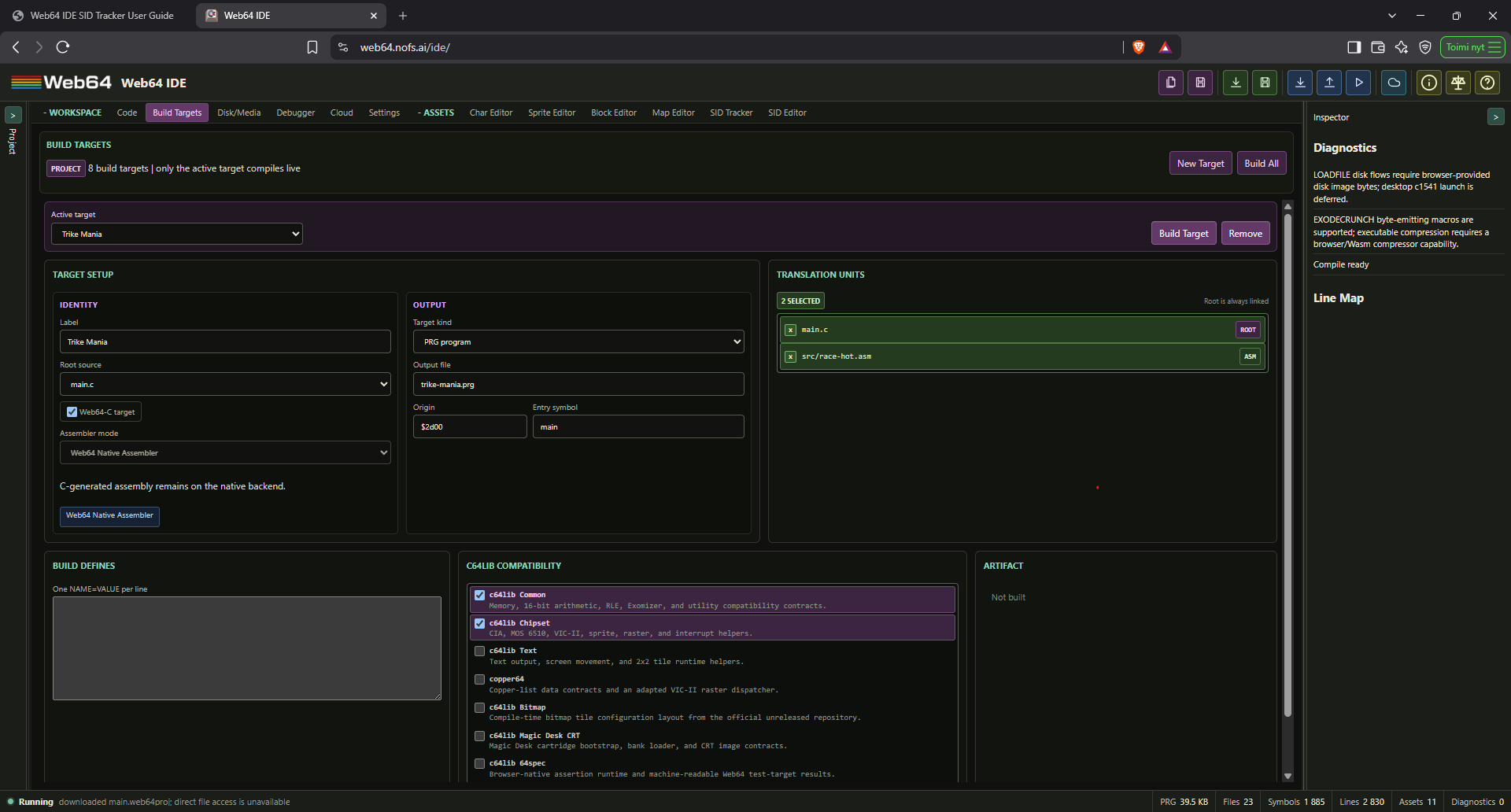
Only the active target participates in live compilation. This keeps editor latency independent of the number of secondary loaders, overlays, levels, tests, cartridges, or utility programs in the project. Build Target compiles the selected target in a separate worker. Build All compiles every target. Built artifacts are transient development outputs; source and target declarations are saved, but generated PRG/CRT bytes are rebuilt rather than embedded in the project file.
Inspect complete target-build results in Code > Build Output. Each target keeps its own outcome and diagnostics, including failed targets, independently of the active target's live Inspector. Filters and source links make larger multi-target builds easier to inspect without changing the active target.
Each target uses an explicit multi-select Translation Units listbox. Click a row, or focus it and press Space/Enter, to include or exclude a C or ASM source file. Multiple translation units may be selected for one target; the target root is selected and locked because it is always linked. The list scrolls independently for larger projects. Headers and referenced assets remain available through the project virtual filesystem, but unrelated C or ASM translation units are not silently linked. The entry symbol controls the packaged PRG start address and must resolve to an emitted external symbol. Magic Desk targets require origin $8000, generate .crt, and can require a valid CBM80 autostart header. Test targets require the 64spec result runtime. Missing inputs, incompatible module/target combinations, duplicate target ids, invalid symbols, invalid cartridge origin, and unresolved entry symbols are build errors.
Scope color is consistent with the main toolbar: project-level target controls and badges are purple, disk-level controls and badges are blue, and source/file controls and badges are green.
Old projects are migrated automatically to one main target. A C project uses its configured C entry as the target root; a mixed project retains its C and assembly translation units; a pure ASM project retains its previous main source and start behavior. No project migration step is required.
Typical multi-load layouts include:
- A boot target plus separate title, game, level, and ending PRGs.
- A resident loader target plus overlays compiled to different origins.
- Separate executables for disk sides or chapters.
- One reusable data disk set shared by more than one executable target.
Target artifacts become stale when a source dependency, native asset, target setting, define, origin, or entry symbol changes. Disk mastering resolves only target outputs it references. Build Dependencies and Run Disk build missing or stale target outputs for the selected disk set and their transitive producers; unrelated release variants and utility targets are excluded. Current outputs are reused during the open IDE session. Reopening a project clears the in-memory output cache, so the first disk run rebuilds the selected set's dependency graph. Source and native-asset drafts are flushed before this freshness check.
For a Magic Desk target, Run lazily packages the active compile snapshot as a CRT, attaches it through the emulator cartridge API, and power-resets the C64; Save writes the configured .crt. For a 64spec test target, the artifact exposes the address and layout of its seven-byte W6 result block for debugger or automation inspection. PRG targets retain the established load/SYS/direct-run behavior. Cartridge targets do not use live memory patching because the running banked image is not equivalent to writable PRG RAM.
Packed data targets and independent block caches
Select Packed data (Exomizer) as a Build Target's kind to compress an assembled data bank entirely in the browser. Native charset, block, map and SID Tracker sources stay editable. The worker assembles the target, compresses it and verifies a codec round-trip before exposing its disk artifact. Build Dependencies and Run Disk rebuild changed dependencies, including recursively included source and binary assets. Changing compression settings also makes the artifact stale.
The controls are:
- Origin: the decoded bank's destination, as for an ordinary data target.
- Staging address: where the packed PRG is received before unpacking; the default is 57344 (
$e000). Reserve this window explicitly in the program's memory plan. - Block size: 0 compresses the whole payload as one block. A positive size divides it into independently decodable records; at most 64 records are allowed.
- Restore each block at the same origin: useful for a cache of position-independent room data. Without this option, each block's destination advances through the original assembled payload. This does not relocate pointers or machine code inside a block.
- Maximum staged bytes: 0 permits the remaining C64 address space; otherwise the build fails if the container exceeds this declared window. The two-byte PRG address is not counted. Use a strict limit for a RAM cache.
Add the output to Disk/Media as a PRG logical file. Packed targets default to Raw data and cannot be used with a SYS loader. Save or Download File writes the packed .prg; Run refuses to execute a packed data target. Run the resident boot program instead. A normal KERNAL LOAD only receives the container—it does not unpack it. The optional Web64 Hardware Loader Runtime supplies native transport, W64X validation, bounded decoding and transactional installation through C and ASM. Merely renaming a PSID, PRG or Exomizer file does not create this format.
W64X version 1 uses little-endian words. After the two-byte PRG staging address:
| Offset | Meaning |
|---|---|
| 0–3 | ASCII W64X |
| 4 | Format version: 1 |
| 5 | Block count: 1–64 |
| 6–7 | Total container bytes, including its final CRC but excluding the PRG address |
| 8 onward | One ten-byte record per block: destination, decoded length, packed offset, packed length, decoded CRC16 (five words) |
| After records | Consecutive backward Exomizer P39/M255 memory streams; each includes its two-byte destination-end trailer |
| Last two bytes | CRC16/XMODEM of every preceding container byte, initial value 0, polynomial $1021 |
Packed offsets are relative to the container header, not the PRG file. The decoded CRC covers that block's uncompressed bytes. The fixed M255 profile avoids the known unrestricted long-match boundary in the separate compatibility decoder; do not substitute arbitrary default Exomizer streams. The hardware loader consumes this shared W64X v1 contract and decodes selected blocks into disjoint caller-owned scratch. All selected decoded CRCs must pass before any live destination write. The Common runtime's separate Exomizer memory decoder is not a W64X parser or a disk loader and is not broadened by this API.
For an independent-block cache, author several fixed-sized native records in one data target, enable independent blocks, and reserve enough packed RAM. Receive once with web64_loader_read, retain the container, and select one record with web64_loader_unpack. Its length excludes the two-byte PRG prefix. Reserve disjoint decoded scratch for the selected record and never overwrite cached streams while decoding. The application owns cache policy and its frame clock. The runtime remains synchronous: IRQ-friendly loading does not automatically make mainline-driven title menus responsive, and it exposes no fake polling interface.
KickAssembler Compatibility Mode
Pure-assembly Build Targets can explicitly select KickAssembler 5.25 compatibility as their assembly dialect. Web64 then runs the governed compile-time evaluator and semantic adapters before lowering neutral records to the existing 6502 assembler. The setting is target-local and never inferred from source text. Web64-native assembly remains the default, and C or mixed C/assembly targets remain on the native assembler path.
For a new compatibility project, choose Project tree > New > Kick-compatible assembly project.... The browser-local dialog creates exactly one authoritative Web64 assembly source root and one explicit kick5 PRG Build Target; it does not create a redundant main.asm or launch an external assembler. Project-VFS library roots retain first resolution priority, followed by the bundled Kick c64lib source tree under Web64 SDK > Kick c64lib sources. Bundled sources are read-only; use Copy into project when an editable project-owned override is required.
Compatibility Mode supports the released v5.25 P0 language surface, including functions, variables, mutation, conditionals, loops, brace macros, preprocessing/imports, deterministic data generation, and neutral layout. Project files and binary/text data are read only from the immutable project virtual filesystem. Java/plugins, Gradle or other external processes, arbitrary host/network access, custom writers, Kick v6 preview semantics, unseeded random/shuffle behavior, DTV semantics, and typed SID/graphics loader objects are unsupported or deferred.
Compatibility source follows KickAssembler syntax: use // for line comments and /* ... */ for block comments, while ; is always a statement separator, including inside .for (...) clauses and between data directives. Editor highlighting, Toggle line comment in the context menu, and its keyboard shortcut insert // only for KickAssembler Compatibility Mode. Native Web64 assembly continues to use ; line comments.
The evaluator is bounded and cooperatively cancellable. Its scopes, values, effects, replay/cache state, diagnostics delivery state, and telemetry never enter neutral emission IR or the 6502 backend. Segments and source artifact requests are declarative; Build Targets continue to own output naming and packaging. See KickAssembler Compatibility Mode for the migration steps, complete supported/adapter/deferred/unsupported matrix, semantic differences, c64lib direct-source statement, examples, and release evidence.
Web64-native c64lib compatibility
Web64 provides a curated browser-native compatibility layer for useful public c64lib contracts. It does not bundle KickAssembler, Gradle, Java, native processors, or the original c64lib package graph. Select modules in Build Targets > c64lib Compatibility. Each target stores its own module list, dependencies are resolved automatically, and unused runtime routines are dead-stripped.
The project tree's Web64 SDK group separates C headers and ASM includes into independently collapsible visual folders. Virtual path directories such as web64, c64lib, and assets appear as further collapsible folders without becoming part of, or changing, the underlying path. Selecting web64/c64lib/common.inc, chipset.inc, text.inc, copper64.inc, bitmap.inc, magic-desk-crt.inc, or 64spec.inc opens its exact virtual build source read-only. Assembly .include completion suggests these paths, Ctrl-click and Go to definition open them, and Copy into project creates an editable project copy. Viewing a file does not select its compatibility module; compilation still requires the matching Build Target module and diagnoses a missing selection.
| Module | Assembly include | C headers | Main V3 scope |
|---|---|---|---|
| Common | web64/c64lib/common.inc | c64lib/common.h | Byte/word macros, copy/fill routines, RLE, and optional Exomizer 3.1.2 P39 codec/runtime. |
| Chipset | web64/c64lib/chipset.inc | c64lib/chipset.h, vic2.h, sprites.h | MOS 6510, CIA, VIC-II, raster, IRQ, banking, video modes, sprites. |
| Text | web64/c64lib/text.inc | c64lib/text.h | Text/hex output, 1x1 scrolling, 2x2 tile drawing, and stateful four-direction Tile2. |
| copper64 | web64/c64lib/copper64.inc | c64lib/copper64.h | Four-byte lists, handler IDs 1-22, direct dispatch, and PAL/NTSC timing contracts. |
| Bitmap | web64/c64lib/bitmap.inc | c64lib/bitmap.h | Six-byte tile-configuration layout; no upstream runtime exists at the pinned revision. |
| Magic Desk CRT | web64/c64lib/magic-desk-crt.inc | c64lib/magic-desk.h | CBM80 bootstrap, bank loader, CRT target packaging and emulator handoff. |
| 64spec | web64/c64lib/64spec.inc | c64lib/64spec.h | Assertions and machine-readable test-target results. |
Assembly uses Web64 macro syntax. The includes retain useful original c64lib.* constant names and expose explicit web64_c64lib_* macro names so source authority remains clear.
.include "web64/c64lib/chipset.inc"

start:
    web64_c64lib_disable_cia_interrupts
    web64_c64lib_set_raster 250
    lda #C64LIB_IRQ_RASTER
    sta C64LIB_IRQ_STATUS
loop:
    jmp loop
The compatibility layer participates in the normal Web64 build. C, generated compiler assembly, handwritten assembly, compatibility runtime routines, and assets share one symbol table, memory map, line map, and debugger projection. Selected-but-unused modules produce byte-identical output to a build with no compatibility modules. C routines use the selected Web64 ABI; no alternate c64lib ABI is introduced. Compatibility wrappers remain opt-in boundary adapters: they never replace an existing smaller or faster native Web64 lowering.
Compatibility builds activate declarative zero-page and memory governance. The compiler stack ABI owns $02-$17, compiler/call scratch uses $fb-$fe, and compatibility routines declare temporary use instead of silently reserving addresses. Compatible scratch ranges may overlay only when their lifetimes cannot overlap. Hardcoded user, imported, compiler, KERNAL, IRQ, and compatibility reservations that overlap produce diagnostics. The build result exposes the resolved memory and zero-page layout.
The copper64 dispatcher installs through $0314/$0315, returns through the KERNAL IRQ path, supports official handler IDs 1-22, and stores its list address in generated code rather than persistent zero page. It owns the raster IRQ while active. Handlers 1-7, 9, 11-15, and 18 use double-IRQ stabilization; handlers 16, 17, and 19 are line-sequenced; handlers 8 and 10 are byte-semantic; and handlers 20-22 synchronize to raster transitions. Handler 21 is PAL-specific and 22 is NTSC-specific. Disable conflicting CIA IRQ sources first. web64_c64lib_guarded_c_callback preserves the Web64 stack-ABI and call-scratch zero-page ranges around an approved no-argument C callback; it is pay-for-use and is not a blanket declaration that C code is NMI-safe or raster-cycle-safe.
The Migrate c64lib Project action in the Project Tree Manage menu creates a Web64-native copy and preserves the original files under legacy-c64lib/. It translates recognized include paths and bounded macro calls, infers modules, and writes a migration report. KickAssembler structural DSL, collections, compile-time host loaders, memory-mode irqExit, dynamic copper handler-selection constructs, and arbitrary Gradle command processors remain explicit diagnostics requiring manual migration. Initial inspection never mutates the original project.
Browser-native processor compatibility uses deterministic, cancellable worker operations. RLE, interleave/deinterleave, c64lib Nybbler low/high-plane splitting, packed-nibble helpers, record slicing, RGBA cut/split/extend/flip/resolution reduction, Magic Desk CRT read/write, GTS3-GTS5/GTI3-GTI5 GoatTracker interchange, and lazy Exomizer raw/in-memory P39 processing are implemented directly. Nybbler preserves the upstream option to normalize high nibbles to 0..15 or retain them in bits 4-7. GoatTracker files import through editable W64SID state and remain interchange formats rather than a second tracker project type. CharPad/CTM, SpritePad, Koala, Char/Block/Map, and generated bindings reuse the existing Web64 asset pipeline rather than recreating Gradle tasks. Arbitrary external command processors remain intentionally unsupported. The same canonical asset descriptors generate C declarations and assembly labels, so dimensions, sizes, offsets, modes, and bytes cannot drift between languages.
The Tile2 adapter consumes canonical map and 2x2 block descriptors, including optional per-block or per-cell Color RAM and material planes. Initialization creates row offsets and renders the selected playfield. Directional calls shift Screen and Color RAM and decode only the exposed edge; startRow and endRow support bounded playfields. c64lib_tile2_material_at() resolves map material first and block material second.
Verified examples are available in public/examples:
c64lib-common-asm.web64proj: pure assembly constants and macros.c64lib-common-c.web64proj: pure C dependency-linked routines.c64lib-mixed.web64proj: C-to-assembly and assembly-to-C calls through one ABI.c64lib-text-c.web64proj: C text output and hexadecimal rendering.c64lib-tile2-scroll.web64proj: stateful Tile2 rendering with automatic bounded edge-refill scrolling.copper64-raster.web64proj: adapted copper display list and raster execution.c64lib-64spec.web64proj: browser-native machine-readable test target.c64lib-magic-desk.web64proj: legacy c64lib-compatible CBM80 bootstrap and generated Magic Desk CRT; retained to verify old project readability, not recommended for a new native cartridge.
V3 closes the stateful Tile2 engine, standard GoatTracker song/instrument and gt2reloc option mapping, lazy Exomizer codec/decruncher, and handler-specific Copper PAL/NTSC timing contracts. Arbitrary external command processors remain intentionally unsupported. Web64 does not claim binary compatibility with KickAssembler output or blanket compatibility with every c64lib repository. See Web64-native c64lib compatibility and the generated compatibility manifest for exact authority commits, classifications, limitations, evidence, and migration guidance.
Disk mastering and project media
The Disk/Media tab masters deterministic 35-track 1541 D64 images, groups them into runnable multi-disk sets, validates the bytes, and exports individual images or one deterministic ZIP. Disk mastering is separate from Save PRG: logical disk files may come from project binaries/text or transient build-target outputs.
The complete workflow runs inside Web64 in the browser: create native assets, write source in Code, define Build Targets, place their outputs in Disk/Media, then build and run or download the result. Project paths are virtual paths. No local source repository, external converter, command-line build tool, or manual project-JSON editing is required.
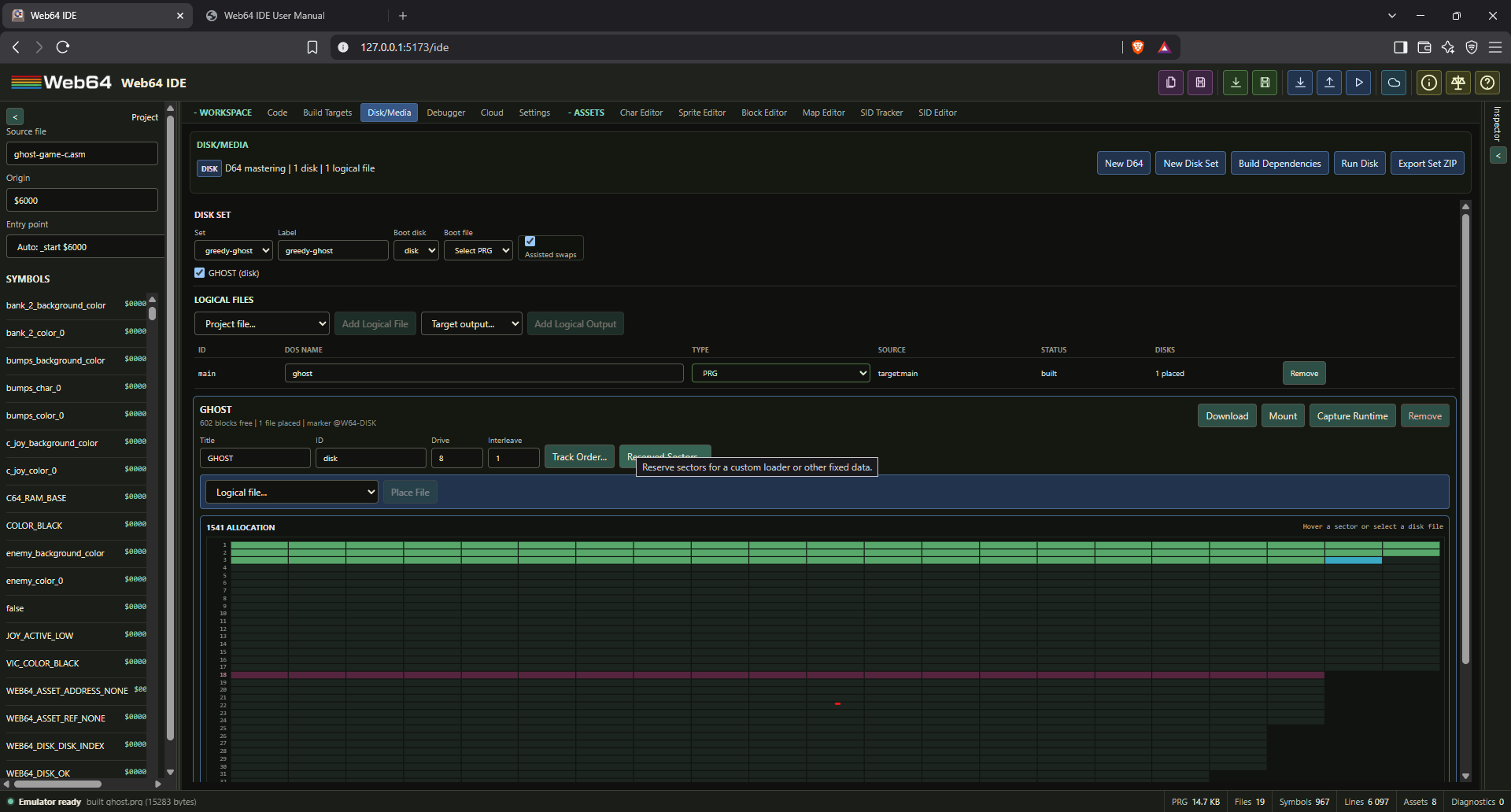
The media model has three layers:
media.files[]declares a logical PRG, SEQ, or USR file and its source.media.disks[]places logical files onto generated D64 images with ordering and allocation constraints.media.diskSets[]groups disks, selects the boot disk and boot PRG, and enables optional IDE-assisted swaps.
This separation allows one target output or data file to be placed on several disks without duplicating source declarations.
Disk diagnostics are grouped by root cause, not merely by severity. For example, unbuilt target outputs appear in one red [ERROR] summary with a Build Dependencies action and collapsed Show details list. The summary distinguishes the number of affected disk files from distinct unbuilt targets. Unrelated placement/capacity errors and yellow KERNAL zero-page warnings stay separate. Details retain the original messages and disk identities; aggregation does not alter validation or permit an invalid disk to be exported.
D64 writer scope
Generated images use 683 sectors, 256 bytes per sector, and 174848 bytes total. The BAM is at track 18 sector 0. Directory sectors chain from track 18 sector 1 and support up to 144 entries. Track 18 is reserved for BAM/directory growth by default. Writable directory types are PRG, SEQ, and USR. REL side sectors, error-info tails, D71, D81, G64, and protected/nibble formats remain deferred.
The writer supports:
- Stable directory ordering.
- Per-disk interleave, custom track order, and reserved sectors.
- Per-file interleave, sector alignment, preferred track ranges, and exact sector chains.
- Existing BASIC/SYS PRGs without duplicate loader insertion.
- Automatic BASIC SYS wrapping for raw PRGs when enabled.
- Multi-sector files and chained directory sectors.
- Deterministic allocation, fill bytes, allocation maps, and output hashes.
Allocation maps are included as JSON and ASM .inc files in disk-set ZIP exports. They identify directory, reserved, free, and per-file sector chains for fastloader development.
Graphical allocation map
Each generated disk has a 35-track graphical sector map. Every cell is one physical 1541 sector, so the display reflects the actual allocation returned by the D64 writer rather than an estimate. PRG sectors are green, SEQ sectors are yellow/orange, USR files and disk markers are cyan, custom reserved sectors are purple, free sectors are dark, and Track 18 is highlighted as the BAM/directory system track.
Hover a file row to isolate its sectors temporarily, or click the row to keep it selected. The selected file's blocks are outlined on the map and unrelated allocated sectors are dimmed. Hovering a sector reports its exact track/sector, owning file, and position within that file's block chain. Clicking an owned sector selects its file. The Chain field below the map lists the complete ordered sector chain, including non-contiguous and exact-placement layouts.
Creating logical files, disks, and sets
Use New D64 to create a generated disk and the default disk set. Use New Disk Set to define another ordered group. The set controls its member disks, boot disk, boot PRG, drive unit, and assisted-swap behavior.
Add a project file with Add Logical File or a build-target PRG with Add Logical Output, then choose its DOS name and PRG/SEQ/USR type. This first step only declares reusable logical media; it does not allocate sectors on any disk. The Disks column therefore reports not placed until the file is assigned to at least one D64, then reports the number of disks on which it is placed.
For a PRG, also choose its PRG mode in the Logical Files table:
| PRG mode | Bytes placed on disk | Use |
|---|---|---|
| Runnable (SYS) | A runnable program, with a BASIC/SYS loader when needed | Boot programs and independent executables |
| Raw data | The target's data PRG, without a boot wrapper: assembled payload for normal targets, or staging address plus W64X container for Packed data targets | Music, graphics, level banks and overlays loaded by a resident program |
The mode belongs to the logical file and is saved with the project. New normal PRG logical files default to Runnable (SYS); explicitly select Raw data for data banks. Packed data targets default to Raw data and reject executable SYS wrapping. The directory type stays PRG in both modes. Turning off a SYS wrapper does not strip arbitrary file-format headers: a PSID .sid container must first be assembled as a payload-only target, as described below. Select SEQ or USR only when the program expects that file type and byte layout.
For each destination disk, use the placement selector directly above its allocation map and choose Place File. When the project contains exactly one disk, a newly declared logical file is preselected there, but placement remains an explicit action so multi-disk projects never receive unintended copies. An empty disk displays a reminder above the map. After placement, the disk header reports its placed-file count and the map includes the file's colored sectors. If a target output is unbuilt or stale, choose Build Dependencies to produce its bytes and refresh the allocation.
Directory Up/Down controls determine DOS directory order; put the normal boot PRG first when LOAD"*" compatibility matters. Every generated disk also receives a small final USR marker named from its stable disk id, such as @W64-DISK-2.
The advanced placement controls are intended for custom loaders. Track Order sets a comma-separated preferred track sequence. Reserved Sectors accepts track/sector pairs that ordinary files may not consume. A file can set interleave, alignment, a preferred track range, or an exact comma-separated sector chain. Invalid, conflicting, or too-short exact chains fail mastering explicitly.
A compact version 2 media record resembles:
{
  "build": {
    "version": 1,
    "activeTargetId": "boot",
    "targets": [
      {
        "id": "boot",
        "rootPath": "src/boot.c",
        "inputs": ["src/boot.c", "src/io.asm"],
        "outputName": "boot.prg"
      }
    ]
  },
  "media": {
    "version": 2,
    "files": [
      {
        "id": "boot-prg",
        "dosName": "BOOT",
        "type": "prg",
        "source": { "kind": "target-output", "targetId": "boot" }
      }
    ],
    "disks": [
      {
        "id": "side-a",
        "title": "GAME SIDE A",
        "unit": 8,
        "entries": [{ "fileId": "boot-prg", "order": 0 }]
      }
    ],
    "diskSets": [
      {
        "id": "game",
        "diskIds": ["side-a"],
        "bootDiskId": "side-a",
        "bootFileId": "boot-prg",
        "unit": 8,
        "assisted": true
      }
    ]
  }
}
Project paths are virtual filesystem paths, not host paths. Generated D64 and target bytes are build artifacts and are not stored as source truth in .web64proj. Version 1 media records migrate to logical files, disks, and one default disk set when opened.
Creating a single-disk multi-load project
Multi-load means that the running C64 program requests later files from a mounted disk. It does not require multiple disks. A common layout keeps a small program resident and replaces a separate RAM area with the current level, graphics, music or code overlay.
- Plan memory. Keep resident code, stacks, zero-page state, IRQ code and persistent variables separate from replaceable banks. Overlays may reuse an address only when they are never needed simultaneously. VIC bank visibility and ROM/I/O mapping still apply.
- Create the resident program in Code and give it a Build Target with the intended C, ASM or mixed translation units. This executable boots and performs subsequent loads.
- Create one assembly source per replaceable bank. Use normal
.incbinstatements to consume native asset bytes and generated includes for sizes and addresses. Native map structure, Color RAM, video-matrix and material exports can form a documented bank layout; the application decides how those planes are installed and interpreted. - Create a PRG target for each bank. Choose its Root source and necessary Translation Units, select Web64 Native Assembler, disable Web64-C target for data-only assembly, and set Origin to the planned destination. Choose its Output file name.
- In Disk/Media, create a New D64. Add the resident and bank targets with Add Logical Output. Give them distinct DOS names matching the program's load requests. Choose Runnable (SYS) for the boot file and Raw data for each bank.
- Place File for every logical file. Select the set's Boot disk and resident Boot file. Use the same drive unit in the program and disk set. For wildcard booting, place the resident first in directory order.
- Choose Run Disk (or
Ctrl+F5) to build and boot, or use Build Dependencies first to inspect the result. Test every transition that requests another file, not just the first screen. Running a multi-load PRG without its disk cannot load later banks. - Save the project to retain sources, native assets, target settings and disk layout. Download the mastered D64 or export the disk set separately for a playable image.
Directory order and sector placement do not schedule loads. The application owns the sequence, destinations, transition state and error/retry behavior. Ordinary named-file KERNAL loading does not require fixed sectors; exact placement serves programs with a sector-aware loader.
SID Tracker music as a loadable bank
.w64sid remains editable tracker source. Tracker Save regenerates a .sid PSID container and an .inc file. A generated PSID v2 header is 124 bytes; a raw PRG's load-address prefix is two bytes, so the SID container is 122 bytes larger than the equivalent payload PRG. Renaming .sid to .prg does not remove the header or produce a correctly loadable bank.
For assets/music/song.w64sid, keep the normal filename-derived include symbols. Set Info > Driver address and Music data address to a compatible region in the application's memory plan, then Save. In Code, create a bank source:
.include "assets/music/song.inc"
.incbin song_sid, "assets/music/song.sid", song_sid_c64_data_offset, song_sid_c64_data_size
Create a data-only PRG Build Target for this source, with Origin equal to song_sid_load_address shown in the generated include. Add that target's output as a Raw data PRG logical file and place it on the disk. The assembler selects only the C64 payload and supplies the PRG load address; Disk/Media masters those bytes unchanged. There is no external export or conversion step.
The resident may include the generated constants without embedding the song. In that case define song_sid = song_sid_load_address to resolve the generated end/size expressions. After a successful load, initialize using the generated init address and zero-based subtune index, and call the generated play address at the composition's required frame cadence. Do not assume different compiled songs share entry addresses or lengths. Rebuild resident tables that reference those constants when music changes.
The edit loop is Tracker Save -> Build Dependencies -> Run Disk / Download File / Download D64. The .w64sid, .sid and .inc remain project files; the payload PRG is a rebuilt target output. Do not make a separately exported PRG the canonical disk source: later Tracker saves will not update that unrelated copy.
Build, run, swap, and capture
Build Dependencies and Run Disk compile only missing, stale or previously failed outputs used by the selected set, including their transitive producers. Disk/Media shows diagnostics for the selected set; an unbuilt disk belonging only to another set does not produce errors in that set's banner or prevent its launch. Select the other set to inspect its diagnostics. Pending source/native-asset edits are included. Build failures stop the launch; inspect Build Output for the target and diagnostic. If the project changes during launch, run again to use the latest inputs.
Run Disk is available in Disk/Media, on the main toolbar (disk-with-play icon), and through Ctrl+F5. The toolbar is enabled when a Disk/Media disk image is configured; its target bytes need not already be built. All three entry points preserve the selected disk set, switch to Code and reveal the emulator. F5 continues to run the current PRG and Shift+F5 continues to pause/resume.
After a successful build, Run Disk stages private runtime clones of the complete set, mounts its boot disk, power-resets the C64, and enters LOAD"<boot>",unit,1 followed by RUN. The selected filename uses the same PETSCII bytes as the mastered directory, including case normalization and supported punctuation; it is not replaced with *, so the boot file need not be first in the directory. Choose a Runnable (SYS) PRG as the boot file.
When assisted swaps are enabled, a running program can call web64_disk_request(index) from <web64/disk.h>. The helper writes the request magic and zero-based disk index to the Web64 mailbox at $02fe-$02ff. The IDE polls this two-byte mailbox only during an active assisted disk session, mounts that set's indexed disk, and clears the request. Portable programs should also call web64_disk_require(marker, length, unit) and prompt for the marker manually when no IDE host is present.
Mounted generated disks are writable runtime clones. Emulator writes never mutate the project manifest or generated source image. Capture Runtime flushes the mounted drive, reads the current D64 bytes, reports whether they differ from the staged baseline, and downloads the captured image while keeping it attached.
For an application that writes documents or other user files, import its data .d64 through the normal project-file import. Download Empty D64, available under Imported D64 Images even before importing a disk, supplies a formatted blank image; you can also download the blank D64 here. Select Drive 8 for a single-drive disk swap, or Drive 9 to leave the application disk in drive 8. Enable Drive 9 in Emulator Options when using the second drive, and select the same device in the running application. Mount attaches the selected data image without resetting the C64 or issuing LOAD/RUN; wait until the application has closed its files and the drive is idle before swapping.
After the application saves, Capture Drive 8/9 downloads the disk currently mounted on that device, including the C64's file changes, and leaves it attached. It captures the current runtime disk, which may differ from the imported row's image. Capture changes before mounting a different image or closing the emulator. Saving the Web64 project or downloading the original imported file does not capture these runtime writes. Reimport the captured D64 to use it in a later session.
Download File, in Logical Files, exports the exact bytes from a current mastered disk, including the selected Raw data or Runnable packaging. It is disabled until the file is placed on a valid, non-stale disk. A PRG download has the .prg extension; it is not a renamed .sid source.
Download, in a disk header, exports that generated D64. Export Set ZIP rebuilds the selected set's missing/stale dependencies and exports all its disks plus deterministic allocation-map JSON and ASM include files. Before using a disk's direct Download or Mount action after editing sources, use Build Dependencies to ensure the image is current. Imported .d64 project files are inspect/mount only and are never rewritten by the mastering workspace.
Project Save, Tracker Save and emulator resume are different operations: saving retains editable work, building creates target/disk bytes, and resuming continues the current machine. Rebuilding does not replace an image already mounted in a running machine. Use Run Disk to boot the newly built set, or explicitly mount the rebuilt image when the application is waiting for it.
C and KERNAL disk I/O
<web64/disk.h> provides dependency-linked helpers for whole-file load/save, marker verification, assisted swap requests, and byte-stream open/read/write/close operations. Include it only when needed; unused disk routines and state are absent from the final program.
<cbm.h> provides low-level wrappers for KERNAL READST, SETLFS, SETNAM, OPEN, CLOSE, CHKIN, CHKOUT, CLRCHN, CHRIN, CHROUT, LOAD, and SAVE. The high-level Web64 helpers use the same KERNAL paths and return Web64DiskStatus values. The complete declarations and usage examples are listed in the Web64 C Compiler User Manual.
The generated assets/generated.h media section publishes WEB64_GENERATED_DISK_COUNT, file/set counts, disk indexes, units and marker strings, logical DOS filenames and types, plus each set's boot disk, boot file, and unit. These descriptors are derived from the saved media manifest and stay aligned with disk ordering used by web64_disk_request.
For safe transitions, pause routines or interrupts that read or execute the bank being replaced, load it, check status and the loaded end address, validate its format/version when applicable, then install or call the new content. Never initialize music or jump into an overlay after a failed or truncated load. Whole-file KERNAL loading is not transactional: use separate staging and bounded streaming if incomplete input must not overwrite live data. When streaming a PRG manually, consume its two-byte load address as a header, not payload.
Keep compatible memory configuration and preserve KERNAL workspace during disk operations. A blocking load may pause animation/audio. Smooth cutscenes or music during loading require an explicitly designed loader/IRQ arrangement and measurement; reserving sectors or assisted swaps does not create a fastloader. Assembly callers can use the native convenience macros in Web64 SDK > ASM includes > web64/disk.inc; linked C and ASM helpers use the same runtime contracts.
IRQ-friendly hardware loading from C or ASM
Use <web64/loader.h> or web64/loader.inc when the application explicitly targets the supported 1541-family fast protocol. The ordinary KERNAL wrappers above remain a separate choice; no automatic fallback is installed.
- Reserve a page-aligned 256-byte sector buffer, bounded incoming staging, live destination and, for packed data, disjoint decoded workspace. Keep all spans outside code, SID data, sprite data and the C stack.
- Install an application-owned IRQ and persistent 16-bit clock. Preserve its registers/scratch, provide RAM and KERNAL-compatible vector paths, then call
web64_loader_init(device, sector, ticks). - Use
web64_loader_load_raworweb64_loader_load_packedwith a typed request, or usereadfollowed byunpackfor caller-managed caches. Fast file calls require RAM with I/O visible ($01=$35) and interrupts enabled. - Check the compact status before using the new bank. A failed packed load leaves live destination bytes unchanged, even after a damaged compressed stream passes its outer CRC. Received staging itself is disposable on failure.
- Before normal KERNAL SAVE, call
web64_loader_shutdown. Reinstall withweb64_loader_reinitialize_after_savebefore the next fast read; after a power-cycle or failed configuration, use freshinit.
The runtime is synchronous, not a background loader. A lightweight IRQ may keep music and presentation running during reads, but SAVE and drive initialization can still stall. Applications own input responsiveness and the bank currently used by the SID player. Raw reading, unpack-only and combined loading exact-link independently; pure ASM needs no C startup. PAL/NTSC true-drive 1541-II emulator coverage does not imply support for arbitrary IEC storage devices.
The Hardware Loader Runtime manual contains the full C request types, ASM windows/macros, errors, ownership map, optional code placement, measured costs and troubleshooting. The full native source/assets → target → optional Packed data → Raw data logical file → D64 chain is creatable inside the IDE; no external compressor or hand-edited project file is required.
Validation and diagnostics
The workspace validates source references, target freshness, ids, DOS names, file types, directory capacity, free-space allocation, exact placement, BAM consistency, directory chains, and runtime attachment eligibility. Typical diagnostics include:
media-entry-missing-target-output: A placed target has not been built or is stale.media-file-missing-source: A logical file references a missing project path.media-disk-set-boot-file-not-on-disk: The selected boot PRG is not placed on the boot disk.d64-duplicate-filename: Two files on one disk encode to the same DOS name.d64-placement-conflict: An exact or reserved sector conflicts with system or file allocation.d64-directory-full: More than 144 entries were requested.d64-unsupported-file-type: A generated disk requested an unsupported directory type.
The inspector parses raw bytes independently from writer state. An invalid image cannot be downloaded, mounted, staged, or run.
For common multi-load failures, check these before changing the loader:
- Later files are missing: declare and place every required file; boot with the intended D64 mounted on the requested drive.
- A bank contains BASIC code or starts at
$0801: select Raw data, rebuild dependencies and remount/re-run the new image. - Music starts with
PSID: assemble only the generated*_c64_data_offset/*_c64_data_sizeslice; do not load the whole.sidas a PRG. - Edits appear in the tracker but not in the program: Save, reference the generated
.sid/.incthrough a target output, rebuild dependent resident/bank targets and use the new disk. - A resized bank fails its end-address check: use generated size symbols instead of copied numbers. Check reserved RAM and staging capacity.
- Scores disappear after restarting: Capture Runtime retains the writable mounted image. Rebuilding the project disk produces its declared initial files, not previous runtime saves.
Deferred media features
REL side-sector writing, D71/D81/G64 mastering and protected/nibble media remain outside the current writer. The optional hardware loader is a separately selected runtime, not an implicit disk-writer behavior. Web64 never silently replaces a program's loader protocol.
Native cartridge mastering
Cartridge layouts live in Disk/Media because they master release media; Build Targets still owns the compiled programs, packed banks and data contributions. Create a layout, choose Standard 8K, Standard 16K, Magic Desk or EasyFlash, then place target outputs or project files into explicit ROML/ROMH windows and banks. The placement map shows bank, window, offset, size, CRT offset and declared RAM destination. A missing target, overlap, overflow, impossible alignment, invalid boot reservation or stale failed build blocks mastering. Saved .web64proj files keep the layout and VFS, not transient CRT bytes.
Disk Mastering and Cartridge Layouts are separate subtabs within Disk/Media, keeping each medium's actions and diagnostics together. New Cartridge Layout creates the cartridge configuration. Placements use individually collapsible cards in a responsive one-to-four-column grid; each collapsed card still identifies its source, role, bank, ROM window and offset. Expanding or collapsing a card does not change its placement. The top-right × removes a non-boot placement even while collapsed; the boot card has no remove control. Automatic allocation reserves boot first, then uses stable placement-ID order; displayed card order is not a memory-layout control. Drag reordering is not implemented. The bank map and migration review remain available through compact disclosure links.
Build Cartridge compiles changed dependencies and masters the selected CRT. Run Cartridge is in Disk/Media, the main toolbar and Ctrl+Alt+F5; it builds the current image, attaches it through the native VICE cartridge API, power-resets the C64 and reveals the Code emulator. Export CRT downloads only a current successful artifact. The emulator's Advanced options show the attached profile and occupied banks; Eject cartridge detaches it. Starting a PRG or Run Disk detaches the cartridge first. The base emulator also shows attachment identity and an explicit eject action. Neither run path patches a PRG into RAM to simulate a cartridge.
Wrap resident PRG accepts a machine-code target with a declared entry and a load range inside $0200..$7fff. Standard 8K, Standard 16K and Magic Desk use a bank-0 ROML boot with the resident payload in that window. EasyFlash uses a bank-0 ROMH reset boot and requires the same target as a pinned bank-0 ROML PRG payload placement; the reset code moves a short loader into RAM before changing cartridge mode. The bounded copy temporarily uses $fb..$fe, clears them, and enters the program with a fresh stack and IRQs enabled. The boot and payload must fit their assigned windows. This is not a BASIC-file, arbitrary D64 or unknown-loader converter. PRG payload strips the two-byte load address without generating a copy/boot contract; Raw output retains every byte; Packed stream places the verified compressed body for an application-owned unpacker.
The native C/ASM cartridge runtime exposes bank selection, EasyFlash mode selection, ROM read and bounded ROM-to-RAM copy via web64/cartridge.h and web64/cartridge.inc. A copy is at most 256 bytes, within one mapped ROM window, to caller-owned $0200..$7fff RAM; callers chunk longer transfers. The linked service is RAM-resident, restores the selected mapping, and uses $fb..$fe as its documented call-scratch overlay. Interrupt handlers that share those bytes must preserve them. EasyFlash must have an explicit valid mode before read/copy; code that disables its own execution window must run from a RAM trampoline. A cartridge image is immutable here: there is no browser flash programmer or implicit ROM save backend.
The complete C and assembly library contract, runnable mixed-language example, status reference, and per-profile constraints are in Web64 Native Cartridge Runtime.
Managed cartridge resources
Enable Managed resources on a native Cartridge Layout, choose its resident Build Target and a directory address in ordinary RAM, then declare one or more writable transfer-buffer regions. Add a logical resource from a project file or target output. Resource IDs are stable project-local names; their generated numeric values are build-local and should not be stored in save data. cartridge/generated.h and cartridge/generated.inc provide IDs and 32-bit stored sizes to the bound target during Build Cartridge. The Resource map shows each resource's stored size, extent count and generated declarations. The final CRT manifest relates the original source, representation and logical byte offsets to physical bank/window/CRT offsets. Generated files and final directory bytes are projections of the saved layout; edit the layout and its sources, not those projections.
The first version splits a logical resource into extents of at most 8,192 bytes. Standard 8K has one fixed ROML window; Standard 16K has fixed ROML and ROMH; Magic Desk has 64 ROML banks; EasyFlash has 64 shared-bank ROML/ROMH pairs. The boot, application, directory, other placements, fill and alignment also consume capacity. A source too large for the selected profile fails mastering explicitly. A packed-stream resource reports its stored size; copy its stream into caller-owned staging RAM and invoke the normal unpack service separately. There is no transparent decoding or ROM pointer to keep after a bank change.
In C, include <web64/cartridge.h> and <cartridge/generated.h>. In ASM, include web64/cartridge.inc and cartridge/generated.inc. The same resource request works with all four profiles:
web64_cart_resource_request request;
web64_cart_resource_result result;
request.resource = WEB64_CART_RESOURCE_LEVEL_TILES;
request.offset = 0UL;
request.destination = level_buffer;
request.length = sizeof(level_buffer);
uint8_t status = web64_cart_resource_copy(&request, &result);
Call web64_cart_resources_init() after the cartridge's resident boot. web64_cart_resource_read accepts at most 256 bytes; web64_cart_resource_copy accepts a 16-bit length and internally transfers bounded chunks. Both accept a 32-bit resource offset and return a status plus the completed-byte count. A valid zero-length range at or before the end succeeds without touching a destination. An out-of-range request fails rather than truncating; a multi-chunk failure reports the valid copied prefix, not a rollback. A transfer destination must lie entirely within one declared writable region, outside resident code, directory, zero page, stack and active request/result storage. Build Cartridge checks declared RAM ownership and the guest checks each operation. F5 direct PRG start is refused for a managed resident target; use Run Cartridge so the real CRT boot establishes mapping and directory state.
The service executes from resident RAM, masks IRQ for each bounded bank/copy/restore interval and restores the caller's prior IRQ-enable state and cartridge mapping before returning. IRQ/NMI handlers must be bank-invariant during transfers, preserve shared call scratch, and must not call the cartridge API. A 256-byte call can still miss a raster deadline; select shorter reads and measure on the target machine. Raw application writes to $DE00, $DE02 or CPU mapping registers bypass the managed shadow and are outside its safety guarantee. The existing explicit low-level bank/mode API remains available for expert, separately owned code. Managed resources do not bank arbitrary executable functions, virtualize ROM pointers, or program EasyFlash storage.
The packed request is nine little-endian bytes: resource ID at offset 0; uint32_t logical offset at 1–4; 16-bit RAM destination pointer at 5–6; 16-bit count at 7–8. The two-byte result holds the completed count. C can use the declarations directly. Native ASM uses the same labels and the generated web64_rt_call_cart_resources_init, web64_rt_call_cart_resource_read request, result, and web64_rt_call_cart_resource_copy request, result macros from web64/cartridge.inc; status returns in A. Both C ABIs and ASM share the same guest entry points. A/X/Y and flags may change; $fb..$fe are call scratch. The operation is mainline-only and non-reentrant. The directory starts with W64R, version 1, profile and 16-bit resource/extent counts, followed by fixed eight-byte resource and ten-byte extent records. Applications should use generated handles rather than parsing those physical records themselves.
| Status | Value | Meaning |
|---|---|---|
WEB64_CART_OK | 0 | Complete operation; result count equals the request count. |
WEB64_CART_PROFILE, BANK, MODE | 1–3 | Expert-level profile/bank/mode mismatch. |
WEB64_CART_RANGE | 4 | Requested source range or bounded-read count is invalid. |
WEB64_CART_DESTINATION | 5 | Request/result pointer or transfer destination is outside permitted RAM or overlaps live metadata. |
WEB64_CART_BUSY | 6 | A prior transfer has not completed; ISR calls are still unsupported. |
WEB64_CART_NOT_INITIALIZED | 7 | Call web64_cart_resources_init from a supported cartridge boot first. |
WEB64_CART_RESOURCE | 8 | The resource ID is not in this build's directory. |
WEB64_CART_DIRECTORY | 9 | The copied directory is invalid or an extent cannot satisfy the request. |
WEB64_CART_UNSAFE | 10 | Reserved for a rejected unsafe mapping state. |
Disk-to-cartridge review and legacy projects
An existing disk project can add a separate cartridge boot target and bank layout while preserving its D64 loader, targets and disk set. Expand Disk-to-cartridge review in the layout before building: it lists source/loader changes, placements and writable-file questions. ROM bank reads do not translate IEC loading or drive code. Keep mutable documents, scores or configuration on a data disk in device 8 or 9, and test that save workflow explicitly. A project with no declared SEQ/USR/REL file may still write at runtime, so inspect its code before claiming disk independence.
Imported D64 images offer a collapsed Cartridge feasibility report. A valid directory is not proof of a convertible application: machine-code entry, custom 1541 code, raw-sector access, copy protection, unknown self-modifying loaders and save behavior require source-level review. Invalid images are refused. Web64 does not silently extract PRGs, patch binaries, intercept KERNAL calls or map writes to flash and call the result a cartridge. An eligible standalone resident PRG can use the explicit Standard 8K wrapper; a banked application needs an authored cartridge loader and placement plan.
Legacy magic-desk-crt Build Targets remain readable and buildable. Their c64lib bootstrap/target metadata is not silently reinterpreted as a native layout. The Legacy Magic Desk compatibility review gives a non-destructive route: save the original project, author a separate native boot and targets, review the new layout, save a distinct migrated .web64proj, then reopen and compare both artifacts. If the old source cannot be ported safely, retain the legacy target. The stock Native Magic Desk + Disk starter demonstrates a completed two-bank native path beside a working original D64; it is not an arbitrary binary migration tool.
REU and C64U launches
An REU image is project media, not a separate compiler target. In Disk/Media → REU Images, create a layout, choose its capacity, and optionally place project files or target outputs at declared REU offsets. Build REU Image and Export REU are available for inspection; Build Output reports the capacity, placement map and SHA-256. A project that only writes REU data at runtime can intentionally have an empty layout. Checked C/ASM REU access uses a target-owned RAM-buffer contract, documented in the repository's docs/c64u-reu-sdk.md. Do not infer actual hardware capacity from a presence probe.
In Disk/Media → Launch Profiles, create a launch and select its PRG target, disk set or cartridge, PAL/NTSC mode, and optional REU image. Select it as the Active F5 launch and save the .web64proj to make these relationships portable. F5 and Run in Emulator build changed dependencies and the selected REU image automatically; there is no separate save or REU-build prerequisite. They attach a fresh image and run in the embedded emulator. For projects without an active launch, F5 keeps its existing local run behavior. Cartridge + REU is not a supported launch combination in this candidate. The current REU starter in New from template… has ASM/C+ASM, PAL/NTSC and 512 KiB/16 MiB options; the reu-development example is a small DMA round trip.
Physical C64 Ultimate transfer is a separate, explicit action. Install and start the local web64-device-bridge on a computer that can reach your C64U over a private LAN; its device-only mode needs no MCP client or Cloud account. Open the bridge's one-use invitation in the same Web64 IDE browser, allow the browser's local-network request if shown, then approve inspect + execute in Settings → Devices. Run on C64U stages the current build, checks device settings, and asks for one hardware launch. It never changes F5's destination, never scans your network in the background, and never stores device credentials in the project. The command can replace the currently running program and selected temporary media on the device. Review the selected launch and save anything valuable on the C64U first.
The status distinguishes staged bytes, preflight, transfer, guest handoff and a requested launch. A successful network response does not certify that the application started or that REU contents were read back; the physical-device path awaits community verification. A timeout after device mutation has an unknown outcome: inspect the job and machine before retrying. Cancel before release prevents a new application launch request, but cannot undo bytes already accepted by the device. Disconnect revokes the browser grant. Device 9 is an explicit launch disk binding, not permission to overwrite another disk. The candidate's limited support status and remote-test steps are in the repository's docs/c64u-remote-tester-brief.md.
The embedded Web64 runtime
The embedded runtime is the Web64 VICE-based C64 instance used by the IDE. It is shown inside the Code tab so you can edit source and inspect the running program in the same workspace.
Collapse emulator panel in the emulator header gives the editor the full center-stack height without pausing, resetting, or unloading the C64. Show emulator panel in the source tab header restores the panel and resynchronizes its video surface. The collapse state is stored in both local layout preferences and the .web64proj workspace record.
The emulator options are grouped in collapsible sections:
- Runtime: Start, pause, power off, reset, the five-position paced speed slider, warp, and live patch.
- Display: 1x, 2x, Fit, scanlines, fullscreen.
- Audio: Audio enable, mute, SID quality, volume, and optional VICE drive sounds.
- Input: independent keyboard joystick profile/port plus physical gamepads 1 and 2, each routed to port 1, port 2, or off.
- Storage: Drive 9, quick save, quick load, snapshot import/export.
- Advanced: runtime state, live patch state, load/start addresses, direct PRG memory load.
Root emulator URL launches
The root Web64 emulator accepts a remote or same-origin D64/PRG URL through ?file=<url>. Optional parameters can be combined with it, including autorun, audio, scanlines, warp, fullscreen, keyboard, keyboardport, gamepads, gamepad1, and gamepad2. Boolean parameters accept true/false and on/off. keyboard accepts numpad, arrows, or off; each port option accepts 1, 2, or (for physical gamepads) off. The legacy joystick=1|2 option remains a shorthand that routes the numpad and first gamepad together.
For example:
https://web64.nofs.ai/?file=https://web64.nofs.ai/greedy-ghost.d64&autorun=on&audio=on&fullscreen=on&keyboard=arrows&keyboardport=2&gamepads=on&gamepad1=2&gamepad2=1The file URL is parsed independently from the following launch parameters. D64/G64 autorun mounts drive 8 and then feeds the exact LOAD"*",8,1 and RUN sequence; autorun=off only mounts it. PRG autorun retains its normal direct program loader. Requested audio is retained across the media transition instead of being lost when the image attaches. Audio and fullscreen are attempted immediately and remain armed for the first interaction anywhere in the standalone emulator when browser permission policy requires a user gesture. Percent-encode the file value when the nested file URL contains its own query string, fragment, or ampersand. The local Vite development server provides a host-restricted bridge for files served from web64.nofs.ai, whose production same-origin policy otherwise prevents a localhost page from fetching them.
Display scale
Available scale modes:
- 1x: Fixed one-to-one display scale inside the visible emulator viewport.
- 2x: Fixed double scale inside the visible emulator viewport.
- Fit: Fit the display to the available emulator panel area.
Fixed scale modes may need scrolling or clipping if the emulator panel is smaller than the rendered surface. Fit mode is intended for normal responsive use.
Scanlines
Scanlines are controlled through runtime video resources. If scanlines bother a user, disable them in Display.
Fullscreen
Fullscreen applies to the emulator panel. When fullscreen is entered, the emulator canvas is focused so keyboard input goes to the C64 without requiring a second click.
Audio
Audio must be enabled by user action in most browsers because browser audio APIs require a gesture. The IDE exposes:
- Audio on/off.
- Mute.
- Volume.
- SID quality selector.
- Drive sounds on/off. This enables VICE's motor and head sounds; Audio must also be enabled and unmuted to hear them.
SID quality options include FastSID and reSID modes.
Drive 9
Drive 9 can be enabled or disabled in Emulator Options → Storage or the Settings tab. Its current state also appears in the Emulator Options summary. Some C64 programs, including Elite's fastloader, assume only drive 8 exists and can fail if drive 9 is present. Turn Drive 9 off before Run Disk for those programs, then save the .web64proj to keep that choice when the project is reopened. A disk configured for drive 9 requires the drive to be enabled before mounting it.
Debugger
The Debugger tab starts with Execution, a live decode of bytes at the paused C64 CPU's actual PC. The arrow marks the instruction that will run next; a checkpoint badge separately names the instruction that caused the stop, which may have a different address. A selected row has its own outline. The live listing remains usable when source matching is unavailable, ambiguous, modified, or in ROM.
On a wide window, Execution and Variables fill the available debugger height beside each other, with compact Registers and Breakpoints above Variables. Memory stays below them and starts at about 220 pixels tall; drag its divider or focus it and use the arrow/Page/Home/End keys to resize it. Narrow windows stack the panes without changing debugger state. Execution and Variables scroll inside their own panes.
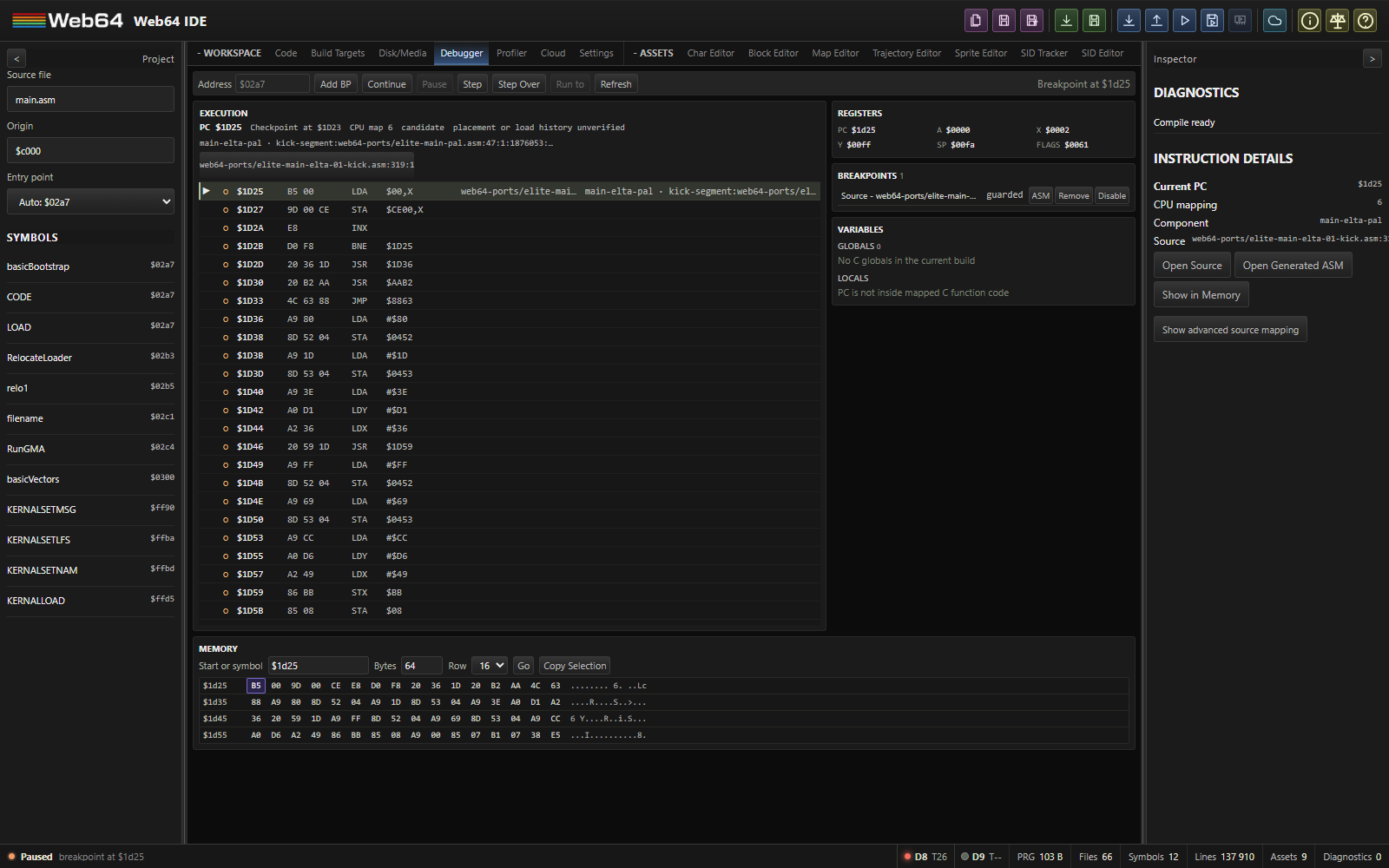
Debugger features include:
- Manual breakpoint entry by address or symbol.
- Address breakpoints from the Execution gutter and source breakpoints from Source or Generated ASM.
- Source/provenance and explicit machine breakpoints from the optional Generated Assembly view.
- Pause, resume, exact instruction stepping, and call-aware step-over.
- Refresh debugger state.
- Stopped register and ordinary-RAM editing on a capable native runtime.
- Typed C globals and explicitly unavailable locals when machine-code lifetime is unproven.
- Passive watches and native owner-local execution conditions on supported C64 CPU state.
- Memory dump by address and length.
- A current-PC marker in Execution and matching built Generated ASM rows.
Breakpoints
Breakpoints can be added in three ways:
- Enter an address or symbol in the Debugger tab and click Add Breakpoint.
- Click the open-circle address gutter in Execution.
- Click a Source or Generated ASM gutter for a source/provenance breakpoint, or Shift-click the Generated ASM gutter for a fixed machine-address breakpoint.
Breakpoint addresses must be whole 16-bit C64 addresses; out-of-range input is rejected rather than wrapped.
For a running disk or directly started PRG, source breakpoints bind to instruction bytes and supported C64 memory mappings from the pinned build. A not-yet-loaded disk component may have a guarded checkpoint; it does not become an unconditional address breakpoint. A source intent without a supported built candidate remains pending. Machine breakpoints deliberately use the entered 16-bit C64 address. The Breakpoints manager shows each intent and its binding state, with enable, disable and remove actions. Competing executable components with indistinguishable bytes remain ambiguous rather than receiving invented source identity. Stored .byte data is not treated as a competing instruction when a unique executable contribution matches. Cartridge-bank and drive-CPU contexts are not yet source-breakpoint contexts.
When a breakpoint is hit, the runtime pauses. The IDE switches to debugger context, captures register and memory state when the runtime bridge supports it, and highlights the corresponding source line and trace line. Exposing the Source tab or choosing Open Source in the Inspector centers that highlighted line in the editor. The Inspector's source, Generated ASM, Memory and advanced-mapping actions are compact links.
Conditional execution breakpoints
Select Condition on an existing source or machine breakpoint, enter an expression, and Apply. An empty condition restores the unconditional intent. The Breakpoints list reports conditional, pending, invalid-expression, unresolved-symbol, unsupported-capability, or another explicit binding state. Invalid text remains editable and never installs an unconditional breakpoint. An older emulator without native conditional owners leaves the intent unarmed. Web64's low-level addMonitorBreakpoint(..., { condition }) rejects the formerly ignored option; the IDE installs validated owner-local native programs instead.
Debugger expression v1 is a small, case-sensitive language shared by conditional execution breakpoints and passive expression watches. It accepts unsigned 32-bit decimal (10), hexadecimal ($0A, 0x0A), and binary (0b1010) literals; true and false; parentheses; registers cpu.A, cpu.X, cpu.Y, cpu.SP, cpu.PC, cpu.P; and one-bit flags cpu.C, cpu.Z, cpu.I, cpu.D, cpu.V, cpu.N. cpu.P is the whole processor-status byte. Safe CPU-visible memory reads are mem.u8(cpu, address) and little-endian mem.u16le(cpu, address), where address is itself an expression. A uniquely named numeric label retained by the launched build can be used as a constant; ambiguous or edited-only names remain unresolved. A label is a numeric constant here, not a live C variable read.
Operators bind from tightest to loosest: unary ! and ~; relational <, <=, > and >=; equality == and !=; bitwise &, then ^, then |; logical &&, then ||. Logical operators short-circuit left to right. Use parentheses whenever a bit test participates in a comparison. Zero is false and any nonzero value is true. All numeric comparisons use unsigned 32-bit values; a flag already has value zero or one. Arithmetic (+, -, *, /), shifts, negative literals, casts, pointers, C members, indexing, monitor expressions, and JavaScript are not part of this language. There is no implicit read of a label's address: write mem.u8(cpu, label) to read its current byte.
Examples to enter in a breakpoint's Condition field:
| Expression | Stop when the breakpoint instruction is reached and… |
|---|---|
cpu.X == 3 | X is exactly 3. |
cpu.C && !cpu.Z | Carry is set and zero is clear. |
(mem.u8(cpu, $2000) & $80) != 0 | Bit 7 of the CPU-visible byte at $2000 is set. |
mem.u16le(cpu, $C000) >= 1000 | The bytes at $C000/$C001 form a little-endian value of at least 1000. |
cpu.X >= 3 && (mem.u8(cpu, $2000) & $80) != 0 | A register threshold and memory bit test both hold. The right read is skipped if the first test is false. |
mem.u8(cpu, $D012) == 0 && (mem.u8(cpu, $D011) & $80) == 0 | The visible VIC raster line is zero, including its ninth bit. This samples the raster only when the chosen execution breakpoint is checked. |
The $D012/$D011 expression can help investigate code that repeatedly visits a checkpoint near the top of the screen. It is not a cycle-exact frame-start trigger: the CPU may not reach that instruction while raster zero is visible, and another CPU mapping can expose RAM or ROM instead of VIC registers. For a guaranteed next VIC frame transition followed by the first safe CPU instruction boundary, use Step Frame. The expression reads mapped registers through VICE's side-effect-free peek path and does not write or acknowledge an interrupt.
Conditions execute in the native checkpoint hook, with a maximum of 512 source characters, 128 syntax nodes, depth 16, 256 lowered operations, stack depth 32, eight reads, and 16 total read bytes. An invalid, unresolved, unsupported, or over-budget condition stays visible but unarmed; it never silently becomes unconditional. A required read that is unavailable makes that owner false/unavailable; a separate colocated owner may still stop. The accepted checkpoint address can differ from the eventual paused PC and registers: VICE may complete the triggering instruction before the paused state is captured. Execution displays both identities and accepted owners. Conditions are never evaluated by browser-side pause/evaluate/resume. Typed C variable names are not condition operands; use an explicit safe memory read only when its storage address and current CPU mapping are known.
Watches
In Variables, enter a debugger expression and choose Watch Expression, or enter a CPU address and choose Watch Address. Watches are passive: they read only after a coherent pause and never set a memory access checkpoint. A running value is labeled last stop. Each row can be edited (expression text), formatted, disabled or removed. On an ABI-5 runtime, an observed single-byte RAM watch or proven typed scalar watch also has an editable value. A computed expression is read-only. Memory watches show explicit CPU-visible bytes; formats are hex, unsigned/signed 8-, 16- and 32-bit little-endian integers. An expression uses the same v1 grammar as a condition, with unavailable operands displayed as unavailable rather than zero.
Watch on an eligible C global captures a typed scalar binding from the launched direct PRG. This requires proven absolute 1/2/4-byte integer storage, declaration/target identity and an address in that PRG's resident span under the current CPU mapping. It displays a storage observation, not an inferred initialization or source-level lifetime. Disk-loaded component data, overlapping storage, unknown mappings, pointers, arrays, aggregates, locals and parameters do not acquire typed watch authority. Use a raw address watch when that is the intended inspection. Typed C operands in execution conditions are reserved for a later separately validated extension.
The .web64proj saves watch and breakpoint user intents, expression text, format and pinned semantic choices. It does not save values, runtime handles or stop tokens. Projects saved with debugger intents require Web64 2.5.1 or later for lossless resave; older strict project validators can reject the optional debugger section, and older readers can discard it. Opening a project does not run it or trust stale source addresses. Rebuild and launch to bind saved source intents again.
Pausing
Manual pause acts like a debugger pause. The Debugger tab opens and shows a pausing status before emulator pause, register reads, or memory inspection begin, so slow runtime state capture cannot delay the workspace transition. Register, variable, memory, PC, and source highlights populate as the runtime bridge returns them.
Instruction controls
Step Instruction uses the native instruction-boundary operation when supported. It can prove completion even when an instruction jumps back to its own PC. Continuing from a checkpoint uses a native step-past and rearm sequence; there is no host timer window in which a tight loop can lose a breakpoint.
Step Over behaves like Step Instruction for ordinary instructions. At a call, it resumes to the decoded return address using temporary monitor breakpoints, preserving existing persistent breakpoints and restoring any temporarily suppressed breakpoint afterward. Both controls refresh registers, variables, memory, current-PC provenance, and source highlighting when execution pauses again.
Step Frame resumes the whole emulated C64 until the VIC-II starts its next frame, then stops at the first safe main-CPU instruction boundary. It advances drives, CIA, SID, loaders and interrupts along with the CPU; it does not execute a fixed number of cycles or stop inside a VIC callback. The Execution header reports the native frame epoch and the actual stopped raster line/cycle. A breakpoint or manual pause that happens first retains its own stop reason. Frame is available only when the paused x64sc runtime advertises native frame stepping.
While observing the emulator, F9 steps one instruction, Ctrl+F9 steps a frame, F10 steps over, Ctrl+F10 runs to the selected complete instruction, and Shift+F9 continues or pauses. These shortcuts leave the current tab and focus in place. They are ignored in text editors and dialogs; key repeat cannot queue multiple commands. C64 F5 remains available to games when the emulator has focus. After an advancing command stops, Web64 presents the latest completed VICE video frame even if its frame number has not changed. A single instruction can leave the visible image unchanged because no newer frame was produced.
Run to Cursor uses the selected complete live instruction row as a temporary guarded stop. It cleans up the temporary checkpoint when that instruction is reached, another stop takes priority, or the run is cancelled. It does not change the saved breakpoint list.
The right Inspector shows compact Instruction Details for the paused or selected row, with source, component, mapping, Generated ASM and memory navigation where available. Show advanced source mapping opens the older searchable, virtualized line-map inspection tool on demand; it is no longer the default debugger workflow.
For a multi-load disk such as Elite, select the PAL disk set, disable Drive 9 if its fastloader requires that, and use Run Disk. Pause after a loader stage or during gameplay. Execution always shows the live bytes; Generated ASM's component selector can inspect the boot file, intermediate contributions and game code from that same launched build. A source breakpoint in a game contribution is guarded until matching bytes execute under a supported C64 mapping. If the editor differs from the loaded source, use the read-only loaded excerpt before rebuilding and restarting the disk. Disk component data without proven residency remains read-only; raw ordinary-RAM bytes can still be edited by address where the current CPU mapping permits it.
Starting a PRG directly also pins its compiled source and Generated ASM to the launched runtime. Later editor changes do not replace that running source map; start the program again to load a new build. The current C64 debugger cannot identify cartridge ROM banks or drive-CPU execution contexts. A cartridge pause still shows live C64 bytes, but source attribution and source breakpoints for those unsupported contexts are unavailable rather than guessed from the editor's selected target.
Registers
The register panel displays:
- PC
- A
- X
- Y
- SP
- Flags
Flags shows the reported status byte in hexadecimal and binary. The binary digits align with NV1B DIZC from bit 7 to bit 0: negative, overflow, reserved bit 5, break marker, decimal mode, interrupt disable, zero, and carry. The 1 names the reserved position that is set in a status byte pushed to the stack; B distinguishes a BRK/PHP stack image from an IRQ/NMI stack image. Neither bit 5 nor B is an independent persistent CPU flag. The displayed digits are the native debugger's reported byte, not fabricated flag state. Unlike the NES 2A03, the C64 6510 uses D for decimal arithmetic.
Click a register value to edit it while paused on a native ABI-5 runtime. A, X, Y and SP are 8-bit; PC is 16-bit. Flags can change the meaningful C/Z/I/D/V/N bits; B and the unused status bit are not independent editable state. SP is the register value, not its $0100-based effective stack address. Enter an unsigned decimal number or a $/0x hexadecimal bit pattern, then press Enter; Escape cancels. An edit does not execute an instruction. Changing PC cancels temporary step/run-to intent and refreshes the source context while preserving saved breakpoints. If the runtime bridge cannot expose or safely edit a value, the UI disables its editor.
Globals and locals
The Globals panel lists typed C globals from the current compile result. Each row shows the source name and type, current value, storage location, and a Memory action when the variable has an address.
The Locals panel is scoped by the paused PC. Web64 resolves the current machine address through compact debug origins and the hydrated line map, then displays the mapped C function. A parameter or automatic local is readable only when compiler metadata proves a machine-address lifetime and location. Current builds often lack that proof, so these variables show unavailable rather than potentially stale stack/static bytes. Optimized out appears only when compiler metadata explicitly says so. PC is not inside mapped C function code means that the paused address has no trustworthy C-function scope; it is not shown merely because a source breakpoint used a post-instruction stop address. Source breakpoint hits retain their execution address while the register panel continues to report the authoritative current PC.
An eligible direct-PRG integer global can be edited through its value or typed watch. Expand a proven static-duration C struct to inspect signed and unsigned scalar members, including nested by-value members. A function static appears in its owning function under either supported C ABI. Const members and objects remain read-only. A struct pointer can expand one level only when its current two-byte pointer cell identifies one exact, compatible, resident static object. Its pointer cell has its own 16-bit editor if writable; a new numeric address does not by itself prove a struct target. Null, ambiguous, unknown, nonresident, pointer-to-const, automatic, array, union and bitfield cases are not editable. The debugger shows an unavailable reason instead of guessing a target.
Use a variable's Memory action to place its address in the memory viewer. Globals remain visible outside mapped C functions; locals require function/scope provenance at the current execution address.
Memory
The memory panel reads a short range of CPU-visible C64 memory. Enter a start address or symbol and a byte count from 1 to 256, then choose Go. Ranges crossing $FFFF are rejected, never wrapped to $0000. Go pins explicit browsing across later steps; Follow PC returns the viewer to the current instruction after each stop. Memory, Variables and Watches share the captured stop token; resume, step, reset, restore, patch, mapping change or a newer stop invalidates a late read. The safe peek path does not acknowledge CIA I/O reads or trigger access checkpoints. CPU mapping identifies visible bytes, not a physical write destination.
Double-click a byte or select it and press F2 to edit it while paused, if the native runtime proves that address is ordinary CPU-visible RAM. Enter unsigned decimal or $/0x hex, then Enter. Multi-byte typed scalar/member edits use little-endian storage and accept signed decimal in their proven signed range; a hex value is the raw bit pattern. Invalid input, overflow, stale stops, changed pointer cells and read-only mappings are rejected. CPU ports $0000/$0001, ROM, I/O, color RAM, cartridge or unknown/expanded memory and drive CPU memory are not write targets. Every successful edit, even writing an identical value, creates a new stop generation; pending drafts are discarded. Runtime edits are transient and are not written into source, built media or .web64proj.
Editing executable bytes clears affected exact source matching and source-bound breakpoint guards for that mapping through the dependent compiled span. Execution then shows live bytes as modified/unknown rather than claiming the previous instruction boundaries still identify the original source. Rebuild and relaunch to restore the original code and source mapping.
Example addresses:
$0400
$d020
screen_buffer
Line map
The line map is one of the most useful debugging tools. It shows:
- Source line number.
- Mnemonic and operand.
- Start address.
- Emitted bytes.
- Branch target and relative offset when available.
- Breakpoint state.
- Trace state.
Use it to validate branch offsets, asset import ranges, compiled code size, and generated addresses.
Cycle / Raster Profiler
The Profiler workspace measures where the emulated C64 spends its clocks. It complements the debugger and static opcode timing: the recorded CPU, raster, interrupt and bus-stall data come from execution, not browser refresh timing or an estimate based on the program counter. No guest instrumentation or reserved CIA timer is required. It profiles the C64 CPU, not the drive CPU.
Choose the runtime and capture
- Save your IDE project and any important guest data. Open Profiler and
choose Restart with profiling runtime. This is an explicit restart: C64 RAM and mounted media are discarded. Project sources, editor state and undo remain intact. Run the program or disk again through the normal IDE action.
- Choose Detailed or Aggregate and a frame count, then Capture.
Start with one frame. Detailed mode records fetched instructions, horizontal intervals and observed branch/page-crossing costs. Aggregate mode retains totals and raster summaries without an instruction trace or those penalties.
- A capture can finish while you edit in Code. Hidden profiler views do not
render result controls, issue presentation queries or start more captures. Reopening Profiler presents the completed capture. Stop ends the current request; Clear releases its analysis. Pausing a C64 does not create guest clocks, so an armed capture needs the emulator to resume before it completes.
- Choose Restart with normal runtime when finished. The ordinary emulator
uses the separate uninstrumented Wasm. Merely opening Profiler does not fetch or activate the profiling core, and Web64 never runs both cores together.
Capture controls accept 1–16 frames, but detailed storage has a fixed 8 MiB cap. A dense trace can stop before the requested duration. Incomplete and its reason are part of the result; do not treat a partial edge or exhausted capture as a whole-frame measurement. Native summary storage is also capped at 8 MiB; the shared buffer/analysis/transport ownership budget is 32 MiB. Browser and Wasm heaps may retain a stable allocation high-water mark after Clear. Restarting with the normal runtime terminates the profiling worker and releases its heap.
Detailed capture costs extra host CPU. Keep requests short on a slower computer; aggregate captures are the less expensive starting point. Profiling is not enabled automatically by a project. The standalone SID preview uses the normal preview workflow and is not run alongside the profiling C64.
Read the result
The top ledger reconciles elapsed emulated clocks as CPU + stalled. A complete PAL frame is 312 × 63 = 19,656 clocks. Dimensions come from the actual VIC model; a supported NTSC capture is not forced into the PAL grid. The raster strip includes the borders. Click it or use arrows, Home/End and Page Up/Down; numeric line and clock information accompanies the colors. Detailed mode also shows intervals within the selected line, clipped at line/frame boundaries.
Badline, sprite and other bus requests describe measured blocked intervals, not an assumed cost for merely enabling the display. Overlapping requests do not charge the same clock twice. IRQ entry and branch/page penalties already belong to the CPU total; do not add them to it a second time. Busy-wait loops are CPU work even when the application is waiting for its next deadline.
Use Instruction instances, Compiler functions, or Calls / IRQs (inferred) for different views. Detailed costs can cover the selected frame or all captured frames; hits/calls are whole-capture counts. Elapsed min/mean/max describe an entry's per-frame cost, not the latency of one instruction. For a single selected frame these values coincide; aggregate mode has no per-frame row breakdown. Inclusive call costs overlap and must not be added as an exclusive partition. Unusual stack changes can weaken inferred context while leaving the flat cycle ledger exact. Assembly labels are aliases, not automatic function boundaries. Enter a named PC range with an exclusive end address to measure a kernel or waiting loop; select a memory instance when identical CPU addresses refer to different code.
Inspect an entry for fetched instruction bytes, decoded ASM and source identity. Source and Generated ASM navigate only to the matching current build. Unsupported opcode penalties show as unavailable, not a guessed zero.
Source identity, changed code and disk-loaded modules
Captures belong to their exact build and runtime epoch. Editing cannot attach an old capture to new line numbers. Live Patch or a memory/reset change can stop an active capture; after a completed immutable capture, historical measurements remain inspectable but stale source navigation is disabled. Finish the edit, run the new build and capture again when you need current source navigation.
Normal Run PRG records the bytes actually installed. RAM overlays, decompressed modules and copied code need an explicit execution-range registration in the Profiler: select/build the matching target and supply the physical source address, runtime address and byte length after the module is loaded. The next capture checks the registered range against live bytes; labels alone do not prove an overlay's identity. Unmapped ROM, ambiguous banks and unverified code remain address/disassembly-only. Do not register a different build merely because it occupies the same address.
Run Cartridge in the profiling runtime registers the current layout's compiled PRG-payload placements against their target-specific source maps. Standard 8K/16K, Magic Desk and EasyFlash captures carry the observed ROM bank and CPU window, so two banks executing at the same address remain separate. EasyFlash ROMH also distinguishes its $A000 and $E000 views. Source links are enabled only after the capture's arm-time ROM bytes match the compiled placement; Generated ASM selects the matching target, not whichever target was last selected in the editor. Wrapped resident PRGs are verified against RAM after their real ROM bootstrap has run.
A capture with a supported cartridge temporarily owns up to 1 MiB of extra ROM-baseline evidence, released after analysis. This does not allocate memory or add hooks in the normal runtime. Flash commands or an erase already in progress conservatively leave source generation unproven for that capture; unsupported cartridge/expansion mappings, raw data placements and ambiguous execution ranges remain unbound. Start a fresh capture after flash returns to ordinary reads to verify its new contents. Monitor writes and resets invalidate the runtime epoch. No bank is guessed from a CPU address or a layout alone.
Local capture files
Export W64P streams a bounded .w64p file through the browser save picker (Chrome/Edge where this API is available). Import W64P validates its version, size, structure and accounting before showing it. An invalid import clears the previous displayed result rather than leaving an apparently successful import. Files preserve model, native build, completeness, fetched bytes and artifact identity, but do not embed the source document. Source navigation still requires the exact matching build. Captures stay local; nothing is uploaded to a service.
Live patching
Live patching writes compiled changes into the running emulator so you can see changes quickly.
When Live Patch is enabled:
- The IDE notices source or asset changes.
- The compiler rebuilds after the edit/paste debounce.
- If diagnostics are clean, the IDE determines whether the change can be patched.
- The runtime pauses briefly.
- The relevant memory bytes are written.
- The runtime resumes unless it was manually paused.
Asset live patch
Character and sprite edits are handled with a shadow-buffer style workflow:
- The editor updates local JavaScript bytes immediately.
- The visible grid and preview update from local state.
- A debounced project commit updates the virtual binary file.
- If the asset is imported into the running program and the line map contains a memory range for it, the dirty bytes are patched into emulator memory.
This is much faster than writing every brush stroke directly to C64 memory.
Full PRG live patch
If an edit changes code or the changed asset cannot be isolated, the IDE can patch the full compiled PRG body into memory.
When live patch waits
Live patch does not write memory when:
- Compilation has diagnostics.
- The runtime is not started.
- No compatible memory write bridge is available.
- The changed asset is not imported into the currently loaded program.
- The current program code key no longer matches the loaded program.
Status messages indicate whether bytes were patched, compilation is waiting, or an asset is not imported into the running program.
When to reload instead
Reload the PRG when:
- You changed startup code or initialization state.
- Your program copies assets to another address at runtime.
- Your program decompresses or transforms data after load.
- You changed a memory layout assumption.
- You want to reset C64 state completely.
Live patch writes memory bytes, but it does not automatically rerun your initialization logic.
Empty asset editors
Character, Sprite, Block, Map, SID Tracker, and SID Editor use the same centered create-new state when the project does not yet contain the matching asset. The outlined file-plus graphic, short explanation, and neutral create button keep the empty workspace visually consistent. The button still calls the editor's existing creation workflow; the shared presentation does not choose paths, allocate assets, or hide project mutations.
Character editor
The Character Editor is the character-set part of Web64's linked charset, blockset, and map editing system. Editing a character immediately updates linked block and map previews. Reference-changing operations are committed as one family transaction so undo restores both the asset and its dependants.
Use Export CTM9 or Export CTM5 in the Character Editor to create a CharPad project containing only the selected charset and its supported mode, color, and material metadata. Linked Web64 blocksets and maps are deliberately excluded. Because the CTM project format always contains a map section, Web64 writes a neutral 1x1 map referencing character zero and leaves the CharPad tile-system flag disabled.
Character data model
A C64 character is 8 bytes:
- 8 rows.
- 1 byte per row.
- In mono mode, 1 bit per pixel.
- In multicolor mode, 2-bit pairs per row, giving 4 logical columns that render as double-width pixels.
A hardware character set is commonly 256 entries, but Web64 can keep up to 4096 editor characters for banked or generated workflows:
256 chars * 8 bytes = 2048 bytesCreating a charset
Use New Charset in the Char Editor. The default path is similar to:
assets/chars/charset.chrThe editor adds the binary asset and its generated include file to the virtual filesystem. Existing raw .chr files remain valid; names, colors, materials, mode, palette, and stable dependency IDs are additive .web64proj metadata.
Char editor layout
The Char Editor contains:
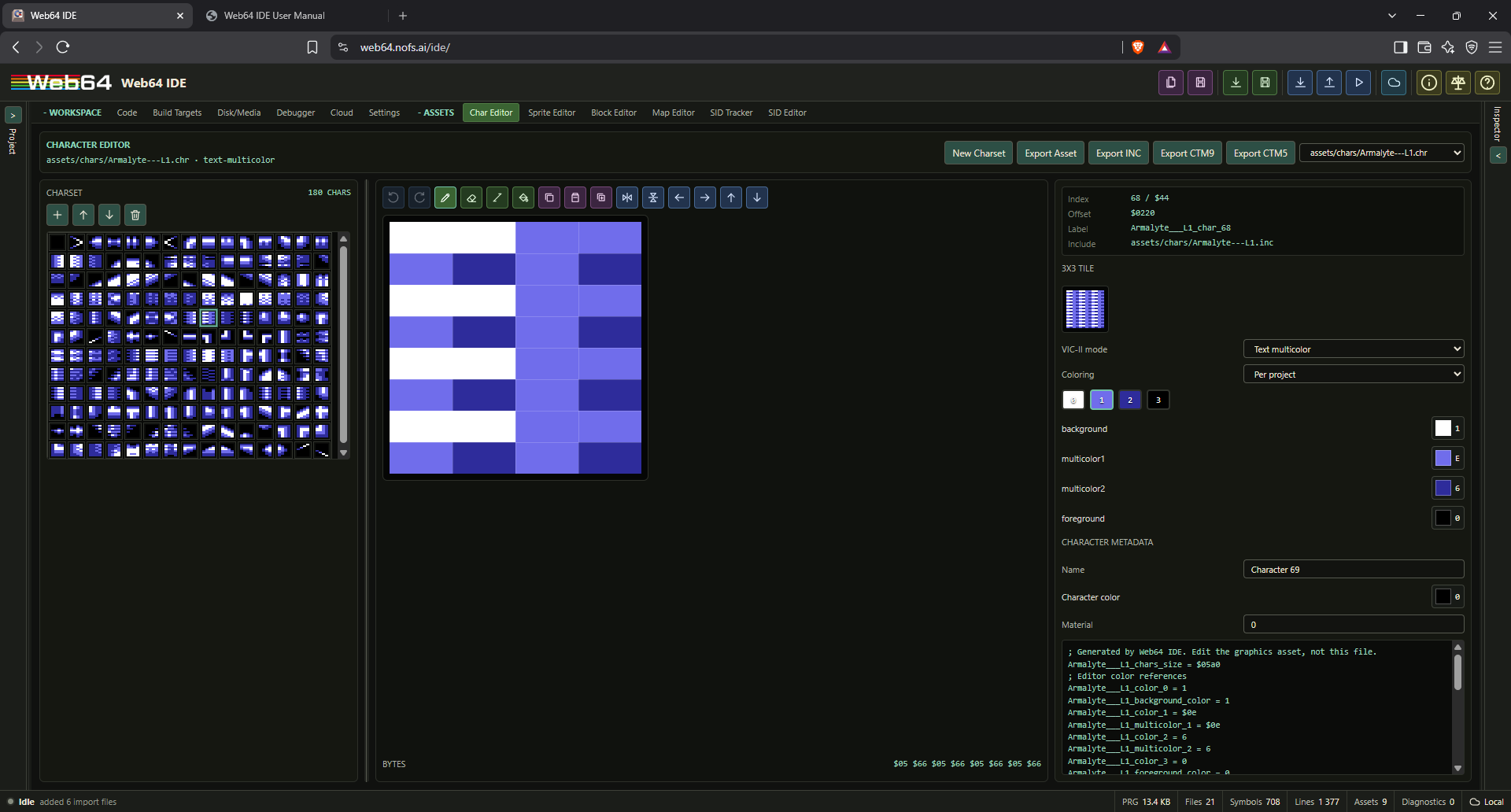
- Charset grid: 16x16 canvas preview with mouse selection and arrow/Home/End keyboard navigation.
- Pixel editor: Zoomed editor for the selected character.
- Toolbar: Pencil, erase, line, fill, copy, paste, duplicate, flip, and shift tools.
- Properties: Index, hex index, byte offset, label, include path.
- 3x3 tile preview: Shows the selected character repeated to help design seamless background tiles.
- Five-mode VIC-II and coloring controls, palette/color slots, and per-character metadata.
- Generated include preview.
Character selection, clipboard and project append
An ordinary grid click selects one character. Shift-click extends a range from the anchor; Ctrl/Command-click toggles individual slots; Ctrl/Command+Shift adds a range. Arrow/Home/End navigation moves focus, Shift extends selection and Ctrl navigation can move focus without changing the selected slots.
Copy/cut/paste process selected characters in ascending grid order, retaining raw eight-byte records and character-local color/material/name/tag metadata. Cut clears bitmap bytes in place and keeps slots and metadata. Paste either replaces exactly the selected number of slots or writes a contiguous span starting at one selected slot. A count mismatch or overflow produces a diagnostic without partial writes. Each operation is undoable; no existing character index is shifted.
Append charset chooses another compatible charset already in the current Project, with all or selected source characters. It leaves the source unchanged, copies to the destination tail and regenerates the native include through the project pipeline. Display mode, coloring method and shared palette interpretation must match. The 4096-character authoring limit is checked before mutation; selection can reduce the copied range. Existing Block/Map indices remain valid because append does not insert or reorder current characters. Undo/redo restores both byte length and metadata.
VIC-II modes
The Mode selector supports Text hires, Text multicolor, Text extended color (ECM), Bitmap hires, and Bitmap multicolor. Hires editing has pixel values 0 and 1:
- 0: Background color.
- 1: Foreground color.
The exported bytes are standard C64 character bytes.
Multicolor modes have pixel values 0, 1, 2, and 3:
- 0: Background/global color.
- 1: Multicolor 1.
- 2: Multicolor 2.
- 3: Character-specific foreground color.
The editor paints two-bit horizontal pairs. Preview pixels are shown double-wide to match C64 multicolor geometry. The Coloring selector records whether foreground values come from the project, block, character, or map cell. Character Color and Material are per-character metadata; material values preserve the complete byte range 0 through 255.
Editing tools
Available tools:
- Pencil: Paint selected value.
- Erase: Paint zero.
- Line: Drag from the first endpoint to the second. The editor shows a live preview and commits the finished line on pointer release.
- Fill: Fill the current character.
- Copy/Paste: Copy and paste pixel data.
- Duplicate: Copy selected character into the next character slot.
- Flip X/Y.
- Shift left/right/up/down.
- Add, remove, and reorder characters while remapping linked block references.
- Undo/redo shared with the current linked blockset and maps.
Mouse drag continues painting, including skipped cells during fast pointer movement. Right mouse or erase tool paints zero. Touch/pointer drawing is supported where the browser provides pointer events. Canvas scaling stays on integer boundaries and multicolor pixels retain their correct double width.
Pencil, erase, and line strokes are kept in a local character draft while the pointer is down. Visual updates are coalesced to animation frames, and the editor writes the changed 8-byte character to the project and optional live-patch path once when the stroke ends. It does not rewrite project files or C64 memory for every crossed pixel. The charset browser is rendered as one canvas so editing does not create a preview DOM node for every character. Adding character 257 automatically promotes linked block references to two-byte indexes without truncating existing values.
Sprite editor
The Sprite Editor is a browser-local C64 hardware sprite workspace. Existing .spr project files remain compatible. Version 2 project metadata adds names, tags, per-frame mode and color, expansion flags, animation clips, tiles, and display palettes without changing the exported sprite bytes.
Append a project sprite bank
Append sprites chooses an existing project sprite asset and copies all or selected frames. Source bytes remain unchanged; existing destination frames keep their IDs and indices. New frame IDs, overlay references and complete included animation/tile groups are remapped. Incomplete groups are not copied or silently shortened. Shared colors/palettes must match. Joined banks are limited to 256 logical frames; larger requests fail before mutation. Undo/redo and generated native assets follow the ordinary project pipeline.
Overlay banks are paired multicolor-base/hires-layer assets. Overlay-to-overlay append updates both layers atomically. Multicolor frames may append into an overlay bank with corresponding empty hires frames. Hires-only to overlay, or overlay to an ordinary hires/multicolor bank, is refused. This compatibility check applies to the bank/layer semantics, not just the filename.
Sprite bytes and metadata
A hardware sprite remains 24x21 pixels, with 63 pixel bytes and one zero padding byte. Web64 therefore stores and exports 64 bytes per frame. Hires frames use values 0 and 1. Multicolor frames use 12 logical columns with values 0 through 3:
- 0: Transparent/background.
- 1: Shared sprite multicolor 1.
- 2: Frame-specific sprite color.
- 3: Shared sprite multicolor 2.
Frame metadata belongs to the .web64proj editor record. It never replaces the zero padding byte and does not consume C64 memory. Older projects without this metadata are upgraded in memory with deterministic defaults.
Workspace
The workspace has a virtualized frame browser, a canvas pixel editor, one compact color-coded toolbar, and a tabbed inspector. The frame browser renders only its visible rows, so large banks do not create a DOM preview for every frame. The right inspector always begins with a gridless sprite preview and animation controls; changing inspector tabs does not hide playback.
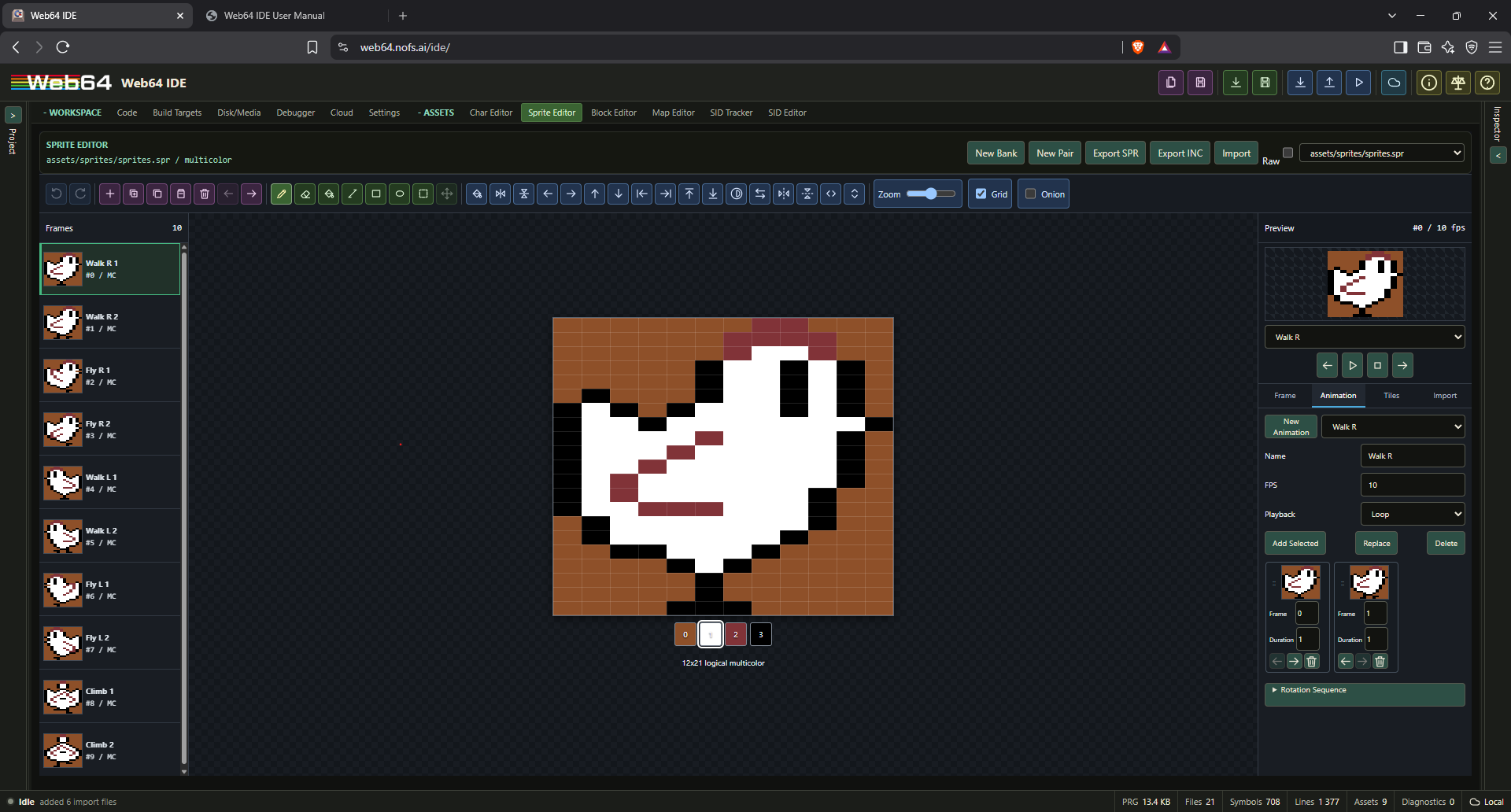
Toolbar groups provide:
- Undo and redo with bounded sprite history.
- Add blank, duplicate, copy, paste, delete, and reorder.
- Pencil (
P), eraser (E), fill (F), line (L), rectangle (R), ellipse (O), rectangular selection (S), and move selection (M). - Fill, flip, wrapping scroll, non-wrapping nudge, reflect, invert, pen swap, and tuck transforms.
- Grid, onion skin, and zoom controls.
Every toolbar command is displayed directly when the available width permits. On narrower layouts, Web64 measures the toolbar and moves only the commands that do not fit into More. Expanding the workspace restores those command icons automatically. The active drawing tool and active overlay layer remain directly visible.
Right-click, Shift-drag, or the eraser writes transparent value 0. A pointer stroke stays in a local canvas draft, redraws at most once per animation frame, and commits one 64-byte frame update when the pointer is released. It does not update project state or emulator memory for each crossed pixel.
Use Ctrl-click or Command-click to select separate frames and Shift-click to select a range. Frame transforms apply to all selected frames. Draw a rectangular pixel selection with S; releasing a dragged selection automatically activates the four-way-arrow Move tool. Clicking one cell without dragging while the Select tool is active deselects all pixels. Copy a selection with Ctrl+C and paste it at the current selection origin with Ctrl+V. A pasted Web64 selection remains indexed sprite data, becomes the active movable selection, and does not open the image-conversion dialog; images copied from another application still open the conversion preview. Drag inside the active selection to relocate both its pixel contents and selection rectangle within the sprite grid. While the selection remains active, Web64 retains the pixels beneath it: moving it repeatedly or returning it to an earlier position restores each previous destination before placing the selected pixels again. Paste and move are each committed as one undoable edit. Ctrl+Z and Ctrl+Shift+Z undo and redo while focus is in the workspace.
Frame properties and palettes
The Frame inspector controls the stable frame name, hires or multicolor interpretation, frame foreground color, shared colors, and VIC-II X/Y expansion flags. The generated include exposes each frame address, color, and compact mode/expansion flags.
Display Palette can define a project-local 16-color preview profile using RGB, HSL, or YUV values. Reset restores the standard Web64 C64 palette. A display profile changes editor rendering and image matching; hardware output still uses VIC-II color indexes 0 through 15.
Animations and tiles
The Animation tab creates named clips. A new clip initially contains every bank frame in frame-list order. Each sequence entry shows a sprite thumbnail, bank frame number, and duration multiplier. Drag entries to reorder them, use the arrow buttons for precise keyboard-friendly reordering, append the currently selected bank frames, replace the sequence from the selection, or remove an entry without deleting its bank frame. Repeated frame references are allowed, and a clip retains at least one entry.
Each clip stores stable frame IDs, per-step durations, FPS, and loop, ping-pong, or once playback. The permanent inspector preview provides animation selection, previous/next frame, play/pause, and stop controls without grid lines. Preview runs from editor memory and does not take ownership of the emulator. Onion skin shows adjacent frames. Rotation Sequence generates an 8- or 16-step nearest-pixel Z rotation and a matching animation clip.
The Tiles tab groups selected frames into named rectangular frame arrangements for composite objects and animation planning. Animation and tile references follow stable frame IDs when frames are reordered. Deleting a referenced frame removes it from animations and leaves an explicit empty tile cell.
Image and clipboard import
Import accepts PNG, JPEG, WebP, GIF, raw .spr/.bin, load-addressed .prg, SpritePad .spd, and VICE .vsf snapshots. An image pasted from another image editor opens the same import preview.
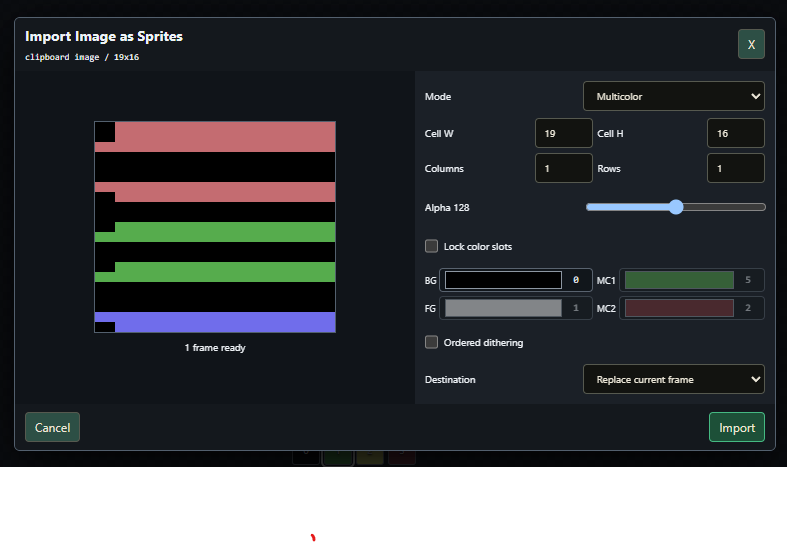
The image mapper runs in a worker and supports:
- Hires or multicolor conversion.
- Sprite-sheet cell width, height, rows, and columns.
- Alpha threshold for transparency.
- Locked background/shared color slots.
- Optional ordered dithering.
- Replace-current or append-to-bank destination.
Colors are matched deterministically in OKLab space. Multicolor mapping samples each horizontal source pair as one representative color. Animated GIF frames are imported as frames with a named animation clip and source delays.
VICE snapshot import reads the active VIC bank, screen pointer table, sprite addresses, colors, multicolor bits, and X/Y expansion state for all eight hardware sprites.
SpritePad interchange
Web64 imports and exports the documented SpritePad 1.8.1 and version-1 SPD layout commonly identified as SpritePad 2.0. Per-frame color, multicolor, and overlay flags are converted to Web64 metadata while the 63 pixel bytes remain exact.
Newer proprietary SpritePad Pro 3.x formats are rejected with an explicit unsupported-version message rather than guessed. Use raw sprite, PNG, or an older SPD export when transferring from an unsupported version.
Exports
- Export SPR: Raw 64-byte frame slots used by Web64 projects and
.incbin. - Export INC: Stable addresses, colors, flags, animation constants, and tile constants.
- Export SpritePad 1.8.1 or 2.0: Interchange
.spd. - Export PNG Sheet: Transparent sprite sheet for graphics tools.
- Export Animation GIF: Current named clip or the whole bank.
- Export ACME Assembly:
!bytesource with frame labels. - Export PRG: Raw frame slots prefixed by the selected two-byte C64 load address.
Overlay pairs
New Pair creates ordinary _mc.spr and _ol.spr banks plus a .spritepair.json descriptor. Click Multicolor or Overlay in the toolbar to select the edit target. While Overlay is active, its hires pixels remain editable on a transparent canvas with the multicolor sprite visible behind them. Composite previews both at one position, and Split shows both side by side. The frame browser, animation sequence, and permanent preview show the combined MC+OL result.
Add, duplicate, delete, and reorder remain synchronized across both banks. Pair animations are logical MC+OL frame sequences: the editor keeps names, timing, playback, order, and durations synchronized while translating each logical frame index to the stable frame ID stored by each layer. Existing pair descriptors and .spr files require no migration.
Pair includes retain the existing _mc and _ol symbols and convenience aliases. If a layer is missing or frame counts differ, restore the referenced bank or use Raw mode to inspect it. Pairing is an editor abstraction, not a different C64 sprite binary format.
Block editor
The Block Editor creates and edits .blk or .blocks sets made from characters. A blockset pins its charset by stable asset identity and compatible path. Changes to the charset propagate to the block canvas, browser, tile preview, and linked maps.
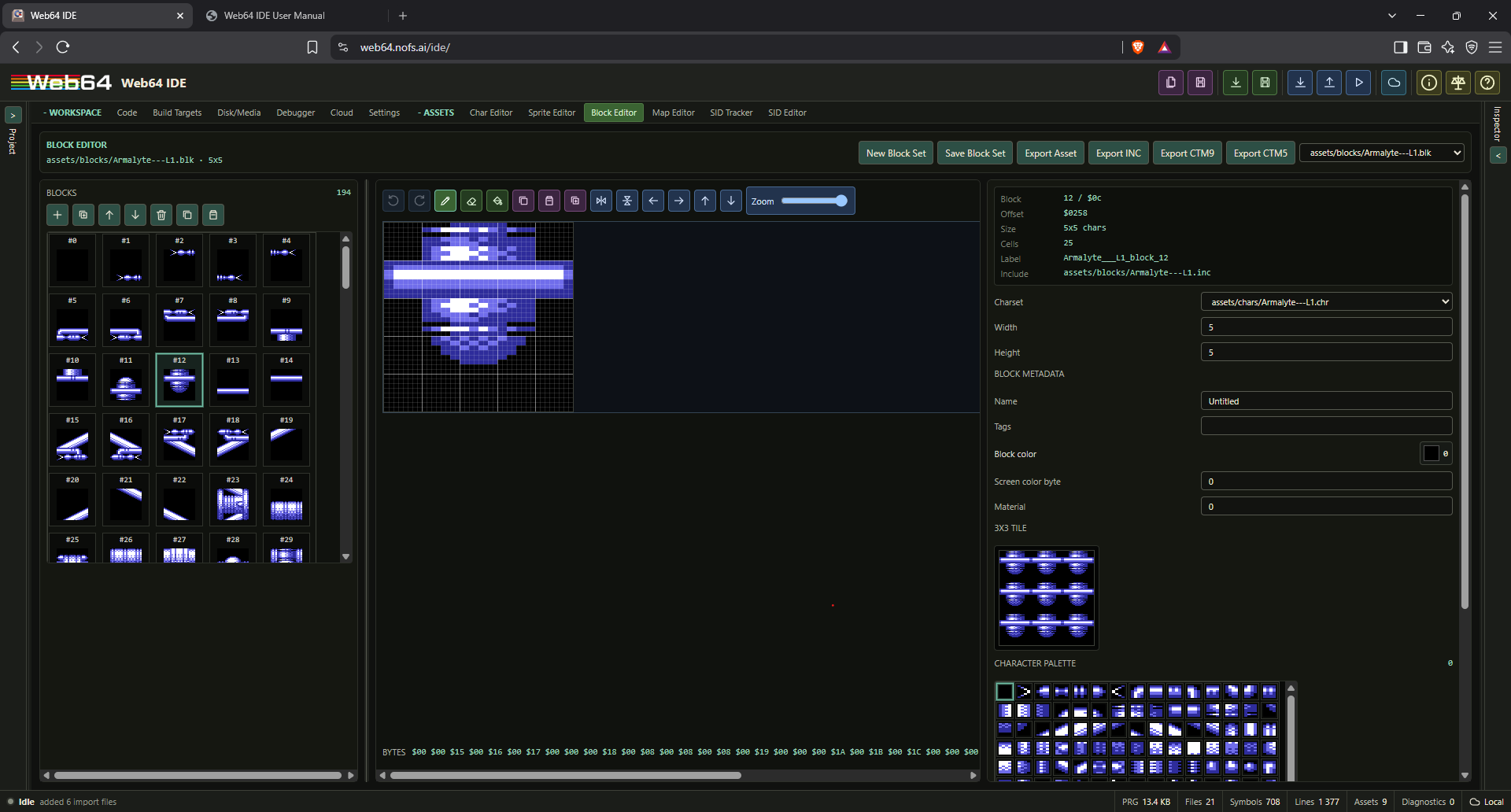
Current Block Editor features:
- New Block Set, Save Block Set, Export Asset, and Export INC.
- Export CTM9 and constrained CTM5 with the complete linked charset. Because CTM containers require a map section, blockset-only export adds a compact catalog map containing every block in index order.
- Character-set dependency selection.
- Block add, remove, reorder, duplicate, copy, and paste with dependent map remapping.
- Place character, erase, fill, copy, paste, duplicate, flip, shift, and zoom controls.
- Block dimensions from 1x1 to 16x16 characters and up to 4096 blocks.
- One-byte or two-byte character references. The editor promotes to two bytes when the linked charset passes 256 entries.
- Character palette sourced from the selected charset.
- Per-block name, tags, VIC color, screen color, and 8-bit material.
- 3x3 block tiling preview, byte preview, labels, byte-accurate offsets, and generated include preview.
Pencil, erase, fill, flip, shift, and paste operations commit once per completed action. Save Block Set commits the family draft and regenerates the block include record. Removing a character or block never leaves an unrelated stale index: linked references are remapped and references to a removed item resolve explicitly to item zero.
Map editor
Native asset authoring and independent levels
Native maps normally describe the displayed spatial playfield: map cells select characters or blocks that the game draws, and matching dependencies let a person see and edit that same layout. A .w64map is not the default container for arbitrary level data such as timers, score thresholds, spawn scripts or parameter tables. Keep those in suitable source tables or binary data, separate from the visual map. Use the material plane for per-cell gameplay meaning when appropriate; do not disguise unrelated parameters as character/block indexes. Native assets are authoring data: game code or a suitable runtime must still draw the map.
How should I represent ten editable game levels in Web64? Normally use ten independent native map assets sharing the appropriate charset and blockset, not one tall byte matrix merely because concatenation is convenient for runtime code. The same advice applies to multiple editable C64 rooms, screens and stages. A genuinely continuous scrolling world can instead be one large map. Choose by the user's logical authoring model, not by the easiest storage layout to generate.
Keep three different questions separate:
- Schema: are the serialized bytes and metadata structurally valid?
- Semantic validation: do dimensions, optional planes, index bounds and linked
asset references agree with the complete project?
- Authoring guidance: can a person understand, render and edit the result in
Web64's normal native editors? Validation or a successful build alone does not establish this.
When several representations are valid, prefer the representation that preserves native-editor semantics and normal human authoring unless the user explicitly requests a runtime-optimized/raw representation. This is guidance, not a mutation rule: Web64 does not silently split, link or rewrite a technically valid map.
| Asset / owning editor | Normal relationship | Native editing and generated contract |
|---|---|---|
.w64chr / Character Editor | Shared glyph source for blocksets or character-cell maps | Editable pixels, display profile and colors; generated charset data/include and C bindings. |
.w64blk / Block Editor | Pins a charset through charsetPath / charsetAssetId | Editable groups of character indexes and block metadata; generated block data/include and C bindings. |
.w64map / Map Editor, cellKind: "block" | Pins a blockset through blocksetPath / blocksetAssetId; the blockset pins the charset | Editable layout of block indexes plus optional map planes; generated map data/include and C bindings. |
.w64map / Map Editor, cellKind: "character" | Pins a charset directly through charsetPath / charsetAssetId | Editable character-index layout; no blockset needed. |
Keep stable project paths and matching asset identities consistent wherever the native record repeats them. Share one dependency when rooms use the same visual vocabulary; use different native dependencies when a different visual bank is intentional. For example:
assets/chars/tiles.w64chr
    <- assets/blocks/tiles.w64blk
           <- assets/maps/level01.w64map
           <- assets/maps/level02.w64map
           <- ... level10.w64map
Each arrow means the asset on the right references the asset on the left. With distinct map stems, generated ASM bindings normally include level01_map through level10_map. Read the actual generated includes and contextual assets/generated.h for authoritative names; never hand-maintain generated files. Native serialization includes authoring metadata, not just binary payload bytes.
An intentionally unbound/raw map can be a legitimate index matrix where permitted by its schema and semantic constraints. Without the matching glyph dependencies, however, native visual rendering and tile selection are incomplete; it is not an equivalent human-editable level asset. Do not claim every valid map must have a charset, and do not fabricate glyphs solely to satisfy a supposed mandatory link.
Preserve structure indexes and gameplay meanings when converting hard-coded levels. Compare each original room's bytes with its new map, retain dimensions and order, and preserve optional Color RAM, video-matrix and material planes separately. Each present native map plane has one byte per logical map cell; it is not an excuse to reinterpret structure bytes as decorative data. Runtime packing or banking can combine derived output later without merging independently authored maps. Remove obsolete authored assets through normal project operations once references have been updated; their generated includes belong to the asset owner.
See Character editor, Block editor, Generated include files, and Web64 asset access from C.
The Map Editor creates and edits .map and .w64map files. A map may store block indexes or direct character indexes. It pins the corresponding blockset or charset and displays the fully resolved VIC-II result.
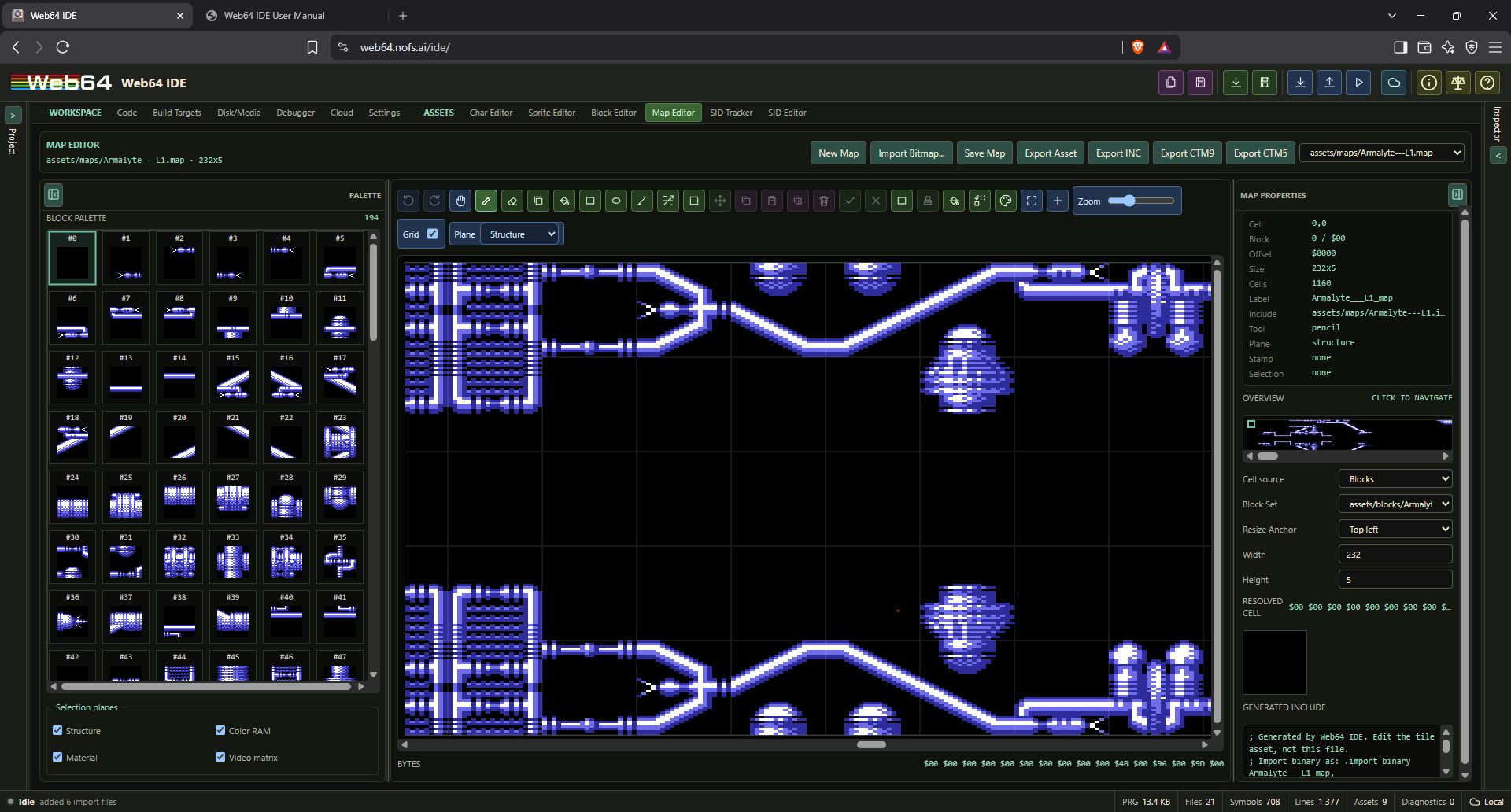
Current Map Editor features:
- New Map, Save Map, Export Asset, and Export INC.
- Block-set dependency selection.
- Dimensions up to 4096 cells on either axis, subject to a 4,194,304-cell (four-megacell) operational limit, with one-byte or two-byte index storage.
- Pan, pencil, erase, picker, bucket fill, rectangle fill, ellipse fill, line, random brush, rectangular selection, floating move, stamp capture, and stamp paint tools.
- Copy, paste, duplicate, delete, commit, and cancel operations for reusable rectangular map regions. Paste starts at the active selection box, or at the selected map cell when no box exists. A floating move or paste previews its captured characters or blocks using the copied Color RAM and video-matrix values; the Color RAM and Material planes also preview their own overlays while active. Placement remains non-destructive until committed and can be cancelled without changing the map.
- Independent Structure, Color RAM, Material, and Video matrix selection-plane controls. Clipboard and stamp payloads retain wide structure indexes without coercing them to bytes.
- Fill map, map-wide replace, fit-to-viewport, zoom-to-selection, zoom slider, and grid toggle.
- Structure, Color RAM, video-matrix, and material editing through the Plane selector.
- Color analysis with lossless redundant-plane removal and explicit previewable color reduction.
- Virtualized character palettes expose all characters in extended sets up to the current 4096-character asset limit. Direct-character maps, block cells, stamps, and clipboard operations preserve indexes above 255.
- Block palette, selected cell details, resolved block preview, graphical mini-map overview, resize anchor controls, and generated include preview. The overview renders the linked charset for direct-character maps as well as linked blocks, including wide character indexes.
Map drawing is viewport bounded: only visible cells and a small overscan area are rendered. A pencil drag or completed shape becomes one undoable operation instead of rewriting the project for every crossed cell.
Use Select to drag a rectangular region. The editor switches to Move selection automatically. Drag the selected region, then press Enter or use the check button to commit; press Escape or use the cancel button to discard a floating move or paste. Ctrl+C, Ctrl+V, Ctrl+D, and Delete operate on the selection. Selection plane checkboxes determine whether structure, Color RAM, material, and video-matrix values participate.
Save Map commits the family draft and regenerates the map include and all present typed-plane files. The structure bytes use the selected index width. Generated plane records use stable sibling names such as .color.bin, .screen.bin, and .material.bin and are directly usable with .incbin.
Color data and optimization
Global VIC colors belong to the charset display profile. Per-character and per-block values belong to their respective metadata arrays. Per-cell values are first-class optional map planes:
- Color RAM stores one byte per cell; hardware color is the low nibble.
- The first Color RAM edit initializes every cell from its currently visible block or character foreground color. Enabling per-cell color therefore preserves the existing map appearance, and only explicitly painted cells change color.
- While the Color RAM plane is selected, Show entries adds an optional translucent cell tint and hexadecimal value. This exposes stored Color RAM values even where a character or block does not currently draw foreground pixels. The overlay opacity is editor-only and does not modify exported data.
- Video matrix stores the byte required by bitmap/color configurations.
- Material stores an application-defined value from 0 through 255 for collision or game logic.
In the Material plane, each nonzero material receives a distinct editor color while the rendered graphics remain onion-skinned underneath. The Graphics opacity slider controls that context. Set, Clear, and Replace apply material values to the complete current selection without changing structure or Color RAM.
Color optimization never changes imported data silently. Remove redundant plane is available only when every Color RAM cell can be derived exactly from the pinned blockset/charset. Color reduction shows the retained swatches and exact changed-cell count before Apply; it is destructive, optional, and undoable.
Restore inherited colors previews how many cells differ, then removes the per-cell Color RAM override so the map again uses its block or character foreground colors. Use it to repair an unwanted or legacy zero-filled color plane. The action discards intentional per-cell colors only after an explicit click and remains undoable.
CharPad CTM interchange
Use Add File in the project tree to import .ctm. Web64 supports CTM 5, 6, 7, 8, 8.2, the obsolete CTM8 prototype ordering, and CTM9. CTM8 prototype files are detected automatically. Import creates a linked charset, optional blockset, map, metadata, color data, includes, and plane binaries in one operation.
CharPad's per-project Text Multicolor flag is a global display-mode declaration even when its stored character color is in the low 0–7 range. Web64 imports that global foreground as the equivalent bit-3-set multicolor attribute. Per-character and per-block Color RAM attributes remain byte-exact so mixed hires/multicolor character sets keep their authored interpretation.
The parser validates the signature, version, section markers, counts, dimensions, index ranges, and truncation before adding files. Unsupported versions or malformed/oversized data produce an explicit error and do not partially import a family.
The Character, Block, and Map editors can export CTM9. CTM9 is the full interchange target. Character export stores only the selected charset plus CTM's required neutral 1x1 map; Block export stores the linked charset and a generated block catalog map; Map export stores the selected map and its complete dependency family. CTM5 export is a constrained compatibility option for supported text-mode state and refuses data it cannot represent rather than dropping it. Imported names that cannot be represented by the CTM byte encoding produce a warning.
Map export resolves the selected map's complete dependency chain and stores the map, linked blockset when block cells are used, and linked charset in the CTM. Block and map indexes are widened to CTM's required 16-bit representation during export without changing the project assets. Importing the CTM into an empty project creates the charset, optional blockset, map, typed planes, and generated includes atomically, then opens the imported map in the Map Editor.
Bitmap and Koala conversion
Adding a .kla, .koa, or .png file opens the bitmap conversion dialog instead of treating the image as opaque bytes. The Map Editor's Import Bitmap... button invokes the same authoritative pipeline. Web64 validates the standard 10,003-byte Koala layout and shows every source image before conversion. Koala conversion extracts and deduplicates character cells while preserving the source video-matrix and Color RAM values as typed planes.
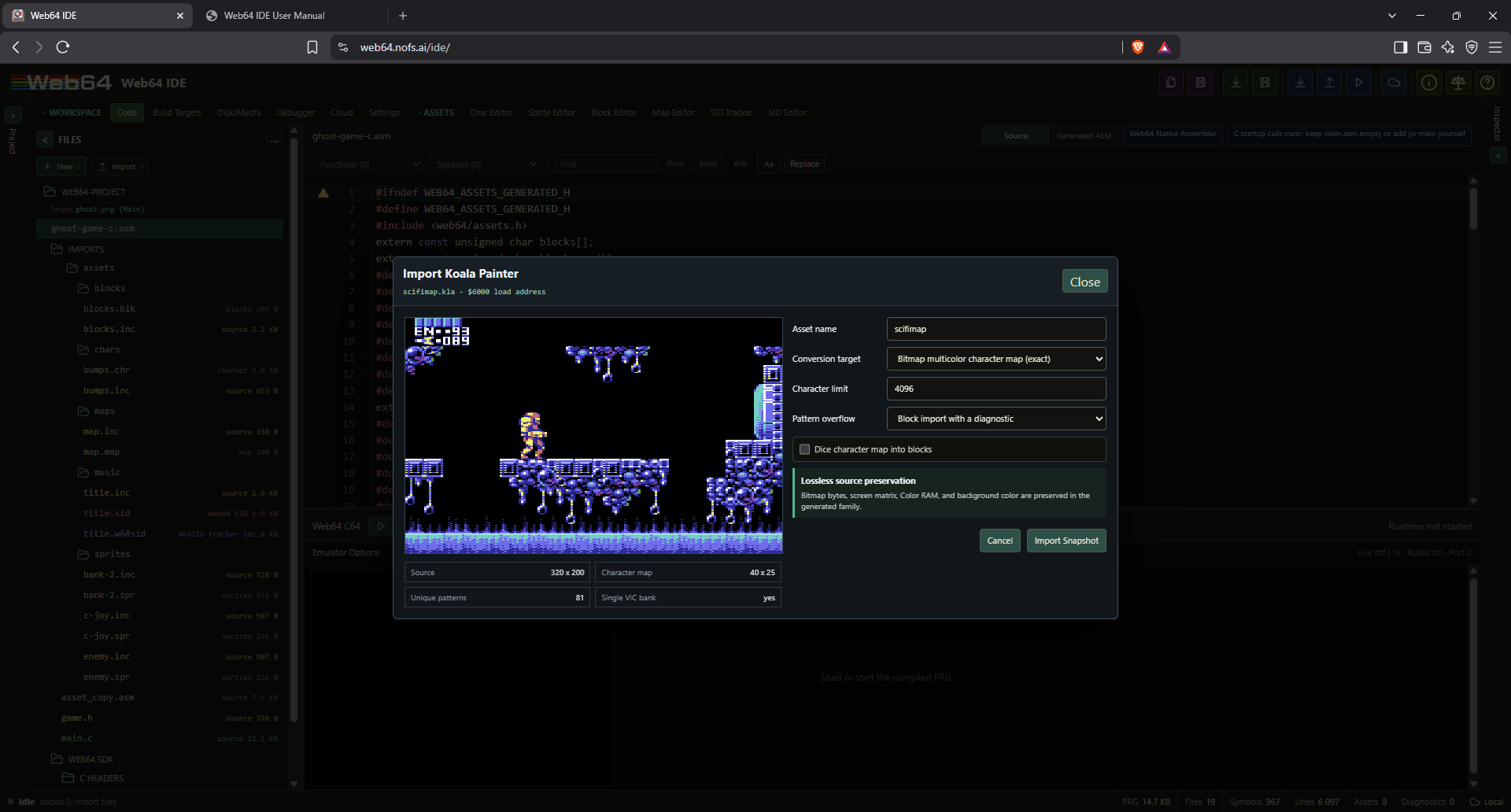
PNG import accepts arbitrary image dimensions and maps source colors to the Web64 C64 palette. Choose hires cells, 320-wide multicolor display pixels, or 160-wide logical multicolor pixels. Hires conversion selects the best two colors for each 8x8 cell. Multicolor conversion selects a shared background and the closest three additional colors per cell, with optional 2x2 ordered dithering. Pixels outside complete character cells are reported and cropped rather than silently wrapped.
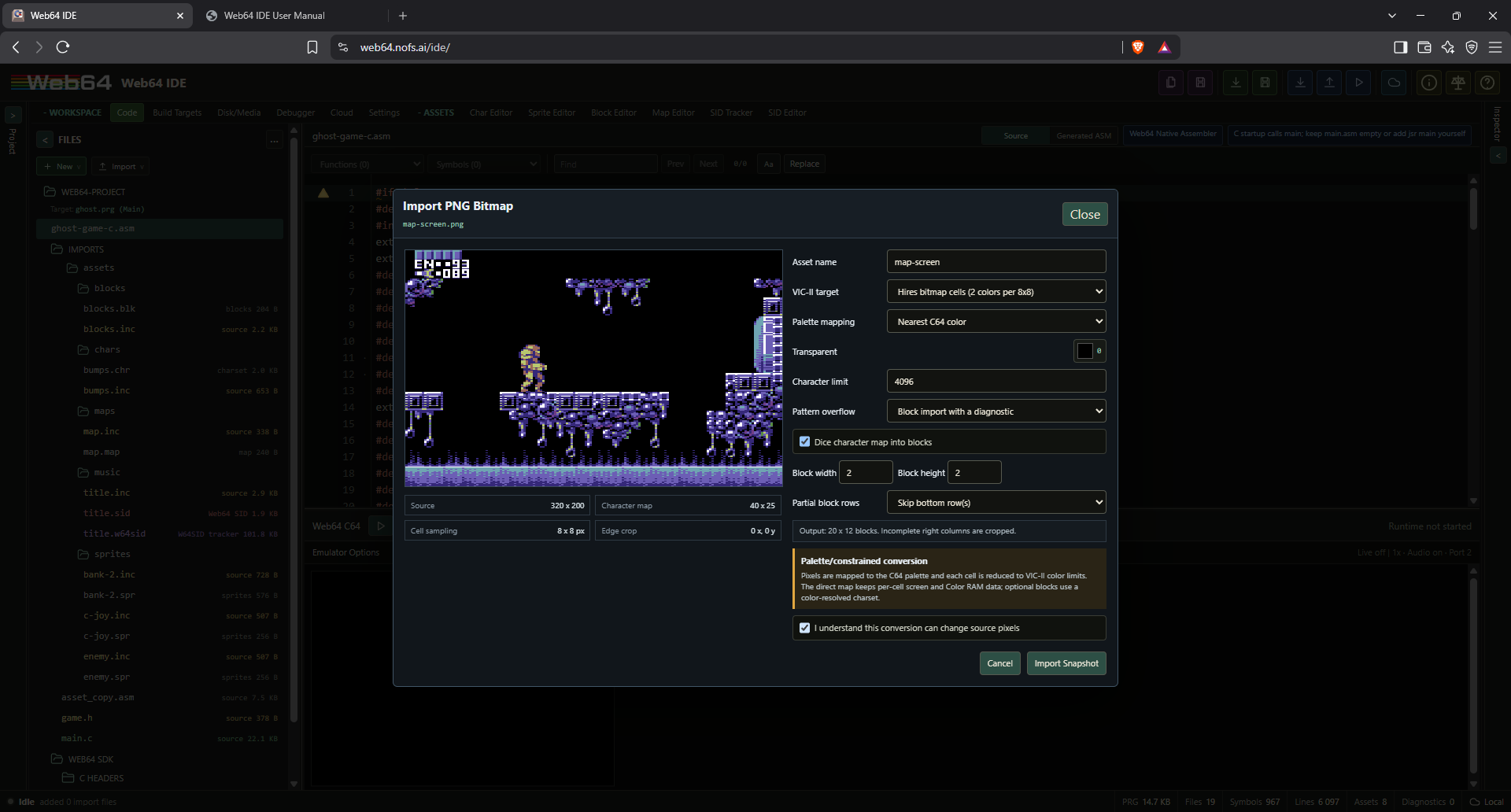
Optional block derivation dices the character map into native blocks from 1x1 through 16x16 characters. This supports common 2x2 blocks and freely sized PNG layouts such as 3x3 blocks. A 320x200 or logical 160x200 image produces a 40x25 character map; 2x2 conversion explicitly offers skipping the unmatched top or bottom character row and produces a 20x12 block map. The direct map retains its typed color planes. The block result uses a color-resolved companion charset so per-character screen and Color RAM values remain visible after dicing. For multicolor bitmap sources, Web64 also derives a Color RAM value for every block from the source foreground pixels, using the closest C64 palette color when a block contains multiple foreground colors; blank characters do not bias the result.
If the requested result needs too many unique characters, approximation is never automatic: choose a strategy and confirm the lossy conversion. PNG palette and VIC-II cell reduction also require explicit confirmation. Cancel leaves the project unchanged.
Runtime and generated code
Generated assembly includes expose stable labels, counts, dimensions, index width, plane labels/sizes, byte offsets, and end labels. assets/generated.h declares the raw asset symbols, typed multidimensional row views, and a packed 19-byte Web64MapAsset descriptor. Its map flags identify block cells, Color RAM, material/attribute data, and video-matrix data.
For a two-byte map, the generated row view is a const uint16_t (*)[columns]; one-byte maps use uint8_t. This matches Web64-C multidimensional array indexing and avoids manual row-offset arithmetic. Asset metadata does not consume C64 memory unless the program includes or copies the generated data.
SID tracker
The standalone tracker manual lives at Web64 IDE SID Tracker User Guide. Use that document when you want the music workflow and generated SID asset rules without the rest of the IDE manual.
The SID Tracker edits browser-local .w64sid tracker files. .w64sid is the editable composition source. The modular v3 compiler measures compact frame-event and interpreter representations, links the smaller valid player, and publishes exact per-voice playback status.
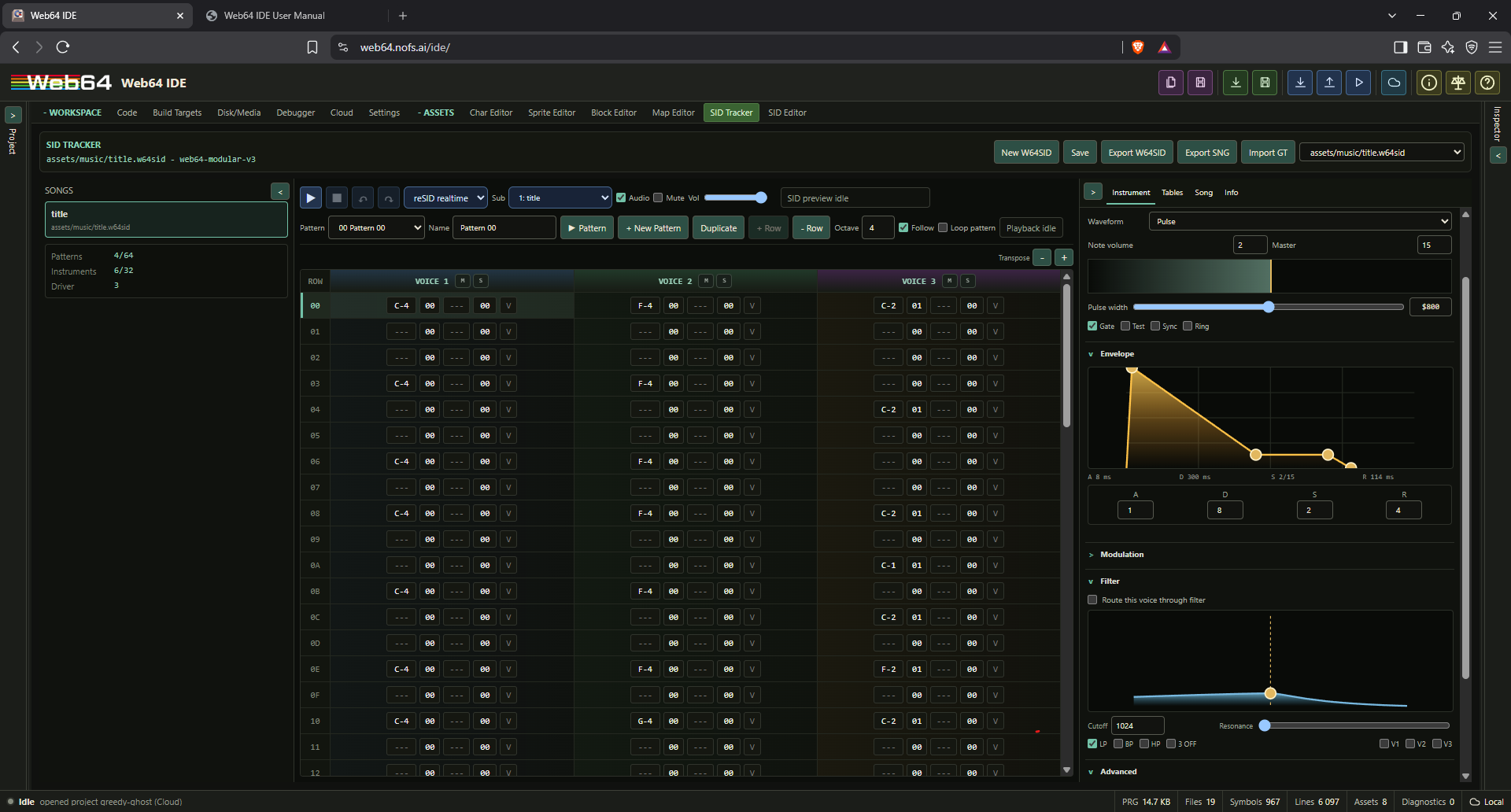
Current SID Tracker features:
- New W64SID, Save, and Export W64SID.
- Explicit W64SID runtime preview and stop preview, with browser audio enabled from the initiating click before runtime startup.
- FastSID and reSID realtime preview modes for songs, instruments, and entered notes.
- Worker-generated audio is delivered directly to an
AudioWorklet: through a shared ring buffer when cross-origin isolation is available, or through a transferable worker-to-worklet message channel otherwise. The IDE main thread is not in the audio delivery path, and worker playback uses an approximately 80 ms queue target. - Starting the main project after a tracker preview automatically stops tracker polling, clears preview ownership, resets the C64, and launches the project. This applies to both assembly
SYSstarts and direct C starts. - Automatic derived records on save when validation/export succeeds: one valid PSID v2
.sidand one.incnext to the.w64sidsource. - Saving removes an older generated same-stem
.bin; a manually authored.binis not deleted. - In C projects, a generated W64SID family contributes its
.sidtoassets/generated.h. The.w64sidcomposition source and generated.incdo not create duplicate asset symbols. - Version 1 and 2 source migration and deterministic validation against the
web64-modular-v3capability descriptor. - Guided standard GoatTracker 2 import for GTS3-GTS5 songs and GTI3-GTI5 instruments, available from the tracker and project-tree import workflow.
- GoatTracker transpose/repeat/restart orders, pattern commands
0-F, no-instrument-change rows, instrument gate/first-frame flags, and all four raw tables remain editable W64SID v3 data. - GTS5 and GTI5 export is rebuilt from current W64SID state; standard three-voice single-SID is supported while stereo/multi-SID variants are explicitly deferred.
- Driver limit display for patterns, rows, instruments, table rows, and subtunes.
- Comprehensive subtunes for title music, game music, ambient tracks, jingles, and sound effects. New creates an independent empty order, Duplicate clones an order, and Delete preserves at least one subtune.
- Non-looping Sound effect subtunes run as concurrent voice overlays when primary music is active. Matching background pattern sequences are inherited rather than serialized again, while differing SFX voices determine the effect duration.
- Per-subtune name, purpose, description, default selection, loop/one-shot behavior, start/loop/end order range, speed, tempo, master-volume override, and transpose.
- Selected-subtune preview from the toolbar or Song tab. The generated init routine accepts the zero-based subtune index in A, while the PSID header retains one-based song numbering.
- Order editor with independent per-subtune order lists and add/remove order step controls.
- Pattern editor for three SID channels with note, instrument, effect, parameter, and per-note volume fields. The Name field beside the pattern selector renames the selected pattern through undoable tracker history. Pattern Play previews only the displayed pattern once, or returns to row 0 when Loop pattern is enabled, without advancing into another pattern.
- Piano-style note entry with wrapping, arrow/Home/End/Tab/Enter navigation, command popup, region selection, cut/copy/paste/clear, and grouped undo/redo.
- New Pattern without order mutation, pattern duplicate, row insert/delete, preview mute/solo, page-based playback follow, selected-pattern loop, octave, speed, and tempo controls.
- Metadata editing for title, author, released, load address, and music data address.
- A modular responsive workspace extracted from the main IDE component, with collapsible song and instrument panels plus Instrument, Tables, Song, and Info tabs.
- Comprehensive instrument editing: prominent note and master volume, waveform/control flags, draggable graphical ADSR, visual pulse/vibrato/arpeggio controls, portamento, hard restart, gate timer, complete filter routing/modes, table pointers, and raw numeric entry.
- Implemented wave, pulse, filter, speed, arpeggio, and vibrato tables with graphical previews, raw GoatTracker rows, delays, slides, commands, jumps, and loops.
- Descriptive tooltips on tracker fields and controls, including effect usage, numeric ranges, table commands, and subtune settings.
- Filter commands on a note row take precedence over the instrument's filter defaults; all declared v3 effects and table-control commands have preview/export execution coverage.
- Adaptive SID stream encoding v3 shares one player across all subtunes, drops unused decoder branches, links only arpeggio frequency presets used by the song, packs direct/contiguous/voice SID writes, compresses repeated frequency and pulse-width deltas, run-length encodes eventless frames, advances sequential row status in the player, and uses self-modifying hot state without reserving host zero page.
- Generated tracker includes expose the encoded byte size of every subtune stream plus linked-feature constants for short delays, direct writes, SID runs, voice masks, and frequency/pulse delta commands.
- Generated tracker includes expose each subtune's owned-voice mask and overlay flag. Overlay STOP gates off the SFX voice without stopping or reinitializing the selected background music.
- Exact per-voice order/pattern/row highlighting read from the generated player's status block instead of browser-time estimation.
Use Import GT to bring a standard GoatTracker song or instrument into editable W64SID state. Review the destination, timing model, SID model, speed multiplier, and preferred backend before committing the import.
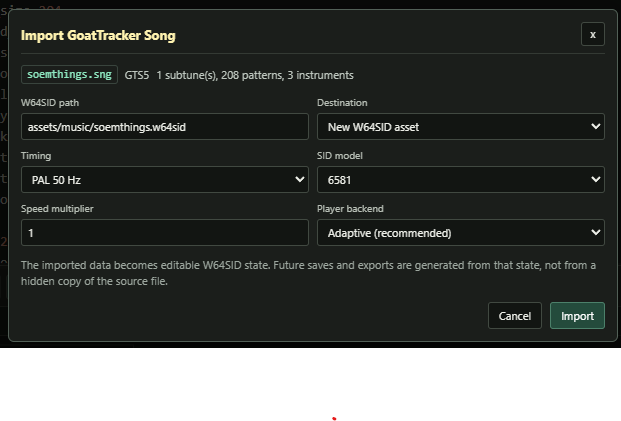
The modular v3 driver supports three voices, PSID export, rests/cuts/releases/ties, all declared v3 effects, SID control flags, filters, and all six instrument tables. RSID export, stereo/multi-SID settings, unknown commands, out-of-range values, or invalid limits block generated output with diagnostics.
The generated tracker include exposes load/init/play, driver/music sizes, exact status and audition ABI labels, hashes, <prefix>_file_size, <prefix>_data_offset, <prefix>_c64_data_offset, and <prefix>_c64_data_size. The Web64 assembler accepts optional offset and length expressions after a binary path, so assembly can place only the C64 payload from the valid .sid:
.include "assets/music/title.inc"
* = song_sid_load_address
.incbin song_sid, "assets/music/title.sid", song_sid_c64_data_offset, song_sid_c64_data_size
Existing .incbin and .import binary forms without offset/length retain their previous whole-file behavior.
SID editor
The SID Editor is for imported or generated .sid binaries. It is separate from the .w64sid tracker source editor.
Current SID Editor features:
- Imported/generated SID asset selection from the virtual filesystem.
- Metadata display for title, author, release string, load/init/play addresses, song count, start song, model, and speed fields where available.
- Text metadata editing for project records.
- SID preview in the Web64 runtime and stop preview.
- Include generation for imported or generated SID assets.
Use SID Editor when you already have a PSID/RSID-style binary. Use SID Tracker when you want to edit a Web64-native tracker source file.
Generated include files
Graphics, tile, and SID assets can generate include files. These are visible in the project tree as generated virtual files and previewed in the matching asset editor.
Generated includes are meant to be consumed by assembly. Edit the source asset, not the generated include, unless you intentionally want a manual source file. For .w64sid output, a manual include at the generated path is preserved as an override.
Charset include labels
For assets/chars/logo.chr, the label base is logo.
Typical generated labels:
logo_chars_size = $0800
logo_color_0 = 0
logo_background_color = 0
logo_color_1 = 5
logo_multicolor_1 = 5
logo_color_2 = 2
logo_multicolor_2 = 2
logo_color_3 = 1
logo_foreground_color = 1
logo_char_count = $0100
logo_chars_end = logo_chars + logo_chars_size
logo_char_0 = 0
logo_char_1 = 1
Usage:
* = $3000
.import binary logo_chars, "assets/chars/logo.chr"
.include "assets/chars/logo.inc"
Sprite include labels
For assets/sprites/player.spr, the label base is player.
Typical generated labels:
player_sprites_size = $80
player_color_0 = 0
player_background_color = 0
player_color_1 = 6
player_multicolor_1 = 6
player_color_2 = $0c
player_sprite_color = $0c
player_color_3 = $0e
player_multicolor_2 = $0e
player_sprite_count = 2
player_sprites_end = player_sprites + player_sprites_size
player_frame_0 = player_sprites + 0
player_frame_1 = player_sprites + $40
Usage:
* = $3000
.import binary player_sprites, "assets/sprites/player.spr"
.include "assets/sprites/player.inc"
The important sprite color constants are:
player_color_1orplayer_multicolor_1.player_color_2orplayer_sprite_color.player_color_3orplayer_multicolor_2.
Use player_sprite_color for the per-sprite VIC-II color value.
Snapshots and state
The IDE supports runtime state tools through the embedded Web64 runtime.
Quick Save and Quick Load
Quick Save stores a temporary runtime state in browser memory. Quick Load restores it during the current IDE session.
This is useful for short testing loops, but it is not a project persistence mechanism.
Export Snapshot
Export Snapshot saves a VICE snapshot file, usually .vsf, from the current runtime.
Use this when you want a runtime state artifact outside the project file.
Import Snapshot
Import Snapshot loads a .vsf or binary snapshot file into the runtime when supported by the runtime bridge.
Snapshots are emulator state, not source state. They do not replace .web64proj.
Keyboard, joystick, and gamepad input
The embedded emulator receives keyboard and joystick input through the Web64 runtime input bridge.
Keyboard focus
The emulator canvas needs focus for C64 keyboard input. Fullscreen activation focuses the emulator automatically. If input does not work, click the emulator canvas once.
With the emulator focused, press F11 to switch to Fit scaling and enter or leave fullscreen. The icon-only fullscreen button in the emulator toolbar performs the same action; entering fullscreen also focuses the canvas. The display scale remains Fit after leaving fullscreen.
Pasting text
Clipboard paste into the focused emulator treats backslashes as literal text, not VICE keyboard commands. Windows CRLF and lone CR line endings become one C64 Return each. Paste into an IDE text field still belongs to that field. The receiving C64 program controls how pasted PETSCII is handled; this does not add Unicode document support or bypass its input rate and capacity limits.
Runtime embedders can request the same behavior with runtime.handlePaste(text, { literal: true }). For compatibility, runtime.handlePaste(text) without that option retains the existing escaped keyboard-buffer syntax, including \xNN byte escapes used for exact PETSCII boot filenames. Input recording, replay and worker transport preserve the literal-mode flag and escape the payload only once at the native boundary.
Keyboard joystick
The Input controls can select Numpad, Arrows + Ctrl, or Keyboard off, and route that keyboard source independently to C64 port 1 or 2. Keyboard joystick remains available while browser Gamepad polling is enabled.
The numeric-keypad profile uses:
7,8,9: up-left, up, and up-right.4,6: left and right.1,2,3: down-left, down, and down-right.0or5: fire.
The mapping follows the physical numeric-keypad keys and works with Num Lock on or off. It is inactive while focus is in a source editor, text field, or other editable control. Click the emulator display before playing. Held directions are released when emulator focus is lost, preventing stuck joystick input.
The compact-laptop profile uses the four cursor-arrow keys for direction and either Control key for fire. Selecting this profile intentionally gives those keys to the joystick while the emulator has focus; choose Keyboard off or Numpad when cursor-key C64 keyboard input is required instead.
Gamepad
Gamepad input can be enabled in the Input group.
Options:
- Gamepad enable.
- Independent Pad 1 and Pad 2 routes: port 1, port 2, or off.
- Independent keyboard profile and keyboard joystick port.
- Swap ports, which swaps every visible keyboard/gamepad route.
Two connected gamepads can therefore drive separate C64 ports. A gamepad and either keyboard profile can also target different ports. The runtime exposes these routes through configureJoystick() and input status; it does not hide or automatically rewrite them.
Most C64 games use joystick port 2, but some use port 1.
Drive and input differences
Some C64 programs are sensitive to attached drives or input port state. If a program behaves differently in the IDE than on the root emulator page:
- Confirm the same PRG bytes were loaded.
- Confirm the same joystick port.
- Disable drive 9.
- Reset the runtime and reload.
- Test with audio and warp disabled if timing is relevant.
Recommended workflows
New assembly program
- Open
/ide. - Write or paste assembly into the main source editor.
- Set origin, commonly
$c000for development PRGs. - Confirm diagnostics show Compile ready.
- Click Start PRG.
- Use the line map to inspect addresses and emitted bytes.
- Save the project as
.web64proj.
Add a sprite bank
- Open Sprite Editor.
- Create
assets/sprites/player.spr. - Draw frames.
- Set multicolor mode and color slots if needed.
- In source, add:
* = $3000
.import binary player_sprites, "assets/sprites/player.spr"
.include "assets/sprites/player.inc"- Use
player_frame_0,player_sprite_count, andplayer_sprite_colorin code. - Start PRG.
- Edit the sprite and observe live patching if the program uses the imported bytes directly.
Add a character set
- Open Char Editor.
- Create
assets/chars/tiles.chr. - Draw characters or tiles.
- Use 3x3 preview to test tile continuity.
- In source, add:
* = $3800
.import binary tiles_chars, "assets/chars/tiles.chr"
.include "assets/chars/tiles.inc"- Copy the charset to VIC-visible RAM or point VIC bank/screen setup at the imported location as appropriate.
Build a tile map
- Create a charset in Char Editor.
- Create a block set in Block Editor and select the charset.
- Create a map in Map Editor and select the block set.
- Save both the block set and the map.
- Import/include the generated
.blk,.map, and.incfiles from assembly.
Create a Web64 SID song
- Open SID Tracker.
- Create a
.w64sidfile. - Edit metadata, instruments, pattern rows, per-note volume, and the selected subtune's independent order and playback settings.
- Create or duplicate subtunes for title/game music, jingles, and one-shot sound effects. Disable Loop for a one-shot subtune.
- Select the intended subtune in the toolbar or Song tab and use Play for runtime playback.
- Start the main project normally when you are done previewing; Start performs the required preview-to-program reset automatically.
- Save W64SID to regenerate
.sidand.incoutputs when validation is clean. - Include the generated
.incand import the payload range from the generated.sidas needed. Initialize the driver with a generated zero-based subtune constant in A.
For title music, game music, and one-shot effects in one asset, the generated player is stored once. The .inc exposes <prefix>_subtune_<n>_stream_size for checking each subtune's contribution; keep one-shot patterns and their Start/End ranges limited to the rows and order positions they use.
To overlay a voice-3 effect on game music, set Purpose to Sound effect and disable Loop. Point voices 1 and 2 at the same sequences used by the game-music subtune, and point voice 3 at the short effect pattern. The compiler inherits the matching music voices and serializes only voice 3. Initializing the SFX index no longer changes the active music index or Playing status.
The generated C64 data offset/size constants provide the exact SID payload copy range. A fixed page count is also valid when its capacity has been checked against the current payload; for example, a 6 KB copy fully covers a 5.6 KB payload. Recheck that bound when the composition grows.
Create a multi-disk build
- Add the boot, overlay, or chapter sources to the virtual project.
- Open Build Targets and create one target for each independently loaded PRG.
- Select each target's root, translation units, origin, entry symbol, and output name.
- Open Disk/Media, create the required D64 images, and group them in a disk set.
- Add each target output as a logical PRG and place it on the intended disk.
- Add project data as SEQ or USR logical files, then set directory order and any loader placement constraints.
- Select the boot disk and boot PRG.
- Use Build Dependencies, then Export Set ZIP for hardware/media testing or Run Disk for the embedded runtime.
- In C, verify generated markers with
web64_disk_requireand optionally request the next IDE-staged disk withweb64_disk_request. - Capture a writable runtime disk before powering off when the program has created save data.
See public/examples/multi-disk-targets.web64proj for a C boot target, a second ASM target, two disk sides, generated marker/index constants, and an assisted side-B request.
Use split source files
- Add virtual files such as:
includes/constants.asm
includes/macros.asm
src/raster.asm- In the main source:
.include "includes/constants.asm"
.include "includes/macros.asm"
.include "src/raster.asm"- Keep paths project-relative.
- Save the project when the virtual file tree changes.
Import symbols from another build
- Add a
.symfile to the virtual tree. - Include it:
.import source "Main-BaseCode.sym"or:
.include "Main-BaseCode.sym"- Use imported labels in expressions.
Troubleshooting
Pasting a large source block makes the IDE slow
Large paste operations are one editor transaction. Rendering remains viewport-bounded, immediate checks inspect only the edited line, and semantic diagnostics/full compilation wait until the paste becomes idle. If the UI itself remains slow after the paste, verify that the current build is using the default viewport editor rather than an internal legacy-editor development override. Very large generated source, recursive macros, and actual full-project compile time may still delay a completed build, but they should not delay caret movement or additional typing.
The browser page goes black
A black page usually means an uncaught JavaScript exception. Current builds guard compiler failures and should show diagnostics instead. If it happens again:
- Reload the IDE.
- Reopen the last saved
.web64proj. - Paste the code into a small temporary source file first.
- Check for unterminated strings, unexpected macro recursion, or very large generated output.
Include file not found
Check:
- The file exists in the virtual file tree.
- The path uses forward slashes.
- The path is relative to the current source file or is an unambiguous project path.
- The extension is supported as text or binary.
Binary data appears as garbage
Check:
- The asset is included at the address your runtime code expects.
- Sprite data uses 64-byte slots in Web64 IDE
.sprexports. - Your runtime copy routine copies 64 bytes per sprite slot, or intentionally skips the padding byte.
- Your VIC-II memory bank and sprite pointers match the loaded address.
- You are not copying from the PRG load address instead of the label exported by
.import binary.
Live patch says asset changed but display does not update
Possible reasons:
- The running program copied the asset elsewhere at startup.
- The asset was transformed or decompressed by your code.
- The changed asset is not imported into the currently loaded PRG.
- The program reads from a different memory address than the import range.
- The change affects initialization code that needs to run again.
Reload and restart the PRG when in doubt.
Start PRG goes to READY or syntax error
For an ASM-only project started through SYS, reaching READY. after an intentional RTS is normal. Use a main loop instead of RTS when the program should remain active.
Check:
- The selected entry label points to executable code.
- The program initialization returns only when intended.
- The generated SYS address is correct.
- Runtime keyboard/paste input is available.
Breakpoint does not hit
Check:
- The breakpoint address exists in the current compile line map.
- The current loaded program matches the current compile result.
- The runtime monitor breakpoint bridge is available.
- The code path actually executes.
Gamepad does not work in the IDE
Check:
- Gamepad is enabled in Input.
- The correct joystick port is selected.
- Swap Ports is not putting input on the wrong port.
- The emulator canvas has focus.
- The browser has detected the gamepad after a button press.
Drive 9 causes problems
Turn off Drive 9 in Emulator Options → Storage or Settings, then Run Disk again. Some fastloaders expect only drive 8 and fail when another drive is attached. Save the project to retain the setting on reopen.
Reference tables
Common file extensions
| Extension | Type | Notes |
|---|---|---|
.asm, .s | Source | Assembly source |
.inc, .txt, .mac | Source | Include files, macro files, text |
.sym | Symbols/source | Parsed as symbol source |
.chr, .ch8 | Charset asset | Editable in Char Editor |
.spr | Sprite bank asset | Editable in Sprite Editor, 64 bytes per frame |
.blk, .blocks | Block set asset | Editable in Block Editor |
.map, .w64map | Map asset | Editable in Map Editor |
.sid | SID binary | Inspectable/previewable in SID Editor |
.w64sid | Web64 SID tracker | Source-truth tracker JSON, editable in SID Tracker |
.d64 | Disk image | Generated by Disk/Media or attachable as runtime drive media |
.bin, .raw, .dat | Binary | Usable with .incbin or .import binary |
.prg, .seq, .scr, .koa | Binary | Stored as project binary records |
.web64proj, .web64project, .json | Project | Full Web64 IDE project |
.vsf | Snapshot | Runtime/emulator state |
Runtime controls
| Control | Purpose |
|---|---|
| Save PRG | Compile and save generated PRG bytes |
| Load PRG | Load the current compiled PRG into the embedded runtime |
| Start | Complete cold-boot or power-reset initialization, load, and run the selected entry point |
| Pause | Pause or resume runtime without resetting and refresh debug context |
| Power | Destroy and unload the emulator runtime |
| Reset | Power reset C64 runtime |
| Warp | Toggle fast runtime execution |
| Speed | Choose 1x, 2x, 4x, 8x, or 16x paced emulation; project-saved and separate from Warp |
| Live Patch | Patch compiled changes into running memory |
| 1x/2x/Fit | Display scaling mode |
| Scanlines | Toggle video scanline effect |
| Fullscreen (toolbar or F11 with emulator focused) | Switch to Fit scaling and enter or leave fullscreen |
| Audio | Enable browser audio |
| Mute | Silence audio without changing runtime state |
| SID quality | Select SID emulation quality/resource set |
| Drive sounds | Enable or disable VICE drive motor and head audio independently of the drive LEDs |
| Gamepad | Enable browser gamepad polling; the numeric-keypad joystick remains available at the same time |
| Joystick port | Choose port 1 or 2 for gamepad or numeric-keypad input |
| Swap Ports | Swap joystick assignment |
| Quick Save/Load | Temporary in-memory runtime state |
| Snapshot import/export | VICE snapshot file exchange |
| Drive 9 | Enable or disable second drive |
Generated sprite color constants
| Constant | Meaning |
|---|---|
name_color_0 | Transparent/background color reference |
name_background_color | Alias for color 0 |
name_color_1 | Sprite multicolor 1 |
name_multicolor_1 | Alias for color 1 |
name_color_2 | Sprite-specific color |
name_sprite_color | Alias for color 2 |
name_color_3 | Sprite multicolor 2 |
name_multicolor_2 | Alias for color 3 |
Generated charset color constants
| Constant | Meaning |
|---|---|
name_color_0 | Background/global color |
name_background_color | Alias for color 0 |
name_color_1 | Multicolor 1 |
name_multicolor_1 | Alias for color 1 |
name_color_2 | Multicolor 2 |
name_multicolor_2 | Alias for color 2 |
name_color_3 | Foreground/character color |
name_foreground_color | Alias for color 3 |
Minimal complete example
* = $c000

BORDER = $d020
BG = $d021

.include "assets/sprites/player.inc"

start:
    sei
    lda #0
    sta BORDER
    sta BG

    lda #<player_sprites
    sta $07f8
    lda #player_sprite_color
    sta $d027

main:
    inc BORDER
    jmp main

* = $3000
.import binary player_sprites, "assets/sprites/player.spr"
Save the sprite asset at assets/sprites/player.spr, then save the project. The generated include exposes the color and frame constants, and .import binary inserts the sprite bytes into the PRG.
Web64 C and Mixed C/Assembly Projects
Web64 IDE supports browser-native C compilation for complete C64 programs and mixed-language projects. C files (.c) and headers (.h) are ordinary virtual project files and are saved inside .web64proj alongside assembly files, generated asset metadata, binary assets, symbols/includes, build targets, disk media, and emulator settings.
The .web64proj C block is portable and uses only project-relative virtual paths:
{
  "c": {
    "enabled": true,
    "dialect": "web64-c-v0.1",
    "entry": "main.c",
    "includePaths": ["include", "assets"],
    "stdout": "screen",
    "stdin": "keyboard",
    "runtimeProfile": "tiny",
    "compilerBackend": "web64-native"
  }
}
The stored web64-c-v0.1 dialect id is retained for project compatibility. The current Web64 C v1 contract lowers selected C translation units to Web64 assembly and then uses the existing assembler for final PRG bytes, symbols, line maps, memory ranges, diagnostics, Generated ASM provenance, emulator launch, and debugger handoff. External C functions and globals use underscore labels such as _main and _player_x; file-scope static definitions use deterministic module-private labels. Hand-written assembly can call or reference external C labels, while C can call direct assembly labels such as asm_plot_pixel().
For a C-rooted Build Target, put the program entry in main.c and select the required C/ASM translation units; a placeholder main.asm is not required. Legacy projects may keep their root main.asm empty. Mixed projects that supply their own assembly startup must explicitly call the C entry, usually jsr _main, before returning or continuing into the game loop.
Current mixed-project behavior includes guarded project/bundled headers, bounded conditional preprocessing, byte/word globals and locals, fixed-layout structs/unions, enums, typed 16-bit pointers, integer expressions, loops, switch, direct and zero-argument function-pointer calls, dependency-selected libc/SDK/disk implementations, inline assembly, C64 register structs, fixed-point helpers, and generated asset/media declarations. Prototyped asm_ routines receive exact-width ordinary parameter slots or supported _fastcall register arguments and return values through A or A/X. Multi-translation-unit builds emit shared runtime storage once and reject duplicate external definitions or conflicting assembler-visible defines.
The remaining boundaries are the same as in the compatibility appendix above: no native cc65 object/linker ABI, no 32-bit parameter/return ABI, no recursion with static call slots, no hosted FILE */stdio filesystem API, no floating point, and no complete ISO preprocessor. Dependency-linked KERNAL and <web64/disk.h> file/disk I/O are implemented. Host and absolute filesystem paths are rejected; all sources, headers, runtimes, and assets resolve from virtual project records or bundled browser-served records.
Changelog
The release history below is synchronized from the canonical project CHANGELOG.md. The standalone HTML changelog uses the same source and is available directly from the IDE's About dialog.
This file records notable user-facing Web64 IDE changes. Dates use the ISO YYYY-MM-DD format. Work that has not yet been included in a numbered release remains under Unreleased.
Unreleased
2.5.3 - 2026-09-28
Added
- Managed Cartridge Resources revision 3 now demonstrates the same logical ROM read from both C and live native assembly, including
web64/cartridge.inccall macros and the generated resource include. The standalone project is also inweb64-examplesand indexed in the Examples collection. Added a dedicated Native Cartridge Runtime manual with the full C/ASM API, four-profile authoring workflow, status and memory contracts. - Native managed cartridge resources for Standard 8K, Standard 16K, Magic Desk and EasyFlash. Cartridge Layouts now binds a resident target, logical project-file/target-output resources, directory RAM and explicit writable transfer regions. Native mastering deterministically splits resources into extents, finalizes a fixed-width directory and exposes generated C/ASM IDs, 32-bit sizes and source-to-CRT provenance. The guest C/ASM API reads/copies across physical boundaries and restores cartridge mapping through resident code. Wrapped resident PRG booting now covers all four profiles, with an EasyFlash RAM trampoline and explicit bank-0 ROML payload placement. Existing layouts and the Native Cartridge Starter retain their prior behavior.
- Managed cartridges reject direct F5 PRG start for the bound resident target; Run Cartridge boots the real mastered CRT. The user manual documents resource access, RAM ownership and interrupt limits.
- Added Managed Cartridge Resources, a compact v3 template with one authoritative C project and four saved cartridge layouts. Catalog revision 11 contains 36 stock templates and 215 advertised selections.
- Portable v3 templates can keep typed conditions, switches, bounded loops and native table/matrix generation in authored C/ASM with
// @web64templatecomments. The template dialog previews resolved source and downloads a standalone native project. Scripted Template Starter revision 3 demonstrates this with one saved source project across 64 buildable selections. Catalog revision is 10. - The six buffered World templates now let project creators use their editable map color plane as PAL Color RAM output, alongside the existing full-height region-color mode. The bidirectional World scroller now accepts diagonal joystick chords for smooth movement in all eight directions. The map-color examples use a smaller, bounded playfield so color publication fits the frame.
- Added Animated Sprite Overlay and Double-buffered XOR 3D v3 templates. The cube defaults to
bitmap.incruntime lines, with a direct ASM option; both consume native generated matrices and maintain independent XOR histories for their two bitmap buffers. - Reworked the graphical starters into a moonlit oak courtyard with composed ruins and native editable terrain. Players have four distinct animated frames, and multicolor World projects use matching multicolor sprites. Expanded ASM and C programs link clear of I/O, display buffers and their stacks.
- Project tree Manage now offers native project-copy import/download through the browser file-input/download paths alongside normal handle-based Open/Save.
- Reauthored the 25 legacy stock templates as portable v3 projects and added seven focused starters for bitmap graphics, trajectory motion, actor batching, raster text, persistent game data, text applications, and debugger/profiler workflows. The Native Cartridge Starter remains unchanged. Graphical starters now ship editable forest-ruin art rather than stick figures and placeholder patterns.
- The W64SID Music + SFX starter now includes a real one-shot voice-3 tracker overlay triggered by joystick Fire. Port 1/2 choices bind to the actual CIA input, and the running audio project identifies itself on screen.
- Added a reproducible v3 packaging pipeline and release matrix that resolve and build all 214 finite stock selections. The matrix distinguishes 203 target-byte groups from 211 runtime groups, so shared cartridge PRG bytes do not conceal different media layouts. Catalog revision is 9.
Fixed
- Portable template source validation accepts
cartridge/generated.incfor a managed resident target, matching its existing acceptance of the generated C header. Unrelated missing virtual includes still fail validation. - Managed Cartridge Resources template revision 2 now initializes VIC text mode and Color RAM on cartridge cold boot. The previous example reached its C loop and read the ROM palette but left the display blank because cartridge autostart precedes KERNAL screen setup.
- Web64-C static ABI now defines and claims the 32-bit comparison scratch used by long expressions, including generated cartridge resource sizes.
- Restored
//line comments in Web64 native assembly, including inline instruction and include comments. Quoted slashes remain literal, and the editor now highlights both//and;comments. - World Static Map initializes the shared colors from its courtyard palette and draws all 25 visible rows, including Color RAM, instead of inheriting BASIC colors and leaving three stale rows.
- Template source dependency validation now recognizes Web64's bundled c64lib assembly includes while continuing to reject missing virtual project includes.
2.5.2 - 2026-09-26
Added
- Native VIC-synchronized Step Frame advances the complete C64 to the next real frame transition and pauses at the first safe CPU instruction boundary. The Debugger adds a compact Frame control and Ctrl+F9 shortcut, with native epoch/raster stop details and breakpoint precedence.
- The user manual now includes a debugger expression operator reference, conditional breakpoint examples, safe-read limits, and the distinction between a raster-register condition and native Step Frame.
- Debugger v3 fills the available workspace with a taller resizable Memory pane, full-height Execution/Variables scrolling, pinned Memory browsing and an explicit Follow PC control.
- F9 Step, F10 Step Over, Ctrl+F10 Run to Cursor and Shift+F9 Continue/Pause operate while the emulator stays visible. A stopped presentation request displays the latest completed VICE frame without advancing the guest or inventing new pixels.
- Native debugger ABI 5 adds stop-bound, checked edits for C64 registers and proven CPU-visible ordinary RAM. Proven direct-PRG C scalars, static struct scalar members, compatible one-level struct pointer members, and eligible watched lvalues use the same mutation path; unsafe or unproven locations remain read-only.
- Emulator Options and Settings now offer a compact five-position speed slider (1x, 2x, 4x, 8x, 16x). It uses VICE's paced CPU-speed resource, defaults to 1x, and persists in
.web64projindependently of the uncapped Warp toggle.
Fixed
- Native Step now pauses at the monitor's reached instruction boundary, so one Step executes exactly one instruction, including consecutive multi-byte instructions. Checkpoint step-past uses the same corrected boundary count.
- Read-only debugger refreshes preserve the same stopped identity, so a draft register or memory edit is not rejected merely because another panel observed the paused machine.
- Successful debugger edits, including unchanged-value writes, invalidate stale stopped observations. Executable-byte edits clear dependent source instruction/breakpoint evidence instead of retaining misleading provenance.
- When the emulator display has focus, F5 reaches the C64 instead of triggering the IDE Run shortcut. F5-based IDE shortcuts remain available when focus is elsewhere.
2.5.1 - 2026-09-25
Added
- Coherent stopped CPU observations now serve Memory, Variables and passive Watches. The compact Variables pane can save raw CPU-memory and expression watches, plus typed integer scalar watches when launched direct-PRG storage and mapping are proven. No memory-access watchpoints are implied.
- Breakpoint intents can carry bounded v1 execution conditions for registers, flags, safe CPU-visible reads and pinned numeric labels. Native ABI 4 evaluates each owner independently before a checkpoint stop; invalid, stale or unsupported conditions stay unarmed. The Execution header reports accepted owners and keeps event address separate from paused PC.
- Portable
.web64projdebugger intent persistence retains breakpoint targets/conditions and watch choices without runtime values or handles. Web64 2.5.1 is the minimum release for lossless resave of this optional section. - The Debugger now shows live 6510 instructions at the paused PC, with a separate checkpoint cause, CPU mapping, loaded-component/source match, and instruction details. Generated ASM is available by default and can browse/follow components pinned to a Run Disk or direct PRG launch without recompiling when the editor selection changes. Run to Cursor uses a temporary guarded checkpoint.
- Native debugger checkpoint guards bind source breakpoints to built instruction bytes and supported C64 mappings. A native instruction-boundary step and checkpoint step-past preserve breakpoints in tight loops, including instructions that return to the same PC. Unsupported source contexts remain pending rather than becoming unconditional address breakpoints.
- Target builds retain compact instruction/source provenance through the ordinary worker transport, including contribution and known package relationships used by multi-load disk debugging.
- The IDE status bar now shows live drive 8 and 9 LEDs with track positions during disk activity. Emulator Options and Settings include a saved, default-off Drive sounds toggle using VICE's motor and head audio emulation.
- Build Targets can consume other targets' payload bytes, raw PRGs, or final packaged artifacts through generated project-VFS paths. Dependency builds follow the graph in producer-first order; missing targets, cycles, path conflicts, and failed producers block consumers. Producer source and settings changes invalidate consumer artifacts.
- Kick-compatible
LoadBinary(path)reads exact project-VFS bytes at compile time through bounded.sizeand.getData(index)access. This supports source-authored checksum and encryption stages without external scripts. - The Build Targets editor exposes generated output bindings, and the native build manifest schema and public authoring documentation describe their persisted contract.
Fixed
- Paused Source navigation now centers the highlighted instruction when Source is exposed from Generated ASM or opened from the Inspector. Inspector instruction actions are compact, underlined links instead of large buttons.
- Memory Go/Refresh now honors the entered address independently of the paused PC. Stop-token checks reject late or mapping-changed reads, and changed-byte highlighting clears across incompatible stops. Automatic C locals without proven machine-code lifetime show unavailable rather than stale storage; the old low-level condition option no longer silently installs an unconditional breakpoint.
- The Debugger workbench uses a compact command strip and 21-pixel disassembly rows, with registers, breakpoints, and globals/locals beside Execution and Memory below. Current PC, selection, checkpoint cause, source navigation, and breakpoint actions remain distinct.
- Importing a complete
.web64projnow keeps every Build Target's declared assembly dialect. The loose-source Kick import review no longer changes an authored native target such as Elite FIREBIRD. - A stored
.bytepackager row no longer obscures a unique matching executable instruction in the runtime debugger. The PAL Elite game's ELTA source now remains navigable when its encrypted disk artifact has overlapping data rows. - Removed the duplicate Line Breakpoints and default Line Map lists from the debugger workflow; the full virtualized source map remains available through Advanced source mapping.
- Disk/Media now reports errors for the selected disk set instead of mixing in unbuilt outputs and layout errors from unrelated disks. Build Dependencies and Run Disk can prepare one release while another release variant remains unbuilt; selecting the other set still shows its own diagnostics.
- Drive 9 is now visible in Emulator Options → Storage, with its on/off state shown in the options summary. This makes it practical to disable the second drive before Run Disk for Elite and other fastloaders that require drive 8 alone; the existing project setting remains saved with
.web64proj. - Disk/Media and Run Disk freshness checks now include producer targets when evaluating generated inputs, so a successfully built dependency graph can be mastered and a changed producer rebuilds its consumers.
- Run Disk builds only the selected disk set's dependency closure. Explicit IDE target builds have a 30-minute whole-build and two-minute per-assembler deadline for large source graphs; bridge jobs keep their existing five-minute maximum.
2.5.0 - 2026-09-23
Native cartridge mastering joins the existing PRG and disk workflows.
Fixed
- Docker-free Cloud API deployment prebundles the shared native template validator, avoiding an oversized raw compiler dependency upload without relaxing template validation or changing authentication.
Added
- Native Standard 8K, Standard 16K, Magic Desk and EasyFlash CRT mastering from current Build Targets and project assets. Saved layouts, bank/window placement maps, dependency-aware builds and blocking layout diagnostics keep the release image inspectable and reproducible.
- Run Cartridge in Disk/Media, the main toolbar and
Ctrl+Alt+F5uses native cartridge attachment and real cold boot. Explicit eject and PRG/disk transitions preserve media ownership. Native C/ASM bank-select, read and bounded copy services are available without c64lib cartridge dependencies. - Bank-aware source and Generated ASM attribution in the opt-in profiler verifies the running ROM profile, bank, window and captured bytes. Uncertain flash state remains explicitly unbound. The normal non-profiling core is unchanged by this profiling correction.
- Scriptable Native Cartridge Starter with ASM/C + ASM, PAL/NTSC and all four cartridge profiles: 16 real configurations, profile-specific boot targets, editable sources and documented RAM ownership. Native Magic Desk + Disk demonstrates a separate banked path alongside its retained disk loader. Stock templates remain bundled and account-free; legacy Magic Desk projects remain supported.
- Bounded resident-PRG wrapping and disk-to-cartridge review distinguish eligible native migration from unsupported opaque D64 conversion. Mutable files stay on data disks; arbitrary binary conversion and save-to-flash are not advertised.
- ASM selections now show static cycle totals/ranges and emitted byte size in the Inspector, including code/data breakdown and conditional timing notes. Source and Generated ASM reuse the current assembly snapshot without extra builds or emulator/profiler overhead; stale results and unsupported timing are explicit.
- Portable template format v3 can generate native ASM/C tables and matrices from typed template answers using the IDE's existing generator. Bounded
generatenodes reuse native presets, numeric formats, overflow rules and output limits; v1/v2 templates remain supported. Includes public schemas, MCP inspection support and authoring documentation. No bridge connection is required for template creation.
Changed
- Disk/Media now separates Disk Mastering and Cartridge Layouts internally. Compact layout settings and individually collapsible placement cards use a responsive one-to-four-column grid, neutral headers and top-right removal controls. No drag reordering or mastering-contract change.
- Restored compact V2 toolbar sizing and restrained gradients in the main, Character, Block and Map toolbars. Sprite Editor Zoom/Grid/Onion controls align with the existing compact buttons. Emulator Options retain accessible controls in a compact responsive layout.
2.4.6 - 2026-09-21
Added
- Official Examples collection in the existing New Project browser: searchable repository metadata, authoritative read-only README rendering, optional tutorial links (including Aurora), and native
.web64projopening as explicitly unsaved independent working copies. No account, template quota, automatic install or Cloud/local persistence is involved. - Small deterministic examples catalog and maintainer validation. Legacy native defaults reuse the project codec; invalid assets/references remain blocked before workspace replacement and are flagged in discovery rather than silently repaired.
Fixed
- Native project validation accepts generated trajectory binaries with their documented metadata, while checking segment data, counts and runtime option bits. Valid trajectory examples no longer fail the Examples browser's opening gate.
- SID Tracker saves canonicalize untouched legacy cell defaults and refresh compiler-owned effect descriptions/limits, so saving a legacy song no longer leaves it incompatible with strict native project opening.
2.4.5 - 2026-09-20
Changed
- Redesigned Build Targets with compact target navigation, grouped configuration panels and a sticky operational summary. Responsive layouts retain every target option, translation-unit linkage rule, compatibility module and artifact report.
- Neutral V2 styling improves input selection, module descriptions, build defines and empty artifact states without changing compilation or validation behavior.
2.4.4 - 2026-09-19
Added
- Portable
.web64templatefiles with a published schema/authoring guide, bounded setup inputs and embedded PNG previews. All 24 bundled templates and 47 configurations retain their native project contents and remain account-free. - Unified Stock / My Templates browser. External file imports install into the user's Cloud library: Free Cloud supports 5 templates, paid Cloud 20, subject to storage quotas. No browser-local installation or marketplace implementation. Requires the accompanying Cloud API update and quota migration.
- Optional MCP template inspection uses the same browser-native validator. Bridge v0.1.3 supports staged portable files for inspection; external installation stays user-driven through Cloud, while stock creation remains available.
- Optional MCP emulator approval enables current-program Run, pause/reset, emulator-only PNG capture and bounded keyboard/joystick/frame operations. Existing read/edit/build grants remain non-executing. Run requires both build and runtime approval; no Wasm change.
- MCP can use the existing IDE table/matrix generator for validated, paginated native C/ASM source. No arbitrary formula execution or second asset-generation path. Requires bridge v0.1.2 and this browser update.
Fixed
- Emulator PNG capture refreshes the retained WebGL texture on demand so captures do not encode a discarded black drawing buffer. Normal frame rendering and Wasm are unchanged.
- Native assembler reports a blocking error when a resolved
.fillcount is negative, including binary assets that overrun atarget-*padding boundary. Zero-length fills and valid forward-reference layouts remain supported.
2.4.3 - 2026-09-13
Improved
- Native asset authoring guidance connects displayed game maps to their charset/blockset dependencies and recommends independently editable maps for independent levels, rather than using map assets as arbitrary data containers. Valid raw-storage uses remain supported.
- Web64-C documentation explains the 6502 cost model, hot versus setup work, existing arithmetic optimizations, incremental rendering and clean initialization. Generated ASM and profiler guidance are linked for actual measurement.
- Optional MCP knowledge discovery now links schemas, SDK entries and templates to static authoring profiles. Existing tools, native schemas, validation and security boundaries are unchanged; the bridge remains v0.1.0.
- Joystick SDK comments and knowledge results make active-low input explicit, including a canonical pressed-button example. Regenerated manuals and knowledge indexes retain versioned, hash-identified content.
2.4.2 - 2026-09-13
This release introduces cycle/raster profiling for understanding where frame time goes, alongside small workflow improvements.
Added
- Opt-in Cycle / Raster Profiler: bounded native aggregate/detailed captures, model-derived raster and horizontal-cycle views, observed CPU/stall accounting, instruction hotspots, compiler-function costs, inferred call/IRQ regions, named PC ranges, fetched-ASM inspection and build-bound Source/Generated ASM navigation.
- Separate normal and profiling C64 Wasms built from one source with
ENABLE_PROFILER. Normal use omits the new CPU/VIC/memory hooks and does not fetch the profiling runtime. Explicit switching restarts one emulator worker, warns about guest RAM/media loss, and preserves the IDE project and editor. - Immutable, bounded local W64P capture export/import, explicit incomplete/overflow/stale results, verified copied/decompressed-code mappings and address-only fallback when source identity is unavailable. The user manual explains accounting, memory ownership, restart behavior and capture limits.
- Cycle Lab, a small IDE-authored native assembly project for exploring raster IRQ work, display stalls and waiting-loop costs.
- Unsaved-project leave confirmation when closing, reloading or navigating away from the IDE. Protects source, native asset, build-target and disk-layout edits, including pending editor input; dirty projects remain fully buildable and runnable without saving.
- Optional support for the separately installed local MCP bridge v0.1.0, with explicit browser permission for project editing and builds. Ordinary IDE use stays unchanged; Cloud and emulator execution remain user-controlled. Setup is documented in the README and user manual.
The normal emulator runtime remains the default; profiling requires an explicit runtime switch. Native cartridge mastering remains outside this release.
2.4.1 - 2026-09-07
This patch records the compiler correctness, size-generation and application I/O improvements verified during the productivity-application campaign. It retains the v2.4.0 hardware-loader and multi-load workflow; the example's own capacity and feature limits are documented with its project, not presented as platform guarantees.
Added
- A prominent Open Web64 IDE link in the base emulator header, described as a C compiler, assembler and build system. The link remains visible on narrow screens and supports normal keyboard navigation.
- Imported D64 data disks can be mounted on device 8 or 9 without restarting the running C64. Capture Drive downloads that device's current writable image without changing imported project bytes, and Disk/Media links to the existing formatted empty-disk download.
- Mixed-case
petscii_mixedandscreencode_mixedC string-literal modes for the C64 lower/uppercase character set. Fixed UI labels can be encoded at compile time while live keyboard and file data retain their native PETSCII representation. - Separate KERNAL operation-error queries for the C and disk SDK families, including carry-set errors whose accumulator byte is zero. READST and drive DOS status remain distinct; cleanup no longer hides an earlier primary failure.
Fixed
- A failed browser file-handle write aborts the pending replacement instead of closing and potentially publishing partial contents; write or close failure never reports a successful save.
- The IDE status bar shows Building with an amber activity indicator during target builds. Long status messages truncate with an ellipsis and retain their full tooltip without pushing project statistics out of the footer; reduced-motion preferences are respected.
- Web64-C correctly preserves header-declared aggregate types, byte-width signed fields, nested expression/call values and control-flow truthiness in modular C90 programs. Native regression gates cover both supported ABIs, exact-width storage and stack integrity.
- C string literals passed to functions retain their exact encoded bytes, including values above
$7f, and adjacent literal fragments compose without changing numeric-escape boundaries. Explicit byte escapes remain literal bytes rather than being recoded as text. - Controlled
do { ... } while (0)macros now parse as complete statements underif,elseand loop bodies, retaining nearest-elsebinding, local declarations and single argument evaluation. - C source mappings retain original file and line ownership through nested includes, preprocessing and modular declarations. Generated helper bodies have their own synthetic provenance instead of borrowing the last user source location.
- Wide C return values preserve their hidden-result storage through nested calls, assignment destinations, narrowing and discarded results; zero-argument calls still pass the required hidden pointer.
- Supported 32-bit struct-member assignments and constant initializers store their complete width, including indirect targets and volatile-source widening. Unsupported wide-member expressions now produce a blocking diagnostic instead of silently truncating data.
- C functions returning a pointer to const data are recognized in definitions and included prototypes. Calls retain pointee size, signedness and const qualification; unsupported return qualifiers and implicit const loss produce located errors rather than missing functions or unsafe writes.
- Pasting into the emulator preserves literal backslashes and normalizes CRLF to one C64 Return. Clipboard text can no longer accidentally become a VICE keyboard escape; the existing programmatic escaped-input path used by Run Disk remains compatible, and embedders can explicitly request literal paste.
- Runtime resource setters reject native failures without replacing the last accepted cached value. MPS-803 runtime packaging includes its required existing ROM and palette; this does not introduce a printer-management UI or claim support for untested printer models.
- Emulator boot applies only native boot-safe SID settings before startup, then waits for resource registration before applying machine, video and drive settings. PAL/NTSC boot aliases are translated to native resource values; Run Disk no longer fails on a premature MachineVideoStandard write.
- Capture Drive detects the optional native disk-flush export before calling it. Builds without that export use the existing detach/read/reattach path instead of failing inside Emscripten; captured data includes true-drive writes.
- Native printer output retains write, flush and close failures, and a failed graphics-output open no longer crashes the emulator. The KERNAL-trap path exposes late sink errors through READST and supports a subsequent healthy job. Virtual IEC still has a limitation: close-only host errors can leave guest READST zero, and recovery after a bus transfer failure needs bus reinitialization. Channel CLOSE is not page eject; no browser capture/download workflow is added.
- The native web build refreshes the configured C64/VSID archive dependencies before linking, preventing changed native sources from being omitted from an apparently successful build. This does not enable unconfigured emulator targets or replace clean builds when native header/configuration changes require them.
- Generated standalone compiler mirrors include the full native-assembler, Kick, sprite, trajectory and GoatTracker module dependencies. Clean-directory import/build tests prevent an incomplete mirror from breaking runtime integration tools.
Improved
- Size-profile C generation shares profitable, compiler-owned frame and argument-stack sequences, retaining ABI, zero-page and source-mapping contracts. The documented extra call cycles apply only to size optimization; speed/debug profiles and explicitly cycle-constrained code are excluded.
- Size-profile stack-frame accesses omit Y/register-status preservation only when control-flow analysis proves it unused. The bounded transformation reduces bytes and cycles without new helpers, memory or ABI changes, and preserves volatile accesses and source/Generated ASM mapping.
- C90 fixed-storage word comparisons, truth tests, returns and eligible argument snapshots avoid redundant temporaries while preserving volatile access, narrowing and side-effect ordering.
- Eligible fixed-address byte compound updates use direct indexed addressing instead of rebuilding a pointer in scratch memory. Index evaluation, byte truncation, address wrapping and the single volatile read/write contract are preserved.
2.4.0 - 2026-09-07
Web64 2.4.0 introduces the public hardware-loader SDK and a fully native multi-load authoring workflow. The 2.3.0 compiler/runtime campaigns and 2.3.1 IDE/SID/Cloud history remain recorded in their original releases below.
Added
- Build Output beside Source and Generated ASM: recent multi-target build reports, live compilation, per-target outcomes and sizes, severity/target filters, message search, source navigation and a copyable tagged log. Reports retain no executable buffers or debugger maps and do not replace normal live compilation.
- Hardware Loader + Disk Mastering template: editable resident ASM and raw/packed bank targets, native D64 placement, IRQ-driven loading feedback and explicit retry/reinstallation. The 24-template catalog was reviewed for current source paths, native targets and creation options; sprite high-X handling, PAL frame waits and published performance metadata were corrected.
- A self-contained public Cyber-Mole project package, accompanying source/assets and IDE-only readmes. Maintainer generators, evidence and immutable checkpoints are preserved outside the public example directory; no private Web64 checkout or Node workflow is required to edit, build or master the game.
- Generic hardware-loader runtime for C and direct ASM: synchronous raw staging, transactional whole-file raw/packed installation, standalone unpack, compact error codes, IRQ-safe abort request, explicit shutdown and post-SAVE reinitialization. Caller memory, clock, IRQ/SID presentation and caching remain application-owned; no game-specific policy or fake asynchronous API is embedded.
- The IDE and runtime share W64X v1's authoritative P39/M255 format. Every selected stream is bounded-decoded and CRC-checked in disjoint scratch before any live destination write, including malformed streams with a recomputed container checksum. Registered zero-page ownership and optional caller-placed SDK images cover banked C/ASM applications without duplicating runtime code.
- Exact-link loader modules, both C ABI fixtures, native target/edit/reopen/D64 coverage, an independent 6502 corruption corpus and PAL/NTSC true 1541-II integration tests. Supported hardware and the interrupt limits of KERNAL SAVE/reinstallation are explicit; unsupported IEC devices and unrestricted Exomizer streams are not claimed.
- A standalone Hardware Loader manual, C/ASM argument-window reference, memory/lifecycle troubleshooting, disk-mastering guide integration and preserved third-party notices. Source checkout commands
test:loader-runtime,test:loader-runtime:liveandtest:loader-runtime:profilereproduce independent verification and cost measurements.
- Browser-native Packed data build targets: validated W64X v1 Exomizer P39/M255 containers, whole-bank or independent fixed-size blocks, explicit staging/capacity controls, saved project settings and asynchronous compile-worker mastering. Native assets remain editable; packed PRGs are data rather than executable/SYS programs.
- Build-target freshness now follows recursive native includes and binary assets, so a map, charset or Tracker save rebuilds affected packed banks and caches before disk mastering. Dynamic/Kick dependency expressions conservatively retain project-wide invalidation.
Fixed
- Run Disk boots the selected filename with the exact mastered PETSCII bytes instead of translating uppercase letters into graphics. The main toolbar and Disk/Media share a Ctrl+F5 action that reveals Code/the emulator, flushes pending edits and builds missing/modified targets before booting; current outputs are reused and build failures block launch. The selected disk set survives tab changes. F5 and Shift+F5 retain PRG run and pause/resume.
- Code-view tabs remain side-by-side at narrow editor widths, with vertically centered, equal-height assembler/SDK badges and emulator toggle. Diagnostic actions use compact, bold underlined text links with a disclosure arrow; project-tree file/folder rows remain flat, with a gradient reserved for WEB64-PROJECT.
- Diagnostic presentation consistently distinguishes yellow
[WARN], red[ERROR]and neutral[INFO]in the Inspector, source tooltips, build/media panels and asset/import tools. Warnings remain non-blocking. Disk diagnostics aggregate repeated root causes into actionable summaries with expandable details; missing target outputs offer Build Dependencies and count files separately from distinct targets. - Removed unconditional, obsolete D64/Exomizer capability warnings from every project. Native browser mastering and compression are reflected in capability metadata. Project-level diagnostics without a valid source location no longer create a false marker on line 1; actual source diagnostics retain their precise navigation.
- SDK-provided implementation images only affect exact linkage when an application actually includes them; merely having read-only SDK virtual files in an IDE project no longer suppresses required native runtime bodies. Legacy C aggregate
sizeofnow resolves named descriptor types correctly, matching the stack ABI and public native record layouts.
- Disk/Media now exposes each logical PRG's Runnable (SYS) / Raw data mode and downloads the exact mastered logical file. Multi-load music, graphics and level banks can be created entirely inside the IDE, without editing hidden project fields. Stale or unplaced file downloads are blocked.
- The user manual and SID Tracker guide now explain browser-native disk mastering, multi-load memory ownership, SID payload targets, rebuilding/remounting and troubleshooting without depending on an example project or external repository.
- Disk mastering now preserves raw target payloads when SYS-loader injection is disabled, including after compile-worker transport. Multi-loaded data banks retain their original load address instead of receiving an executable relocation wrapper; normal boot targets remain runnable.
- GoatTracker songs now show independent pattern selectors for the three voice columns, initialized from each voice's subtune order. The editor no longer presents one single-voice part as three identical voices; edits, clipboard operations and undo target the displayed voice/pattern, and Patterns Play auditions the displayed combination. Turning Follow off now preserves manual pattern browsing. Existing editable assets need no reimport; full-song player output and accepted SID synthesis/timing remain unchanged.
2.3.1 - 2026-09-05
Web64 IDE 2.3.1 completes the IDE UX, SID Tracker and private SID Cloud library campaign. GoatTracker playback is locked following user comparison with GoatTracker's own exporter; correctness takes precedence over resemblance to the older deployed preview. Cloud deployment and destination testing remain separate rollout steps.
Added
- Character grid multi-selection with anchored Shift ranges, Ctrl toggles, keyboard extension, ordered multi-copy/cut/paste, and undoable append from another compatible project charset. Append preserves existing Block/Map indices; cut blanks bitmap records without deleting slots or metadata.
- Sprite project-bank append with selected-frame copying, stable destination IDs, complete animation/tile remapping, capacity checks and undo. Overlay pairs append atomically; multicolor-to-overlay joins create an empty hires layer, while incompatible hires/overlay directions are rejected.
- Optional SID Tracker Cloud libraries for Instruments, Patterns and Subtunes, with private versioned dependency closures, allocation previews, explicit local-copy imports, rename/delete and atomic undo. Server-side Free quotas are 10/10/10 and Paid quotas 200/100/50; owner isolation, shared storage limits and concurrent saves are enforced by the new Supabase migration and authenticated API.
Fixed
- GoatTracker import now separates editable pattern identity from repeated/transposed order occurrences, retains independent voices/subtunes and nonempty unused patterns, and omits only unreferenced blank slots. Legacy pulse/gate conversion, repeat/restart semantics, instrument inheritance and edited effect/table export are corrected.
- GoatTracker playback now follows its own tick, gate/hard-restart, wave/pulse/filter/speed-table, pitch, vibrato, tempo and funk semantics through the shared Web64 player. SID arithmetic uses RAM shadows instead of write-only hardware reads; signed delta decoding preserves its sign. Runtime PWM steps preserve phase across musical loops, and repeated frames share a compact dictionary.
- Note-entry audition now executes the complete instrument and tables through the same compiled player as song/instrument preview. Preview honors the asset's SID model, PAL/NTSC and half/multispeed CIA timing; malformed tables and unrepresentable exports produce diagnostics instead of silent substitutions.
- Corrected GoatTracker SID register-write order, including envelope-before-gate restoration for normal hard restart and the alternate
$F000+order. Compiled song and audition checks now cover ordered hardware writes as well as per-tick register values; GoatTracker's pitch-table overflow behavior is preserved rather than changed to resemble the older native-dialect preview. - SID model and clock edits now update the actual playback profile and export metadata in one undoable transaction, instead of changing labels only. The toolbar exposes the concrete preview chip; missing profile fields inherit metadata defaults, and SNG import explains that chip model is not stored in the source. Existing explicit playback choices remain unchanged on load.
- Restored adjacent-row C/E/G instrument-preview timing. Full-table audition no longer inserts three blank rows between phrase notes; single-note audition retains its longer modulation hold. Browser verification counts real SID player calls separately from video presentation and checks audio delivery counters.
- SID song, pattern, instrument and note previews now exclude project Live Patch from the shared C64. Preview startup cancels queued patches and waits for in-flight writes, preventing project code from overwriting the preview driver/IRQ wrapper or suspending its audio. Starting the project explicitly restores normal live patching.
- Imported Cloud subtunes retain their initial per-voice instrument and resolved speed, so relocation into an existing song cannot substitute its instrument zero during pre-roll or inherited notes.
- Generated ASM centers the paused PC on activation and follows subsequent execution when Follow PC is enabled. Manual wheel/touch/navigation scrolling disables follow without removing the current-line highlight.
Upgrade notes
- Reload the updated IDE and save/recompile editable SID assets to regenerate their players. Re-import an original SNG if an older import lost pattern/order structure; existing exported binaries are not updated automatically. Compare the same SID model, clock and engine when checking sound. Verified table modulation and hard-restart behavior are retained; no smoothing was added to imitate the older preview.
- The SID Cloud library requires the parent repository's
202609050001_web64_sid_library.sqlmigration and updatedweb64-cloud-apifunction before the new frontend is used against that environment. Local database/Auth/API checks pass; hosted Edge, ownership/quota and import smoke tests remain for deployment. The source checkout'scontributors/ide-sid-cloud-campaign-2026-09-05.mdcontains the maintainer rollout checklist.
The prior Web64-C compiler and native runtime campaigns remain documented separately in the 2.3.0 section below. This patch does not refresh the manually maintained Mirror Pulse demo disk.
2.3.0 - 2026-09-05
Web64 IDE 2.3.0 delivers both optimization campaigns completed in this session: the Web64-C compiler campaign and the native runtime optimization campaign. Existing public C/ASM contracts and example content remain compatible; the release also corrects compiler semantic defects, tall material-map addressing, and isolated runtime linkage.
Added
- Added a live Warp mode switch to the standalone emulator's Program panel beside Run PRG and Load PRG. The accessible control uses the existing VICE warp API and follows live runtime frame state, including warp changes made outside the switch.
Changed
- Compiler campaign: added width-proven byte extraction from wider right shifts, A-preserving direct byte memory operands, exact-range conditional branch shortening, and sole fastcall argument placement without redundant stack snapshots. Volatile accesses, signedness, evaluation order, source provenance, ordinary calling conventions and exact runtime dependencies remain guarded.
- Compiler campaign measurements: the representative static actor-byte-update kernel falls from 10,768 to 7,914 executed cycles; the narrow-shift kernel falls from 186 to 73. Pinned Egg Hunt/stack builds shrink by 235 bytes and Greedy Ghost/static by 610 bytes. Both supported ABIs and all five optimization profiles receive executable campaign coverage, with deterministic size/speed gates; these kernel and build measurements are not whole-game frame-rate claims.
- Runtime campaign: optimized memory fills/copies/moves with indexed page kernels, bitmap row addressing with constant-time arithmetic, animation record addressing and player-pointer reuse, AABB mask filtering, direct sprite cache addressing, and the fused actor pair loop. Existing C/static, C/stack, direct assembly, argument-window, scratch, and public-state contracts remain unchanged; no new API or mandatory shared table is introduced.
- Runtime campaign measurements, using the completed compiler as the baseline: representative 1,000-byte memory-operation runtime cycles fall by 66–71%, the bottom-right hires plot by 70%, and an ordinary animation transition by 46–47%. The canonical fused actor workload now takes 14,908/14,914 direct-label cycles, retaining the frozen equivalent-oracle headroom gate and all public outputs. C marshalling, ASM window preparation, linked code/data and the small slot-0/row-1 cycle tradeoffs are documented separately.
- Runtime example integration: the unchanged Ascender game rebuilds 121 bytes smaller, with a sampled maximum update/render cost of 17,933 cycles instead of 18,615. Real VICE verification presents all 180 sampled PAL frames without a dropped page flip, while canonical screen/sprite output and native charset bytes remain identical. Mirror Pulse rendering fixtures shrink by 59 bytes in both ABIs and retain exact pixels, course behavior, XOR redraw and palette invariants; its separately maintained URL-loading demo disk is not refreshed by this release.
Fixed
- Compiler campaign: corrected residual bits in non-byte-aligned long shifts and long-to-word scalar/member conversion; volatile narrowing retains complete ordered source reads. Negative global byte initializers now emit valid bytes, and C90 aggregate parsing preserves
unsigned longmembers. - Compiler campaign: fixed indexed stack-frame address carry and arithmetic flag preservation across frame lowering. Conservative loop-narrowing checks now include nested conditions, loop headers, selectors and parenthesized
sizeof/escape observations. Permanent executable regressions cover the previously incorrect results under both ABIs. - Runtime campaign: corrected full 16-bit material-map row addressing: row 256 no longer aliases row 0. Bounded shift/add addressing also handles padded 16-bit row strides without an index-count loop.
- Runtime campaign: corrected legacy runtime parameter definitions so isolated memory calls exact-link their own data instead of pulling unrelated parameter windows and an incidental memory-fill routine.
- Release documentation: confined narrow-screen manual styles to screen media so they cannot re-enable browser navigation or clip the contents when printing. Strict PDF generation now checks these print-layout conditions before exporting the current manual.
2.2.1 - 2026-09-02
Web64 IDE 2.2.1 is an urgent compatibility patch for the published Mirror Pulse example and its D64 mastering workflow.
Fixed
- Fixed the machine-generated Mirror Pulse project declaring
courses.has a Build Target input even though headers are include-only project files rather than C or assembly translation units. IDE-created targets already restrict this list to.c,.asm, and.s; the corrected example target now builds frommain.c, resolves the generatedmirror-pulse.prg, and masters it through the target-output path into a valid D64 image. - Resynchronized the source snapshot embedded in
mirror-pulse.web64projwith the standalone optimizedmain.c, so opening the published project cannot restore an older game implementation. - Published the reproducibly mastered
mirror-pulse.d64as a required root production artifact, allowing the complete game to launch directly through Web64's?file=URL without importing the example project.
2.2.0 - 2026-08-29
Web64 IDE 2.2.0 adds the selectively linked Bitmap Drawing Runtime, native assembly helpers across every runtime family, and verified bitmap and trajectory examples. It also adds contextual 6502 opcode reference and editor-wrapping workflows while tightening exact-link discovery and repairing map-overview and continuous-trajectory behavior.
Added
- Added a contextual MOS 6502 opcode quick reference to the Code Inspector. Placing the caret on any official instruction mnemonic shows its expanded name, affected flags, every supported addressing-mode syntax, hexadecimal encoding, byte length, base timing, and page-crossing or taken-branch timing notes. The reference follows both CodeMirror and legacy-editor selections while rejecting mnemonic-like text in C sources, comments, strings, labels, and operands.
- Extended the Code Inspector with contextual argument help for every argument-bearing macro in the generated bundled Web64 runtime includes. Placing the caret on a runtime macro invocation or any of its arguments shows the authoritative invocation signature, owning
.incfile, ordered argument list, and current argument position; nested expression commas are ignored and comments, strings, definitions, operands, and non-assembly documents remain excluded. The catalog is derived from the generated.macrodeclarations so new runtime helpers appear without a second handwritten signature table. - Added the selectively linked Bitmap Drawing Runtime for hires and multicolor logical pixels, with checked and fast dots, horizontal/vertical/general lines, rectangles, filled rectangles, circles, ellipses, and caller-bounded non-recursive span flood fill. Flood fill v1 is deliberately replace-only: connectivity is defined by the seed's original logical index, palette RAM remains caller-owned, and workspace exhaustion deterministically restores every changed span. Independent two-ABI gates cover exact output, clipping and validation, XOR symmetry, rollback, palette invariance, a sub-frame maximum hires diagonal, and separate small, fragmented, corridor, large-open, and near-full-screen flood benchmarks.
- Added the standalone
bitmap-wireframe-3dexample. Web64's Matrix generator emits two 32-step row-major Q8.8 rotation-matrix tables; WASD changes pitch and yaw, eight perspective-projected cube vertices feed twelve optimized bitmap lines, and XOR redraw removes the previous orientation without clearing the complete bitmap. Its two-ABI verifier checks generated-matrix provenance, keyboard mapping, projected coordinates, exact wireframe pixels without trails, palette invariance, and setup-plus-line exact closure.
- Added registry-generated native assembly helpers for every Web64 runtime family. Self-contained
web64/<family>.incfiles expose standardweb64_rt_prepare_*andweb64_rt_call_*macros, accept emitted C labels for caller-owned structures and buffers, retain call-only helpers for parameterless entries, expand byte-identically to handwritten named-window calls, and link zero runtime bytes while unused.
- Added a standalone
trajectory-patterns-asmcompanion example whose C entry runs only once and whose native hot loop uses the public_web64_rtbatch window, caller-owned trajectory buffers, and direct VIC-II projection. Its 600-frame two-ABI gate measures the complete eight-sprite workload—including public event writes and changed-coordinate projection—at 3,783 cycles / 19.246% PAL or less, with every sprite moving continuously and exact-linkage limited to the scalar and batch trajectory modules. - Added generated
web64/trajectory.incassembly helpers for complete checked/fast calls, setup-only reusable_web64_rtwindows, immediate argument placement, packed segment/pattern emission, caller-owned state/event storage, and public Q12.4 position copying. The macros expand to the same instructions/data as handwritten assembly, link nothing while unused, and are now demonstrated by the optimized assembly example without changing its measured hot interval.
Changed
- Reworked flood-fill span discovery, painting, and rollback around aligned C64 bitmap bytes. Hires uses
$00/$ffrepeated patterns and eight logical pixels per byte; multicolor uses$00/$55/$aa/$ffand four pixels per byte. Uniform source and already-painted bytes are scanned with+8bitmap cursors, complete span interiors are written whole, and only irregular edges retain masked logical-pixel handling. The governed checked benchmarks reduce large-open hires from 122,093,856 to 2,383,610 cycles (51.22×) and multicolor from 65,897,544 to 2,580,963 cycles (25.53×), with permanent workload-specific ceilings covering small, fragmented, corridor, large-open, and near-full-screen fills. - Separated bundled Web64 runtime
.incfiles from C headers in the SDK project tree. They now appear under ASM includes → web64 beside the existingweb64/c64libsubtree; opening an SDK document or switching between C and assembly project sources reveals the matching branch and collapses the opposite language branch while preserving nested-folder preferences.
- Markdown and plain-text documents now enable line wrapping automatically when opened. The source-editor toolbar exposes a compact wrapping icon and the editor context menu exposes Wrap/Unwrap commands; either can override wrapping for the current document without rewriting the global editor preference.
- Made native-runtime exact-link discovery use the assembler's actual macro expansion plus explicit bundled-include resolution. Runtime references produced by invoked macros now select their exact module, while references inside unused macro definitions cannot pollute otherwise unrelated closures.
Fixed
- Fixed Map Editor overviews using independently constrained width and height, plus a shrinkable properties-grid row, which could clip lower rows of ordinary and very wide maps. Overview dimensions now follow the live properties-sidebar width, preserve the complete map aspect ratio, keep the overview row at max-content height while the sidebar scrolls, reduce both axes together for tall maps, and horizontally scroll exceptionally wide maps without reserving a black scrollbar gutter.
- Fixed the standalone Trajectory Patterns example's four ping-pong sprites completing and freezing after one round trip. All eight trajectories now remain continuous, mirrored paths stay inside the visible C64 screen, animated colors cannot disappear into the black background, and both C ABIs execute a 600-frame regression run covering more than one complete ping-pong cycle.
2.1.0 - 2026-08-27
Web64 IDE 2.1.0 adds the compact, cycle-gated Trajectory Pattern Runtime and deterministic C90 bit-fields, expands cloud, standalone-emulator, input, and contributor workflows, and preserves the open, selectively linked C/assembly runtime model established by Web64 v2.
Added
- Added the optional Trajectory Pattern Runtime for compact deterministic authored movement. Shared immutable patterns store signed X/Y destination deltas and 1–255-frame durations in three bytes per segment; caller-owned 19-byte states provide independent phase, four-way axis mirroring, forward/reverse/loop/ping-pong traversal, exact endpoints without drift, public transition events, checked/fast calls,
_web64_rtwindows, and a matching open assembly include. New checked/fast batch entries advance up to 255 contiguous lockstep states into caller-owned event bytes atomically while allowing per-instance X/Y negation. The standalonetrajectory-patternsexample runs eight independently phased scalar instances and composes the trajectory closure with the existing direct sprite runtime. - Added deterministic C90 bit-fields for packed Web64 structs and unions. Named and unnamed 8/16-bit integer fields support initializers, direct and pointer access, signed extraction, assignment, compound assignment, and increment/decrement, while address-taking and
sizeofon a field diagnose precisely. Extraction and read-modify-write insertion are emitted inline with no hidden runtime dependency; ordinary non-bit-field aggregates retain their existing instructions, data, call cost, and exact closure under both compiler ABIs. - Added GitHub OAuth as a first-class Web64 Cloud sign-in method alongside passwordless email. The browser returns through the existing canonical Cloud URL, reuses the same Supabase session/RLS boundary, and never exposes the GitHub client secret or refresh token to Web64 workers.
- Added a comprehensive
contributors/onboarding set with a first-day workflow, architecture and ownership reference, focused IDE/asset-editor and compiler/runtime guides, testing and release gates, generated-source rules, troubleshooting, and subsystem entry points for new Web64 IDE developers. - Added
_fastcall int getchar(void)to the tiny<stdio.h>surface. Its selectively linked runtime blocks on C64 KERNALGETIN, returns the raw unsigned byte as a 16-bitint, performs no echo or hidden character-set conversion, and remains directly callable from assembly as_getcharunder both compiler ABIs. - Added the IDE's independent input routing to the standalone emulator: numpad, arrow-key-plus-Control, or disabled keyboard joystick input has its own port, while physical gamepads 1 and 2 can independently target port 1, port 2, or neither. URL launches expose the same configuration through
keyboard,keyboardport,gamepads,gamepad1, andgamepad2, while retainingjoystickas a compatible shorthand.
Changed
- Selected generated-table hybrid preparation plus centered DDA for trajectory interpolation from executable 6502 evidence spanning fixed arithmetic, reciprocal assistance, table schedules, phase tables, and zero-table/generated-table hybrid paths. The reproducibly generated 361-byte table set (258 bytes for duration 3; 10/12/14 fractional bytes for durations 5/6/7; 5 integer plus 62 fractional bytes for duration 31) reduces the complete representative workload to 185,085 cycles versus 202,494 for the zero-table hybrid and 207,028 for fixed arithmetic while retaining the 19-byte public state and exact endpoints. The independent 716,485-cycle pointer-based KickAssembler scalar oracle is beaten by 39,684 cycles / 5.539% under
web64-static-v0and 39,703 / 5.541% underweb64-stack-v1; linked sizes are 3,214 and 3,296 bytes. - Added a permanent eight-actor trajectory batch gate that includes legitimate internal preparation, self-modifying operand setup, public writes, and JSR/RTS while excluding C marshalling. All 24 combinations of both ABIs, four code origins, and stable plus both
$fb/$fccold buffer placements preserve exact results: stable worst is 3,481 cycles / 17.710% of PAL and cold/overall worst is 3,786 / 19.261%. The 3,931-cycle 20% target is the acceptance requirement with 145 cycles of margin; 4,914 cycles remains only the absolute 25% rejection ceiling. Scalar calls exact-link onlygame-trajectory.asm; batch calls add the 2,392-bytegame-trajectory-batch.asmmodule span, force no Actor/Sprite runtime, and keep no private semantic state beyond an instruction-address cache. The focused trajectory suite passes 15/15 tests, including the 13/14/15-state dispatch boundary under both ABIs. - Kept trajectory interoperability open: header-only projection into existing Motion bodies or Actor Batch SoA positions remains byte-identical to equivalent handwritten public-buffer assignments under both ABIs, and the verified trajectory-to-cull-to-command-to-mux pipeline adds only its five unique exact closures with no redundant Motion or direct-sprite runtime.
- Made configured stdin backends zero-byte selective until
getcharis actually referenced. Clarified that#pragma charsetencodes source string literals at compile time for consumers such asputs; it does not transform live input. - Reordered asset tabs to keep Character, Block, and Map Editors together, followed by Sprite Editor. Restyled the standalone emulator with the v2 workstation's neutral surfaces, restrained gradients, compact controls, focus states, panel hierarchy, responsive input layout, and semantic state cues without changing the IDE emulator shell.
Fixed
- Fixed standalone URL-launched disk autorun so a mounted drive-8 image receives
LOAD"*",8,1followed byRUNusing the correct host-text-to-PETSCII command bytes. Local development can now launch deployedweb64.nofs.aimedia through a host-restricted development bridge despite the production host's same-origin resource policy, and launch failures remain visible instead of being overwritten by the normal running status. Launch audio is reasserted after D64/PRG transitions and retried on the first permitted gesture instead of switching straight back off. - Fixed standalone
fullscreen=onbeing only a passive flag: the emulator now attempts entry immediately and keeps a first-interaction activation path across the complete shell when browser policy requires it. The toolbar pause action now displays a Play icon while paused.
2.0.1 - 2026-08-25
Web64 IDE 2.0.1 completes the _web64_rt convention rollout across the existing native game runtime, repairs typed native-asset address lowering and runtime diagnostic provenance, and ships the manually verified Trike Mania and Egghunt editor/runtime corrections.
Added
- Added
web64/runtime.inc, a generated metadata-only assembly reference for every_web64_rtentry and its exact-width named/positional argument symbols. Including it links no runtime code; referencing an entry exact-links only that implementation, its window, and declared dependencies.
Changed
- Extended
_web64_rtfrom the actor/mux/World pilot to all 119 parameterized nativeweb64_*runtime functions: disk/file I/O, fixed-point math, asset copying, motion, collision, animation, direct sprites, sprite multiplexing, actors, actor batches, and World. The three parameterless runtime entries retain ordinary direct labels because they need no argument window. - Kept argument windows open and deterministic for C and assembly: pure C arguments use direct exact-width placement, side-effectful expressions retain stable ordinary marshalling, high-arity legacy aliases use the compiler's hexadecimal parameter suffixes, and nested runtime calls retain their callee windows through exact closure.
- Reduced the frozen legacy fixed-point call fixture by 78 linked bytes and 52 estimated cycles through direct
_web64_rtplacement, while preserving its exact helper closure and establishing a new byte-identical golden. - Re-aligned the exact-linked sprite-mux commit kernel after its new two-byte argument window so the canonical 24-layer PAL schedule remains within one frame with its measured IRQ safety margins.
Fixed
- Fixed
_web64_rtdeclaration validation for aliased descriptor pointers and exact signed-byte arguments without changing the legacy compiler's general scalar semantics. - Fixed generated native asset descriptors being readable constants but not addressable C lvalues. Charset, sprite, block-set, map, and overlay-pair descriptors now support the typed
&assetcopy/binding APIs, remain read-only, and exact-link only descriptors actually referenced by lowered C under both ABIs. - Fixed stale legacy signed-steering references surviving inside the exact-linked Motion closure. Runtime assembly now also carries its owning
web64-runtime/*.asmprovenance through optimization, assembly, diagnostics, and debugger maps, so a runtime failure cannot be misreported against an unrelated line inmain.c. - Fixed standalone per-block Character and Block previews losing their representative VIC-II Color RAM context, and stopped direct-character maps from reporting an unused legacy block-set path as a missing dependency. Egghunt now declares the bitmap-multicolor screen/Color RAM metadata used by its actual renderer, preserving all sixteen bitmap Color RAM values without weakening text-multicolor rules.
- Regenerated Trike Mania around the current typed asset-copy and
_web64_rtruntime contracts. Its relocatable verification builds patch sprite-pointer immediates during setup while the production hot renderer remains cycle-identical; all twelve race combinations now verify exact copied asset bytes, sprite projection, steering, checkpoints, and natural race completion.
2.0.0 - 2026-08-24
Web64 v2 is the largest Web64 IDE release so far: a neutral, adaptive workstation UI; repaired high-performance asset workflows; broader input and navigation; and an open, cycle-measured game runtime that remains fully interoperable with C, Web64 assembly, KickAssembler-style code, and c64lib-compatible projects.
Added
- Added source-navigation history with Back in the editor context menu and
Alt+Left. F12, Ctrl+F12, include navigation, generated source mappings, and cross-file/SDK jumps record the exact document, selection, and scroll position without changing project history. - Added explicit emulator input routing: keyboard joystick can use the numeric keypad, cursor arrows with Control as fire, or be disabled; its C64 port is independent, and physical gamepads 1 and 2 can each target port 1, port 2, or neither. The public runtime status/configuration keeps every route visible.
- Added a PAL Sprite Multiplexer + Overlay Pair project template derived from the standalone example. It demonstrates caller-owned sprite placement and IRQ installation, native atomic overlay-pair submission with independent layer frames, sine-table movement, reserved direct HUD slots, repeated mux-slot reuse, and a deterministic priority drop case.
- Added the open actor-batch runtime: caller-owned SoA views, independent base/overlay animation state, stable visible/pair/command buffers, raw/native sprite bindings, atomic native overlay-pair commands, direct and mux adapters, checked and prepared
_fastphase roots, and a fused actor-to-mux root. Every phase retains exact selective linkage and publishes its C/assembly layout from one authoritative definition. - Added
web64/actor-batch.incas a resolver-only bundled assembler include. External Web64/Kick-compatible assembly can consume or transform the public buffers by named offsets without linking either built-in adapter. - Added a canonical both-ABI actor-batch benchmark with a competent equivalent handwritten KickAssembler implementation, byte-for-byte output comparison, invisible-actor and general-to-dense probes, closure reporting, mutation ranges, linked bytes, and separate direct-label versus ordinary-C dispatch measurements.
- Added the
_web64_rtABI pilot for registered external runtime declarations. Registry-generated exact-width named argument windows sit immediately before unchanged entry labels, publish named/positional/width/offset symbols for assembly, alias existing generated parameter labels, remain exact-linked per called entry, and preserve stable ordinary marshalling whenever direct placement is not proven safe.
Changed
- Made registered Web64 runtime entry labels first-class mixed-project dependencies. A selected native assembly translation unit may call a public underscore-prefixed runtime entry directly; the same registry-driven exact closure used by C now links that entry and its dependencies without pulling unrelated runtime modules. Assembly comments do not create dependencies, and a caller-owned definition remains authoritative instead of gaining a duplicate runtime body.
- Corrected Block Editor work-bay geometry with a scroll-safe centering container, keeping odd-sized blocks such as 5x5 exactly centered while oversized zoom levels remain reachable in both axes. Removed the obsolete
BYTESfooter strips from the Character, Block, and Map editors. - Repaired CharPad CTM text-multicolor import semantics and Map Editor interactivity. Per-project CharPad multicolor state now becomes an explicit bit-3-set Web64 foreground attribute without rewriting per-character/per-block attributes, and native glyph/block raster caches replace millions of repeated per-pixel canvas calls while painting remains transaction-bounded.
- Fixed the editor-to-compiler snapshot boundary so an edited or emptied root
main.cimmediately supersedes stale source and diagnostics. Explicit serialized root-file records now also supersede divergent legacy root snapshots, and the public SDK exposure gate includes bothweb64/actor-batch.handweb64/actor-batch.inc. - Completed the v2 workstation acceptance follow-up: selected Settings modes are more legible, debugger and Sprite Editor structural selection is neutral grey, Character/Block/Map empty headers expose CTM import, Sprite Editor keeps its full new/import header while empty, and asset-editor empty states remain consistent. SID assets now expose validated import-name and load-address editing that updates the binary path, generated include, and C declarations. Project/source title-bar actions advertise their shortcuts and include explicit Save Project As.
- Fixed the standalone
actor-batch-arenaexample startup and visibility contract by using 16-bit home coordinates, clearing a stale VIC raster source before enabling the wrapper, validating mux setup, and keeping a visible reserved direct HUD pair. The unchanged full actor-batch runtime pipeline completed the synthetic 120-frame workload under both static and stack ABIs with motion, independent overlay animation, atomic drops, repeated slot reuse, and reserved-slot preservation. - Finished the v2 neutral-chrome correction by replacing the remaining shared teal accent path with equal-channel greys across Settings, debugger, Disk/Media, templates, resize/selection chrome, and ordinary SID controls. Semantic project/source/PRG actions, editor tool families, SID voices and transport/playback states remain intentionally colored. All six asset editors now use one centered create-new state with a Lucide graphic, guidance, and a neutral create action. Settings one-line controls now share an exact 28px outer height and wrapped rows retain explicit vertical separation.
- Established the Web64 v2 workstation visual system across Code, Build Targets, Disk/Media, Settings, Character, Sprite, Block, Map, SID Tracker, SID Editor, debugger, templates, menus, dialogs, diagnostics, and status chrome. Shared neutral-grey surfaces, text roles, separators, compact control geometry, stronger but static control gradients, restrained elevation, focus treatment, and motion rules now replace accumulated card-heavy and boxes-inside-boxes styling while preserving workflow-specific semantic colors, dense layouts, keyboard behavior, VIC pixel geometry, emulator aspect ratio, tracker row density, and every compiler/runtime/asset contract. Neutral grey now dominates generic headings, technical values, project-tree selection, and SID Tracker structure instead of teal; selected workspace tabs transition from the real dark workspace surface into their restrained domain color, while project-tree rows remain flat and unmistakably non-button-like. SID voice identity, transport, playback/selection state, and graph accents remain explicit semantic signals rather than becoming generic chrome. Character and Block now share a persistent, resizable properties inspector with adaptive metadata rows, palettes, and larger 3x3 previews. The Block work bay removes redundant decorative and per-pixel grids, supports explicit 1x-32x zoom, centers fitting blocks, and scrolls oversized canvases; Map/SID panels continue responding to their real editor-container width so outer IDE panes cannot clip them.
- Recovered the complete 24-actor/18-visible/four-pair production workload without removing any open buffer or ownership boundary. After adding adjacent runtime argument windows and the stable-topology mux refresh, the direct-label fused pipeline measures 15,020 cycles under
web64-static-v0and 15,026 underweb64-stack-v1, versus the frozen 15,338-cycle Kick evidence, while retaining byte-identical semantic output and meaningful 318/312-cycle (2.07%/2.03%) headroom. - Hardened the canonical
actor-batch-arenapath end to end: all 32 caller-owned Q12.4 positions move through the open sine/velocity adapter, 18 actors remain visible, four native overlay pairs animate independent layer frames, pairs retain atomic scheduling and higher overlay precedence, six mux-owned slots are repeatedly reused below reserved HUD slots, and stable priority pressure produces the same 9-entry/13-layer acceptance and 9-entry/9-layer drop. The live PAL gate completes 120 consecutive frames with zero busy submissions; its measured application frame is 12,487 cycles. - Replaced the contradictory 9,828-cycle hard gate with a best-equivalent-oracle contract: Web64 must beat the lower of the frozen 15,338 result and any newly demonstrated equivalent handwritten result by at least the larger of 256 cycles or 2%. The original 9,828 target remains recorded as stretch research. The separate
_web64_rtgate reduces the previously measured 756-cycle C-facing overhead to 252 cycles under both ABIs: 504 cycles and 66.67% removed without changing the direct-label measurement boundary.
1.9.2 - 2026-08-23
Changed
- Character Editor palette controls now follow the selected VIC-II display mode instead of exposing one generic four-color layout: Text Hires has background/foreground, Text Multicolor has its two shared colors and Color RAM mode attribute, ECM has all four code-selected backgrounds, Bitmap Hires has its two screen nibbles, and Bitmap Multicolor has background, screen high, screen low, and Color RAM colors in hardware order.
- Switching display modes now initializes the metadata required by the destination mode without rewriting glyph bytes. Text Multicolor promotes default and representative character attributes into the multicolor
$8–$fgroup, while bitmap modes initialize packed screen-color bytes from the project palette. - Per-character bitmap editing now exposes the packed screen byte explicitly so both bitmap screen colors can be inspected and changed without collapsing the four-value paint palette.
Fixed
- Fixed Text Multicolor opening as a one-bit hires editor after the v1.9.1 attribute correction when a new charset or mode transition still carried a bit-3-clear default foreground.
- Fixed Bitmap Hires and Bitmap Multicolor treating absent screen-color metadata as zero, which collapsed their editor palettes into repeated background colors. Explicit zero screen and Color RAM values remain authoritative.
- Fixed ECM reads, writes, duplication, and character metadata edits addressing unreachable high-bank glyph storage instead of aliasing through the character code's lower six bits; all four ECM backgrounds are now selectable and previewed consistently.
- Added a five-mode regression matrix covering editor geometry, palette ordering, metadata defaults, mode transitions, explicit-zero overrides, mixed Text Multicolor attributes, ECM addressing, and project serialization.
1.9.1 - 2026-08-23
Changed
- Text-multicolor foreground, character, block, and map Color RAM controls now present the C64 palette as two explicit 0–7 groups. The first group selects hires character interpretation and the striped second group selects multicolor interpretation while preserving the raw
$0–$fattribute nibble. - Character, block, map, minimap, selection, and tile previews now share one context-aware VIC-II display-state resolver. The same character bytes can therefore render as hires or multicolor independently in different Color RAM contexts.
- Text-multicolor Color RAM optimization now compares the visible low-three-bit colors only within the same hires/multicolor group and retains at least one representative for every used group.
Fixed
- Fixed text-multicolor Color RAM values
$8–$fbeing rendered as physical palette colors 8–15 instead of multicolor attributes whose visible foreground isvalue & 7. - Fixed the Character Editor globally forcing every text-multicolor charset glyph into four-pixel geometry, which prevented mixed hires and multicolor character editing and propagated incorrect previews into the Block and Map Editors.
- Preserved project, generated asset, map-plane, and CharPad CTM5/CTM9 data byte-for-byte: mode selection changes how the existing four-bit Color RAM attribute is interpreted and never rewrites the glyph solely because its hires/multicolor bit changes.
1.9.0 - 2026-08-22
Added
- Added
web64_sprite_mux_irq_service_fast()for IRQ dispatchers that already preserve A/X/Y. It retains the mux module's exact independent closure, acknowledges no interrupt source, uses no compiler or call-scratch zero page, and complements the preservingweb64_sprite_mux_irq_service()entry. - Added
npm run test:sprite-mux-performance. The alignment-swept benchmark covers both C ABIs, enforces the PAL safety windows, and reports a 49-cycle handler-tail-to-next-compare segment versus 76 cycles for the equivalent bundled Copper64 normalirqHandlersReturn+fetchNextsegment. - Added a both-ABI repeated native asset-pair fixture. It submits ten editor-authored pairs through
web64_sprite_mux_submit_asset_pair(), verifies independent descriptor frame pointers, atomic scheduling, overlay precedence, multicolor/mono state, six safe pair-reuse events, nine accepted native overlay pairs as eighteen physical layers, and one atomic two-layer drop.
Changed
- Rebuilt the PAL mux IRQ as a prepared display-list player. Commit now writes 24-byte entries with complete owned-slot VIC control snapshots; the IRQ consumes them through patched low/high absolute-indexed windows, direct slot payload stores, one owned-bit merge per VIC control register, inline entry advance, and inline next-compare arming.
- Reduced measured reuse admission from 15/21 PAL lines to 7 lines for one hardware layer and 8 for an atomic pair. Worst alignment-swept fast call intervals are 283/337 cycles; modeled KERNAL entry and the demonstrated acknowledgement wrapper yield 336/390-cycle end-to-end paths, leaving at least one complete 63-cycle safety line.
- Rebuilt the standalone
sprite-multiplexer-overlayfield entirely from native pairs. Three simultaneous pairs fill all six owned slots, six later pairs repeatedly reuse them, and a compact unsigned 32-sample sine lookup moves every pair smoothly from side to side at quarter-turn phase offsets without linking the Motion runtime. Independent base/overlay animation streams run in opposite directions through all four frames. Animation state advances only after a successful commit, while a busy pending buffer repeats its complete prior schedule.
Fixed
- Fixed visible sprite flicker by removing repeated generic field-loader calls, pair-duplicated VIC read/modify/write sequences, IRQ-side flag recomputation, and redundant register preservation from the demonstrated KERNAL wrapper.
- Fixed the example proving overlay composition on only one logical sprite. Live PAL verification now rejects cherry-picked frames and requires 120 exactly consecutive complete frames, one line-300 tick per frame, motion and all four base and overlay frames in every one of nine accepted pairs, at least forty bright mono-overlay pixels in every pair region, byte-stable reserved HUD slots, aligned pair layers, six safe reuse events, and the deterministic atomic two-layer drop.
- Fixed generic single-sprite mux submissions being forced to multicolor. Singles now honor
WEB64_SPRITE_MULTICOLOR; atomic overlay pairs continue to force a multicolor base and mono overlay.
1.8.0 - 2026-08-22
Added
- Added native C consumption of Sprite Editor
.spritepair.jsonassets, atomic direct overlay-pair rendering, and an independently linked PAL-only sprite multiplexer with caller-owned double buffers, deterministic priority scheduling, slot isolation, explicit status, and application-owned IRQ chaining. Scheduled event/end positions retain the full nine-bit PAL raster range. Reuse admission reserves the complete global end-to-end IRQ interval plus a 63-cycle margin: fifteen lines for one layer and twenty-one for an atomic pair. The standalonesprite-multiplexer-overlayexample demonstrates more than eight logical sprites, independent pair animation, reserved direct slots, visible movement, and a stable overload drop. - Added a complete print-book PDF pipeline that combines every Web64 manual, compatibility guide, SDK header printout, legal notice, and release record behind a dedicated full-page cover, global contents, chapter openers, running headers, page numbers, and PDF bookmarks.
- Added instant cross-manual documentation search with API-aware ranking, category filters, keyboard access, and a fully static index suitable for the remotely served zero-install IDE. The existing documentation shell and contents sidebar remain unchanged, while a compact Manuals dropdown preserves access to every guide and reference without crowding the header.
Fixed
- Fixed PAL sprite reuse compares being scheduled only by unique raster line instead of by their complete execution intervals. The deterministic builder now rejects globally overlapping service windows, uses the measured dispatch/wrapper/runtime cost, and still constructs a feasible 24-physical-layer schedule within one 19,656-cycle frame.
- Fixed mux IRQ dispatch treating the current raster as the compare that caused the interrupt. The service now follows its module-owned armed boundary/event state, so normal VIC/KERNAL entry latency cannot misclassify line 300 or skip a reuse update.
- Fixed the standalone sprite-multiplexer overlay example appearing static, sparsely rendered, or misaligned. Its multicolor base uses the correct 12-cell authoring width, direct and mux pairs share exact geometry, animation commits from the application-owned frame tick, raster events use end-to-end-safe spacing, the wrapper calls the mux service directly from assembly, and live PAL verification now requires two complete visibly different multiplexed frames.
- Fixed pointer members inside packed C structs being omitted from aggregate layout.
Web64SpriteMultiplexernow allocates its full 50-byte public ABI—including eight 16-bit PAL slot-end positions—and nested status fields use their correct offsets instead of overlapping adjacent caller storage. - Eliminated the remaining buffered World scrolling trails and multicolor corruption by removing visible-time Color RAM rebuilds from the moving templates. Buffered examples now initialize a stable region color once, perform zero in-loop Color RAM writes, and leave exact per-cell colors to the static renderer or explicitly raster-scheduled public APIs.
- Replaced the speculative five-page scroller with a transactional two-page renderer. A physical screen page cannot be rendered into or reused until its staged VIC presentation has committed, closing the high-speed/subpixel path that could overwrite the page still on screen.
- Made Motion-composed subpixel scrolling visibly accelerate and brake across 0.125-4.0 pixels per frame. The example retains its authoritative Q12.4 position and lets the renderer consume up to four integer steps per tick without rounded-position feedback.
- Added true screen-only World Runtime entry points for character/block drawing, row/column streaming, shifts, and visible mutation. These variants require no Color RAM or material plane and omit their setup, reads, writes, and runtime traffic entirely.
- Added real Wasm VICE verification at both levels: physical screen/color memory is compared with the native-map viewport, and the actual 384x272 rendered pixel buffer is checked frame by frame for blank frames, collapsed graphics, illegal screen pages, and corruption spikes during four-direction and subpixel movement.
- Fixed the linked
scifi-scroller-color-mapexport by normalizing Kick-style backslash macro parameters to the bare parameter syntax required by the native Web64 assembler; the regenerated example now compiles without the repeatedUnexpected character "\\"diagnostics. - Fixed
web64_motion_axis()being unable to accelerate left from exactly zero velocity. Both the native runtime and literal-profile compiler specialization now preserve gradual opposite-direction braking but begin negative acceleration on the next zero-velocity tick, restoring clean joystick reversal in Motion-composed World projects. - Fixed World fine scrolling exposing unbacked edge cells by selecting the VIC-II 38-column mask for horizontal movement and verified 25-row geometry for vertical movement. Partial transitions stop on their exact fine phase; opposite input reverses that phase one pixel at a time instead of forcing completion and oscillating around the camera target.
- Added deterministic runtime-only frame traces for integer and 0.125-pixel Q12.4 movement. They verify coarse/fine/VIC mapping, exact entering strip addresses, aligned screen/Color RAM writes, forward/reverse boundaries, and zero plane writes on non-boundary and stopped frames.
- Added the World Subpixel Motion Scroller template and linked example. It composes Motion Q12.4 directly through
web64_world_camera_sync_x()at a PAL-safe 0.125-1.0 pixels/frame, with measured acceleration, braking, reversal, deterministic settling, and no rounded-position feedback. - Fixed every new World project appearing to ignore the joystick after its first update. A direct byte-pointer raster comparison was incorrectly promoted by reading
$d012and the adjacent$d013register as one 16-bit value, trappingwait_frame()forever. Byte pointer promotions now read exactly one byte and zero/sign extend it, the World frame waits use explicit byte samples, and an optional live Wasm VICE route verifies sustained joystick motion in all seven interactive templates plus the static-map controller. - Fixed the multicolor platformer horizontal body probe overlapping its floor-contact row, which could make grounded movement stop as though the floor were a side wall.
- Kept the Motion-based actor and platformer examples within the one-pixel-per-frame buffered-camera contract, so the player cannot outrun the renderer and disappear before the camera catches up.
- Recreated every Game Runtime World template and all eight linked
web64-examplesprojects around the transactional double-buffered renderer. The displayed VIC screen is immutable, the complete next viewport is generated offscreen, and page/fine-scroll state is committed together during the frame boundary. This removes visible-screen shifting, character tearing, color flicker, and repeated terminal rows or columns. - Fixed World video ownership by disabling inherited KERNAL/CIA cursor interrupts, setting multicolor mode deterministically, keeping moving templates on stable region Color RAM, preserving exact per-cell Color RAM in the static renderer, and keeping the supplied player sprite in hires mode independently of the character-screen mode.
- Rebuilt the World platformer as a playable Game Runtime integration: visible material-backed floors and platforms, joystick acceleration/braking, gravity, grounded fire/up jumping, collision probes, a recognizable hires player, and smooth clamped camera following.
- Added explicit physical-page origin records and transactional present state to the generated scrollers, allowing tests and debuggers to distinguish prepared, staged, and displayed viewports without inferring ownership from logical camera state.
- Enabled browser gamepad polling by default in every World example and template while keeping the numeric-keypad joystick active at the same time. Port 2 input is now covered end-to-end from the browser input controller through the emulator bridge and the generated C gameplay routines.
- Replaced the old synthetic World performance report with sustained 6502 execution gates. Worst measured frames are 14,499 cycles horizontal, 17,708 vertical, 15,223 bidirectional, and 14,746 multicolor bidirectional—51.305% to 62.041% below the frozen visible-shift paths and all below one PAL frame. The composed subpixel Motion + World path peaks at 16,083 cycles. Displayed-screen and in-loop Color RAM writes remain zero.
1.7.0 - 2026-08-17
Added
- Added the Web64 Game Runtime World module family for native asset maps, static viewport rendering, fine-scroll camera stepping, high-speed row/column screen streaming, and visible map mutation through
<web64/world.h>. Like Motion, Collision, Animation, Sprites, and Actors, World retains independent runtime closure. - Added first-class native asset wrappers for
.w64chr,.w64blk,.w64map, and.w64sprso they open in the correct editors, remain editable project-tree files, and still produce deterministic build artifacts. - Added Game Runtime World-module project templates: World Static Map, World Horizontal Scroller, World Vertical Scroller, World Bidirectional Scroller, World Multicolor Platformer, and World + Motion and Sprites, with creation options for color mode, Color RAM policy, and camera bounds.
- Added
npm run test:world-runtime-performance, publishing complete Game Runtime World-module boundary-frame comparisons: horizontal shift-plus-column rendering measured 38,196 cycles versus 137,096 for the former generic path (72.139% fewer), while vertical shift-plus-row rendering measured 36,365 cycles versus 104,373 (65.159% fewer). The isolated column streamer measured 5,349 cycles and the row streamer measured 4,444 cycles; no-boundary frames perform zero screen RAM writes and zero Color RAM writes. - Added Game Runtime World-module reference tables,
web64/world.hSDK reference output, and printablepublic/docs/headers/web64__world.hheader listings to the published documentation.
Fixed
- Fixed black screens and execution becoming trapped in the Game Runtime World module by keeping World template payloads and software stacks out of the C64 BASIC ROM window and by preventing stack-ABI runtime temporaries from overwriting the compiler frame pointer.
- Replaced generic frame-loop memory movement with exact-closure Game Runtime World copy and fixed-width screen/Color RAM shift kernels, regenerated all seven portable World examples with embedded native assets, and verified static, scrolling, multicolor, platformer, and actor-camera projects through the remotely served IDE.
1.6.1 - 2026-08-16
Fixed
- Fixed KickAssembler Compatibility Mode treating hash-prefixed boolean literals such as
#Trueand#Falseas undefined preprocessor symbols. They now parse as compile-time booleans and lower to1/0in emitted data and immediate operands.
1.6.0 - 2026-08-16
Added
- Added the Web64 Game Runtime library family for composition-first C game code: shared Q12.4 game types, subpixel motion helpers, material-map collision APIs, deterministic animation playback, direct eight-sprite rendering, actor-pool utilities, and explicit opt-in composition helpers.
- Migrated the canonical Egghunt and Greedy Ghost examples in the linked
web64-examplesrepository to the Game Runtime libraries and recorded the release performance gates: Egghunt beats its required 20% hot-path reduction, and Greedy Ghost beats its required 15% reduction. - Added Web64 Game Runtime quick-reference tables to the C compiler manual, covering module dependency closure, primary calls, flag groups, explicit game-loop sequencing, and direct links to printable SDK header listings.
- Added a dedicated Web64 Game Runtime Libraries documentation page and top-bar manual link so the new libraries are directly reachable from the Web64 documentation landing path.
- Added generated Web64 SDK header printouts under
public/docs/headers/plus a dedicatedweb64-sdk-header-printouts.htmlpage with exact bundled C header listings.
1.5.2 - 2026-08-16
Added
- Added 21 workflow-focused screenshots to the Web64 IDE manual, covering project creation, source and generated assembly, build targets, debugging, disk mastering, Web64 Cloud, settings, asset editors, image conversion, and SID workflows. Every figure includes descriptive alternative text, a focused caption, responsive sizing, lazy loading, and print-safe layout.
Changed
- Enlarged the Web64 documentation logo across the browser manuals and made the top navigation expose the Web64 IDE, C compiler, SID tracker, and Kick compatibility manuals directly.
Fixed
- Fixed Tab replacing a multiline C or assembly selection with a single tab. Tab now indents every selected logical line, Shift+Tab removes one indentation unit, and the selection remains active without changing single-caret Tab behavior.
1.5.1 - 2026-08-16
Fixed
- Restored KickAssembler-compatible
;statement separators after a line-comment heuristic dropped trailing data directives in real projects. This fixes the Blue Vessel c64lib demo's hscroll terminators and restores byte-for-byte parity with the official KickAssembler 5.13 PRG. - Kick compatibility comments now consistently use
//and/* ... */. CodeMirror, the fallback highlighter, immediate diagnostics, context-menu comment commands, and keyboard shortcuts follow the active dialect; native Web64 assembly continues to use;line comments.
1.5.0 - 2026-08-15
Added
- Added New > Kick-compatible assembly project... to the project tree. It creates one Web64 assembly root with an explicit KickAssembler Compatibility target and automatically exposes the bundled Kick c64lib sources as read-only SDK files without implying that Web64 embeds or runs Kick Assembler.
- Added explicit per-Build-Target KickAssembler 5.25 Compatibility Mode for pure assembly projects, with a browser-local typed compile-time evaluator for functions, variables, mutation, conditionals, loops, preprocessing/imports, macros, collections, structures, namespaces, diagnostics, data generation, pseudo commands, layout, segments, and declarative artifact contributions.
- Added the evidence-backed v5.25 compatibility manifest, migration/support guide, IDE compatibility reports and telemetry, a public
kick-assembler-v5.web64projexample, a pinned direct-source c64lib/chipset MOS 6510 P0 checkpoint, and a maintainer/CI-only differential oracle with paired positive/negative P0 fixtures and a stable native-assembler snapshot.
Changed
- Kick compatibility builds now use deterministic effect convergence, dependency-selective replay, stable console/diagnostic delivery identities, worker-local immutable caching, cooperative cancellation, finite resource budgets, and physical/logical debugger provenance. Web64-native assembly remains the default, and C or mixed C/assembly builds remain native.
- Compatibility adapters lower only neutral emission, CPU/addressing, layout, and artifact records; evaluator values, scopes, effects, replay/cache state, diagnostic-delivery state, and performance telemetry do not enter the neutral IR or 6502 backend.
- Completed the project-tree, Kick-compatible project, and source-debugger user-manual workflows. The explicit documentation-release command regenerates a print-styled, tagged, outlined PDF from current HTML, while zero-install remote builds validate and reuse the version-matched committed PDF when Chromium is unavailable.
Security
- Confined Kick imports and compile-time data to immutable project-VFS inputs and rejected Java/plugins, external processes, arbitrary host files, unrestricted network access, custom writers, and v6 preview semantics. The remotely served IDE remains zero-install and never ships, fetches, or runs the separately supplied maintainer oracle. Paired P0 differential evidence is verified without claiming general KickAssembler binary equivalence or blanket c64lib source compatibility.
1.4.1 - 2026-08-14
Added
- Added source-oriented C and ASM debugger breakpoints that remap after compilation, paused-PC source following, exact instruction stepping, safe call step-over, typed global/local inspection, and an address-navigable memory viewer.
- Added canonical drag reordering for characters and blocks with dependent map/block reference remapping, selection/history preservation, and save/export compatibility.
Changed
- Character, block, and direct-character map palettes now reflow with their resizable collection panels instead of requiring fixed-column or horizontal-scrolling layouts.
- Redesigned Build Targets into compact responsive groups and applied the complete purple interaction palette to Build Target and Remove actions.
- Simplified the project tree with larger monochrome open/closed folder icons, removed redundant state labels, enabled dragging virtual files between folders while preserving linked project references, and made the target summary identify the active runnable artifact.
Fixed
- Fixed source breakpoints whose VICE monitor stop reports the post-instruction PC: the debugger now retains an unambiguous breakpoint execution address and hydrates missing optimized line-map function/scope fields from compact debug origins, keeping C locals attached to the correct function while continuing to display the authoritative current PC.
1.4.0 - 2026-08-14
Added
- Added the versioned Web64-C optimizer platform: five canonical profiles, ABI-aware zero-page ownership, authoritative instruction/cost records, gated typed function/block/value IR with ordered effects and provenance, and deterministic Egghunt/Greedy Ghost benchmark routes.
- Added exact public/private/data-section native runtime closure rooted in surviving lowered imports, so a single string, ctype, stdlib, stdout, arithmetic, or fixed helper no longer links unrelated routines.
- Added typed constant builtin specialization for literal
strlen, signedabs, and ASCII ctype predicates/conversions, plus optimizer traces that distinguish emitted transformations from analysis-only consumers.
Changed
- Added profitable non-power-of-two 16-bit constant multiplication and dynamic fixed 8.8 absolute-value lowering while preserving signed truncation, two's-complement wrap, single evaluation, and exact helper closure.
- Removed the duplicate fixed-point source preparse; typed lowering and final lowered imports are now the specialization and runtime-selection authority.
Fixed
- Fixed pointer and generated-asset subscripts losing the high byte beyond offset 255; ordinary pointer parameters now preserve pointee typing and call-valued indexes execute exactly once under both C ABIs.
1.3.0 - 2026-08-13
Added
- Added mutable generated C asset payload arrays and typed views, including single-evaluation function calls in flat and multidimensional subscripts.
- Added raw-value and unsigned 8.8 conversion macros to
web64/fixed.h. - Added guided standard GoatTracker 2 import for GTS3-GTS5 songs and GTI3-GTI5 instruments, including project-tree import, append/replace instrument choices, timing/SID/backend settings, and GTS5/GTI5 export from editable W64SID state.
- Added W64SID v3 typed GoatTracker orders, raw speed tables, exact instrument gate/first-frame fields, no-instrument-change pattern cells, and adaptive event-stream/interpreter backend selection.
Changed
- Optimized 16-bit constant multiply/divide/remainder and fixed 8.8 power-of-two operations into inline shifts, masks, and negation while preserving signed truncation semantics and dropping unused runtime helpers.
- GoatTracker playback now advances voice orders and rows on independent tempo clocks, executes pattern and wave-table commands, and preserves transpose, repeat, restart, funk-tempo, filter, pulse, vibrato, and portamento behavior without changing native Web64 song paths.
Fixed
- Fixed signed 8-bit values and byte-returning functions being zero-extended when promoted into 16-bit expressions, and retained side effects in fixed multiply-by-zero specialization.
- Fixed nested
VIC->,SID->,CIA1->, andCIA2->register-member reads in Web64-C expressions, conditions, arguments, and returns, and preserved aggregate layout for file-scope user struct pointers. - Fixed standalone Character Editor and character-palette colors for per-cell Koala, PNG, and Cloud map imports by preserving representative Color RAM/video-matrix metadata and reconstructing it from existing cloud map bundles.
- Fixed Cloud project deletion across mixed deployment versions by adding a forward database RPC repair and an authenticated, owner-checked Cloud API fallback when PostgREST has not exposed the deletion RPC.
1.2.1 - 2026-08-10
Fixed
- Fixed bitmap-to-block conversion so derived block maps receive a foreground-pixel-weighted best-fit Color RAM plane instead of defaulting every block to color 1.
- Fixed Map Editor paste placement so a floating paste starts at the active selection instead of a stale top-left cursor, and now previews copied graphics with their Color RAM/video values plus the active metadata-plane overlay while being positioned.
- Fixed Web64-C user-defined functions such as
plot_pixelbeing mistaken for legacy compiler intrinsics, added runtime-count right-shift and indexed byte-pointer compound-assignment lowering, and replaced generic unsupported-expression failures with specific syntax and pointer-type diagnostics.
1.2.0 - 2026-08-08
Fixed
- Fixed legacy Web64-C project migration so generated
_startmachine-entry labels are not misinterpreted as externally linked C functions. - Fixed unnamed legacy Build Targets producing the unusable output filename
.prg; migrated targets now receive a valid default filename. - Fixed Cloud Map Asset import so immutable versions restore their complete Color RAM, video-matrix, and material planes instead of reconstructing only structure data.
- Fixed the Map Editor overview for direct-character maps by rendering the linked charset, wide character indexes, per-cell color data, and block dependencies instead of index-only placeholders.
- Fixed Map Editor stamp capture so releasing the capture gesture enters stamp mode without painting or shifting the captured region.
- Fixed extended character palettes and direct-character map painting so character indexes above 255 remain selectable, editable, and are stored using wide map indexes without truncation.
- Fixed the Copper64 double-IRQ stabilizer corrupting the KERNAL return stack, which caused the Copper Raster Split template to exit to
READY.shortly after launch. - Fixed the W64SID Music + SFX project template so its embedded SID payload is copied from the PRG to the generated
$1000load address before the player init routine is called. - Added a saved audible phrase to the W64SID template and enabled audio in its persisted emulator settings, so a newly created project produces sound immediately after Start.
Added
- Added native PNG-to-Char/Block/Map conversion with nearest C64 palette mapping, optional ordered dithering, hires and logical/display multicolor sampling, arbitrary image dimensions, and configurable block sizes.
- Added 2x2 bitmap dicing for 160x200 and 320x200 sources with an explicit top/bottom row crop choice, plus color-resolved companion charsets for visually complete block maps.
- Added an optional translucent Color RAM entry overlay with adjustable opacity in the Map Editor.
- Added rectangular Map Editor selections with move, copy, paste, duplicate, delete, commit, and cancel operations plus independent Structure, Color RAM, Material, and Video matrix plane controls.
- Added selection-wide material set, clear, and replace commands, colored material visualization, and configurable graphics onion-skin opacity.
- Added a dedicated Map Editor bitmap import action that invokes the shared Koala/PNG native conversion workflow.
Changed
- Migrated the legacy
web64-examplesproject manifests to the current version-4 project and Build Target contracts, with runnable C and mixed-language startup paths. - Virtualized extended character palettes and isolated the map overview cursor from its cached base rendering so large charsets and maps avoid full-content redraws during normal interaction.
- Bounded selection drag updates to animation frames and retained charset/block render caches across map viewport redraws.
1.1.0 - 2026-08-07
Added
- A first-class project template catalog for realistic Assembly, Web64-C, and mixed-language projects, including native-asset game, scrolling, audio, disk, cartridge, demo, and SDK foundations.
- Horizontal and vertical ASM and mixed scrolling templates now expose a creation-time Color RAM choice between the fast uniform region path and verified per-cell native map colors.
- Template manifests now record architecture rationale, performance contracts, provenance, required modules and assets, and recommended next templates without creating mutable dependencies for instantiated projects.
- Public Web64 Cloud profiles with immutable handles, optional display information, privacy controls, and square avatar editing.
- Public profile pages at
/u/<handle>without exposing account email addresses or internal user IDs. - A governed project changelog available as Markdown, generated HTML, in the Web64 IDE manual, and directly from the About dialog.
Fixed
- Fixed Map Editor Color RAM creation so a new per-cell color plane inherits the map's visible block or character foreground colors instead of replacing every untouched cell with background color 0; affected existing maps can use the previewed, undoable Restore inherited colors action.
- Removed the smooth-scroller sawtooth row by reloading a reserved blank glyph after every HUD Color RAM write; verification now checks every HUD cell and its rendered glyph in both screen buffers.
- Restored direct
VIC->,SID->, andCIA1->register-struct access under Web64 C90 macro expansion, including use through<web64.h>. - Corrected native tile template rendering: Tile2 now adapts interleaved blocks into runtime quadrant planes and installs its charset, while the tile/map foundation expands complete 2x2 blocks and Color RAM instead of treating map cells as characters.
- Replaced placeholder noisy template glyphs with deliberate marker, stone, brick, stripe, and edge tiles, and added machine-level output checks for every ASM and C scrolling template.
- Corrected PostgreSQL avatar-path validation so canonical profile uploads can be committed after storage verification.
1.0.0 - 2026-08-07
Added
- Web64-native c64lib compatibility modules, declarations, migration diagnostics, examples, and generated compatibility manifests.
- Browser-native GoatTracker SNG import/export, Exomizer compatibility, Tile2 scrolling support, and Copper64 runtime infrastructure.
- C and assembly interoperability through the existing Web64 ABI, including module dependency and native-path regression checks.
- Dedicated c64lib compatibility documentation and license notices.
Changed
- Completed the c64lib v1 closure gates with deterministic processor, runtime, code-size, and native-path verification.
- Expanded Web64 C character literals and compile-time PETSCII/screen-code string support.
0.8.1 - 2026-08-06
Fixed
- Prevented duplicate generated asset symbols when CharPad files contain related charset, block, and map data.
- Corrected charset-only and blockset-only CTM export/import behavior.
- Preserved charset and blockset dependencies when exporting maps or blocks to CharPad files.
Added
- CharPad CTM import and export for supported versions, including character sets, blocks, maps, color data, and metadata.
- Coordinated Char, Block, and Map editing with shared asset-family relationships and undo history.
- Koala image conversion, color optimization, large-map rendering, and fixture-backed format verification.
0.6.0 - 2026-08-06
Added
- Web64 Cloud Terms of Service and Privacy Policy with links in authentication and About surfaces.
- Cloud Files source preview, version history, rename/overwrite conflict handling, and editable imports.
Fixed
- Restored C and assembly diagnostics used by the debugger and generated instruction mapping.
- Corrected cloud asset include generation and imported asset naming/path behavior.
0.5.0 - 2026-08-05
Added
- Web64 Cloud projects, revisions, restore points, private assets, reusable files, storage reporting, and account management.
- Free cloud tier with limited projects, library items, and storage.
- Semantic cloud asset metadata and dependency bundles for sprites, character sets, blocks, maps, and SID assets.
Changed
- Hardened the production build with public configuration validation, opaque production bundles, and deployment audits.
- Made cloud projects save through their cloud authority while retaining portable
.web64projexport.
Earlier Development Milestones - 2026-07-19 to 2026-08-02
Added
- Web64 C with the C90 frontend and stack ABI, multidimensional arrays, fixed-point support, SDK headers, asset declarations, and mixed C/assembly projects.
- Read-only Generated Assembly with source provenance, breakpoints, debugger navigation, and lazy virtualized rendering.
- CodeMirror 6 editing, completion, diagnostics, context menus, table/matrix generators, file navigation, and responsive editor state.
- Sprite, character, block, map, SID Tracker, and SID Editor workflows with project persistence and generated includes.
- Build targets, D64 disk mastering, multi-load projects, keyboard joystick input, emulator controls, and production documentation.
This earlier section summarizes pre-release development rather than assigning version numbers that were not recorded by the repository.